WP Rocket Review 2026: Is It the Best WordPress Cache Plugin?
Website speed can make or break the user experience on a WordPress website.
Visitors expect pages to load quickly, and a slow website can lead to higher bounce rates, fewer conversions, and frustrated customers. Performance also matters for Core Web Vitals and the overall technical quality of your site.
That’s why caching and performance optimization plugins have become essential tools for many WordPress website owners.
One of the biggest names in this category is WP Rocket.
WP Rocket promises to improve WordPress performance without requiring users to understand complicated caching configurations. Unlike many popular caching plugins, however, WP Rocket is a premium-only product.
So the important question is:
Is WP Rocket worth paying for in 2026, or can a free WordPress caching plugin do the same job?
In this WP Rocket review, we’ll examine its caching features, performance optimization tools, ease of use, advantages, disadvantages, alternatives, and overall value.
WP Rocket Review 2026: Quick Verdict
Overall Rating: 4.6/5
WP Rocket remains one of the easiest WordPress performance plugins to recommend for users who want powerful caching without spending hours configuring technical settings.
Its biggest strengths are:
- Easy setup
- Automatic page caching
- Cache preloading
- CSS and JavaScript optimization
- Lazy loading
- Database optimization
- CDN integration
- WooCommerce compatibility
- Beginner-friendly interface
The biggest disadvantage is obvious: there is no permanent free version.
If you’re comfortable configuring caching manually, free alternatives such as LiteSpeed Cache may provide excellent performance.
But if you value convenience and want a polished performance plugin that works across many hosting environments, WP Rocket remains a compelling premium option.
What Is WP Rocket?
WP Rocket is a premium caching and performance optimization plugin for WordPress.
Caching plugins improve performance by reducing the amount of work WordPress has to perform whenever someone visits your website.
Without page caching, WordPress may need to:
- Process PHP.
- Query the database.
- Load your theme and plugins.
- Generate the page.
- Send the result to the visitor.
With page caching enabled, a pre-generated version of the page can often be delivered much more efficiently.
WP Rocket goes beyond basic caching by including additional performance tools for CSS, JavaScript, images, databases, and other parts of a WordPress website.
Why Does WordPress Need Caching?
WordPress is a dynamic content management system.
That’s one of its biggest strengths, but it also means generating pages can require server resources.
Caching helps reduce repeated processing.
Imagine 100 visitors opening the same blog article.
Without caching, WordPress may repeatedly perform similar work to generate that page.
With caching, the server can often serve a previously generated version instead.
The result can be:
- Faster page loading
- Reduced server workload
- Better visitor experience
- Improved scalability
- Better performance during traffic spikes
Caching alone won’t fix every performance problem, but it’s an important part of WordPress optimization.
WP Rocket Features
WP Rocket combines several performance techniques within one interface.
Let’s look at the most important features.
1. Page Caching
Page caching is WP Rocket’s core feature.
Once activated, WP Rocket can automatically begin generating cached versions of your WordPress pages.
This is one reason the plugin is popular with beginners.
Many caching plugins present users with dozens of technical options before meaningful optimization occurs.
WP Rocket attempts to apply useful caching functionality immediately.
For many website owners, that means less configuration and less risk of accidentally choosing inappropriate settings.
2. Cache Preloading
Caching becomes even more useful when pages are already cached before a visitor requests them.
WP Rocket includes cache preloading functionality designed to generate cached content proactively.
Instead of waiting for the first visitor to trigger the cache, preloading can prepare important pages ahead of time.
This can help deliver more consistent performance.
3. Browser Caching
Your website contains files such as:
- CSS
- JavaScript
- Images
- Fonts
Downloading every resource again on every page view would be inefficient.
Browser caching allows certain files to remain stored locally in a visitor’s browser for an appropriate period.
When the visitor moves to another page or returns to your website, some resources may not need to be downloaded again.
This can reduce unnecessary network requests and improve repeat-visit performance.
4. GZIP and Compression
Transferring smaller files generally requires less bandwidth.
WP Rocket works with compression-related performance techniques that can reduce the amount of data transferred between your server and visitors.
Modern server configurations may already handle compression, but WP Rocket is designed to integrate caching and optimization into a simpler workflow.
5. CSS Optimization
CSS controls much of your website’s visual appearance.
However, poorly optimized stylesheets can contribute to rendering delays.
WP Rocket provides CSS optimization tools designed to reduce unnecessary performance overhead.
Depending on your configuration, these tools can help optimize CSS delivery and address unused CSS.
This can be particularly valuable for websites built with feature-rich themes and page builders.
However, CSS optimization should always be tested.
Aggressive optimization can occasionally affect a site’s appearance, especially when themes or plugins rely on unusual loading behavior.
6. JavaScript Optimization
JavaScript is another common source of performance problems.
Modern WordPress websites may load JavaScript from:
- Themes
- Page builders
- Analytics platforms
- Advertising services
- Chat widgets
- WooCommerce
- Marketing tools
- Social media integrations
WP Rocket provides options designed to optimize JavaScript loading.
One particularly useful strategy is delaying JavaScript execution until user interaction where appropriate.
Reducing unnecessary JavaScript work during the initial page load can improve perceived performance and Core Web Vitals.
Again, testing is important.
After changing JavaScript settings, check important website functionality such as:
- Navigation menus
- Forms
- Popups
- Product filters
- Shopping carts
- Checkout
- Sliders
7. Lazy Loading
Images and videos can make pages significantly heavier.
But there’s little reason to immediately load an image located far below the visible part of a page if the visitor hasn’t scrolled there yet.
Lazy loading delays certain resources until they’re needed.
WP Rocket includes lazy-loading functionality for media, helping reduce the amount of data required during the initial page load.
This can be especially beneficial for:
- Blogs
- Portfolio websites
- Photography websites
- Product pages
- Long landing pages
8. Image Dimensions
Layout shifts can create a frustrating browsing experience.
You may have seen a page where you’re about to click a button, only for an image to suddenly load and push everything downward.
Proper image dimensions can help browsers reserve the correct amount of space before images finish loading.
This can contribute to a more stable page layout and better Cumulative Layout Shift (CLS) performance.
9. Database Optimization
Over time, WordPress databases can accumulate unnecessary information.
Examples may include:
- Post revisions
- Auto drafts
- Trashed posts
- Spam comments
- Transients
WP Rocket includes database cleanup functionality that can help remove certain unnecessary data.
Database optimization should be approached carefully.
Always create a backup before performing significant database cleanup.
A few extra megabytes in your database aren’t worth losing important content.
10. CDN Compatibility
A Content Delivery Network (CDN) can serve website assets from geographically distributed infrastructure.
Instead of every visitor downloading resources from the same origin server, a CDN can help deliver content from infrastructure closer to the visitor.
WP Rocket can integrate with CDN configurations and is designed to work alongside performance services commonly used by WordPress websites.
For websites serving international audiences, a CDN can be particularly useful.
11. WooCommerce Optimization
Caching an ordinary blog is relatively straightforward.
Caching an online store requires more care.
Pages such as:
- Cart
- Checkout
- Customer account
contain dynamic or personalized information.
You don’t want one customer’s shopping cart being served to another visitor from a cache.
WP Rocket is designed with WooCommerce compatibility in mind and handles important dynamic eCommerce scenarios appropriately.
Still, every WooCommerce website should be thoroughly tested after enabling caching or advanced optimization.
12. Heartbeat Control
WordPress uses the Heartbeat API for certain real-time communication between the browser and server.
It can support functionality such as:
- Autosaving
- Post locking
- Dashboard updates
However, frequent requests can consume server resources in some environments.
WP Rocket provides functionality for controlling WordPress Heartbeat behavior.
Don’t disable important functionality without understanding the consequences, but reducing unnecessary requests can sometimes help on resource-constrained hosting.
13. Mobile Caching
Mobile performance matters more than ever.
WP Rocket supports caching for mobile visitors and is designed to work with responsive WordPress websites.
However, caching can’t compensate for a poorly designed mobile experience.
You should still optimize:
- Font sizes
- Navigation
- Image dimensions
- Button sizes
- Layouts
- Popups
- Third-party scripts
A fast website that’s difficult to use on a phone still provides a poor user experience.
WP Rocket Ease of Use
Ease of use is arguably WP Rocket’s biggest competitive advantage.
Caching can become surprisingly technical.
Other plugins may expose settings relating to:
- Cache methods
- Object caching
- Browser caching
- CSS minification
- JavaScript combination
- Cache lifetimes
- CDN rewriting
- Database caching
- Server configuration
Experienced developers may appreciate having complete control over these settings.
Beginners often don’t.
WP Rocket takes a more opinionated approach.
Useful optimizations are applied automatically, while more advanced functionality is organized through a relatively straightforward dashboard.
Ease of Use Rating: 5/5
If you want strong performance optimization without becoming a caching expert, WP Rocket is one of the most approachable options.
Does WP Rocket Actually Make WordPress Faster?
WP Rocket can significantly improve performance on websites that aren’t already properly cached or optimized.
However, you should be skeptical of anyone promising an exact speed increase.
Performance depends on factors such as:
- Hosting
- Server location
- WordPress theme
- Plugins
- Page builder
- Image sizes
- Fonts
- Third-party scripts
- Database
- CDN configuration
- Visitor location
A poorly optimized website may see a dramatic improvement.
A website already using excellent server-level caching might see a smaller difference.
The correct way to evaluate WP Rocket is to benchmark your own website.
How to Test WP Rocket Performance
Before installing WP Rocket, test several important pages using tools such as Google PageSpeed Insights.
Record metrics including:
- Largest Contentful Paint (LCP)
- Interaction to Next Paint (INP)
- Cumulative Layout Shift (CLS)
- Total page size
- Number of requests
- Server response behavior
Then install and configure WP Rocket.
Clear all relevant caches and test again under comparable conditions.
Don’t rely on a single test.
Performance measurements can fluctuate, so run several tests and compare the overall pattern.
WP Rocket and Core Web Vitals
Google’s Core Web Vitals focus on important aspects of real-world user experience.
The current metrics include:
Largest Contentful Paint (LCP)
LCP measures loading performance for the main visible content.
Interaction to Next Paint (INP)
INP measures responsiveness to user interactions.
Cumulative Layout Shift (CLS)
CLS measures visual stability.
WP Rocket’s caching and optimization functionality can help address some performance factors associated with these metrics.
However, no caching plugin can guarantee passing Core Web Vitals.
For example, if your homepage loads a massive unoptimized hero image, dozens of advertising scripts, and several third-party widgets, installing WP Rocket won’t magically eliminate every problem.
WP Rocket With Elementor
Elementor websites can become resource-heavy when pages contain large numbers of widgets, animations, external fonts, and third-party add-ons.
WP Rocket can work well with Elementor by helping optimize caching and frontend resources.
For best results:
- Avoid unnecessary Elementor widgets
- Compress images
- Remove unused add-ons
- Limit animations
- Optimize fonts
- Use appropriate caching
- Test JavaScript optimization carefully
The best performance strategy combines good page design with good caching.
WP Rocket With WPBakery
WP Rocket can also be useful for websites built with WPBakery Page Builder.
Modern versions of WPBakery have improved their asset-loading behavior, but a performance plugin can still provide caching and additional frontend optimizations.
As with Elementor, avoid building unnecessarily complicated layouts simply because the page builder makes them possible.
WP Rocket Pricing: Is It Worth Paying For?
WP Rocket is a premium WordPress plugin.
Unlike several competitors, it doesn’t offer a permanent free version with reduced functionality.
That immediately raises the question:
Why pay for caching when free plugins exist?
The answer is convenience.
You’re not simply paying for page caching.
You’re paying for an integrated performance toolkit, a simplified configuration experience, continued development, updates, and support.
For a business website where your time has value, that can be worthwhile.
For a hobby website with a limited budget, a free alternative may make more sense.
Always check WP Rocket’s official pricing before purchasing because plans and prices can change.
WP Rocket Pros
1. Extremely Easy to Configure
You don’t need extensive server or caching knowledge to get started.
2. Automatic Page Caching
Important caching functionality begins working with minimal configuration.
3. Comprehensive Performance Toolkit
WP Rocket goes beyond basic caching with CSS, JavaScript, media, database, and other optimization features.
4. Cache Preloading
Preloading helps ensure cached pages are ready before visitors request them.
5. Excellent for Beginners
The interface makes advanced performance concepts considerably more approachable.
6. WooCommerce Friendly
WP Rocket is designed to account for important dynamic eCommerce pages.
7. Works With Popular Page Builders
It can be used alongside Elementor, WPBakery, and many other WordPress tools.
8. Regular Development
Performance requirements change over time, and WP Rocket continues to evolve alongside WordPress and modern web-performance practices.
WP Rocket Cons
1. No Free Version
This is the biggest drawback.
There are capable free caching plugins available.
2. Annual Cost
Businesses need to factor ongoing licensing into their WordPress maintenance budget.
3. Not Every Website Needs It
Some managed WordPress hosts already provide excellent server-level caching and optimization.
Adding another caching layer may provide limited benefit or require special configuration.
4. Advanced Optimization Requires Testing
CSS and JavaScript optimizations can occasionally cause visual or functional issues.
That’s true of almost every performance plugin.
5. Can’t Fix Bad Hosting
If your hosting server is consistently slow or overloaded, a caching plugin can only do so much.
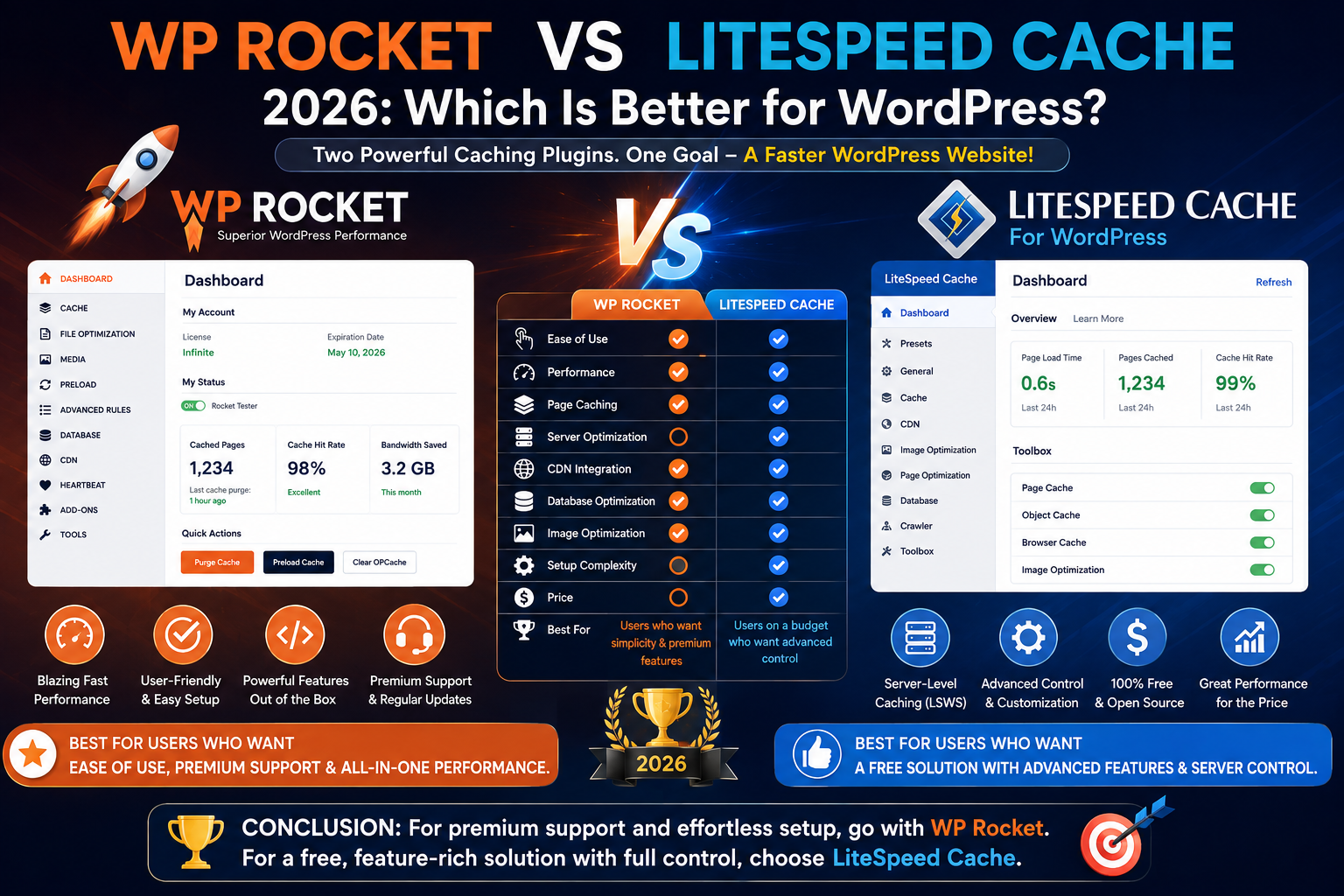
WP Rocket vs LiteSpeed Cache
LiteSpeed Cache is one of WP Rocket’s strongest alternatives.
The major difference is that LiteSpeed Cache can integrate deeply with LiteSpeed server technology.
Choose WP Rocket If:
- You want extremely easy configuration
- Your host doesn’t use LiteSpeed
- You want a polished premium experience
- You don’t want to manage many technical settings
Choose LiteSpeed Cache If:
- Your website runs on LiteSpeed infrastructure
- You want a free caching solution
- You prefer advanced configuration options
- You’re comfortable managing more technical settings
On a properly configured LiteSpeed server, LiteSpeed Cache can be extremely powerful.
For simplicity across a broad range of hosting environments, WP Rocket remains very attractive.
WP Rocket vs W3 Total Cache
W3 Total Cache is another long-established WordPress caching solution.
It provides a substantial number of configuration options.
That’s both an advantage and a disadvantage.
Developers may appreciate the control.
Beginners may find the interface intimidating.
WP Rocket Wins For:
- Ease of use
- Beginner friendliness
- Quick setup
- Simplified configuration
W3 Total Cache Wins For:
- Free availability
- Granular configuration
- Users who want extensive technical control
If you want to install a caching plugin and get useful results quickly, WP Rocket is generally easier.
WP Rocket vs WP Super Cache
WP Super Cache focuses heavily on straightforward page caching.
It’s a good option for users who want basic caching without paying for a premium plugin.
WP Rocket provides a much broader performance toolkit.
The difference is essentially:
WP Super Cache: straightforward caching.
WP Rocket: caching plus broader frontend and database performance optimization.
Which is better depends on how much functionality you need.
Who Should Use WP Rocket?
WP Rocket is particularly suitable for:
- Business websites
- Blogs
- WooCommerce stores
- Agency websites
- Affiliate websites
- Portfolio websites
- Elementor websites
- WPBakery websites
- Content-heavy websites
It’s particularly useful when the website owner wants performance improvements without spending significant time learning caching terminology.
Who Should Skip WP Rocket?
You may not need WP Rocket if:
- Your hosting platform already provides comprehensive caching
- You’re satisfied with your existing performance setup
- You use LiteSpeed Cache on suitable infrastructure
- Your budget is extremely limited
- You’re comfortable manually configuring a free caching plugin
Don’t install WP Rocket simply because someone says every WordPress website needs it.
Evaluate your existing setup first.
Recommended WP Rocket Setup
There’s no universal configuration that works perfectly for every website.
However, a sensible optimization process is:
- Create a full website backup.
- Test current performance.
- Install WP Rocket.
- Enable basic caching.
- Test the website.
- Configure media optimization.
- Test again.
- Configure CSS optimization.
- Test important pages.
- Configure JavaScript optimization carefully.
- Test forms, menus, carts, and checkout.
- Measure performance again.
The important principle is:
Change one category at a time and test.
If you enable every aggressive optimization option simultaneously and something breaks, finding the cause becomes much harder.
WP Rocket Review: Performance Tips
WP Rocket works best as part of a broader performance strategy.
For better WordPress speed, combine caching with:
Quality Hosting
Choose hosting appropriate for your website’s traffic and workload.
Optimized Images
Compress images and serve them at appropriate dimensions.
Modern formats such as WebP and AVIF can reduce image file sizes significantly in suitable scenarios.
Fewer Plugins
Remove unnecessary plugins, especially those loading large frontend assets.
Lightweight Theme
A well-built theme provides a better performance foundation.
Optimized Fonts
Avoid loading unnecessary font families and weights.
Limited Third-Party Scripts
Advertising, analytics, chat, tracking, and social widgets can significantly affect performance.
CDN
A CDN can improve asset delivery, particularly for geographically distributed visitors.
Is WP Rocket Good for SEO?
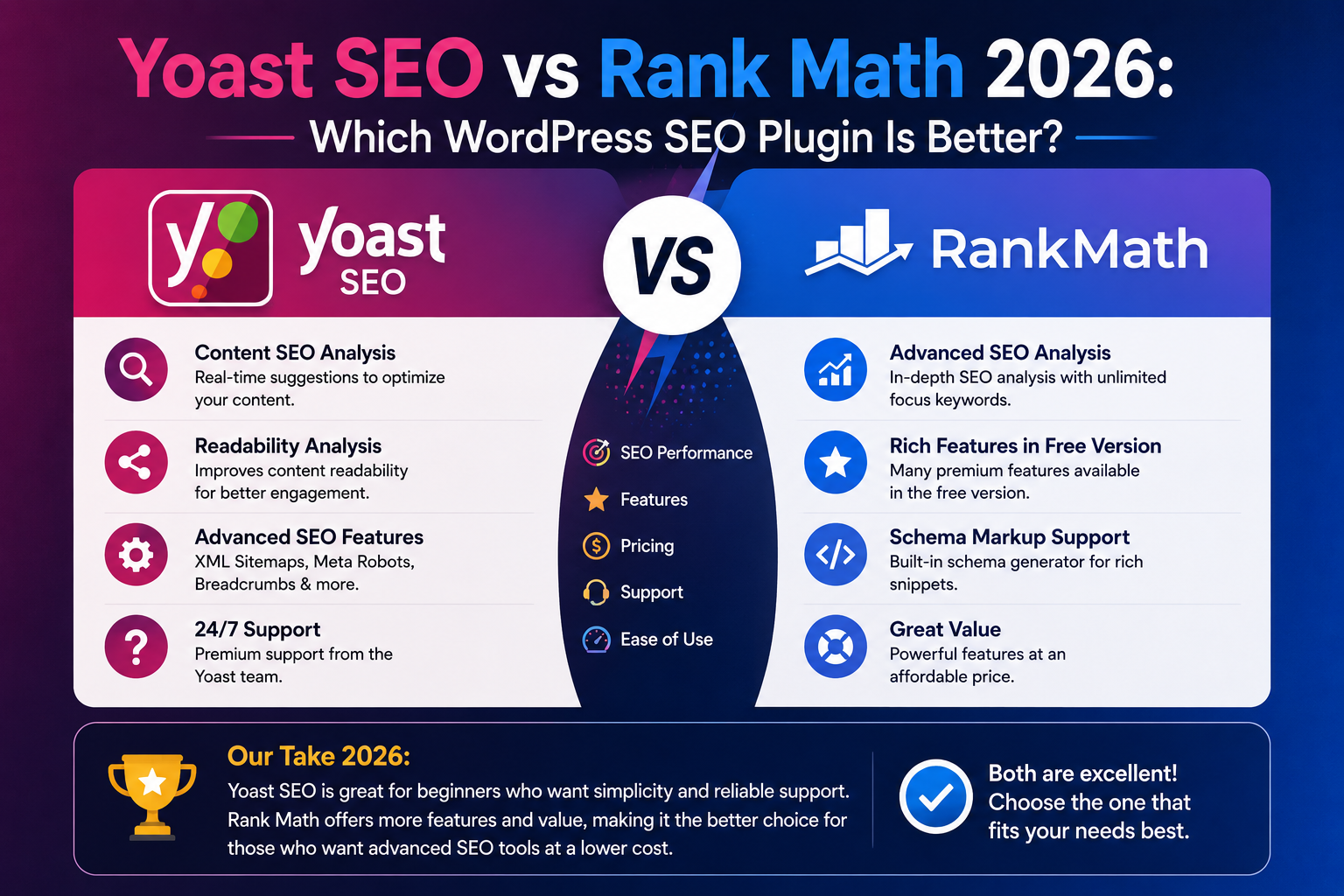
WP Rocket isn’t an SEO plugin.
It doesn’t replace Yoast SEO or Rank Math.
However, website performance and user experience are important parts of technical SEO.
WP Rocket can complement your SEO strategy by helping optimize page delivery and frontend performance.
A common WordPress setup might therefore include:
SEO: Yoast SEO or Rank Math
Performance: WP Rocket
The plugins solve different problems and can work alongside each other.
Is WP Rocket Safe?
WP Rocket is a widely used commercial WordPress plugin.
However, performance optimization changes how website resources are cached and loaded.
That means advanced settings should still be tested.
Before making major optimization changes:
- Create a backup
- Use staging when possible
- Test mobile and desktop
- Check forms
- Check navigation
- Check logged-in functionality
- Test WooCommerce cart and checkout
- Clear all caching layers after changes
This approach reduces the risk of unexpected problems.
Final Verdict: Is WP Rocket the Best WordPress Cache Plugin in 2026?
WP Rocket remains one of the best premium WordPress caching and performance plugins in 2026, particularly for users who value simplicity.
Its biggest strength isn’t that it invented caching.
Its strength is making multiple performance techniques accessible through one relatively easy-to-use interface.
You get caching, preloading, CSS optimization, JavaScript optimization, lazy loading, database cleanup, CDN compatibility, and other performance tools without needing to become a server optimization expert.
That makes WP Rocket especially attractive for:
Business owners: who don’t want to spend hours configuring caching.
Bloggers: who want a faster site without a complicated setup.
Agencies: that need a repeatable optimization workflow.
WooCommerce owners: who need performance optimization while accounting for dynamic store functionality.
Page-builder users: running Elementor, WPBakery, or similarly feature-rich designs.
However, WP Rocket isn’t automatically the best choice for every website.
If your host uses LiteSpeed infrastructure, LiteSpeed Cache deserves serious consideration.
If your hosting provider already handles caching and optimization at the server level, you may not need another caching plugin.
And if you’re working with a very limited budget, capable free alternatives exist.
WP Rocket Rating
Ease of Use: 5/5
Caching Features: 4.8/5
Performance Tools: 4.7/5
Compatibility: 4.6/5
Beginner Friendliness: 5/5
Value for Money: 4.3/5
Overall Rating: 4.6/5
Our Recommendation
If you want a premium WordPress performance plugin that’s powerful without being unnecessarily complicated, WP Rocket is an excellent choice in 2026.
If you want maximum control and don’t mind technical configuration, compare it with LiteSpeed Cache and other alternatives first.
Ultimately, the best caching plugin is the one that produces reliable improvements on your website without breaking functionality.
Test before and after, measure real results, and optimize based on data rather than chasing a perfect performance score.
Frequently Asked Questions
Is WP Rocket worth it in 2026?
Yes, particularly for website owners who value easy setup and want caching plus broader performance optimization features in one plugin. However, users with suitable server-level caching or LiteSpeed infrastructure may prefer alternatives.
Is WP Rocket free?
No. WP Rocket is a premium WordPress plugin and does not offer a permanent free version.
Does WP Rocket make WordPress faster?
It can improve performance through caching, preloading, resource optimization, lazy loading, and other techniques. The actual improvement depends on your hosting, theme, plugins, content, and existing optimization.
Is WP Rocket better than LiteSpeed Cache?
It depends on your hosting environment. LiteSpeed Cache is extremely powerful when used with compatible LiteSpeed infrastructure. WP Rocket’s major advantage is its simple configuration and broad hosting compatibility.
Can I use WP Rocket with Elementor?
Yes. WP Rocket can be used with Elementor websites. Always test advanced CSS and JavaScript optimization settings after enabling them.
Can I use WP Rocket with WPBakery?
Yes. WP Rocket can work alongside WPBakery Page Builder and can provide caching and additional performance optimization.
Does WP Rocket optimize images?
WP Rocket includes media-related performance features such as lazy loading. Dedicated image compression and optimization may involve separate tools or services depending on your requirements.
Does WP Rocket improve Core Web Vitals?
Its performance features can help address factors that influence Core Web Vitals, but it cannot guarantee passing scores. Hosting, themes, images, fonts, scripts, and page design also matter.
Can WP Rocket replace Yoast SEO?
No. WP Rocket is primarily a performance optimization plugin, while Yoast SEO is an SEO plugin. They perform different functions and can be used together.
Can I use two cache plugins together?
Generally, you should avoid running multiple page-caching plugins that perform the same job unless your hosting provider or plugin documentation specifically supports the configuration. Overlapping caching systems can create conflicts.