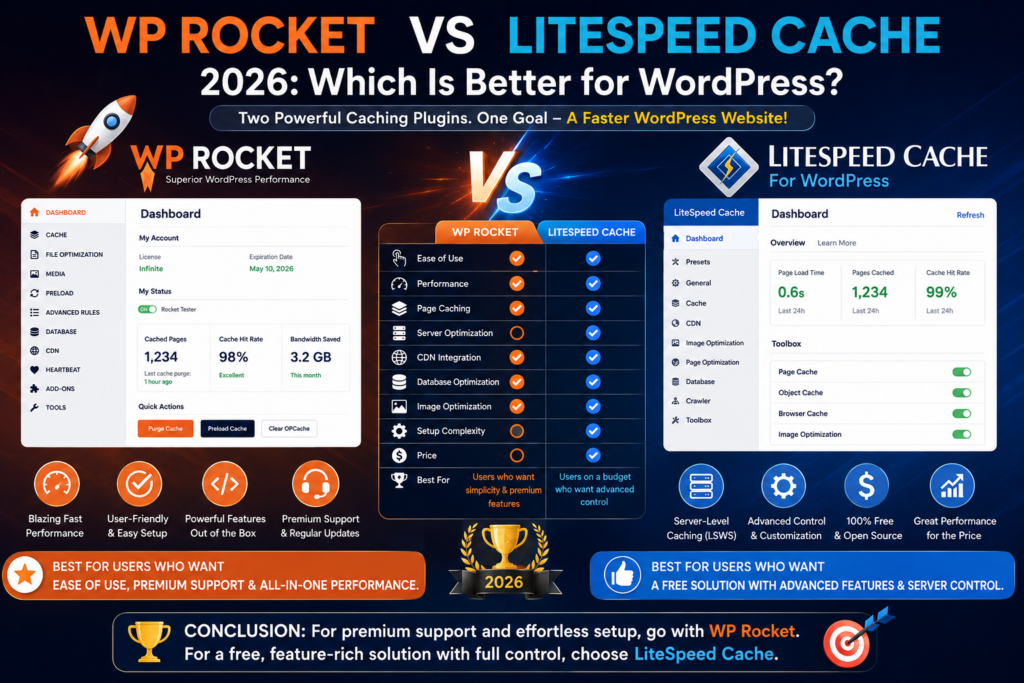
WP Rocket vs LiteSpeed Cache 2026: Which Is Better for WordPress?
Website speed matters.
A slow WordPress website can frustrate visitors, hurt conversions, increase bounce rates, and make an otherwise excellent website feel outdated.
Caching is one of the most effective ways to improve WordPress performance, and two plugins regularly appear in discussions about WordPress optimization:
WP Rocket and LiteSpeed Cache.
Both can dramatically improve the performance of the right website, but they take very different approaches.
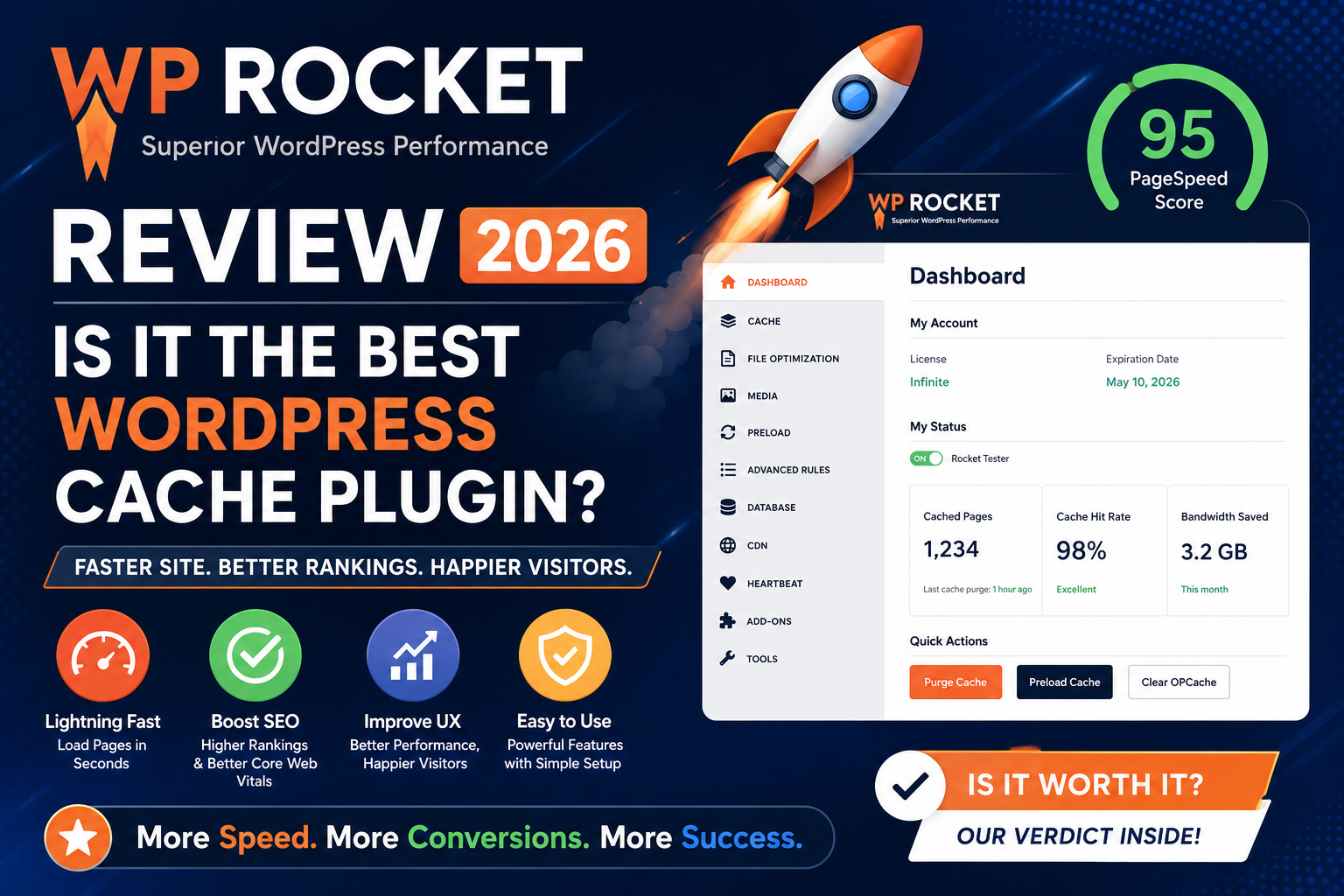
WP Rocket is a premium performance plugin designed around simplicity and broad compatibility.
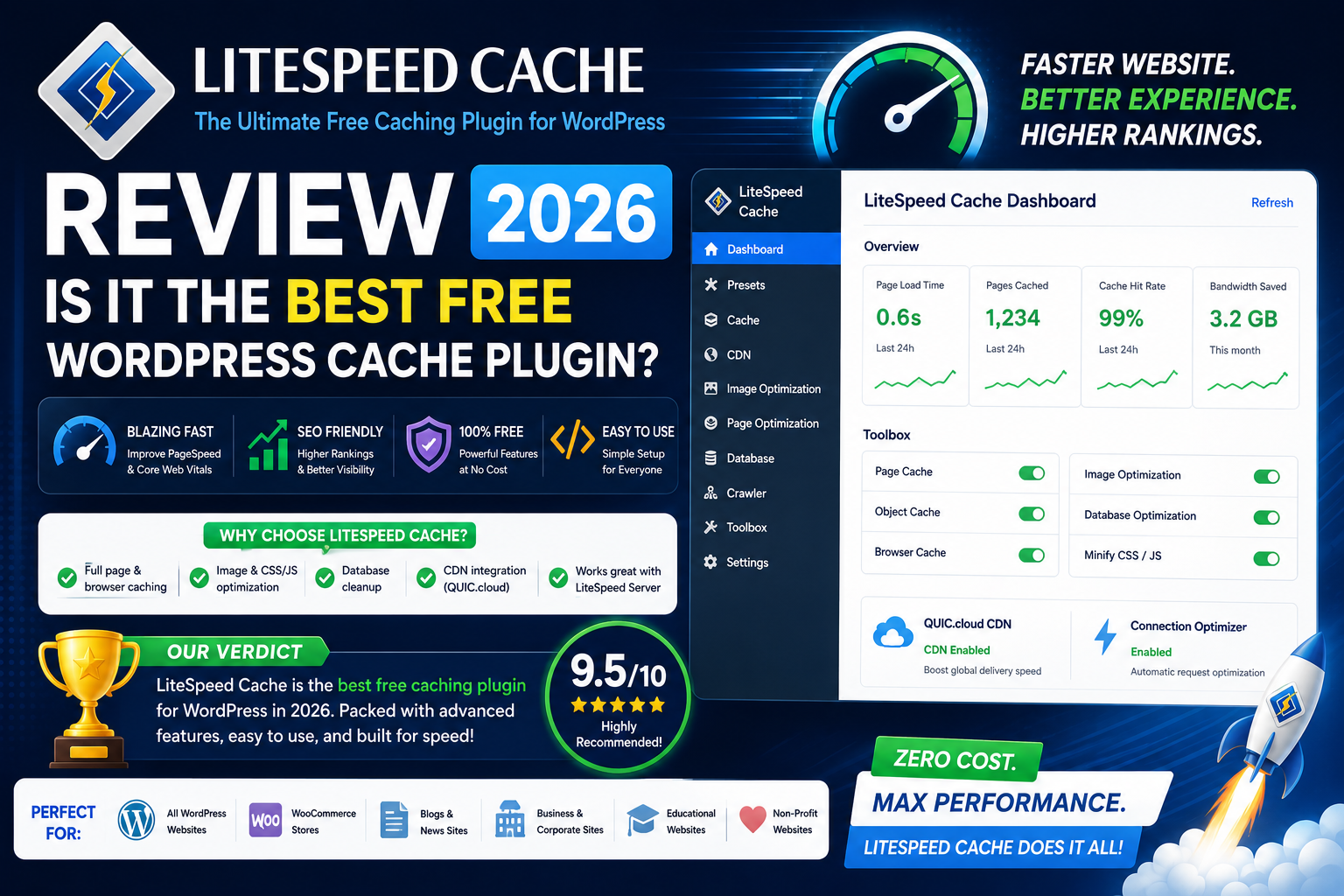
LiteSpeed Cache is a free WordPress caching plugin with deep integration into LiteSpeed server technology and a huge collection of advanced optimization features.
So which one should you choose in 2026?
In this WP Rocket vs LiteSpeed Cache comparison, we’ll look at caching, performance optimization, Core Web Vitals, image optimization, CDN support, WooCommerce compatibility, ease of use, pricing, and more.
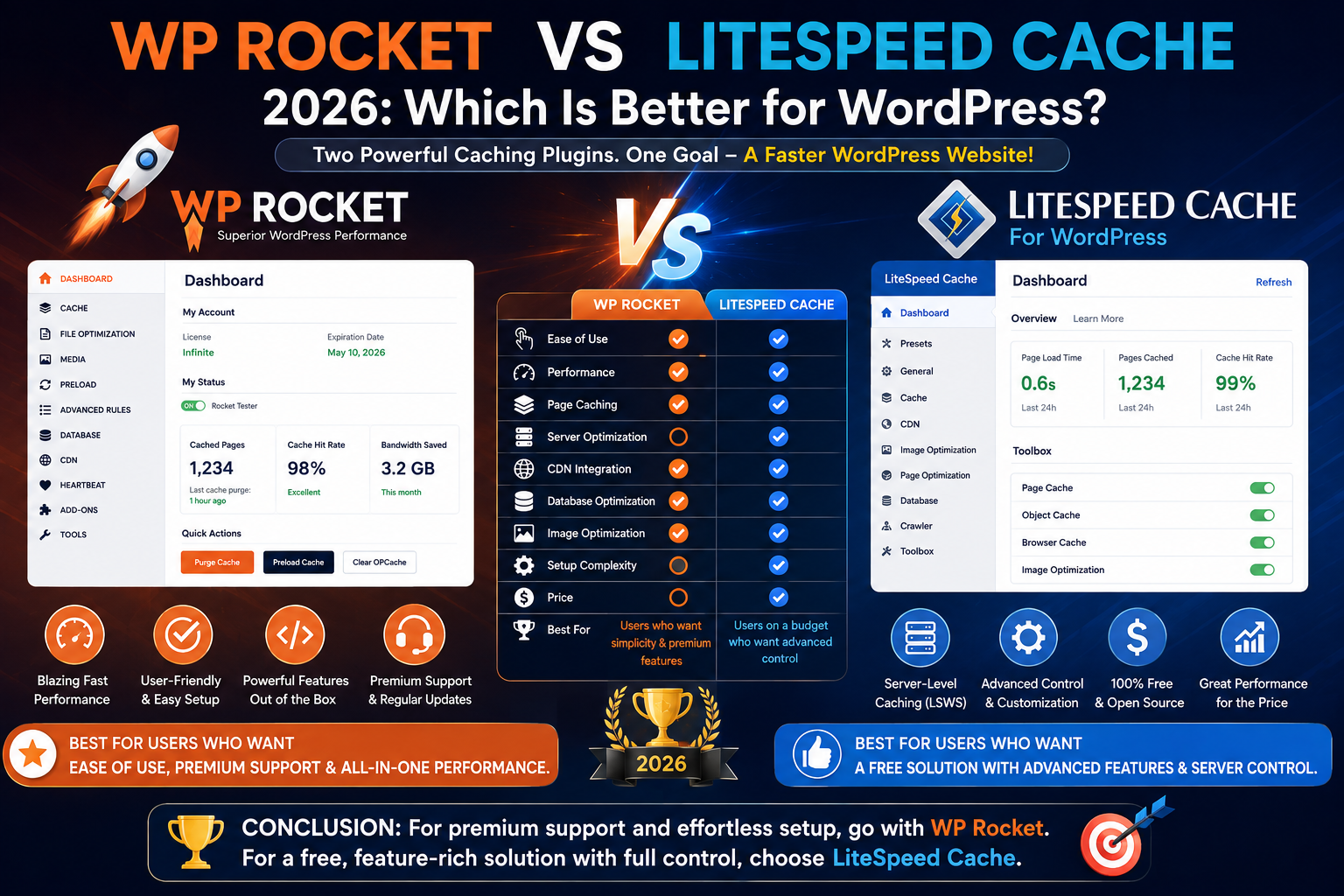
WP Rocket vs LiteSpeed Cache: Quick Verdict
Both plugins are excellent, but they’re best suited to different users.
Choose WP Rocket if: you want an easy-to-configure premium performance plugin that works across a broad range of hosting environments.
Choose LiteSpeed Cache if: your website runs on LiteSpeed or OpenLiteSpeed infrastructure and you want powerful server-level caching with extensive optimization controls.
Our Quick Winner
Best for beginners: WP Rocket
Best free option: LiteSpeed Cache
Best for LiteSpeed servers: LiteSpeed Cache
Best for simple configuration: WP Rocket
Best for advanced users: LiteSpeed Cache
Best overall value: LiteSpeed Cache on compatible hosting
Best premium experience: WP Rocket
The important detail is your hosting environment.
That can matter more than comparing individual checkboxes in each plugin.
What Is WP Rocket?
WP Rocket is a premium caching and WordPress performance optimization plugin.
It’s designed to make advanced performance techniques accessible without requiring users to understand every technical detail behind caching.
After activation, WP Rocket can begin applying important caching functionality with relatively little configuration.
It also provides tools for optimizing:
- CSS
- JavaScript
- Media
- Databases
- Cache preloading
- Browser caching
- Lazy loading
- CDN delivery
Its biggest selling point is convenience.
Instead of exposing every possible server-level setting, WP Rocket provides a streamlined interface intended to work across many different WordPress hosting environments.
What Is LiteSpeed Cache?
LiteSpeed Cache is a WordPress caching and optimization plugin developed for the LiteSpeed ecosystem.
The plugin itself is free.
It includes an enormous range of functionality covering:
- Page caching
- Browser caching
- Object caching
- CSS optimization
- JavaScript optimization
- Image optimization
- Lazy loading
- Database optimization
- CDN integration
- QUIC.cloud integration
However, there’s an important distinction.
Some optimization features can work on different server environments, but the plugin’s powerful server-level page caching functionality is designed to work with LiteSpeed Web Server, OpenLiteSpeed, or supported LiteSpeed-based environments.
This is why LiteSpeed Cache can be exceptionally powerful on compatible hosting.
WP Rocket vs LiteSpeed Cache: Main Difference
The biggest difference isn’t simply premium versus free.
It’s how caching works.
WP Rocket creates page caching through its WordPress-based optimization system and is designed for broad compatibility.
LiteSpeed Cache can communicate directly with LiteSpeed server technology.
This server-level integration allows caching to occur closer to the web server itself.
In simplified terms:
WP Rocket: designed to bring easy caching and performance optimization to many hosting environments.
LiteSpeed Cache: designed to take maximum advantage of LiteSpeed infrastructure.
That distinction should heavily influence your decision.
Ease of Use
Let’s start with the category most beginners care about.
WP Rocket
WP Rocket’s interface is one of its strongest features.
You install the plugin, activate it, and important caching functionality starts working without requiring extensive configuration.
Advanced settings are available, but you don’t need to understand every one of them before benefiting from the plugin.
This makes WP Rocket particularly attractive for:
- Bloggers
- Small businesses
- Marketing teams
- Beginners
- Agencies managing client websites
The plugin generally does a good job of balancing performance functionality with usability.
LiteSpeed Cache
LiteSpeed Cache is significantly more configurable.
That’s excellent if you know what you’re doing.
The settings can cover areas such as:
- Cache behavior
- TTL values
- Purging
- ESI
- Object caching
- Browser caching
- CSS optimization
- JavaScript optimization
- Media
- Database optimization
- CDN
- Crawler behavior
For experienced users, this is fantastic.
For someone installing their first WordPress caching plugin, it can feel overwhelming.
Winner: WP Rocket
WP Rocket wins for ease of use.
LiteSpeed Cache provides more granular control, but WP Rocket makes it easier to reach a sensible configuration quickly.
Page Caching
Page caching reduces the need for WordPress to dynamically generate the same content repeatedly.
Both plugins provide page caching, but the underlying implementation differs.
WP Rocket Page Caching
WP Rocket automatically creates cached versions of pages.
Its caching approach is designed to work across a broad variety of hosting environments.
You generally don’t need a specific web server technology to use its core caching features.
LiteSpeed Cache Page Caching
This is where LiteSpeed Cache becomes particularly interesting.
When used with LiteSpeed Web Server or compatible infrastructure, the plugin can take advantage of server-level caching.
Because the cache is deeply integrated with the web server, requests can often be handled before WordPress needs to perform its normal processing.
Winner: LiteSpeed Cache on LiteSpeed Hosting
On compatible infrastructure, LiteSpeed Cache has the technical advantage for page caching.
If your server doesn’t support LiteSpeed’s caching capabilities, the comparison changes significantly.
Cache Preloading
Caching is most useful when cached pages are already available before visitors request them.
WP Rocket
WP Rocket provides cache preloading designed to generate cached pages proactively.
This helps reduce situations where the first visitor after a cache purge receives an uncached page.
LiteSpeed Cache
LiteSpeed Cache provides crawler and cache-related functionality that can help populate the cache.
Its exact behavior depends heavily on your server configuration and hosting provider.
Some hosts may restrict crawler functionality because it can consume server resources.
Winner: WP Rocket for Simplicity
LiteSpeed offers powerful options, but WP Rocket makes preloading easier for the average user to understand and manage.
CSS Optimization
Large or inefficient CSS files can delay page rendering.
Both plugins include CSS optimization features.
WP Rocket
WP Rocket provides tools designed to optimize CSS delivery and reduce the impact of unused CSS.
Its goal is to improve rendering without requiring users to manually rewrite their stylesheets.
LiteSpeed Cache
LiteSpeed Cache provides extensive CSS optimization controls.
Depending on your configuration and available services, these can include techniques related to:
- CSS minification
- CSS combination
- Asynchronous CSS
- Critical CSS
- Unused CSS optimization
The sheer number of options gives advanced users significant control.
However, aggressive CSS optimization can occasionally break layouts.
Winner: Tie
LiteSpeed Cache provides more granular control.
WP Rocket provides an easier workflow.
Which is better depends on whether you value simplicity or customization.
JavaScript Optimization
JavaScript is frequently one of the biggest performance challenges on modern WordPress websites.
Both plugins provide JavaScript optimization features.
WP Rocket
WP Rocket can help optimize JavaScript delivery, including functionality designed to delay JavaScript execution.
This can be especially helpful for third-party scripts that aren’t immediately necessary during the initial page load.
LiteSpeed Cache
LiteSpeed Cache provides multiple JavaScript optimization controls, including options related to:
- Minification
- Combination
- Deferred loading
- Delayed loading
Again, LiteSpeed gives advanced users substantial control.
Winner: Tie
Both plugins provide strong JavaScript optimization capabilities.
WP Rocket is easier to configure.
LiteSpeed Cache provides more technical flexibility.
Image Optimization
Images are often responsible for a significant portion of total page size.
This category reveals an important difference.
WP Rocket
WP Rocket focuses primarily on caching and frontend performance.
It includes media-related optimizations such as lazy loading, but dedicated image compression and optimization may involve additional tools or services.
LiteSpeed Cache
LiteSpeed Cache integrates image optimization into its broader ecosystem through QUIC.cloud services.
Depending on your setup and available quota, you can optimize images and use modern image formats.
This creates a more integrated image optimization workflow.
Winner: LiteSpeed Cache
For integrated image optimization, LiteSpeed Cache has the advantage.
Lazy Loading
Both plugins support lazy loading.
Lazy loading delays images, iframes, or other supported media until they’re needed.
For example, if your article contains 20 images but only two are visible when the page initially loads, there’s little reason to immediately load every image.
Winner: Tie
Both plugins handle this important optimization effectively.
Database Optimization
WordPress databases can accumulate unnecessary information over time.
This may include:
- Post revisions
- Auto drafts
- Trashed posts
- Spam comments
- Expired transients
Both WP Rocket and LiteSpeed Cache include database optimization tools.
Winner: Tie
Neither plugin should be chosen solely for database cleanup.
And regardless of which one you use:
Create a backup before performing significant database optimization.
Object Cache
Object caching can reduce repeated database work by storing frequently accessed query results.
WP Rocket
WP Rocket primarily focuses on page caching and frontend optimization rather than trying to manage every server-side caching layer.
Object caching may instead be provided by your hosting environment through systems such as Redis.
LiteSpeed Cache
LiteSpeed Cache provides object cache integration options for compatible technologies such as Redis or Memcached.
This makes it easier to manage multiple caching layers from one performance plugin.
Winner: LiteSpeed Cache
For users who want deeper server-side caching controls, LiteSpeed Cache has a clear advantage.
CDN Integration
A Content Delivery Network can improve performance by distributing assets through geographically distributed infrastructure.
WP Rocket
WP Rocket works with CDN configurations and can integrate with performance services used by WordPress websites.
The WP Rocket ecosystem also includes additional services designed around content delivery and optimization.
LiteSpeed Cache
LiteSpeed Cache integrates particularly closely with QUIC.cloud, LiteSpeed’s CDN and online optimization platform.
It can also be configured for other CDN scenarios.
Winner: Tie
Both plugins provide strong CDN possibilities.
LiteSpeed Cache and QUIC.cloud offer particularly deep integration, while WP Rocket remains flexible for users with existing CDN setups.
Core Web Vitals
Core Web Vitals are important measurements of real-world page experience.
The key metrics include:
Largest Contentful Paint (LCP)
Measures loading performance.
Interaction to Next Paint (INP)
Measures responsiveness.
Cumulative Layout Shift (CLS)
Measures visual stability.
Both plugins can help improve performance factors related to these metrics.
Caching can reduce server processing.
CSS optimization can improve rendering.
JavaScript optimization can improve responsiveness.
Lazy loading can reduce initial page weight.
However:
Neither WP Rocket nor LiteSpeed Cache can guarantee perfect Core Web Vitals.
Your results also depend on:
- Hosting
- Theme
- Page builder
- Images
- Fonts
- Third-party scripts
- Advertising
- Tracking
- Website architecture
Winner: Tie
Both plugins can be part of an excellent Core Web Vitals optimization strategy.
WooCommerce Performance
WooCommerce caching requires additional care.
Pages such as:
- Cart
- Checkout
- My Account
contain dynamic information and shouldn’t be treated like ordinary static pages.
WP Rocket
WP Rocket is designed to work with WooCommerce and automatically accounts for important dynamic store behavior.
Its relatively simple configuration makes it appealing to store owners who don’t want to manually configure complicated caching exclusions.
LiteSpeed Cache
LiteSpeed Cache also provides strong WooCommerce compatibility and can take advantage of server-level caching.
Advanced technologies such as ESI can provide additional possibilities for handling dynamic and personalized content on suitable LiteSpeed configurations.
Winner: LiteSpeed Cache for Advanced Stores
On LiteSpeed infrastructure, the combination of server-level caching and advanced cache controls can make LiteSpeed Cache extremely powerful for WooCommerce.
WP Rocket remains easier for less technical store owners.
Elementor Performance
Both plugins work with Elementor.
Elementor pages can become heavy when they contain:
- Numerous widgets
- Animations
- Large images
- Multiple fonts
- Third-party add-ons
- Marketing scripts
WP Rocket’s simple frontend optimization can be appealing for Elementor users who don’t want complicated settings.
LiteSpeed Cache can provide excellent performance when Elementor runs on compatible LiteSpeed hosting.
Winner: Depends on Hosting
On LiteSpeed hosting: LiteSpeed Cache.
On other server environments: WP Rocket is often the simpler choice.
WPBakery Performance
The same general principle applies to WPBakery Page Builder.
Both plugins can help improve caching and frontend performance.
LiteSpeed Cache can take advantage of LiteSpeed server infrastructure.
WP Rocket provides a straightforward optimization layer across a wider variety of hosting configurations.
Winner: Depends on Hosting
The page builder itself shouldn’t determine your caching plugin.
Your server environment should have a much greater influence.
WP Rocket vs LiteSpeed Cache Pricing
This is one of the biggest differences.
WP Rocket Pricing
WP Rocket is a premium-only plugin.
There is no permanent free version.
You purchase a license that includes access to the plugin, updates, and support according to the current license terms.
Pricing can change, so check the official WP Rocket website before purchasing.
LiteSpeed Cache Pricing
The LiteSpeed Cache WordPress plugin itself is free.
However, that doesn’t necessarily mean every service surrounding your performance setup has unlimited free usage.
QUIC.cloud services can involve quotas, free allowances, or paid usage depending on the service and configuration.
Your hosting provider also determines whether you’re actually using LiteSpeed server technology.
Winner: LiteSpeed Cache
For pure plugin cost, LiteSpeed Cache easily wins.
WP Rocket vs LiteSpeed Cache: Performance
This is probably the section most readers care about.
So which plugin is faster?
There’s no honest universal answer.
Performance depends heavily on the server environment.
On LiteSpeed Hosting
LiteSpeed Cache has a major advantage because it can communicate directly with LiteSpeed’s server-level cache.
In a properly configured environment, this can deliver excellent performance.
On Apache or Nginx Hosting
WP Rocket becomes much more attractive.
LiteSpeed Cache’s optimization features may still provide value, but you won’t necessarily receive the same server-level caching advantage.
WP Rocket is designed specifically to provide a strong caching and optimization experience across different hosting stacks.
Performance Winner
LiteSpeed server: LiteSpeed Cache
Other server environments: WP Rocket is generally the more logical comparison winner.
WP Rocket Pros and Cons
Pros
- Extremely beginner-friendly
- Quick setup
- Automatic page caching
- Cache preloading
- Strong CSS optimization
- Strong JavaScript optimization
- Lazy loading
- Database cleanup
- WooCommerce compatibility
- Broad hosting compatibility
- Excellent for agencies and businesses
Cons
- No free version
- Recurring licensing cost
- Doesn’t provide the same server-level integration as LiteSpeed Cache
- Dedicated image optimization may require additional tools
- Advanced optimization still requires testing
LiteSpeed Cache Pros and Cons
Pros
- Free WordPress plugin
- Server-level caching on compatible hosting
- Excellent LiteSpeed integration
- Extensive configuration options
- Image optimization ecosystem
- Object cache integration
- WooCommerce support
- CDN integration
- QUIC.cloud integration
- Strong CSS and JavaScript optimization
- Advanced caching controls
Cons
- Interface can overwhelm beginners
- Full caching advantages depend on compatible infrastructure
- More configuration requires more technical knowledge
- Incorrect settings can create problems
- Some cloud services may involve usage limits or costs
WP Rocket vs LiteSpeed Cache Comparison Table
| Feature | WP Rocket | LiteSpeed Cache |
|---|---|---|
| Price | Premium | Free plugin |
| Page Caching | Excellent | Excellent on LiteSpeed |
| Server-Level Cache | No LiteSpeed-style integration | Yes, on compatible servers |
| Beginner Friendly | Excellent | Good |
| Advanced Controls | Very Good | Excellent |
| Cache Preloading | Yes | Yes / crawler dependent |
| CSS Optimization | Excellent | Excellent |
| JavaScript Optimization | Excellent | Excellent |
| Lazy Loading | Yes | Yes |
| Image Optimization | Limited compared with LSCache ecosystem | Integrated ecosystem |
| Database Optimization | Yes | Yes |
| Object Cache Integration | Hosting dependent | Redis/Memcached integration |
| WooCommerce | Excellent | Excellent |
| CDN Support | Yes | Yes |
| QUIC.cloud Integration | No | Yes |
| LiteSpeed Server Integration | No | Yes |
| Best For | Simplicity | LiteSpeed hosting |
| Free Version | No | Yes |
Which Is Better for Beginners?
Winner: WP Rocket
WP Rocket is easier to understand and configure.
A beginner can install it and receive useful caching functionality without needing to learn about TTL values, ESI, object caches, crawlers, and dozens of other technical concepts.
LiteSpeed Cache isn’t impossible for beginners, but it exposes considerably more functionality.
Which Is Better for Advanced Users?
Winner: LiteSpeed Cache
Advanced users will appreciate LiteSpeed Cache’s extensive configuration possibilities.
You can control caching and optimization behavior at a much deeper level.
This makes it particularly appealing to developers, system administrators, and performance enthusiasts.
Which Is Better for Business Websites?
Winner: Depends on Hosting
For a business website on Apache or Nginx hosting, WP Rocket’s simplicity can make it an excellent investment.
For a business website running on properly configured LiteSpeed hosting, LiteSpeed Cache is difficult to ignore.
Which Is Better for WooCommerce?
Winner: LiteSpeed Cache on LiteSpeed hosting
Advanced caching capabilities and LiteSpeed integration make it particularly attractive for dynamic WooCommerce websites.
However, WP Rocket may be easier for store owners who prefer minimal configuration.
Which Is Better for Bloggers?
Winner: Tie
A blogger using LiteSpeed hosting can get tremendous value from LiteSpeed Cache for free.
A blogger who values simplicity and uses another hosting stack may prefer WP Rocket.
Which Is Better for Agencies?
Winner: Depends on Workflow
WP Rocket provides a repeatable and beginner-friendly optimization workflow across different hosting providers.
LiteSpeed Cache gives technical agencies much more granular control when client websites use compatible infrastructure.
Can You Use WP Rocket and LiteSpeed Cache Together?
Generally, you should not enable overlapping page-caching functionality from both plugins simultaneously.
Running multiple caching systems that attempt to perform the same task can create:
- Cache conflicts
- Unexpected behavior
- Difficult troubleshooting
- Duplicate optimization
- Broken CSS or JavaScript
Choose one primary caching solution.
If you’re moving from one plugin to another, disable the old caching plugin, clear all relevant caches, configure the new plugin, and test the website thoroughly.
How to Check Whether Your Server Uses LiteSpeed
Before choosing LiteSpeed Cache specifically for server-level caching, determine what web server your hosting provider uses.
You can:
- Check your hosting dashboard
- Read your hosting provider’s documentation
- Ask hosting support
- Inspect server information using suitable diagnostic tools
If your hosting provider specifically advertises LiteSpeed Web Server, that’s a strong indication that LiteSpeed Cache deserves consideration.
Don’t assume that installing the LiteSpeed Cache plugin automatically turns an Apache or Nginx server into a LiteSpeed server.
It doesn’t.
Recommended Setup for LiteSpeed Hosting
If your hosting environment uses LiteSpeed, start with LiteSpeed Cache.
Configure basic caching first.
Then gradually evaluate:
- Page caching
- Browser caching
- Object caching if supported
- Image optimization
- CSS optimization
- JavaScript optimization
- Lazy loading
- QUIC.cloud/CDN integration
Test after every major change.
Don’t activate every aggressive optimization setting simply because it exists.
Recommended Setup for Non-LiteSpeed Hosting
If your website uses Apache or Nginx and your hosting provider doesn’t already provide a comprehensive caching system, WP Rocket can be an excellent option.
A sensible process is:
- Back up the website.
- Benchmark current performance.
- Install WP Rocket.
- Test basic caching.
- Enable media optimization.
- Test CSS optimization.
- Test JavaScript optimization.
- Check desktop and mobile.
- Test forms and navigation.
- Test WooCommerce cart and checkout.
- Benchmark performance again.
This incremental approach makes troubleshooting much easier.
WP Rocket vs LiteSpeed Cache: Which Should You Choose?
The decision becomes easier when you stop asking:
“Which plugin has more features?”
and instead ask:
“Which plugin fits my server and skill level?”
Choose WP Rocket If:
- Your website doesn’t use LiteSpeed hosting
- You want easy configuration
- You’re comfortable paying for convenience
- You don’t want dozens of technical settings
- You manage business websites
- You want a consistent workflow across different hosts
- You’re new to WordPress optimization
Choose LiteSpeed Cache If:
- Your website runs on LiteSpeed Web Server
- You want server-level caching
- You want a free caching plugin
- You need advanced configuration
- You want integrated image optimization options
- You want QUIC.cloud integration
- You’re comfortable with technical settings
- You run WooCommerce on LiteSpeed infrastructure
Final Verdict: WP Rocket vs LiteSpeed Cache 2026
Both plugins deserve their strong reputations.
But they solve the performance problem differently.
WP Rocket Wins for Simplicity
WP Rocket is one of the best choices for WordPress users who want powerful caching and frontend optimization without becoming performance experts.
Its polished interface, automatic caching, preloading, CSS and JavaScript optimization, lazy loading, and broad compatibility make it especially suitable for business websites and beginners.
LiteSpeed Cache Wins for Compatible Hosting
If your website runs on LiteSpeed infrastructure, LiteSpeed Cache is extremely difficult to beat.
You get deep server integration, advanced caching controls, frontend optimization, image optimization integration, object caching options, WooCommerce support, and QUIC.cloud integration—all through a free WordPress plugin.
Overall Winner
LiteSpeed Hosting: LiteSpeed Cache
Apache/Nginx Hosting: WP Rocket
Beginners: WP Rocket
Advanced Users: LiteSpeed Cache
Best Free Option: LiteSpeed Cache
Best Premium Option: WP Rocket
Rather than declaring one plugin universally better, choose based on your hosting environment.
If you’re already paying for quality LiteSpeed hosting, using LiteSpeed Cache makes excellent sense.
If you’re running another server stack and want a simple, polished performance solution, WP Rocket remains one of the strongest WordPress caching plugins available in 2026.
Most importantly, don’t judge performance purely by a plugin name.
Benchmark your website before optimization, configure your chosen plugin carefully, test important functionality, and measure again.
The best caching plugin is the one that makes your actual website faster without breaking it.
Frequently Asked Questions
Is LiteSpeed Cache better than WP Rocket?
On LiteSpeed hosting, LiteSpeed Cache can have a significant advantage because it integrates with server-level caching. On other hosting environments, WP Rocket may be a more suitable and straightforward caching solution.
Is LiteSpeed Cache free?
Yes. The LiteSpeed Cache WordPress plugin is free. Some associated cloud services may have quotas or paid usage depending on the service and configuration.
Is WP Rocket free?
No. WP Rocket is a premium-only WordPress performance plugin.
Can I use LiteSpeed Cache without a LiteSpeed server?
Some optimization functionality can still be available, but the plugin’s key server-level caching benefits require compatible LiteSpeed infrastructure.
Can I use WP Rocket with LiteSpeed hosting?
Compatibility depends on the hosting configuration, but if your server already supports LiteSpeed’s native caching system, LiteSpeed Cache is usually the more natural solution for taking advantage of that infrastructure.
Which is better for Elementor: WP Rocket or LiteSpeed Cache?
Both can work well. On LiteSpeed hosting, LiteSpeed Cache is particularly attractive. On other hosting environments, WP Rocket provides an easy performance optimization workflow.
Which is better for WooCommerce?
Both support WooCommerce. LiteSpeed Cache can be particularly powerful on LiteSpeed infrastructure, while WP Rocket is appealing to store owners who want easier configuration.
Does LiteSpeed Cache improve Core Web Vitals?
It can help improve factors affecting Core Web Vitals through caching and frontend optimization, but results depend on your complete website configuration.
Does WP Rocket improve Core Web Vitals?
WP Rocket includes caching and optimization functionality that can improve performance factors associated with Core Web Vitals. It cannot guarantee a particular score.
Can I use WP Rocket and LiteSpeed Cache at the same time?
You generally shouldn’t enable overlapping caching and optimization functionality in both plugins. Choose one primary caching solution to avoid conflicts.
Which plugin is easier to configure?
WP Rocket is generally easier for beginners. LiteSpeed Cache offers significantly more configuration options and therefore has a steeper learning curve.
Which one should I choose in 2026?
If your website uses LiteSpeed hosting, start with LiteSpeed Cache. If it uses another server environment and you want an easy premium solution, WP Rocket is an excellent option.