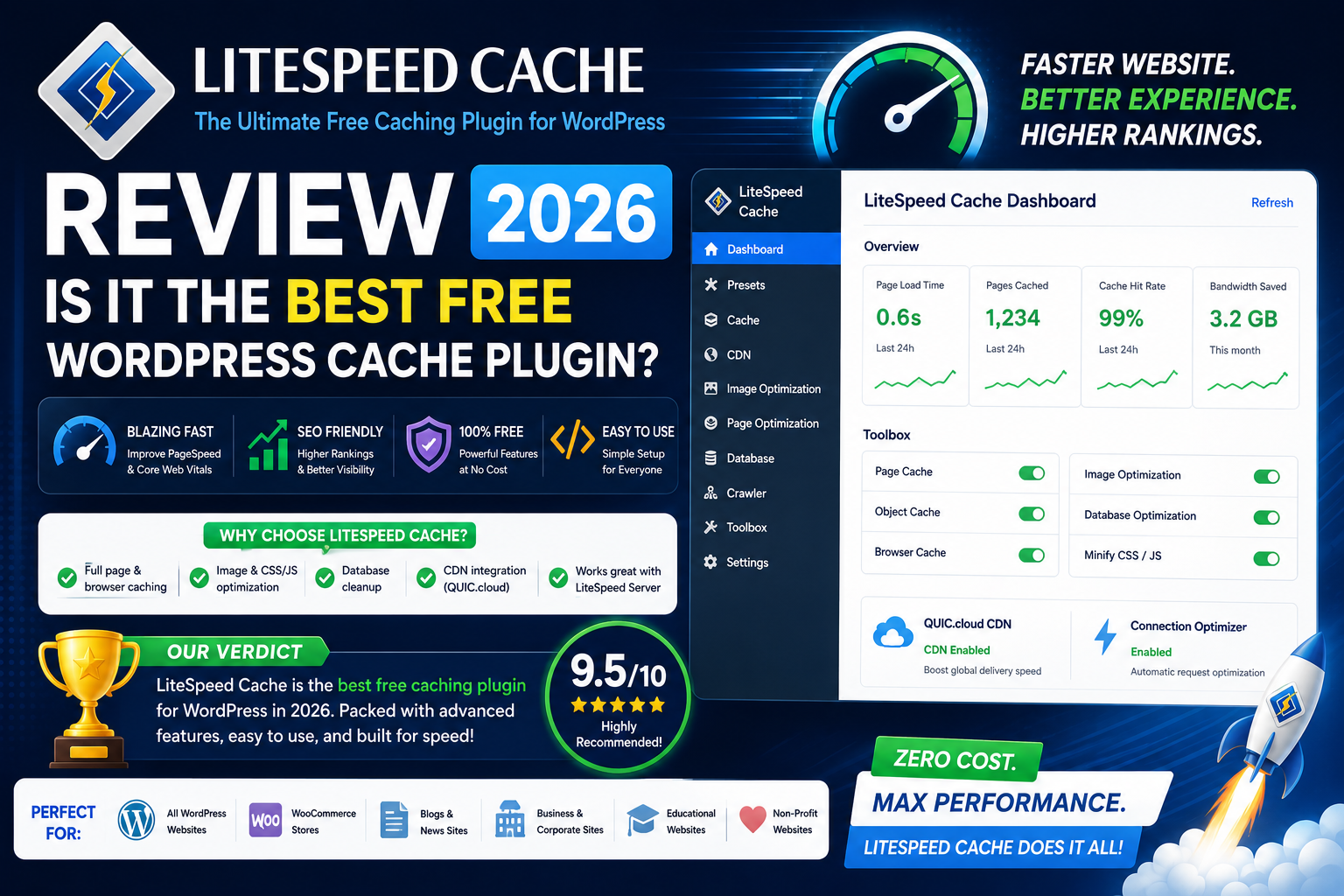
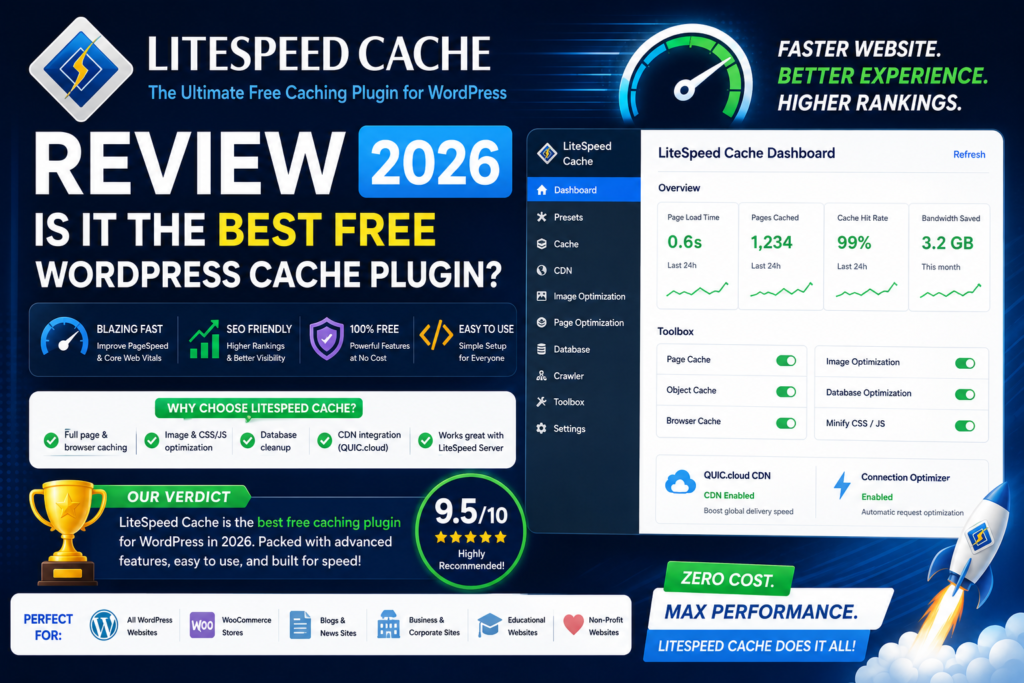
LiteSpeed Cache Review 2026: Is It the Best Free WordPress Cache Plugin?
Website speed is one of the most important parts of running a successful WordPress website.
A slow site can frustrate visitors, hurt conversions, increase bounce rates, and make browsing your pages feel unnecessarily difficult. That’s why caching and performance optimization should be part of almost every serious WordPress setup.
One plugin that frequently stands out is LiteSpeed Cache for WordPress.
Unlike many premium performance plugins, LiteSpeed Cache is available as a free WordPress plugin while still offering page caching, CSS and JavaScript optimization, image optimization integrations, database cleanup, object-cache integration, lazy loading, CDN functionality, and many advanced performance controls.
But there’s an important catch:
You don’t get the plugin’s full server-level caching advantages in every hosting environment.
So, is LiteSpeed Cache really the best free WordPress cache plugin in 2026?
In this LiteSpeed Cache review, we’ll examine its features, performance, LiteSpeed server integration, QUIC.cloud, WooCommerce compatibility, advantages, disadvantages, and how it compares with WP Rocket.
LiteSpeed Cache Review 2026: Quick Verdict
Overall Rating: 4.7/5
LiteSpeed Cache is one of the most powerful free performance plugins available for WordPress, especially when your website is hosted on LiteSpeed infrastructure.
Its biggest strengths include:
- Free WordPress plugin
- Server-level page caching on compatible infrastructure
- CSS optimization
- JavaScript optimization
- Lazy loading
- Image optimization integration
- WebP and AVIF support through its optimization ecosystem
- Database cleanup
- Object cache integration
- WooCommerce compatibility
- QUIC.cloud integration
- Advanced caching controls
The biggest disadvantage is complexity.
LiteSpeed Cache exposes significantly more technical options than beginner-focused alternatives such as WP Rocket.
And while many optimization features can work without LiteSpeed hosting, the plugin’s native caching functionality requires the appropriate LiteSpeed server-side cache component.
Quick Recommendation
LiteSpeed hosting: Highly recommended.
Advanced WordPress users: Excellent choice.
WooCommerce on LiteSpeed: Excellent choice.
Beginners: Powerful, but requires more learning.
Apache/Nginx without compatible cache infrastructure: Consider whether WP Rocket or your host’s native caching solution is more suitable.
What Is LiteSpeed Cache?
LiteSpeed Cache for WordPress, often abbreviated as LSCache or LSCWP, is a caching and performance optimization plugin developed by LiteSpeed Technologies.
Its purpose is to improve WordPress performance through caching and frontend optimization.
The plugin provides tools covering:
- Page caching
- Browser caching
- Cache management
- CSS optimization
- JavaScript optimization
- Image optimization
- Lazy loading
- Database optimization
- Object caching
- CDN integration
However, LiteSpeed Cache isn’t simply another traditional WordPress caching plugin.
Its biggest advantage is its integration with LiteSpeed server technology.
How Does LiteSpeed Cache Work?
WordPress normally generates dynamic pages using PHP and database queries.
For every uncached page request, the server may need to:
- Load WordPress.
- Run PHP.
- Query the database.
- Load theme functionality.
- Process plugins.
- Build the page.
- Send the finished HTML to the visitor.
That process consumes server resources.
Caching reduces the need to repeat all of that work for every visitor.
LiteSpeed Cache’s server-level caching functionality is integrated into LiteSpeed’s server products rather than functioning entirely within PHP. LiteSpeed’s current documentation also makes an important distinction: you can install the WordPress plugin without a LiteSpeed server, but in that case you primarily have access to optimization functionality rather than its native LSCache page caching.
This difference is one of the most important things to understand before installing the plugin.
Do You Need LiteSpeed Hosting?
Not necessarily—but it depends on what you want from the plugin.
LiteSpeed Cache contains optimization features that can still be useful outside a traditional LiteSpeed server environment.
However, if you want the plugin’s integrated server-level caching functionality, you need compatible caching infrastructure.
That could include:
- LiteSpeed Web Server
- OpenLiteSpeed
- Suitable LiteSpeed-powered hosting
- Compatible QUIC.cloud caching scenarios
Therefore, simply installing the LiteSpeed Cache WordPress plugin doesn’t transform an Apache or Nginx server into LiteSpeed.
If your main reason for choosing LiteSpeed Cache is its server-level caching advantage, check your hosting environment first.
LiteSpeed Cache Features
LiteSpeed Cache contains a huge collection of performance tools.
Let’s examine the most important ones.
1. Server-Level Page Caching
This is the headline feature.
When LiteSpeed Cache operates on compatible LiteSpeed server infrastructure, page caching occurs at the server level.
That can allow cached requests to be handled efficiently without requiring WordPress to fully process the page every time.
In practical terms, caching can help:
- Reduce PHP processing
- Reduce database queries
- Reduce server workload
- Improve page response times
- Handle traffic more efficiently
For dynamic WordPress websites, this can provide an extremely effective performance foundation.
Why Server-Level Caching Matters
Traditional WordPress caching solutions can still work very well.
However, integrating caching directly into the server creates additional opportunities for efficient request handling.
This is one reason LiteSpeed Cache is particularly attractive when your hosting provider already runs LiteSpeed infrastructure.
2. Public and Private Cache
Not every piece of website content should be cached in exactly the same way.
A standard blog article can often be publicly cached because everyone sees essentially the same page.
Personalized content is different.
LiteSpeed Cache supports more sophisticated approaches to public and private content.
This can be useful for websites containing:
- Logged-in users
- Personalized information
- Membership functionality
- WooCommerce
- Dynamic widgets
Advanced caching capability becomes increasingly important as your WordPress website becomes more complex.
3. ESI Support
LiteSpeed Cache can support Edge Side Includes (ESI) on appropriate LiteSpeed environments.
ESI allows parts of a page to be treated separately from the rest of the cached page.
Imagine a WooCommerce website.
Most of the page might be identical for every visitor.
But a shopping cart widget could contain personalized information.
Instead of disabling caching for the entire page, ESI can allow selected dynamic blocks to behave differently.
LiteSpeed’s current documentation notes that ESI must be enabled server-side and that OpenLiteSpeed itself does not support ESI; commercial LiteSpeed products or QUIC.cloud are needed for this capability.
For ordinary blogs, this may not matter.
For advanced WooCommerce and membership websites, it can be extremely useful.
4. Smart Cache Purging
Caching becomes complicated when website content changes.
For example, when you update a blog article, the cached version should also be updated.
Clearing the entire website cache after every small change would be inefficient.
LiteSpeed Cache uses cache management and purge mechanisms designed to remove relevant cached content when necessary.
That helps maintain the balance between:
Keeping content fresh
and
Avoiding unnecessary cache regeneration.
5. Browser Caching
Your website loads many static resources, including
- Images
- CSS
- JavaScript
- Fonts
Browser caching allows visitors’ browsers to retain suitable files locally.
If those resources don’t change, the browser may not need to download them again on every visit.
This can improve repeat page views and reduce unnecessary network requests.
6. CSS Minification
CSS controls your website’s visual appearance.
Minification removes unnecessary characters from stylesheet files, reducing their size.
For example, developer-friendly formatting may include:
- Spaces
- Comments
- Line breaks
Browsers don’t necessarily need all that formatting.
LiteSpeed Cache can help minimize CSS files for production delivery.
The actual performance improvement depends on the website, but it’s one useful part of an overall optimization strategy.
7. Remove or Optimize Unused CSS
Modern WordPress themes and page builders can load large stylesheets.
The problem is that a page may only use a fraction of those styles.
LiteSpeed Cache’s optimization ecosystem includes tools designed to address unused CSS and improve CSS delivery.
This can be particularly useful on websites created with:
- Elementor
- WPBakery
- WooCommerce
- Multipurpose WordPress themes
- Large widget libraries
However, CSS optimization should always be tested carefully.
Aggressive optimization can occasionally affect menus, layouts, sliders, popups, or responsive designs.
8. Critical CSS
Some CSS is required immediately to display the visible part of a page.
Other CSS can wait.
Critical CSS optimization attempts to prioritize the styles necessary for above-the-fold rendering.
LiteSpeed Cache can work with QUIC.cloud’s Page Optimization services for tasks including critical CSS and unique CSS generation.
This can contribute to better perceived loading performance.
9. JavaScript Minification
JavaScript is another common source of WordPress performance problems.
LiteSpeed Cache includes options designed to reduce and optimize JavaScript delivery.
Minification can reduce JavaScript file sizes by removing unnecessary formatting.
However, JavaScript optimization must be tested carefully because scripts often control interactive functionality.
10. JavaScript Defer and Delay
Not every JavaScript file needs to execute immediately.
Your website may load scripts for:
- Analytics
- Chat
- Social sharing
- Popups
- Advertising
- Video embeds
- Tracking
- Marketing tools
Some of these may not be essential to the initial page render.
LiteSpeed Cache provides controls for deferring or delaying JavaScript execution.
This can help reduce the amount of JavaScript competing for browser resources during initial page loading.
After enabling these settings, test:
- Navigation menus
- Forms
- Popups
- Sliders
- Product filters
- Add-to-cart buttons
- Checkout
- Mobile menus
11. HTML Minification
LiteSpeed Cache can also optimize HTML output.
As with CSS and JavaScript minification, this removes unnecessary formatting characters and can slightly reduce transferred page size.
The improvement may be small on its own, but performance optimization often comes from combining multiple small improvements.
12. Lazy Loading
A long WordPress article might contain dozens of images.
Loading every image immediately would require visitors to download media they may never actually see.
Lazy loading delays suitable images or other media until they’re closer to being needed.
LiteSpeed Cache provides lazy-loading functionality that can reduce the initial amount of data required to display a page.
This can be particularly beneficial for:
- Blogs
- Photography websites
- Portfolios
- Product pages
- Landing pages
- Long-form content
13. Image Optimization
Image optimization is one of LiteSpeed Cache’s strongest features.
The plugin can connect with QUIC.cloud’s image optimization service.
QUIC.cloud can optimize common image formats and can also generate next-generation formats, including WebP and AVIF. Its current documentation says the Standard image optimization queue is free, while an Advanced queue receives a monthly free quota before reverting to the Standard queue unless additional usage is purchased.
This helps reduce file sizes while keeping images visually suitable for the website.
Why Image Optimization Matters
Images are frequently among the largest resources on a webpage.
A 2 MB hero image can undermine other performance improvements.
Proper optimization can dramatically reduce transferred data.
14. WebP Support
WebP is a modern image format that can often provide smaller files than traditional JPEG or PNG images.
LiteSpeed Cache can integrate WebP generation and delivery into its optimization workflow.
This allows compatible browsers to receive optimized versions of your images.
15. AVIF Support
AVIF is another modern image format designed for efficient compression.
Depending on your configuration and optimization workflow, LiteSpeed Cache’s QUIC.cloud integration can also generate AVIF versions.
This gives website owners additional options for reducing image weight.
16. Database Optimization
WordPress databases accumulate data over time.
This can include:
- Post revisions
- Auto drafts
- Trashed posts
- Spam comments
- Trashed comments
- Transients
LiteSpeed Cache includes database maintenance tools for cleaning unnecessary information.
However:
Always back up your database before performing cleanup operations.
Removing a few unnecessary database entries isn’t worth risking valuable content.
17. Object Cache Integration
Object caching stores frequently requested database information so WordPress doesn’t need to repeatedly perform identical queries.
LiteSpeed Cache can integrate with object caching systems such as
- Redis
- Memcached
Availability depends on your hosting provider.
Object caching is particularly useful on dynamic websites such as
- WooCommerce stores
- Membership websites
- Community websites
- High-traffic WordPress installations
For a small static blog, the difference may be less significant.
18. QUIC.cloud Integration
QUIC.cloud is an important part of the LiteSpeed performance ecosystem.
It provides services for WordPress optimization and CDN delivery.
LiteSpeed Cache can connect to QUIC.cloud for features such as
- Image optimization
- Critical CSS
- Unique CSS
- Viewport image optimization
- Low-quality image placeholders
- CDN functionality
QUIC.cloud currently offers both free and standard CDN plans. Its Free CDN plan uses a smaller network and unlimited bandwidth, while its Standard plan provides broader global coverage and monthly free allowances before regional bandwidth charges apply.
This is worth understanding because while the LiteSpeed Cache plugin itself is free, some optional cloud services can have usage limits or paid components.
19. CDN Support
A CDN stores and serves content through geographically distributed infrastructure.
For example, if your origin server is in Europe and someone visits from Asia, CDN infrastructure may help deliver certain website resources closer to that visitor.
Potential benefits include:
- Reduced latency
- Faster static asset delivery
- Better international performance
- Reduced origin server load
LiteSpeed Cache’s particularly deep integration with QUIC.cloud makes CDN configuration attractive for users already inside the LiteSpeed ecosystem.
20. WooCommerce Compatibility
Caching an ordinary blog is relatively straightforward.
WooCommerce is more complicated.
Pages such as
- Cart
- Checkout
- My Account
contain dynamic information.
You don’t want one customer’s cart being accidentally cached and displayed to someone else.
LiteSpeed Cache provides WooCommerce-aware caching behavior and advanced cache-control options.
When ESI is available, dynamic elements can be handled independently from otherwise cacheable content.
This makes LiteSpeed Cache particularly interesting for performance-focused WooCommerce stores running suitable LiteSpeed infrastructure.
LiteSpeed Cache Ease of Use
This is one category where LiteSpeed Cache doesn’t automatically win.
The plugin is extremely powerful.
But that power comes with a large settings interface.
You may encounter terms such as
- TTL
- ESI
- Purge
- Object Cache
- Redis
- Memcached
- CCSS
- UCSS
- VPI
- LQIP
- CDN Mapping
- Crawler
For experienced WordPress users, this level of control is excellent.
For beginners, it can be intimidating.
Ease of Use Rating: 3.8/5
You don’t need to configure every advanced feature to benefit from the plugin.
A sensible approach is to begin with a basic setup and gradually introduce additional optimization.
Recommended LiteSpeed Cache Setup
Instead of turning everything on immediately, optimize your website in stages.
Step 1: Create a Backup
Always create a recent backup before changing important caching or optimization settings.
Step 2: Confirm Your Server
Check whether your hosting environment actually uses LiteSpeed.
Step 3: Enable Basic Caching
Start with standard page caching and verify that your website works properly.
Step 4: Test Performance
Measure your site using Google PageSpeed Insights or another reliable performance-testing tool.
Step 5: Configure Image Optimization
Connect the appropriate QUIC.cloud services and optimize your images.
Step 6: Enable Lazy Loading
Test image-heavy pages after activation.
Step 7: Optimize CSS
Apply CSS optimization gradually.
Check every major page template.
Step 8: Optimize JavaScript
Enable JavaScript optimization carefully and test interactive functionality.
Step 9: Configure Object Cache
If your host provides Redis or Memcached, evaluate whether object caching makes sense.
Step 10: Consider a CDN.
If your audience is geographically distributed, consider QUIC.cloud or another suitable CDN.
Step 11: Test Again
Compare real performance before and after optimization.
Don’t simply chase a PageSpeed score.
Focus on whether your actual website became faster and more responsive.
LiteSpeed Cache and Core Web Vitals
Caching and frontend optimization can help improve several factors affecting Core Web Vitals.
The three primary metrics are
Largest Contentful Paint (LCP)
Measures loading performance for the largest visible content element.
Interaction to Next Paint (INP)
Measures responsiveness to user interactions.
Cumulative Layout Shift (CLS)
Measures visual stability.
LiteSpeed Cache can help through:
- Page caching
- CSS optimization
- JavaScript optimization
- Image optimization
- Lazy loading
- Critical CSS
- CDN delivery
However, no plugin can guarantee perfect Core Web Vitals.
A poorly designed website can still perform badly despite excellent caching.
LiteSpeed Cache With Elementor
Elementor gives users tremendous design flexibility.
But complicated Elementor pages can become heavy.
Potential performance problems include:
- Too many widgets
- Large images
- Animations
- Extra Elementor add-ons
- Multiple fonts
- Third-party scripts
LiteSpeed Cache can help reduce frontend performance overhead through caching and optimization.
For Elementor websites on LiteSpeed hosting, it can be an excellent combination.
However, test CSS and JavaScript optimization carefully because aggressive settings can occasionally affect interactive Elementor functionality.
LiteSpeed Cache With WPBakery
LiteSpeed Cache can also work effectively with WPBakery Page Builder.
Caching, CSS optimization, JavaScript optimization, lazy loading, and image optimization can complement WPBakery’s own frontend output.
Again, optimization cannot compensate for unnecessarily complicated page design.
Keep your layouts efficient and avoid loading elements that don’t contribute meaningful value.
LiteSpeed Cache for WooCommerce
WooCommerce stores can benefit enormously from caching because dynamic store operations can create more server workload than a simple blog.
LiteSpeed Cache’s combination of:
- Server-level caching
- Purge controls
- Private caching
- ESI on supported configurations
- Object cache integration
- Image optimization
- CDN integration
makes it a particularly powerful option for WooCommerce sites on LiteSpeed infrastructure.
WooCommerce Optimization Tips
Even with LiteSpeed Cache, you should still:
- Optimize product images
- Use good hosting
- Limit unnecessary plugins
- Avoid bloated WooCommerce extensions
- Optimize database queries
- Test checkout functionality
- Monitor third-party payment scripts
Caching is only one part of WooCommerce performance.
LiteSpeed Cache Pricing
Here’s one of the plugin’s biggest advantages:
LiteSpeed Cache for WordPress is free.
There is no premium LiteSpeed Cache WordPress plugin you must purchase simply to access the plugin itself.
That makes it extremely attractive compared with premium-only alternatives.
However, there are two important considerations.
Hosting Isn’t Necessarily Free
To receive the strongest LiteSpeed server integration, you need appropriate hosting infrastructure.
Your hosting provider pays for or provides that infrastructure.
QUIC.cloud Can Have Usage-Based Components
Some QUIC.cloud optimization services provide monthly free quotas and optional additional usage. The quotas vary by the site’s tier, and free quotas reset monthly rather than rolling over.
Therefore:
A free plugin doesn’t necessarily mean every possible external service is unlimited and free forever.
Still, LiteSpeed Cache provides exceptional functionality without requiring a premium plugin license.
LiteSpeed Cache Pros
1. Free Plugin
This is an enormous advantage.
You get a surprisingly comprehensive performance toolkit without paying for the WordPress plugin itself.
2. Server-Level Caching
On compatible LiteSpeed infrastructure, server-level caching is one of its biggest technical strengths.
3. Excellent Performance Features
It includes caching, CSS optimization, JavaScript optimization, lazy loading, database optimization, and much more.
4. Integrated Image Optimization
QUIC.cloud integration gives users an effective image optimization workflow.
5. WebP and AVIF
Modern image formats can help reduce page weight.
6. WooCommerce Friendly
Advanced caching functionality makes it particularly interesting for eCommerce websites.
7. Object Cache Support
Redis and Memcached integration can benefit dynamic websites.
8. Excellent CDN Integration
QUIC.cloud provides particularly tight integration.
9. Advanced User Controls
Experienced developers have access to extensive configuration options.
10. Excellent Value
When paired with good LiteSpeed hosting, it’s difficult to find another free caching plugin offering the same combination of functionality.
LiteSpeed Cache Cons
1. Can Be Overwhelming
The settings interface is significantly more complicated than WP Rocket.
2. Full Caching Requires Suitable Infrastructure
The plugin’s native caching functionality depends on an LSCache server component or compatible environment.
3. Easy to Over-Optimize
Activating too many aggressive CSS and JavaScript settings without testing can cause problems.
4. QUIC.cloud Adds Another Layer
Cloud integration is powerful, but it introduces another service and configuration system for users to understand.
5. Some Cloud Usage Has Limits
Certain optimization services use monthly quota systems rather than being universally unlimited.
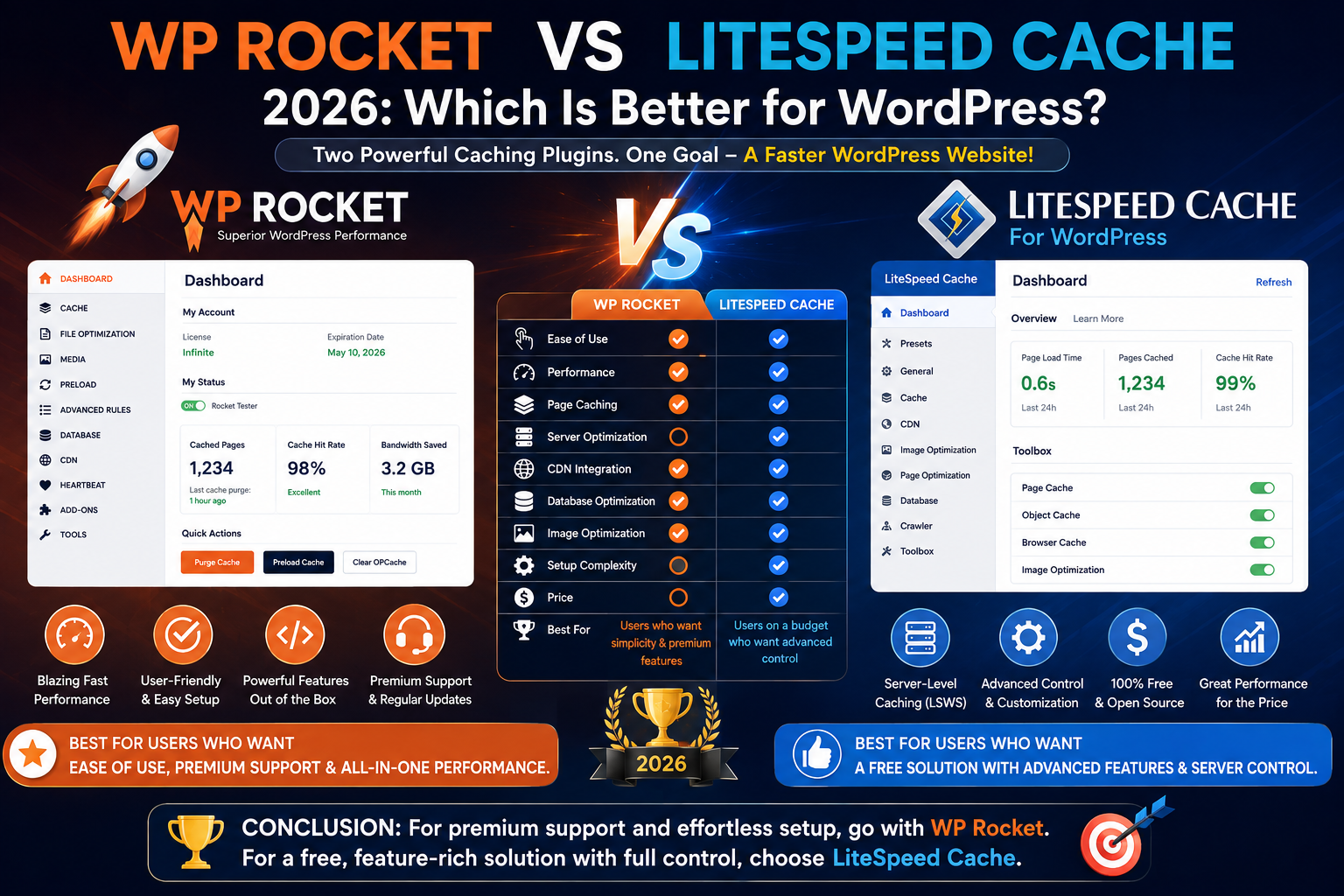
LiteSpeed Cache vs WP Rocket
WP Rocket is probably LiteSpeed Cache’s most important premium competitor.
The fundamental difference is straightforward.
LiteSpeed Cache
- Free plugin
- Server-level caching on compatible infrastructure
- More advanced controls
- Integrated image optimization ecosystem
- QUIC.cloud integration
- More complicated interface
WP Rocket
- Premium plugin
- Broad hosting compatibility
- Extremely beginner-friendly
- Faster initial setup
- Simpler interface
- Less technical configuration
Which Is Faster?
There isn’t a universal winner.
On properly configured LiteSpeed hosting, LiteSpeed Cache has a major architectural advantage through its server integration.
On Apache or Nginx hosting without suitable LiteSpeed caching infrastructure, WP Rocket may be the more logical choice.
Which Is Easier?
WP Rocket.
Which Offers Better Value?
On LiteSpeed hosting:
LiteSpeed Cache.
Getting this much functionality from a free plugin provides exceptional value.
LiteSpeed Cache vs. W3 Total Cache
Both plugins provide extensive configuration options.
W3 Total Cache has been part of the WordPress ecosystem for many years and supports numerous caching strategies.
LiteSpeed Cache becomes particularly compelling when the website is running on LiteSpeed infrastructure.
Choose LiteSpeed Cache if:
- You use LiteSpeed hosting
- You want integrated image optimization
- You want QUIC.cloud
- You want server-level LiteSpeed caching
Choose W3 Total Cache If:
- You’re working in another server environment
- You want extensive caching controls
- You’re experienced with technical configuration
LiteSpeed Cache vs WP Super Cache
WP Super Cache focuses heavily on straightforward WordPress page caching.
LiteSpeed Cache provides a much larger optimization ecosystem.
If you only need basic page caching, WP Super Cache can be simpler.
If you want:
- Page optimization
- Image optimization
- CDN integration
- Object caching
- Database tools
- Advanced cache controls
LiteSpeed Cache provides considerably more functionality.
Who Should Use LiteSpeed Cache?
LiteSpeed Cache is particularly suitable for:
- LiteSpeed-hosted WordPress websites
- Blogs
- Business websites
- WooCommerce stores
- Affiliate websites
- Agencies
- Developers
- High-traffic WordPress sites
- Elementor websites
- WPBakery websites
- Users who want advanced performance controls
Who Should Avoid LiteSpeed Cache?
Another solution may make more sense if:
- Your hosting provider already has a different mandatory caching system
- You want an extremely simple interface
- You’re uncomfortable testing optimization changes
- Your server doesn’t provide the caching infrastructure you expected
- You don’t want to configure external optimization services
For those users, WP Rocket or a host-provided caching solution may be easier.
How to Check If Your Host Uses LiteSpeed
Before installing LiteSpeed Cache specifically for its caching advantages, verify your server.
You can:
- Check your hosting control panel
- Read your host’s documentation
- Ask hosting support
- Check available server information
Many WordPress hosting providers clearly advertise LiteSpeed because performance is part of their marketing.
If your host uses LiteSpeed Web Server, LiteSpeed Cache should be one of the first caching solutions you evaluate.
Does LiteSpeed Cache Actually Make WordPress Faster?
Yes, it can.
But no responsible performance review should promise that installing one plugin will produce a specific speed increase.
Results depend on:
- Server performance
- Hosting configuration
- Theme
- Plugins
- Page builder
- Images
- Database
- Fonts
- Advertising
- Analytics
- Third-party scripts
- CDN configuration
- Traffic patterns
A poorly optimized website could see dramatic improvements.
A website that already has excellent caching and frontend optimization may see less dramatic changes.
Always benchmark your own site.
How to Test LiteSpeed Cache Performance
Before configuring the plugin:
- Test your homepage.
- Test an important blog post.
- Test a product or service page.
- Test mobile performance.
- Record Core Web Vitals and loading metrics.
Then configure LiteSpeed Cache gradually.
Afterward, run the same tests again.
Pay attention to:
- LCP
- INP
- CLS
- Server response
- Page size
- Number of requests
- Visual functionality
Run multiple tests rather than relying on one result.
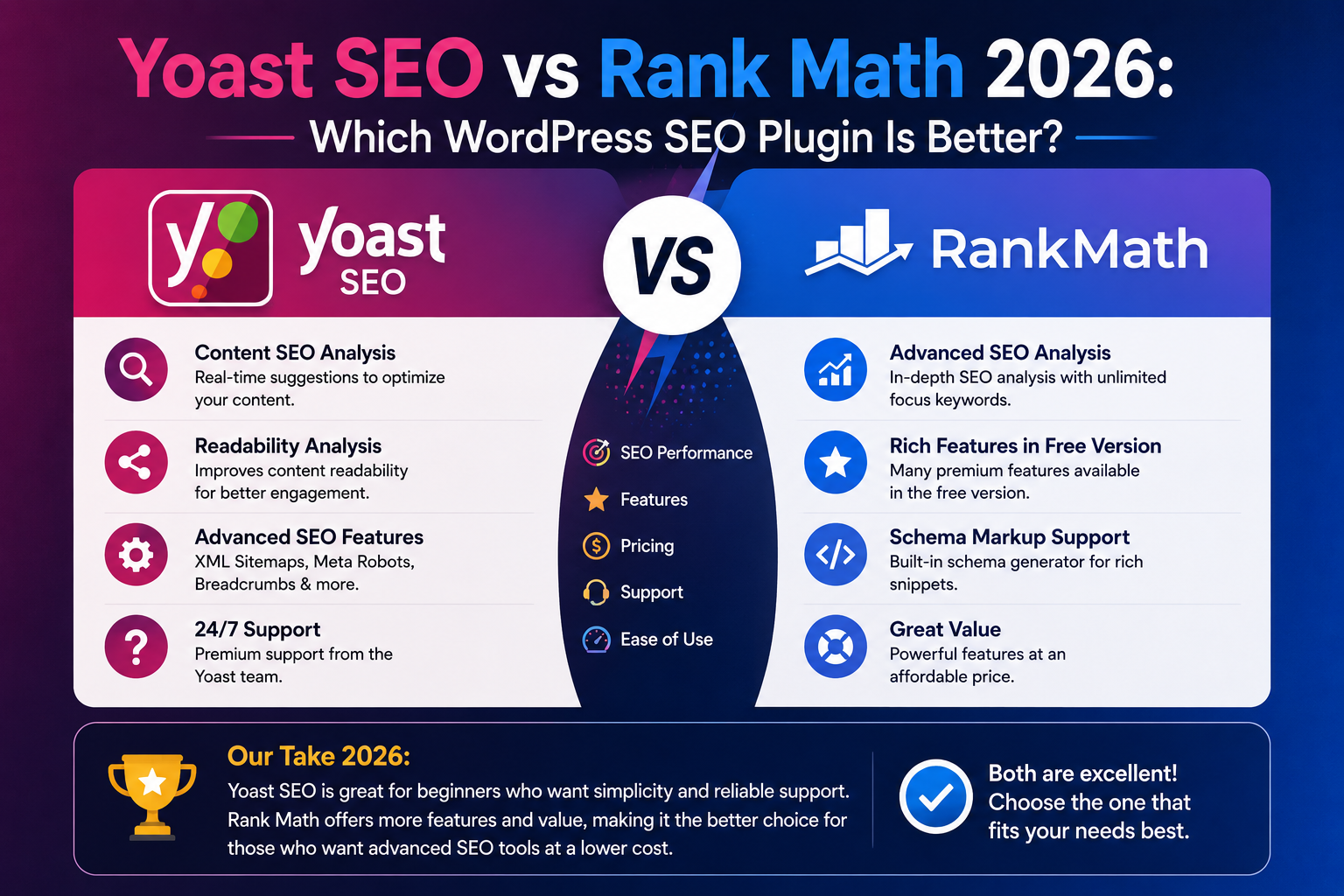
Is LiteSpeed Cache Good for SEO?
LiteSpeed Cache isn’t an SEO plugin.
It doesn’t replace:
- Yoast SEO
- Rank Math
However, website performance is part of delivering a technically strong user experience.
A typical WordPress website could therefore use:
SEO: Yoast SEO or Rank Math
Caching: LiteSpeed Cache
These plugins perform different jobs.
Can You Use LiteSpeed Cache and WP Rocket Together?
Generally, you shouldn’t use overlapping caching functionality from both plugins simultaneously.
Doing so can cause:
- Cache conflicts
- Difficult troubleshooting
- Duplicate optimizations
- CSS problems
- JavaScript problems
- Unexpected page behavior
Choose one main caching and performance solution.
If you’re switching from WP Rocket to LiteSpeed Cache:
- Create a backup.
- Disable WP Rocket.
- Clear all relevant caches.
- Configure LiteSpeed Cache.
- Test the site.
- Benchmark performance.
Don’t simply activate both and hope they cooperate.
Is LiteSpeed Cache Safe?
LiteSpeed Cache is a mature WordPress performance solution.
However, advanced optimization changes how website files are cached, modified, and loaded.
That means configuration matters.
Always test after enabling:
- CSS optimization
- JavaScript optimization
- Object caching
- CDN rewriting
- Database cleanup
- Advanced WooCommerce caching
For important business websites, use staging whenever possible.
Final Verdict: Is LiteSpeed Cache the Best Free WordPress Cache Plugin in 2026?
For WordPress websites running on compatible LiteSpeed infrastructure, LiteSpeed Cache is one of the strongest free caching solutions available in 2026.
Its combination of server-level caching, frontend optimization, image optimization integration, WebP and AVIF support, database tools, object-cache integration, WooCommerce features, and QUIC. Cloud connectivity is extremely difficult to match without paying for multiple tools.
Its greatest advantage is value.
The WordPress plugin itself is free, yet it offers functionality normally associated with premium performance products.
However, it’s not perfect.
The interface can overwhelm beginners, aggressive settings require testing, and users need to understand that full LiteSpeed caching functionality depends on compatible infrastructure.
LiteSpeed Cache Review Score
Caching Performance: 5/5
Features: 5/5
Ease of Use: 3.8/5
WooCommerce: 4.8/5
Image Optimization: 4.8/5
Advanced Controls: 5/5
Value for Money: 5/5
Overall Rating: 4.7/5
Our Recommendation
If your website runs on LiteSpeed hosting, LiteSpeed Cache should be one of the first performance plugins you consider.
The combination of server integration and a free WordPress plugin makes it exceptionally attractive.
If you’re an advanced WordPress user who enjoys controlling every aspect of optimization, you’ll probably appreciate its enormous collection of settings.
If you’re a complete beginner who simply wants to activate a plugin and avoid technical terminology, WP Rocket may provide a more comfortable experience—provided you’re willing to pay for it.
Ultimately:
LiteSpeed Cache wins on power and value.
WP Rocket wins on simplicity.
And if your WordPress hosting already runs LiteSpeed, LiteSpeed Cache becomes particularly difficult to beat.
Frequently Asked Questions
Is LiteSpeed Cache free?
Yes. LiteSpeed Cache for WordPress is a free plugin. Some optional QUIC.cloud services operate with quotas or paid usage depending on the service and configuration.
Is LiteSpeed Cache better than WP Rocket?
On LiteSpeed hosting, LiteSpeed Cache can provide a major advantage through server-level integration. WP Rocket is generally easier to configure and works well across a wider variety of hosting environments.
Do I need LiteSpeed hosting to use LiteSpeed Cache?
You can use some optimization functionality without LiteSpeed hosting, but the plugin’s native LSCache page-caching functionality requires suitable server-side caching infrastructure.
Is LiteSpeed Cache good for WooCommerce?
Yes. LiteSpeed Cache provides advanced caching options suitable for WooCommerce, particularly on compatible LiteSpeed infrastructure.
Does LiteSpeed Cache support Elementor?
Yes. LiteSpeed Cache can be used with Elementor websites. Test CSS and JavaScript optimization carefully after enabling advanced settings.
Does LiteSpeed Cache work with WPBakery?
Yes. LiteSpeed Cache can be used on WPBakery websites for caching and frontend optimization.
Does LiteSpeed Cache optimize images?
Yes. It integrates with QUIC.cloud for image optimization and can generate next-generation formats such as WebP and AVIF.
Does LiteSpeed Cache support Redis?
LiteSpeed Cache can integrate with object-cache technologies such as Redis when supported by the hosting environment.
Can LiteSpeed Cache improve Core Web Vitals?
It can improve performance factors affecting Core Web Vitals through caching, CSS and JavaScript optimization, media optimization, and related techniques. Results still depend on the entire website.
Is QUIC.cloud free?
QUIC.cloud offers free options and monthly free quotas for various services, while some plans and usage levels can involve additional charges.
Can I use WP Rocket and LiteSpeed Cache together?
Running overlapping caching functionality from both plugins is generally unnecessary and can create conflicts. Choose one primary caching solution.
Is LiteSpeed Cache difficult to configure?
Basic caching can be relatively straightforward, but its advanced settings are significantly more technical than beginner-focused plugins such as WP Rocket.
Is LiteSpeed Cache worth using in 2026?
Yes—particularly if your hosting provider uses LiteSpeed infrastructure. It offers an unusually large collection of caching and optimization features for a free WordPress plugin.