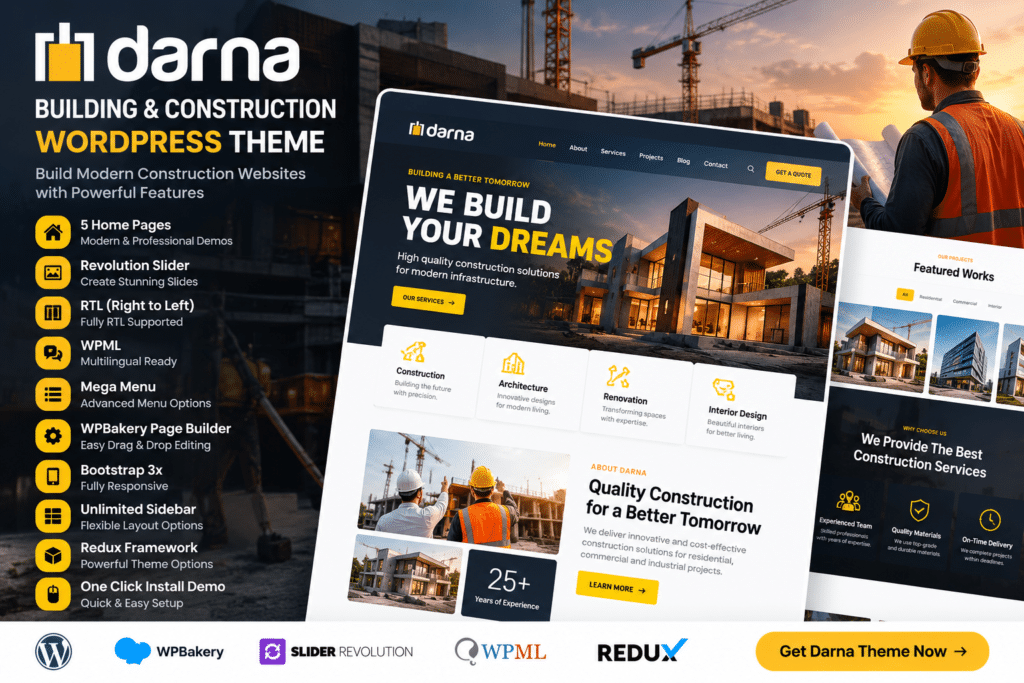
Darna is a professional WordPress theme designed for construction companies, builders, contractors, engineering firms, architecture businesses, and other property or infrastructure-related services.
The theme gives you a structured way to present your services, completed projects, company experience, team members, testimonials, and contact information in a clean business-focused layout.
Whether you run a construction company, renovation service, civil engineering firm, or building contractor business, Darna provides a practical foundation for creating a trustworthy and professional website.
Key Features
- Construction-Focused Design – Professional layouts created for builders, contractors, engineers, and construction companies.
- Service Pages – Present building, renovation, engineering, maintenance, and other services clearly.
- Project Showcase – Highlight completed projects, ongoing work, and supported case studies.
- Responsive Design – Keep your website accessible across desktop, tablet, and mobile devices.
- Company Profile Sections – Share your company history, expertise, certifications, and business strengths.
- Team Member Profiles – Introduce project managers, engineers, architects, and other professionals.
- Testimonials – Display client feedback and project experiences as useful social proof.
- Portfolio Layouts – Showcase construction work using image-driven project presentations.
- Quote & Enquiry Sections – Give potential customers a clear way to request more information.
- Blog Support – Publish company news, industry updates, project stories, and useful construction content.
- Customizable Styling – Adjust supported colors, typography, spacing, and layout elements to suit your branding.
- Contact & Location Information – Make it easy for visitors to find your business and contact your team.
- Call-to-Action Elements – Encourage visitors to request a quote, discuss a project, or explore services.
- Business-Friendly Structure – Organize important company information in a way that is easy for potential clients to understand.
Perfect For
Darna is suitable for construction companies, general contractors, building firms, civil engineering companies, architecture studios, renovation businesses, roofing companies, property developers, maintenance services, industrial contractors, and other construction-related businesses.
Present Your Construction Expertise
Construction clients often want to see proof of experience before getting in touch.
Darna gives you dedicated space to showcase services, completed projects, company capabilities, team members, and client feedback so visitors can quickly understand what your business offers.
A clear website structure can also make it easier to guide potential customers from project research to requesting a quote or consultation.
Build a Professional Construction Website
Create a strong online presence with Darna – Building & Construction WordPress Theme.
With construction-focused layouts, service pages, project showcases, testimonials, responsive design, team profiles, and enquiry sections, Darna provides a practical foundation for modern construction and building websites.