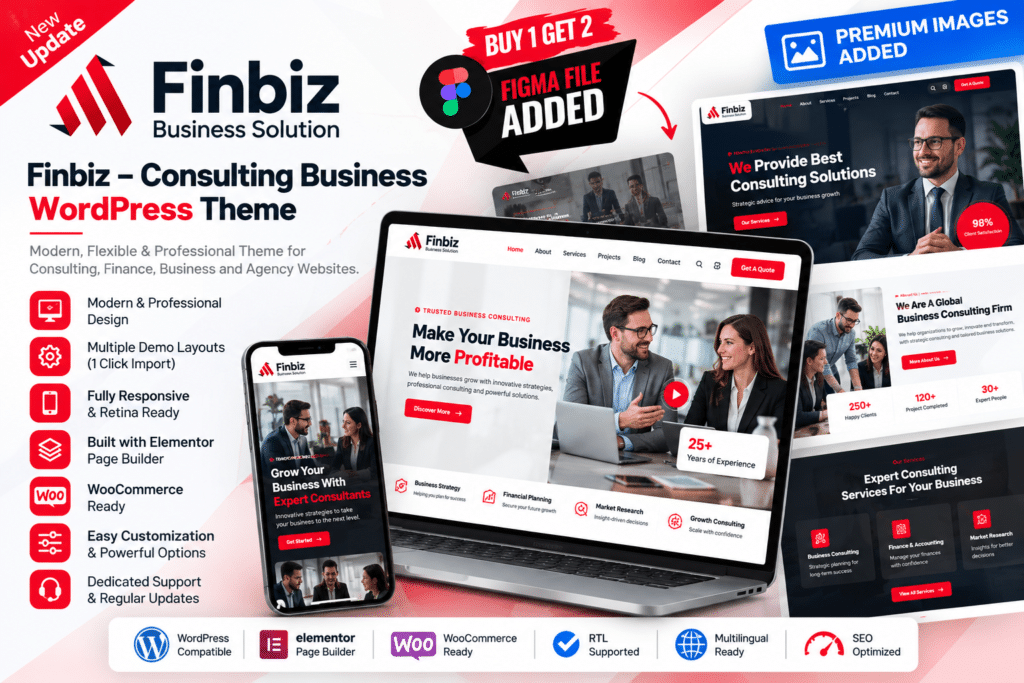
Finbiz is a professional WordPress theme designed for consulting firms, financial companies, corporate businesses, insurance services, HR companies, agencies, and other professional service providers.
It combines business-focused layouts with Elementor customization, allowing you to create service pages, portfolios, team profiles, testimonials, company information, and contact sections through a visual editing workflow.
Whether you’re building a consulting website, accounting firm, finance company, marketing agency, or corporate business site, Finbiz provides a flexible foundation for presenting your services professionally.
Key Features
- Elementor Page Builder – Customize supported pages visually using Elementor.
- Multiple Website Demos – Choose from business-focused homepage and one-page concepts.
- 50+ Inner Pages – Use pre-designed layouts for services, company information, portfolios, teams, and other content.
- Multiple Header Styles – Select and customize supported header designs.
- Multiple Footer Styles – Build different footer configurations to suit your website.
- RTL Support – Create websites for supported right-to-left languages using the included RTL design.
- WooCommerce Compatibility – Add supported online store functionality to your business website.
- Service Layouts – Present consulting, financial, insurance, marketing, and other professional services.
- Portfolio Styles – Showcase projects, case studies, and completed client work.
- Team Layouts – Introduce consultants, advisors, managers, and company specialists.
- One-Click Demo Import – Import supported demo content to speed up the initial setup process.
- Responsive Design – Keep your website usable across desktop, tablet, and mobile devices.
- Theme Options – Customize supported logos, headers, footers, colors, blog settings, banners, and other theme elements.
- Blog Support – Publish company news, financial insights, consulting advice, and industry articles.
Finbiz currently includes 12 multi-page homepage demos, 12 one-page layouts, eight header styles, seven footer layouts, and WooCommerce compatibility.
Perfect For
Finbiz is suitable for consulting firms, accounting businesses, financial advisors, insurance companies, HR agencies, marketing businesses, corporate companies, brokers, startups, IT solution providers, and professional service websites.
Present Your Business with Confidence
Professional clients often want to understand your expertise, services, previous work, and team before making an enquiry.
Finbiz helps organize this information into structured business layouts where services, portfolios, team members, testimonials, and company details can be presented clearly.
Its Elementor integration also makes it easier to adjust layouts and content without rebuilding every page from scratch.
Build a Professional Consulting Website
Create a polished business presence with Finbiz – Consulting Business WordPress Theme.
With Elementor, business demos, portfolio layouts, team sections, WooCommerce compatibility, RTL support, responsive design, and flexible theme options, Finbiz provides a practical foundation for modern consulting and corporate websites.