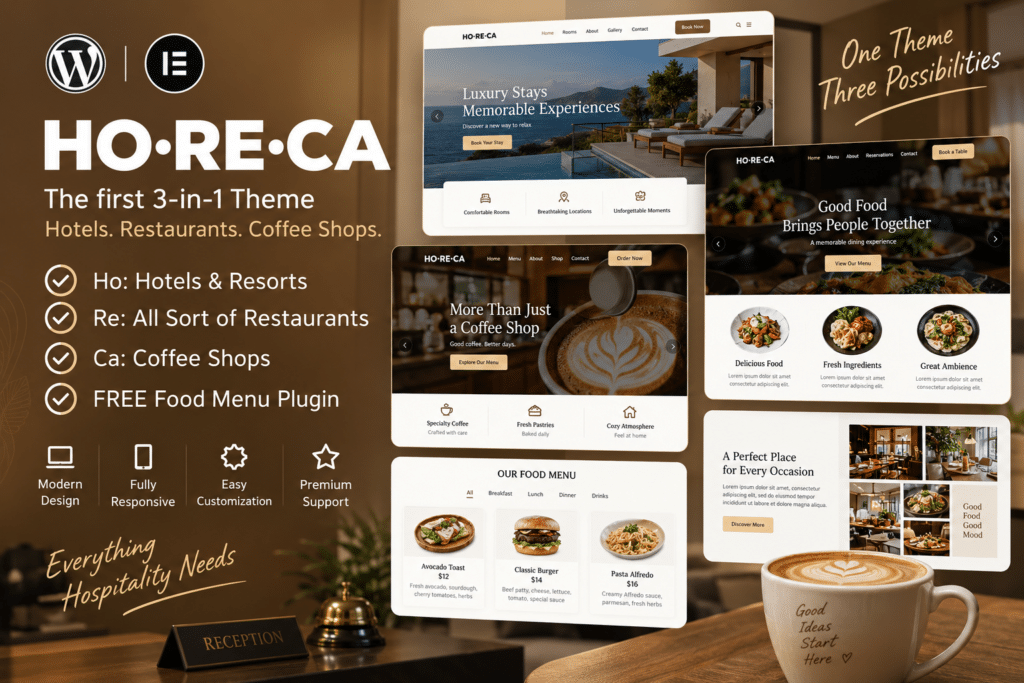
HoReCa is a professional WordPress theme designed for businesses in the hotel, restaurant, café, and wider hospitality industry. Its modern layouts make it easier to showcase your services, facilities, food and drink, accommodation, events, and other important business information in an attractive way.
Whether you run a restaurant, café, hotel, resort, catering company, or hospitality service, HoReCa provides a flexible foundation for building a polished online presence. You can introduce your business, display menus or services, showcase photos, share customer feedback, and guide visitors toward reservations or enquiries.
With responsive layouts and flexible customization options, HoReCa helps you create a hospitality website that looks professional across desktops, tablets, and mobile devices.
Key Features
- Hospitality-Focused Design – Purpose-built layouts for hotels, restaurants, cafés, and hospitality businesses.
- Restaurant & Café Pages – Showcase your food, drinks, services, and venue information in attractive layouts.
- Menu Presentation – Organize and display available dishes, beverages, and other menu items.
- Hotel & Accommodation Sections – Present rooms, amenities, facilities, and other accommodation information where required.
- Reservation-Focused Sections – Guide visitors toward supported booking, reservation, or enquiry options.
- Image Galleries – Showcase your venue, rooms, dishes, events, and atmosphere with engaging visuals.
- Responsive Design – Provide a smooth browsing experience across desktop, tablet, and mobile devices.
- Customizable Layouts – Personalize typography, images, sections, and other visual elements to match your brand.
- Testimonials – Highlight customer experiences and feedback in dedicated sections.
- Events & Special Offers – Promote events, seasonal menus, packages, and other hospitality offers.
- Contact & Location Information – Clearly present opening hours, contact details, location, and other useful information.
- Blog Support – Publish news, recipes, events, travel information, and business updates.
Perfect For
HoReCa is ideal for:
- Hotels and resorts
- Restaurants
- Cafés and coffee shops
- Bars and lounges
- Catering businesses
- Guest houses
- Boutique hotels
- Bakeries
- Food service businesses
- Hospitality agencies
- Event venues
- Tourism and leisure businesses
Present Your Hospitality Business Professionally
For hospitality businesses, your website often creates a visitor’s first impression before they arrive at your venue. HoReCa helps you present your atmosphere, services, menus, facilities, and other important details through a clean and organized design.
Use high-quality photography, clear service information, and strong calls to action to help potential customers understand what makes your business worth visiting.
Build Your Hospitality Website with HoReCa
Create an inviting online presence with HoReCa – Hospitality Industry WordPress Theme.
With hospitality-focused layouts, responsive design, gallery options, service sections, and flexible customization, HoReCa provides a practical WordPress foundation for restaurants, hotels, cafés, and other hospitality businesses.