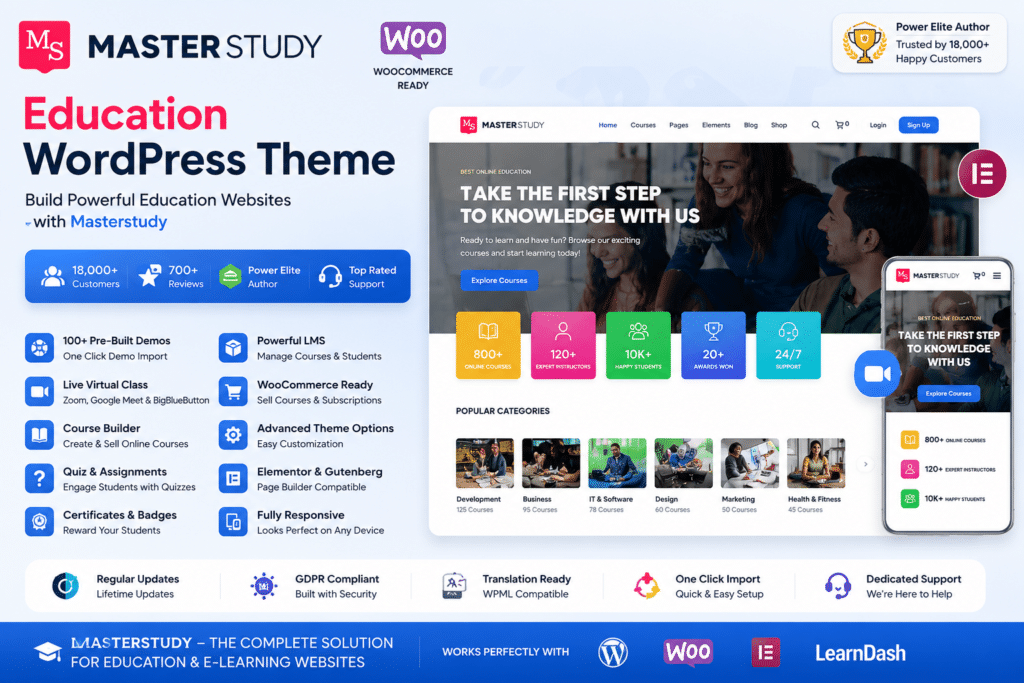
MasterStudy is a feature-rich WordPress education theme designed for online courses, eLearning platforms, training centers, schools, tutors, and educational businesses.
It provides a professional foundation for creating an engaging learning website where you can showcase courses, organize educational content, introduce instructors, and provide students with an easy-to-navigate learning experience.
Whether you’re building an online academy, selling courses, creating a coaching website, or launching a training platform, MasterStudy combines education-focused design with flexible WordPress customization options.
Key Features
- Education-Focused Design – Purpose-built layouts for eLearning websites, schools, academies, and training businesses.
- Online Course Layouts – Present courses with organized pages containing important information for potential students.
- LMS Functionality – Build a structured online learning environment with supported learning management features.
- Course Management – Organize lessons, course content, instructors, and learning materials.
- Student Experience – Create a convenient environment where learners can access and navigate educational content.
- Instructor Profiles – Showcase teachers, trainers, and course instructors with dedicated information.
- Quizzes & Assessments – Add interactive learning elements to evaluate student progress.
- Course Monetization – Create a platform for offering free or paid educational content.
- WooCommerce Compatibility – Add eCommerce functionality to your education website where required.
- Responsive Design – Provide a smooth learning and browsing experience across desktop, tablet, and mobile devices.
- Customizable Pages – Personalize layouts, typography, images, branding, and other website elements.
- Course Categories – Keep a growing course library organized and easier for students to explore.
- Reviews & Ratings – Showcase learner feedback and course ratings where supported.
- Blog Support – Publish educational articles, tutorials, announcements, and industry insights.
Perfect For
MasterStudy is a great choice for:
- Online course websites
- eLearning platforms
- Online academies
- Schools and colleges
- Training centers
- Coaching websites
- Individual tutors
- Professional instructors
- Corporate training websites
- Language learning websites
- Educational organizations
- Course marketplaces
Create a Professional Online Learning Experience
A successful education website needs more than attractive pages. Students should be able to discover courses, understand what they will learn, access educational materials, and navigate the platform comfortably.
MasterStudy brings these elements together in an education-focused WordPress design, helping you create a structured and professional learning environment.
Build Your Education Website with MasterStudy
Launch your online learning platform with MasterStudy – Education WordPress Theme.
With course-focused layouts, LMS functionality, instructor features, responsive design, and flexible customization options, MasterStudy provides a strong foundation for creating an engaging education and eLearning website with WordPress.