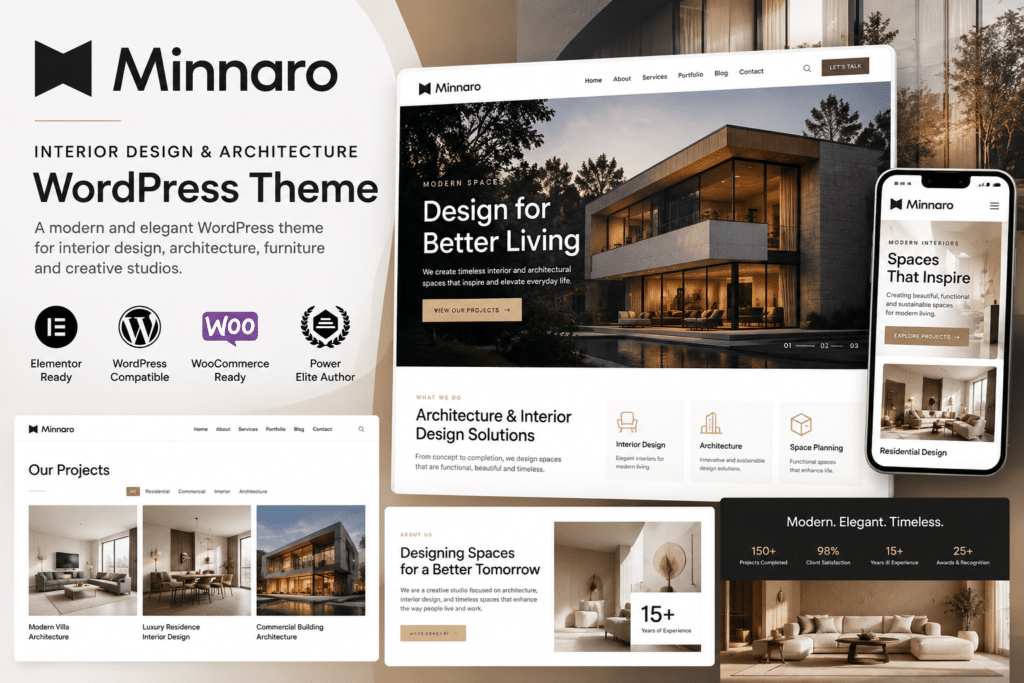
Minnaro is a modern WordPress theme designed for interior designers, architecture studios, creative agencies, furniture brands, and design-focused businesses that want to present their work in a clean and visually strong way.
The theme provides layouts for showcasing projects, services, portfolios, team members, testimonials, and studio information, making it suitable for professionals who rely heavily on visual presentation.
Whether you’re building a website for an interior design studio, architecture firm, furniture business, or creative consultancy, Minnaro provides a flexible foundation for creating a polished and professional online presence.
Key Features
- Interior Design Focus – Stylish layouts created for interior studios, decorators, and design professionals.
- Architecture Portfolio – Showcase residential, commercial, and architectural projects in visual layouts.
- Project Case Studies – Present individual projects with images, descriptions, and supporting details.
- Responsive Design – Keep your website easy to browse across desktop, tablet, and mobile devices.
- Service Sections – Present interior design, architecture, planning, renovation, and consulting services clearly.
- Team Member Profiles – Introduce architects, designers, planners, and other studio professionals.
- Gallery Layouts – Display interior photography, renderings, concepts, and completed work attractively.
- Testimonials – Highlight client feedback and project experiences as useful social proof.
- Customizable Styling – Adjust supported colors, typography, spacing, and layout options to match your brand.
- Studio & Company Pages – Share your story, design philosophy, experience, and business approach.
- Blog Support – Publish design inspiration, project updates, architecture news, and industry insights.
- Contact & Enquiry Areas – Give potential clients clear ways to get in touch.
- Call-to-Action Elements – Encourage visitors to request a consultation, explore projects, or contact your team.
- Visual Presentation Focus – Use strong imagery and structured layouts to keep attention on your work.
Perfect For
Minnaro is suitable for interior design studios, architecture firms, furniture designers, home décor businesses, creative agencies, renovation companies, landscape designers, property developers, and design-focused freelancers.
Showcase Your Design Work Professionally
Design-based businesses often need a website that feels as polished as the projects they create.
Minnaro helps you present your portfolio, services, studio information, and client work in a visually organized way. Strong project imagery can be paired with clear descriptions and business information, helping visitors understand both your style and your capabilities.
This makes the theme useful for professionals who want their website to function as both a portfolio and a client-acquisition tool.
Build a Modern Design Website
Create a professional online presence with Minnaro – Interior Design and Architecture WordPress Theme.
With portfolio layouts, project case studies, gallery sections, service pages, testimonials, responsive design, and flexible customization, Minnaro provides a practical foundation for modern interior and architecture websites.