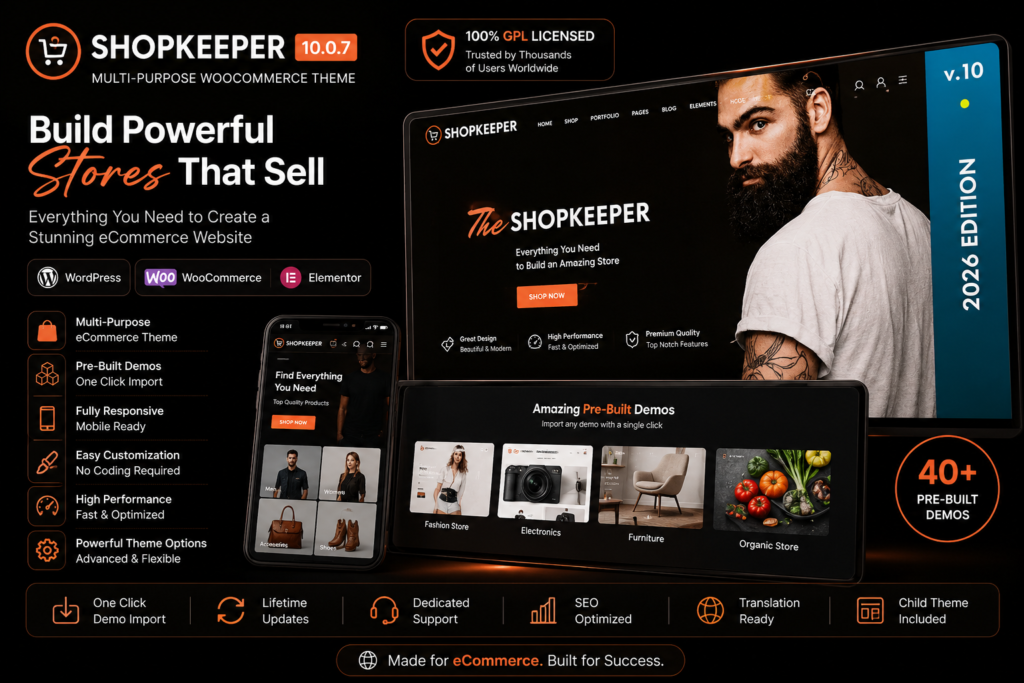
Shopkeeper 10.0.7 is a flexible WooCommerce WordPress theme designed for creating modern and professional online stores. Whether you’re launching a fashion shop, electronics store, digital product website, furniture store, or lifestyle brand, Shopkeeper gives you a polished foundation for presenting and selling your products online.
The theme combines clean design with practical eCommerce features, helping you create attractive product pages, shop layouts, galleries, and promotional sections without starting from scratch.
With responsive layouts and flexible customization options, Shopkeeper makes it easier to build an online store that looks professional across desktops, tablets, and smartphones.
Key Features
- WooCommerce Ready – Build a complete online store using the powerful WooCommerce platform.
- Modern Shop Layouts – Present your products with clean and visually appealing store designs.
- Responsive Design – Keep your website looking polished across desktop, tablet, and mobile screens.
- Flexible Product Pages – Showcase product images, descriptions, prices, variations, and other important information clearly.
- Product Galleries – Create attractive visual presentations that help customers explore your products.
- Customizable Headers – Adjust your website header and navigation to better suit your brand.
- Blog Layouts – Publish articles, announcements, guides, and other content alongside your online store.
- Portfolio Options – Showcase creative projects, products, or previous work in professional layouts.
- Easy Customization – Personalize typography, layouts, branding, and other visual elements.
- eCommerce-Focused Design – Create an intuitive shopping experience that keeps products at the center of your website.
- Mobile-Friendly Shopping – Provide customers with a convenient browsing experience across different screen sizes.
- Multi-Purpose Design – Use Shopkeeper for eCommerce stores as well as business, portfolio, and content-focused websites.
Perfect For
Shopkeeper is a great choice for:
- Fashion and clothing stores
- Electronics shops
- Furniture and home décor stores
- Beauty and cosmetics websites
- Digital product stores
- Lifestyle brands
- Accessories and jewelry stores
- Creative businesses
- Portfolio websites
- Small and medium-sized online stores
Create a Store That Puts Your Products First
Shopkeeper is designed to keep your products at the heart of the shopping experience. Its clean layouts provide plenty of room for product photography, descriptions, categories, and promotional content without making your pages feel overcrowded.
From your homepage to individual product pages, you can create a consistent shopping experience that reflects your brand and makes it easier for customers to discover what you sell.
Build Your WooCommerce Store with Shopkeeper
Give your WordPress store a modern and professional look with Shopkeeper 10.0.7. With WooCommerce integration, responsive layouts, flexible customization, and eCommerce-focused design options, it provides the tools you need to create an attractive online shopping experience.
Whether you’re starting a new store or refreshing an existing WooCommerce website, Shopkeeper offers a versatile foundation for bringing your online business to life.