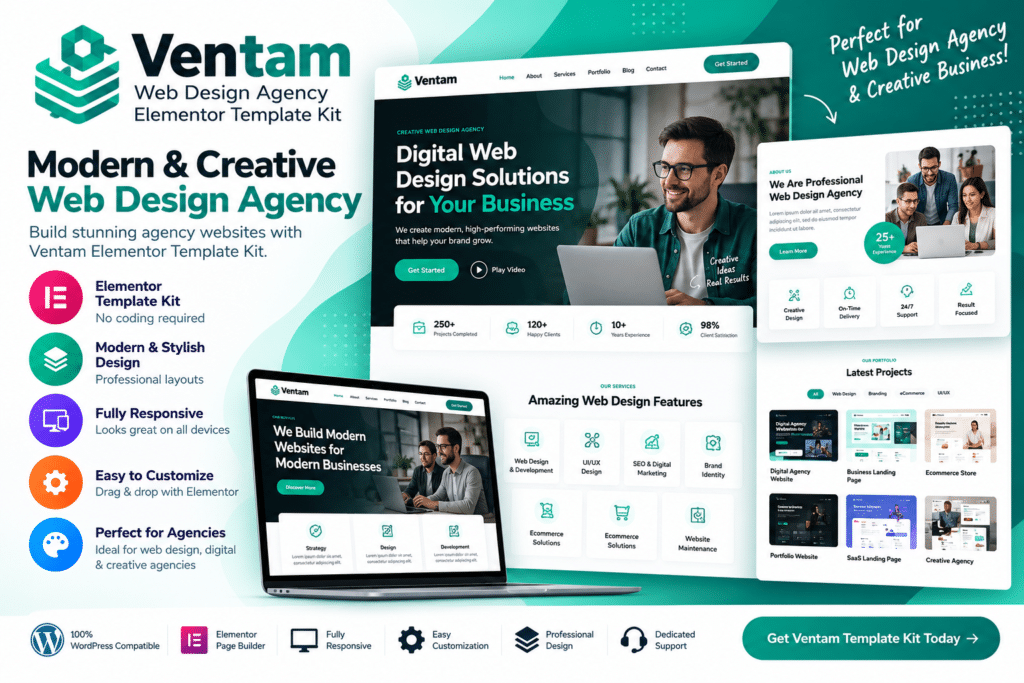
Ventam is an Elementor Template Kit designed for web design agencies, creative studios, freelancers, developers, digital agencies, and service-based businesses that want a modern website without building every section from scratch.
The kit provides professionally designed page templates and reusable sections that can be customized inside Elementor. This makes it useful for showcasing services, portfolios, case studies, team members, client testimonials, and contact information in a polished and consistent style.
Whether you’re launching a new agency site or refreshing an existing one, Ventam gives you a flexible visual starting point for creating a professional online presence.
Key Features
- Web Design Agency Layouts – Professionally styled templates created for web design and digital service businesses.
- Elementor Editing – Customize supported templates visually using Elementor.
- Responsive Design – Build layouts that adapt across desktop, tablet, and mobile screens.
- Service Pages – Present web design, development, branding, SEO, and other digital services clearly.
- Portfolio Sections – Showcase completed projects, creative work, and case studies.
- Agency About Sections—Introduce your company, process, experience, and business approach.
- Team Member Layouts – Present designers, developers, marketers, and other agency professionals.
- Testimonials—Display client feedback and social proof in professional sections.
- Case Study Content – Highlight selected client projects with more detailed supporting information.
- Contact & Enquiry Pages—Give potential clients a clear way to get in touch.
- Call-to-Action Sections – Encourage visitors to request a quote, start a project, or explore your services.
- Reusable Design Sections – Use supported blocks across multiple pages for a consistent website style.
- Modern Visual Style – Create a polished agency website with clean typography and structured content areas.
- Flexible Customization – Update supported colors, fonts, images, spacing, and content to match your own brand.
Perfect For
Ventam is suitable for web design agencies, digital agencies, creative studios, freelancers, web developers, UI/UX designers, branding agencies, marketing firms, startup studios, software companies, and portfolio-based service businesses.
Launch an Agency Website Faster
Building an agency website from scratch can take time, especially when you need multiple service pages, project showcases, team sections, and conversion-focused calls to action.
Ventam gives you a ready-made design structure that you can adapt instead of starting with an empty page. This helps speed up the design process while still giving you control over your own branding and content.
For freelancers and agencies working on client projects, the kit can also provide a practical starting point for building a professional service website quickly.
Build a Modern Web Design Agency Website
Create a polished digital presence with the Ventam – Web Design Agency Elementor Template Kit.
With agency-focused page templates, portfolio sections, service layouts, testimonials, team areas, responsive design, and Elementor customization, Ventam provides a flexible toolkit for building modern agency websites.