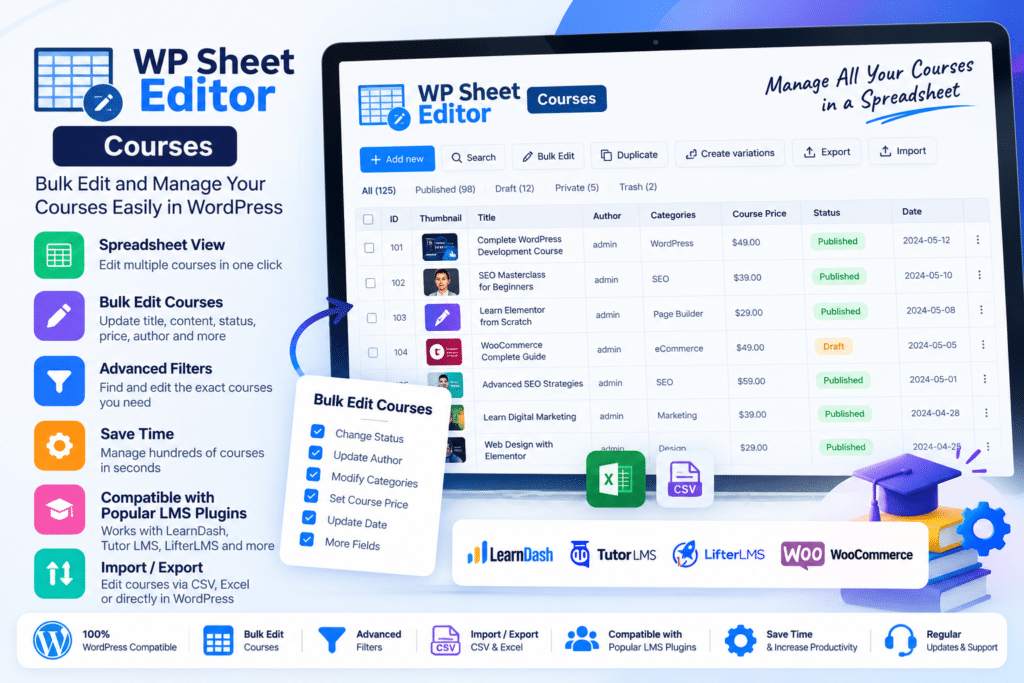
Instead of opening posts, pages, products, or other records one by one, WP Sheet Editor displays your content in rows and columns so you can make individual edits or update hundreds of items in bulk.
The WP Sheet Editor ecosystem includes dedicated spreadsheet editors for WordPress posts, pages, custom post types, WooCommerce products, users, customers, media, taxonomies, courses, events, and other supported data.
Key Features
-
Spreadsheet Interface – Manage WordPress information through a familiar rows-and-columns interface.
-
Bulk Editing – Update hundreds or thousands of supported records in fewer operations.
-
Advanced Search – Filter content using keywords, dates, taxonomies, authors, custom fields, prices, statuses, and other supported criteria.
-
Formula-Based Editing – Apply mathematical operations, search-and-replace rules, copying, and other bulk transformations.
-
Posts & Pages Editing – Manage WordPress posts and pages without repeatedly opening individual edit screens.
-
Custom Post Types – Create dedicated spreadsheets for portfolios, listings, courses, recipes, directories, and other registered post types.
-
Custom Fields & Metadata – Edit supported metadata and fields generated by WordPress plugins.
-
CSV Import – Create or update supported WordPress data using CSV files.
-
CSV Export – Export selected fields and filtered records for reporting, migration, or external editing.
-
Featured Image Management – Assign or replace supported featured images across many records.
-
SEO Field Editing – Manage supported SEO titles, descriptions, and other metadata from compatible SEO plugins.
-
Column Controls – Show, hide, reorder, rename, and resize supported spreadsheet columns.
-
Batch Processing – Process large changes in smaller batches to reduce server resource usage.
-
Third-Party Plugin Support – Work with data created by many popular WordPress plugins.
Perfect For
WP Sheet Editor Premium is suitable for WooCommerce stores, agencies, developers, content-heavy blogs, directories, membership sites, LMS websites, marketplaces, multilingual sites, SEO teams, online stores, and administrators managing large WordPress databases.
Manage Posts, Pages & Custom Post Types
One of the core WP Sheet Editor tools creates a separate spreadsheet for each supported WordPress post type.
You can work with:
-
Blog posts
-
Pages
-
Portfolio items
-
Directory listings
-
Courses
-
Lessons
-
Recipes
-
Events
-
Projects
-
Other custom post types
Each row represents an item, while available fields appear as spreadsheet columns.
The plugin automatically detects supported custom fields and metaboxes, making it easier to manage information added by third-party plugins.
Bulk Edit Hundreds of Items
WP Sheet Editor is particularly useful when the same change needs to be applied across many records.
For example, you can use supported bulk tools to:
-
Change post statuses
-
Replace text or URLs
-
Update categories and tags
-
Change authors
-
Add or replace images
-
Modify numeric values
-
Copy one field into another
-
Update SEO metadata
-
Modify custom fields
This can reduce repetitive WordPress administration on larger websites.
Use Formulas for Advanced Updates
The Bulk Edit tool supports formula-style operations for more complex changes.
Depending on the selected spreadsheet, you can perform tasks such as increasing numerical values by a percentage, adding fixed values, copying information between fields, combining values, replacing text with wildcards, and assigning common information to selected records.
Advanced Search & Filtering
WP Sheet Editor lets you narrow large datasets before making changes.
Supported searches can include:
-
Keyword
-
Date
-
Status
-
Author
-
Categories
-
Tags
-
Taxonomies
-
Custom fields
-
Metadata
-
Price or other numeric values
Once the matching records are displayed, you can edit individual cells or run bulk changes against the filtered selection.
Import & Export WordPress Data
Premium WP Sheet Editor plugins include import and export workflows for supported spreadsheets.
You can export website information to CSV, modify it in external spreadsheet software, and import the updated file back into WordPress.
This is useful for:
-
Content migrations
-
Catalog updates
-
Data audits
-
Bulk content creation
-
Client data updates
-
External team collaboration
-
Website restructuring
WP Sheet Editor also offers a separate Google Sheets Sync service for direct Google Sheets workflows.
Manage WooCommerce Products
WP Sheet Editor provides a dedicated WooCommerce Products Spreadsheet for stores that need advanced product management.
Supported product information includes fields such as:
-
SKU
-
Regular price
-
Sale price
-
Stock
-
Stock status
-
Categories
-
Tags
-
Attributes
-
Variations
-
Dimensions
-
Product images
-
Downloadable files
-
Shipping information
Variable products and variations can also be managed directly through the spreadsheet interface.
Edit Custom Fields & Plugin Data
A major advantage of WP Sheet Editor is its ability to expose supported custom fields as spreadsheet columns.
This makes it useful for websites built with tools such as:
-
Advanced Custom Fields
-
Meta Box
-
Pods
-
Toolset
-
Custom Post Type UI
-
SEO plugins
-
LMS plugins
-
Membership systems
Compatibility can vary according to the specific editor and integration installed.
Manage Large Websites More Efficiently
WP Sheet Editor processes supported bulk operations in batches and allows administrators to adjust processing behavior according to their hosting resources.
Only modified information needs to be saved, helping avoid unnecessary processing when working with larger spreadsheets.
The spreadsheet interface itself runs in the WordPress administration area rather than being loaded for normal website visitors.
Optional Automation Tools
WP Sheet Editor also provides a separate Automations extension.
With the appropriate premium editor installed, Automations can schedule supported:
-
Bulk edits
-
CSV imports
-
CSV exports
-
WooCommerce price updates
-
Stock updates
-
Course updates
-
User changes
-
Custom-field edits
-
SEO metadata updates
These scheduled tasks can continue through WordPress without requiring the browser to remain open.
Manage WordPress Like a Spreadsheet
Save time managing larger websites with WP Sheet Editor Premium – WordPress Bulk Editor & Spreadsheet Manager.
With spreadsheet editing, bulk updates, advanced search, formulas, CSV import/export, custom-field support, images, SEO data, custom post types, and specialized editors for different WordPress workflows, WP Sheet Editor provides a powerful way to manage large amounts of WordPress data.