
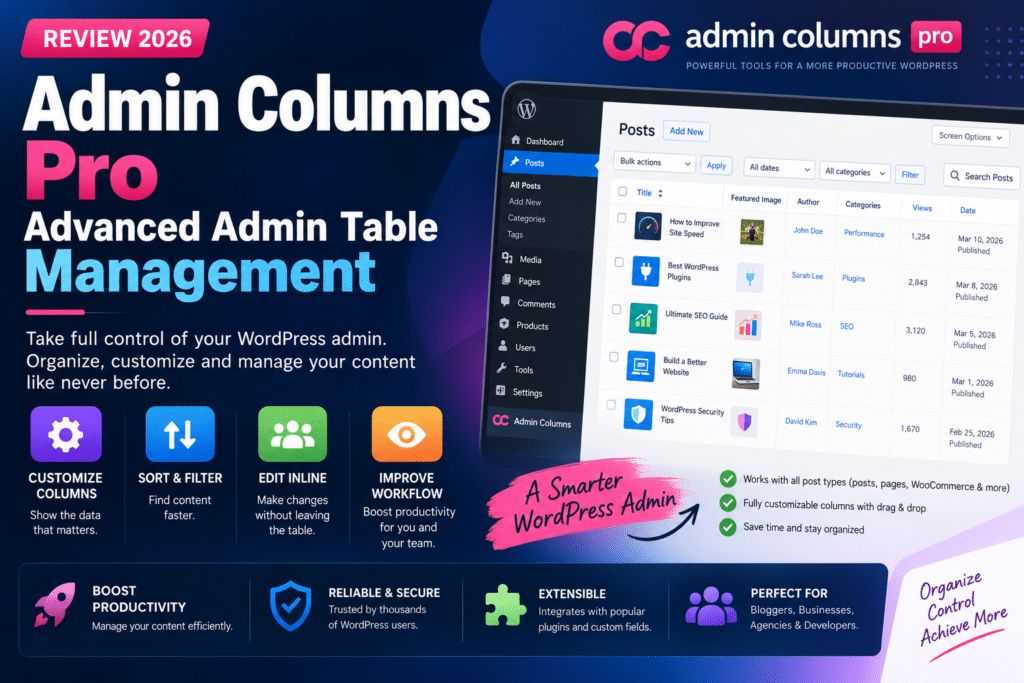
Managing a WordPress website becomes more complicated as your content grows. A store with hundreds of products or a blog with thousands of posts can make ordinary admin list screens feel limiting.
Admin Columns Pro helps solve this problem by allowing website administrators to customize columns, filter data, and edit information directly from WordPress list tables.
In this review, we’ll explore its main features, benefits, limitations, and whether it is worth using in 2026.
Quick Verdict
Editorial Rating: 4.6/5
Admin Columns Pro is a useful productivity plugin for WordPress administrators, agencies, and WooCommerce store managers who regularly work with large amounts of content.
Its biggest advantage is reducing the need to open individual edit screens for repetitive tasks.
What Is Admin Columns Pro?
Admin Columns Pro is the premium version of the Admin Columns plugin. It improves WordPress admin list screens by letting users control which information appears and how that information can be managed.
Instead of seeing only standard columns such as title, author, and date, you can display relevant data such as custom fields, product information, featured images, or other supported metadata.
The plugin is particularly useful for content-heavy and data-driven WordPress websites.
Key Features
1. Customizable Admin Columns
Admin Columns allows you to add, remove, and rearrange columns on supported WordPress list screens.
For example, a blog administrator could display:
Title | Author | Category | Featured Image | Custom Field | Date
A WooCommerce store manager might prefer:
Product | SKU | Price | Stock | Category | Status
This makes important information visible without opening every item individually.
2. Advanced Sorting
Sorting helps administrators organize records according to useful values.
For example, you may want to sort products by price, posts by a custom date field, or users by relevant metadata.
This can make large admin tables much easier to navigate.
3. Smart Filtering
Advanced filtering allows users to narrow down records based on supported column values.
A store manager could filter products by stock status or category, while an editor could find posts matching specific content criteria.
Filtering is particularly valuable when managing hundreds or thousands of entries.
4. Inline Editing
Inline editing is one of the most attractive Pro features.
Instead of opening a separate edit screen, supported values can be changed directly from the admin table.
For example, an administrator may be able to update a product price, change a post title, or edit supported custom-field data from the list view.
This can save considerable time during repetitive content management.
5. Bulk Editing
Bulk editing allows multiple selected records to be updated together.
This is useful for tasks such as changing categories, updating supported metadata, or modifying product information across several entries.
Always review the selected records before applying bulk changes, especially on live eCommerce websites.
6. Custom Fields Support
Admin Columns Pro is particularly useful for websites built with custom fields.
If your website stores additional information through ACF or another supported custom-field solution, displaying that information in admin tables can make content management much more efficient.
For example, a property website could display:
Property | Price | Location | Bedrooms | Availability
This creates a more practical administration experience for structured content.
7. WooCommerce Management
WooCommerce stores often contain large amounts of product data.
Admin Columns Pro can help store managers view and manage supported product information directly from the WordPress dashboard.
This is useful for product catalogs where prices, stock information, SKUs, and categories need regular attention.
Admin Columns Free vs Pro
| Feature | Free | Pro |
|---|---|---|
| Customize admin columns | Yes | Yes |
| Rearrange columns | Yes | Yes |
| Basic column management | Yes | Yes |
| Advanced sorting | Limited | Expanded |
| Advanced filtering | Limited | Expanded |
| Inline editing | No | Yes |
| Bulk editing | No | Yes |
| Premium integrations | No | Available by plan |
The free version is suitable for improving the appearance of admin tables. Pro becomes more valuable when you need advanced editing and workflow tools.
Who Should Use Admin Columns Pro?
The plugin is especially useful for:
- WooCommerce store managers
- Large blogs and publishing teams
- WordPress agencies
- Directory websites
- Custom post type projects
- Websites using ACF or structured metadata
- Administrators performing repetitive edits
A small website with only a few pages may not need the additional functionality.
Pros and Cons
Pros
- Customizable admin tables
- Advanced sorting and filtering
- Inline editing
- Bulk editing
- Useful for WooCommerce
- Strong custom-field workflows
- Reduces repetitive admin work
Cons
- Premium features require a paid license
- Advanced configuration takes some learning
- Not necessary for small websites
- Bulk edits require care
- Some integrations depend on the selected plan
Admin Columns Pro vs Default WordPress Admin
The default WordPress admin is sufficient for basic content management.
Admin Columns Pro becomes more useful when you need to view custom data, filter large datasets, or edit many records efficiently.
For example, editing 100 product prices individually through the default interface can be time-consuming. A suitable inline or bulk-editing workflow can reduce the number of steps required.
Pricing and Value
Admin Columns Pro is a premium product, and pricing varies according to the license and included integrations.
Before purchasing, check the official website for current plans, site limits, renewal terms, and the features included in each tier.
The plugin’s value depends on how much administrative work it saves. For a busy store or content team, improved workflows may justify the cost. For a small personal blog, the free version may be enough.
Final Verdict
Admin Columns Pro is a strong WordPress administration plugin for websites that manage large amounts of structured content.
Its combination of customizable columns, filtering, sorting, inline editing, and bulk editing makes it particularly useful for WooCommerce stores and custom post type projects.
Overall Rating: 4.6/5
If you regularly spend time opening individual posts or products just to update small pieces of information, Admin Columns Pro is worth considering.
Frequently Asked Questions
What is Admin Columns Pro?
Admin Columns Pro is a WordPress plugin that improves admin list tables with customizable columns and advanced data-management features.
Is Admin Columns free?
Yes. A free version is available, while advanced features such as inline editing and bulk editing are available in Pro.
Does Admin Columns Pro work with WooCommerce?
Yes, it offers WooCommerce-related functionality, although specific features and integrations may depend on the license.
Can I use Admin Columns Pro with ACF?
Yes, Admin Columns Pro supports custom-field workflows and can be useful for displaying and managing ACF data.
Does Admin Columns Pro improve website speed?
Its main purpose is administrative productivity, not frontend speed optimization. It should not be considered a replacement for a caching plugin.



