Keeping your WordPress website secure is essential, especially when you manage customer accounts, online payments, or downloadable products.
Hackers frequently target outdated plugins, weak passwords, and vulnerable themes. Fortunately, WordPress security plugins can help detect threats, protect logins, and monitor suspicious activity.
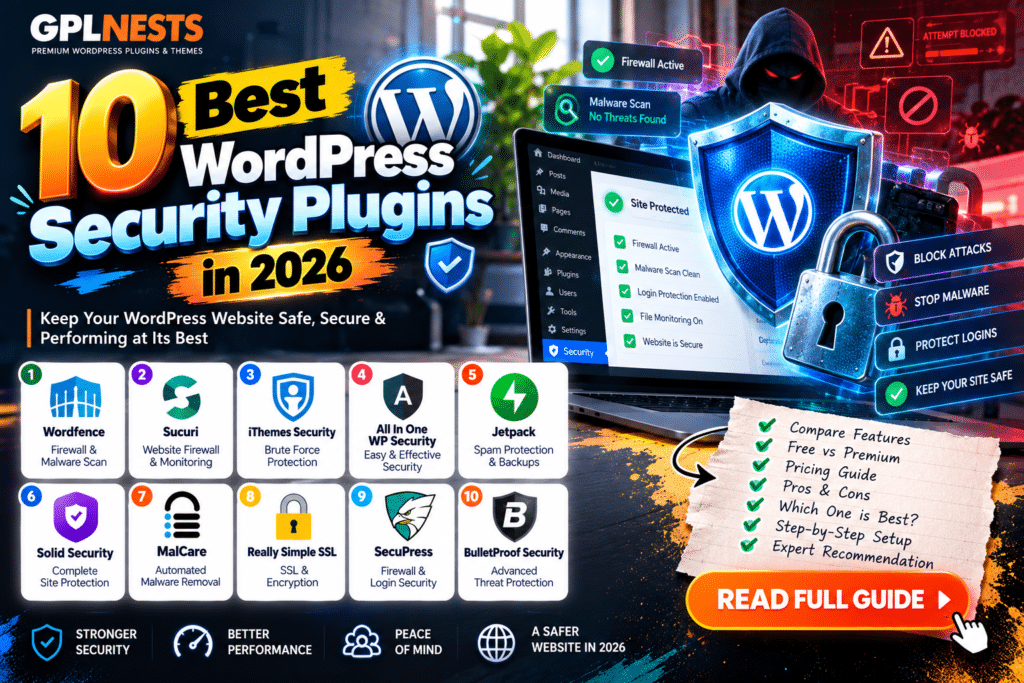
In this updated guide, we compare the 10 best WordPress security plugins in 2026, including their free features, premium upgrades, advantages, and limitations.
Quick Comparison: Best WordPress Security Plugins
| Plugin | Best For | Free Version |
|---|---|---|
| Wordfence Security | Firewall and malware scanning | Yes |
| MalCare | Cloud malware scanning | Yes |
| Patchstack | Vulnerability monitoring | Yes |
| Sucuri Security | Security auditing | Yes |
| Kadence Security (formerly Solid Security) | Login protection | Yes |
| All-In-One Security (AIOS) | Beginner-friendly hardening | Yes |
| Jetpack Protect | Vulnerability alerts | Yes |
| Defender Security | All-round protection | Yes |
| Shield Security | Automated bot blocking | Yes |
| BulletProof Security | Advanced hardening | Yes |
1. Wordfence Security – Best Overall
Wordfence offers an endpoint firewall, malware scanning, two-factor authentication, and login protection.
Its September 30, 2026 update improved REST API user-enumeration protection and compatibility.
Free: Firewall, scanning, and login security.
Premium: Real-time threat intelligence, country blocking, and additional support.
Pros: Comprehensive protection, useful free features.
Cons: Free firewall rules and malware signatures arrive 30 days later.
2. MalCare – Best for Malware Scanning
MalCare uses cloud-based scanning to identify suspicious website files.
Free: Malware scanning, basic firewall, and login protection.
Premium: Detailed malware findings, automated cleanup, and additional management tools.
Pros: Cloud scanning, straightforward dashboard.
Cons: Malware removal requires payment.
3. Patchstack – Best for Plugin Vulnerabilities
Patchstack monitors WordPress core, plugins, and themes for known security vulnerabilities.
Free: Vulnerability alerts, monitoring, and update management.
Premium: Virtual patching, additional hardening, and advanced protection.
Pros: Strong vulnerability intelligence.
Cons: Free monitoring does not include a firewall.
4. Sucuri Security – Best for Auditing
Sucuri provides website activity monitoring, security checks, and hardening recommendations.
Free: Security auditing, integrity monitoring, and basic hardening.
Premium: Website firewall, additional vulnerability scanning, and professional security services.
Pros: Helpful auditing features.
Cons: Its website firewall is not included for free.
5. Kadence Security – Best for Login Protection
Previously known as Solid Security and iThemes Security, Kadence Security focuses on account protection.
Free: Two-factor authentication, brute-force protection, password policies, and vulnerability checks.
Premium: Trusted devices, additional logging, and Patchstack-based virtual patching.
Pros: Strong login-security features.
Cons: Premium licensing has changed during the Kadence transition.
6. All-In-One Security – Best for Beginners
AIOS combines login protection, firewall settings, and website hardening.
Free: Firewall, two-factor authentication, and login security.
Premium: Malware scanning, uptime monitoring, country blocking, and priority support.
Pros: Beginner-friendly controls.
Cons: Some protections depend on server configuration.
7. Jetpack Protect – Best for Vulnerability Alerts
Jetpack Protect checks installed WordPress components against known vulnerability records.
Free: Daily vulnerability scanning.
Premium: Malware scanning, firewall protection, and one-click fixes for many issues.
Pros: Simple setup, useful alerts.
Cons: Malware cleanup and firewall protection require upgrading.
8. Defender Security – Best All-Round Alternative
Defender combines malware scanning, login security, firewall features, and hardening recommendations.
Version 6.3.0, released in September 2026, updated malware signatures and improved scanning.
Free: Malware scanning, firewall, and login protection.
Premium: Additional automation, advanced reporting, and enhanced security controls.
Pros: Accessible dashboard, broad protection.
Cons: Some advanced features require Pro.
9. Shield Security – Best for Bot Protection
Shield Security focuses on automated threat detection, bot blocking, and login protection.
Free: Core bot protection and security monitoring.
Premium: Expanded automation and advanced security controls.
Pros: Automated responses, useful bot controls.
Cons: Advanced configuration may take time.
10. BulletProof Security – Best for Advanced Users
BulletProof Security provides file protection, login monitoring, malware scanning, and .htaccess security rules.
Free: Setup wizard, malware scanning, firewall rules, and database backup tools.
Premium: AutoRestore, quarantine, and advanced intrusion monitoring.
Pros: Extensive configuration options.
Cons: Technical settings may overwhelm beginners.
Which WordPress Security Plugin Should You Choose?
For general website protection, Wordfence and Defender are strong starting points.
Choose Patchstack when your priority is identifying vulnerable plugins and themes.
For malware investigation, consider MalCare. For straightforward login security, Kadence Security is worth reviewing.
Avoid enabling several overlapping firewalls without checking compatibility.
Frequently Asked Questions
What is the best free WordPress security plugin?
Wordfence, Defender, and AIOS offer useful free security features.
Do WordPress websites need security plugins?
They can add valuable protection, but secure hosting, updates, backups, and strong passwords remain essential.
Can security plugins remove malware?
Some premium services provide cleanup tools. Free malware scanning does not always include removal.
Can security plugins stop every attack?
No. No security plugin guarantees complete protection against every vulnerability or attack.
Final Verdict
The best WordPress security plugins in 2026 help reduce website risks through malware detection, firewall protection, vulnerability alerts, and stronger login security.
Choose a plugin that fits your hosting environment and technical needs. Keep WordPress updated, maintain reliable backups, and review security alerts regularly.
For more WordPress security news, plugin reviews, and website protection guides, visit GPLNESTS.COM.