Artificial intelligence is changing how WordPress websites are built and managed. From writing blog posts to answering customer questions, AI tools can reduce repetitive work.
But with so many options available, choosing the right plugin isn’t easy.
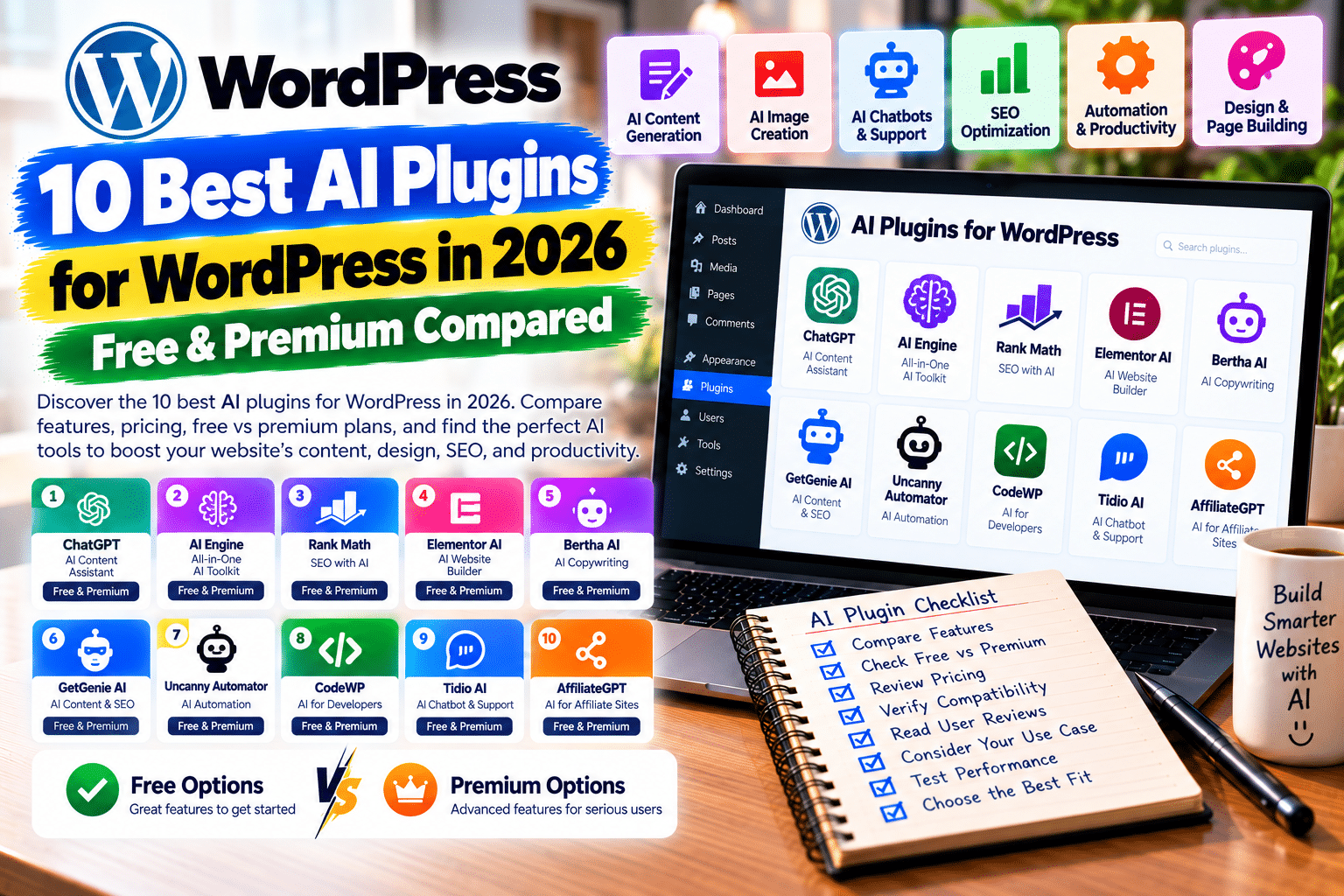
In this guide, we compare the 10 best AI plugins for WordPress in 2026, including free and premium options for bloggers, developers, WooCommerce stores, and agencies.
Quick Comparison: Best WordPress AI Plugins
| Plugin | Best For | Free Option |
|---|---|---|
| AI Engine | Chatbots and AI integration | Yes |
| Elementor AI | Website design | Limited trial |
| Rank Math Content AI | SEO optimization | Limited usage |
| Jetpack AI Assistant | Content writing | 20 requests |
| Angie by Elementor | AI website development | Yes |
| AI Puffer | AI content and automation | Yes |
| Uncanny Automator | AI workflows | Yes |
| GetGenie AI | SEO content research | Yes |
| Tidio Lyro AI | Customer support | Limited trial |
| Divi AI | AI-powered Divi design | Limited trial |
1. AI Engine – Best Overall AI Plugin
AI Engine by Meow Apps supports AI chatbots, content generation, image creation, and integrations with different AI providers.
It also supports advanced WordPress AI workflows through MCP.
Free vs Premium: Free core plugin; Pro unlocks additional functionality. External AI API charges may apply.
Pros: Flexible, multiple AI providers, customizable chatbots.
Cons: Advanced setup can be technical.
2. Elementor AI – Best for Website Design
Elementor AI brings AI-assisted content, images, CSS, and layout generation into the Elementor editor.
It’s particularly useful for building landing pages without switching between multiple tools.
Free vs Premium: Limited introductory access; ongoing AI usage requires a paid plan.
Pros: Convenient visual-editor integration.
Cons: Primarily useful within Elementor.
3. Rank Math Content AI – Best for SEO
Rank Math Content AI helps create SEO titles, descriptions, articles, and content suggestions.
Its 2026 feature-based usage system replaces the older word-credit model.
Free vs Premium: Limited free monthly feature uses; paid AI subscriptions offer higher allowances.
Pros: Integrated SEO workflow, useful metadata tools.
Cons: Rank Math PRO alone doesn’t include unrestricted Content AI usage.
4. Jetpack AI Assistant – Best for Bloggers
Jetpack AI helps generate articles, summaries, images, and structured content inside WordPress.
It also supports tone adjustments and proofreading.
Free vs Premium: Twenty free requests, followed by paid access for continued use.
Pros: Beginner-friendly, convenient editor integration.
Cons: Small free allowance.
5. Angie by Elementor – Best AI Developer Assistant
Angie can generate Elementor pages, custom widgets, code snippets, and WordPress functionality using natural-language instructions.
Its test environment lets users review changes before publishing.
Free vs Premium: Free tier with daily renewing credits; higher usage requires upgrading.
Pros: Useful development features, editable output.
Cons: Generated code still needs testing and security review.
6. AI Puffer – Best All-in-One Toolkit
Formerly AI Power, AI Puffer combines chatbots, writing tools, image generation, and automation.
It supports multiple AI providers through a bring-your-own-API-key approach.
Free vs Premium: Free plugin with additional commercial capabilities.
Pros: Broad feature selection, provider flexibility.
Cons: API costs and configuration can add complexity.
7. Uncanny Automator – Best for AI Workflows
Uncanny Automator connects WordPress plugins and external services through automated workflows.
Its AI features include Uncanny Agent, content assistance, and integrations with supported AI providers.
Free vs Premium: Free automation features and starter AI usage; Pro adds advanced triggers, conditions, and higher allowances.
Pros: Extensive integrations, practical automation.
Cons: Complex workflows require planning.
8. GetGenie AI – Best for SEO Content Research
GetGenie combines AI writing with keyword research, competitor analysis, and SEO content recommendations.
It also offers WooCommerce product-description templates.
Free vs Premium: Limited free writing allowance; paid plans expand usage.
Pros: Research and writing in one dashboard.
Cons: Generated recommendations require human review.
9. Tidio Lyro AI – Best for Customer Support
Tidio’s Lyro AI agent helps businesses answer customer questions using information supplied to its knowledge base.
It can support WordPress and WooCommerce customer-service workflows.
Free vs Premium: Fifty free Lyro conversations as a one-time trial; ongoing AI conversations require a paid plan.
Pros: Customer-support focus, live-chat integration.
Cons: AI conversation limits and separate service costs.
10. Divi AI – Best for Divi Websites
Divi AI generates text, images, layouts, and code within the Divi Builder.
The newer Divi AI Agent supports conversational website changes in Divi 5.
Free vs Premium: Limited trial usage for eligible Divi customers; ongoing use requires a paid subscription.
Pros: Deep Divi integration, visual design assistance.
Cons: Requires Divi; AI Agent usage has separate metered limits.
Which WordPress AI Plugin Should You Choose?
For flexible AI integrations, choose AI Engine.
For SEO-focused writing, compare Rank Math Content AI and GetGenie.
For website design, Elementor AI, Angie, and Divi AI are worth exploring.
WooCommerce businesses needing customer support can consider Tidio, while agencies automating repetitive tasks may prefer Uncanny Automator.
Always review AI-generated content, protect API credentials, and test automated actions before using them on a live website.
Frequently Asked Questions
What is the best AI plugin for WordPress in 2026?
AI Engine is a flexible all-round option, but the best choice depends on whether you need SEO, design, automation, or chatbots.
Are WordPress AI plugins free?
Several offer free versions or limited trials. AI API usage, premium features, and ongoing subscriptions may cost extra.
Can AI plugins improve WordPress SEO?
They can assist with research, metadata, and content editing, but they cannot guarantee higher Google rankings.
Can AI create a complete WordPress website?
Some tools can generate pages and layouts. Human testing is still necessary for accessibility, performance, and functionality.
Final Verdict
The best AI plugins for WordPress in 2026 can simplify content creation, website development, customer support, and everyday administration.
Start with a tool that solves a specific problem instead of installing several overlapping AI plugins.
For more WordPress plugin comparisons, tutorials, and performance guides, visit GPLNESTS.COM.