
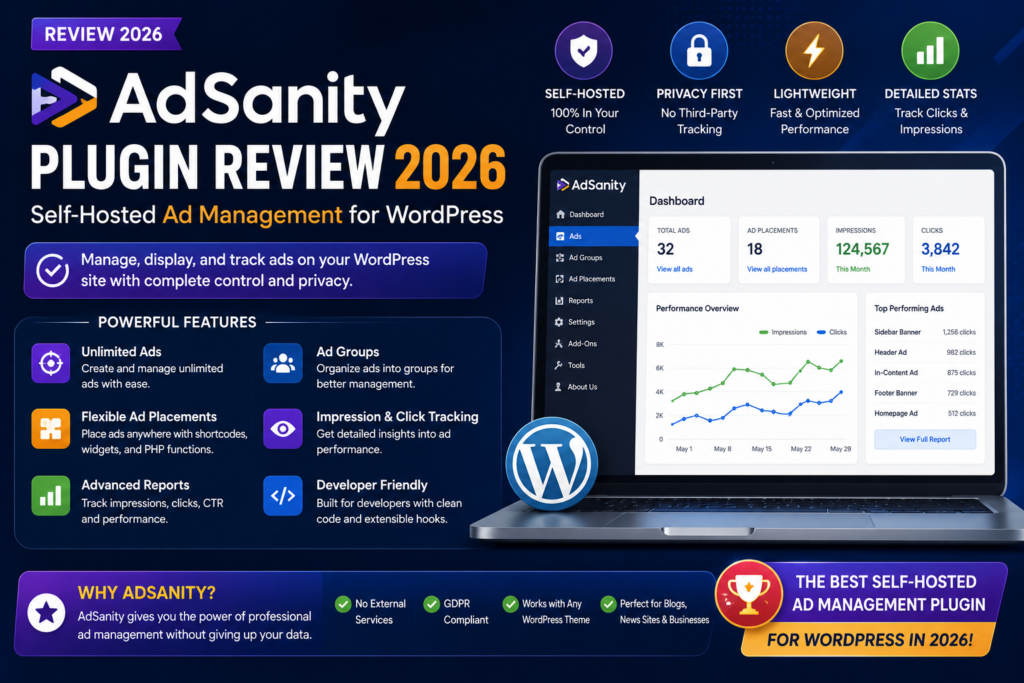
AdSanity Plugin Review 2026: Self-Hosted Ad Management for WordPress
Monetizing a WordPress website with advertising sounds simple until you actually have to manage the ads.
You may need to upload banner creatives, rotate several advertisers in the same position, schedule campaigns, monitor impressions and clicks, insert ads in different areas of your site, and provide reports to advertisers.
That is where a dedicated WordPress ad-management plugin can help.
AdSanity is built specifically for publishers who want to manage advertising directly from the WordPress dashboard. It supports self-hosted ads as well as ads from external networks and provides tools for placements, rotations, reporting, and campaign management.
But is AdSanity still worth using in 2026?
In this AdSanity review, we’ll look at its features, pricing, reporting tools, ad groups, ease of use, advantages, disadvantages, and whether it is a good choice for bloggers, publishers, and business websites.
AdSanity Review 2026: Quick Verdict
Overall Rating: 4.4/5
AdSanity is a strong option for WordPress publishers who want direct control over advertising without relying entirely on a third-party ad network.
Its biggest strengths are its WordPress-native workflow, support for hosted and external advertisements, ad rotation, reporting, flexible placements, and expandable add-on ecosystem. The developer also describes AdSanity as intentionally lightweight, with additional functionality added only when needed.
Best For
AdSanity is particularly suitable for:
- Blogs selling direct advertising
- News and magazine websites
- Niche publishers
- Affiliate websites
- Businesses managing sponsored banners
- Agencies managing advertising on client sites
- Publishers who want self-hosted ad control
Main Drawback
AdSanity is a premium product, and some advanced functionality relies on additional add-ons or higher subscription tiers.
If you only display a single AdSense block, you may not need this level of ad management.
What Is AdSanity?
AdSanity is a WordPress advertising management plugin developed by Pixel Jar.
Its main purpose is to let site owners create, organize, display, rotate, and track advertisements directly inside WordPress.
You can manage advertisements hosted on your own website as well as ads delivered by external advertising services. Its documentation also covers HTML5 ads and text ads.
Instead of manually editing your theme every time an advertiser changes a banner, you can manage advertising from a dedicated WordPress interface.
That can make a major difference if you sell multiple advertising placements.
How AdSanity Works
The basic workflow is straightforward.
You create an advertisement inside WordPress, configure the creative and destination, organize it into an ad group if necessary, and then place the ad or group somewhere on your website.
AdSanity currently supports three primary placement methods:
- Widgets
- Shortcodes
- Template tags
These methods can be mixed depending on how your WordPress theme or layout is structured.
For non-technical users, shortcodes and widgets can make ad placement relatively straightforward.
Developers can use template tags and AdSanity’s hooks for deeper integration.
1. Self-Hosted Ads
One of the most important AdSanity features is support for advertisements hosted directly on your WordPress site.
For example, suppose a local company pays you to display a 728×90 banner.
You can upload the creative to your website, configure its destination URL, and manage that advertisement from WordPress.
This gives publishers more control than simply pasting code from an external network.
Self-hosted ads can be particularly useful for:
- Direct sponsorships
- Local advertisers
- Affiliate banners
- House ads
- Promotional campaigns
- Partner promotions
It can also simplify advertiser relationships because you control the creative and placement directly.
2. External Ad Network Support
Using AdSanity does not mean you must abandon external advertising networks.
The plugin can also manage advertisements delivered from external services.
That means a publisher could potentially manage a combination of direct advertisers and third-party ad-network placements from a more centralized workflow.
This is useful for websites that monetize using several different advertising sources.
3. Ad Groups and Rotation
Ad groups are one of AdSanity’s most useful features.
Instead of assigning one advertisement permanently to a particular position, you can create a group containing several ads.
AdSanity can then rotate eligible advertisements from the group.
Its documentation explains that groups work as a taxonomy for advertisements and can rotate different ads when visitors load new pages.
For example, imagine you sell the same sidebar advertising position to four companies.
Your group could contain:
Advertiser A
Advertiser B
Advertiser C
Advertiser D
As visitors navigate through the website, different ads can appear.
This lets you provide exposure to multiple advertisers without needing four separate advertising positions.
Important Limitation
AdSanity’s standard group rotation occurs on page refresh, rather than automatically changing the creative every few seconds while someone remains on the same page.
For many publishers this is perfectly adequate, but it is worth knowing before purchasing.
4. Ad Scheduling and Expiration
Direct advertising campaigns often have start and end dates.
An advertiser may purchase:
- Seven days
- One month
- Three months
- A particular promotional period
Managing expiry manually can quickly become frustrating.
AdSanity’s documentation includes ad-expiration functionality as part of its advertising-management workflow.
This makes it easier to run time-limited campaigns without needing to remember to manually remove every advertisement.
For publishers selling recurring sponsorship packages, this can save significant administration time.
5. Advertisement Reporting
Advertisers usually want one important thing after paying for a campaign:
Results.
AdSanity includes reporting functionality that can track metrics for locally hosted advertisements.
Its reporting dashboard provides information including:
- Views
- Clicks
- Click-through rate
- Top advertisements by clicks
- Top advertisements by CTR
- Performance by ad group
Custom reports can also be generated for selected advertisements and date ranges, and detailed reports can be exported as CSV files.
This can be extremely useful when selling direct advertising.
Instead of telling an advertiser that their banner “did well,” you can provide actual performance information.
6. Google Analytics Tracking
AdSanity also provides a Google Analytics Tracking Integration add-on.
This becomes especially relevant for external-network advertisements and certain HTML5 ads, where AdSanity’s normal local tracking is not used in the same way.
According to its documentation, the Analytics integration can record ad views and clicks as Google Analytics events and populate related AdSanity reporting information.
One important detail is that AdSanity’s standard tracking and its Google Analytics tracking method are mutually exclusive.
You should configure the tracking method correctly rather than enabling both approaches without understanding how they interact.
7. Custom Reports
AdSanity’s custom-report system is helpful for websites running many advertising campaigns.
You can select particular ads and a date range to examine campaign performance.
Reports can then be exported as CSV files.
That makes it easier to create advertiser updates such as:
Campaign: September Homepage Banner
Views: 78,430
Clicks: 862
CTR: 1.10%
For professional publishers, reporting can be almost as important as displaying the advertisement itself.
8. Advertiser Reporting Add-On
Publishers managing many advertisers may not want to manually email campaign reports every week.
AdSanity offers an Advertiser Reporting add-on that can give advertisers their own WordPress accounts and associate those accounts with specific ads.
Advertisers can then log in and view reporting for the advertisements assigned to them.
The add-on can also send notifications relating to expiring ads.
This is particularly useful for:
- Large blogs
- Online magazines
- News websites
- Agencies
- Sites selling many recurring ad packages
It can make your direct-advertising operation feel considerably more professional.
At the time of this review, AdSanity lists the standalone Advertiser Reporting add-on at $49 per year, although some subscription tiers bundle Pro add-ons.
9. Gutenberg Support
Modern WordPress websites frequently use the block editor.
AdSanity’s documentation includes dedicated Gutenberg blocks among its supported placement and management functionality.
That makes it easier to incorporate advertising into modern WordPress content workflows without relying exclusively on legacy widgets or direct theme editing.
10. Shortcodes
Shortcodes remain useful when you need to insert advertisements within:
- Blog posts
- Landing pages
- Sidebar areas
- Elementor templates
- Custom layouts
AdSanity provides shortcode-based placement alongside its widgets and template tags.
For example, you might place an advertisement:
- After an introduction
- Midway through an article
- Before the conclusion
- Inside a custom promotional section
Shortcodes provide flexibility without requiring PHP modifications.
11. Template Tags
Developers can integrate AdSanity directly into WordPress themes using template tags.
This can be useful when creating permanent advertising areas such as:
Header advertisement
Homepage leaderboard
Article sidebar
Below-post banner
Footer sponsorship
A developer can build these areas into the site while the marketing team continues managing the actual advertisers through WordPress.
12. Developer Customization
AdSanity also exposes filters and actions for developers.
Its advanced documentation provides hooks for controlling ad behavior, visibility, ad groups, tracking, wrappers, redirects, and other functionality.
This makes AdSanity more flexible than a simple banner-upload plugin.
Agencies building custom publishing websites can potentially integrate advertising into more specialized workflows.
13. Lightweight Core Design
Advertising plugins can negatively affect website performance if they introduce excessive scripts or unnecessary functionality.
AdSanity says its core plugin was designed to remain lightweight and that additional functionality can be introduced through add-ons when needed.
That modular approach makes sense.
A small publisher may only require basic ads and reporting.
A larger publication might need advertiser accounts, specialized tracking, and advanced placement functionality.
Not forcing every site to load every advanced feature can help keep the setup simpler.
AdSanity Ease of Use
Ad-management platforms can become extremely complicated.
AdSanity’s biggest usability advantage is that it keeps the advertising workflow inside WordPress.
If you’re already familiar with managing WordPress posts and content, the general approach should feel recognizable.
You create and organize advertising content through the dashboard rather than learning an entirely separate ad server.
Ease of Use Rating: 4.5/5
Beginners may still need some time to understand concepts such as:
- Groups
- Reporting
- Tracking methods
- External ads
- Template tags
But most publishers should be able to learn the basic workflow without becoming ad-server experts.
AdSanity Pricing in 2026
AdSanity currently offers several licensing options.
At the time of this review, the official pricing page lists:
| Plan | Price | Websites |
|---|---|---|
| Blogger | $9/month, billed annually | 1 site |
| Professional | $19/month, billed annually | Unlimited |
| Lifetime | $899 one-time | Unlimited |
The Blogger tier includes the core plugin, Basic Add-ons, updates for those Basic Add-ons, support, and single-site licensing.
Professional adds all Pro Add-ons and unlimited licensing.
Lifetime includes the core plugin, Basic and Pro add-ons, ongoing updates, unlimited licensing, and lifetime access for a one-time payment.
AdSanity also currently advertises a 14-day money-back guarantee.
Because pricing can change, check the official pricing page before purchasing.
AdSanity Blogger vs Professional
Choosing between the two main subscriptions depends mostly on how serious your advertising operation is.
Blogger
The Blogger plan makes the most sense if:
- You operate one website
- You need basic ad management
- You don’t require every Pro add-on
- You’re just starting to sell advertising
Professional
Professional is more attractive if:
- You manage multiple sites
- You run an agency
- You require Pro add-ons
- You manage sophisticated advertiser relationships
- Advertising is an important revenue source
For a serious publisher, the Professional plan may provide better long-term value.
AdSanity Pros
Easy WordPress Integration
You manage advertisements directly inside the WordPress dashboard.
Supports Self-Hosted Advertising
You can sell banner placements directly without relying completely on external ad networks.
External Ad Support
AdSanity can also work with ads from outside advertising services.
Ad Rotation
Groups allow several advertisements to share the same placement.
Reporting
Views, clicks, CTR, ad-group performance, and custom reporting provide useful advertiser information.
Flexible Placement
Widgets, shortcodes, and template tags give publishers several ways to insert ads.
Expandable Add-Ons
You can extend the system as your advertising needs become more complex.
Developer Friendly
Actions, filters, and template functionality provide additional customization opportunities.
AdSanity Cons
No Permanent Free Version
AdSanity is primarily a paid solution.
Publishers with no advertising revenue may prefer to start with a simpler free approach.
Advanced Features Can Increase Cost
Some specialized functionality depends on Pro add-ons or higher subscription tiers.
Rotation Is Page-Refresh Based
Standard ad groups rotate when a new page is loaded rather than continuously rotating advertisements while the visitor remains on the same page.
Not a Full Enterprise Ad Server
Large publishing organizations needing extremely advanced programmatic advertising, complex bidding systems, or enterprise-grade campaign infrastructure may require a dedicated ad-serving platform.
Reporting Requires Correct Setup
External ads and certain formats can require the Analytics integration for tracking, so publishers need to configure reporting properly.
AdSanity vs Google AdSense
AdSanity and Google AdSense solve different problems.
AdSense primarily connects publishers with Google’s advertising network.
AdSanity primarily helps publishers manage advertising placements on their own WordPress website.
They aren’t necessarily direct replacements for each other.
A publisher might use AdSanity to manage direct sponsorships while also having network advertising elsewhere on the website.
Choose AdSanity If:
- You sell ads directly
- You want more control
- You manage multiple advertisers
- You want self-hosted campaigns
- You need WordPress-based reports
Choose an Ad Network If:
- You don’t want to find advertisers yourself
- You prefer automated ad inventory
- You don’t want to manage sponsorship campaigns manually
AdSanity vs Advanced Ads
Advanced Ads is another major WordPress advertising-management solution.
Both aim to make ad placement and management easier, but the products can differ significantly in workflow, extensions, targeting options, and pricing.
AdSanity is particularly attractive for publishers who want a straightforward WordPress-native solution for direct advertisements, groups, campaign reporting, and advertiser management.
If your primary need is extremely granular display conditions or specialized ad-network functionality, it is worth comparing both products feature by feature before purchasing.
Is AdSanity Good for Affiliate Marketing?
Yes.
Affiliate marketers can use AdSanity to organize banner campaigns rather than manually inserting affiliate creatives everywhere.
For example, you could create an Hosting Offers ad group containing banners from several affiliate partners.
Those ads could then rotate through selected placements.
This can make affiliate banner management easier, particularly when offers or creatives change regularly.
You should still comply with relevant affiliate-disclosure requirements and advertising rules.
Is AdSanity Good for Bloggers?
AdSanity makes the most sense for bloggers who have reached the stage where advertising is a meaningful part of their monetization strategy.
A small blog displaying one static sponsor logo probably doesn’t need a dedicated ad-management platform.
But once you have:
- Several sponsors
- Multiple placements
- Monthly campaigns
- Rotating ads
- Reporting requirements
the administrative benefits become much clearer.
Is AdSanity Good for News and Magazine Sites?
Yes.
News and magazine websites are arguably one of the strongest use cases.
These websites often contain multiple advertising positions, including:
- Header banners
- Sidebar ads
- In-content ads
- Sponsored placements
- Footer advertisements
Ad groups make it possible to rotate multiple advertisers through these areas, while reporting helps publishers demonstrate campaign performance.
Is AdSanity Good for WooCommerce?
AdSanity isn’t a WooCommerce advertising plugin specifically.
However, an eCommerce website could still use it for:
- Partner promotions
- Supplier advertisements
- Sponsored brands
- House advertisements
- Cross-promotional banners
For a standard online shop, though, advertising may not be as important as it is for publisher-driven websites.
AdSanity System Requirements
AdSanity’s current documentation lists minimum requirements of:
- WordPress 5.6
- PHP 7.4
- MySQL 5.7
It also states compatibility with WordPress.com Business plans and above.
For security and performance reasons, your website should generally run current supported versions rather than simply meeting the minimum requirements.
Does AdSanity Slow Down WordPress?
Any plugin adds some amount of processing.
However, AdSanity is intentionally designed around a lightweight core and modular add-ons.
The bigger performance issue often isn’t the ad-management plugin itself.
Third-party advertisements can load:
- JavaScript
- Tracking pixels
- Large images
- Video
- External network requests
- Analytics
- Marketing scripts
These resources can affect performance much more significantly.
For better results, keep banner creatives optimized and avoid unnecessarily heavy third-party advertising scripts.
AdSanity and WordPress Caching
Advertising and caching can sometimes interact in complicated ways.
For example, a heavily cached page might need special handling when displaying rotating or dynamic advertising.
AdSanity’s documentation includes specific guidance relating to caching, which is worth reviewing if you’re using performance plugins or server-level caching.
If your website uses WP Rocket or LiteSpeed Cache, test advertising behavior carefully after configuring caching.
Make sure:
- Ads display correctly
- Groups rotate as expected
- Click tracking works
- Impression tracking works
- Expired ads disappear correctly
Who Should Use AdSanity?
AdSanity is a strong choice if you:
- Sell advertising directly
- Want to control banners inside WordPress
- Manage multiple advertisers
- Need impression and click reports
- Need rotating ad groups
- Want scheduled campaigns
- Run a blog or online publication
- Want advertiser-facing reporting
- Prefer WordPress-native management
Who Should Skip AdSanity?
You probably don’t need AdSanity if:
- You only display one static advertisement
- You rely entirely on an automatic advertising network
- You don’t sell direct sponsorships
- Your site has little traffic and no ad revenue
- You need a full enterprise programmatic advertising platform
In those cases, a simpler solution may be sufficient.
Final Verdict: Is AdSanity Worth It in 2026?
Yes—if direct advertising is a meaningful part of your WordPress business.
AdSanity provides a practical middle ground between manually adding banners to WordPress and deploying a complicated enterprise advertising server.
It gives publishers tools for creating self-hosted advertisements, organizing them into rotating groups, placing them throughout a site, tracking views and clicks, and producing advertiser reports.
Its modular add-on approach also means publishers can expand functionality as their advertising operation grows.
The main question isn’t whether AdSanity is capable.
It is whether your advertising operation is large enough to justify a paid management plugin.
AdSanity Rating
Ease of Use: 4.5/5
Ad Management: 4.7/5
Reporting: 4.5/5
Placement Flexibility: 4.6/5
Developer Features: 4.4/5
Value for Bloggers: 4.2/5
Value for Publishers: 4.7/5
Overall Rating: 4.4/5
Our Recommendation
For a publisher, niche blog, online magazine, or content website selling advertising directly, AdSanity is an excellent option to consider in 2026.
If you only use simple ad-network code, it may be more than you need.
But once advertisers are paying you directly and expecting campaign management and reporting, AdSanity becomes far more valuable.
Frequently Asked Questions
What is AdSanity?
AdSanity is a WordPress advertising-management plugin that lets publishers create, organize, display, rotate, and report on advertisements directly from WordPress.
Can AdSanity display self-hosted ads?
Yes. Supporting ads hosted directly on your website is one of its core use cases.
Can AdSanity use external ads?
Yes. Its documentation supports both locally hosted advertisements and ads from external advertising services.
Does AdSanity track impressions and clicks?
Yes. Its built-in reporting can track views, clicks, and click-through rates for suitable locally hosted advertisements.
Can advertisers see their own reports?
Yes, with the Advertiser Reporting add-on, advertisers can receive accounts associated with their ads and access relevant reporting.
Does AdSanity rotate advertisements?
Yes. Advertisements can be organized into groups and rotated when pages are loaded.
Is AdSanity free?
AdSanity is a commercial plugin. Its current Blogger plan starts at $9 per month when billed annually.
Can I use AdSanity with Gutenberg?
Yes. AdSanity’s current documentation includes Gutenberg blocks.
Can I place ads using shortcodes?
Yes. AdSanity supports shortcodes, widgets, and template tags.
Is AdSanity suitable for affiliate sites?
Yes. Affiliate publishers can use it to organize and rotate banner creatives, although affiliate disclosures and program rules still apply.
Is AdSanity good for direct advertising?
Yes. Direct advertising is one of its strongest use cases because publishers control the creative, placement, campaign management, and reporting.
Does AdSanity work with caching plugins?
It can, but you should test caching and ad-tracking behavior carefully. AdSanity maintains dedicated caching documentation for these scenarios



