
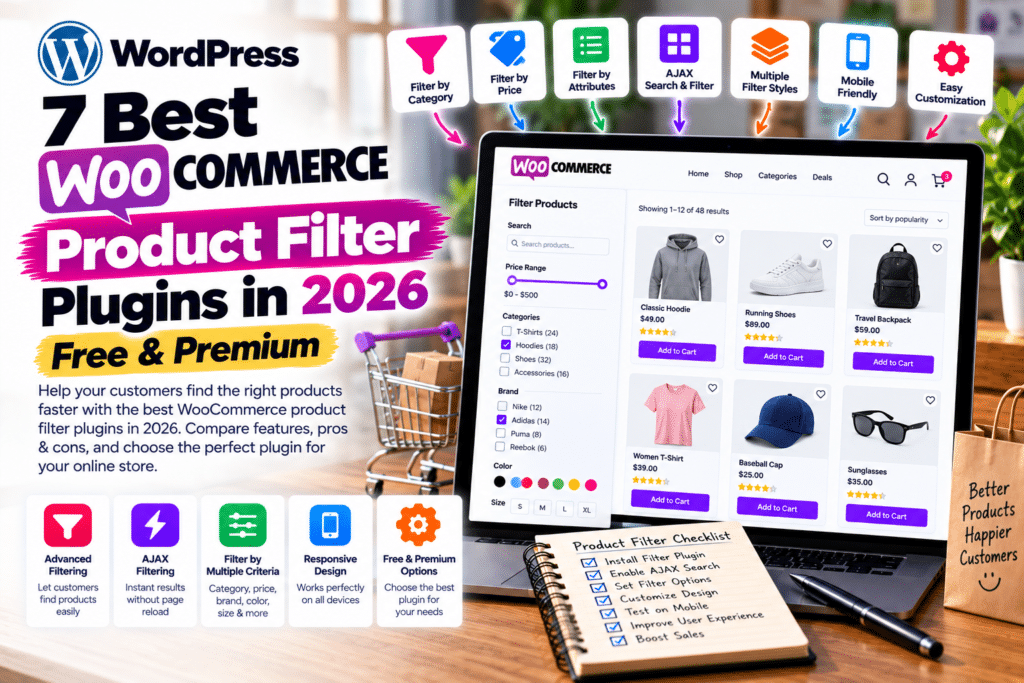
Running a WooCommerce store with hundreds of products? Customers shouldn’t have to scroll endlessly to find what they need.
The best WooCommerce product filter plugins in 2026 help shoppers narrow products by price, category, brand, size, color, rating, and availability.
Whether you’re building a fashion store, electronics shop, or online marketplace, these free and premium plugins can improve product discovery and create a smoother shopping experience.
Let’s compare seven popular options.
Quick Comparison Table
| Plugin | Best For | Free Version |
|---|---|---|
| Filter Everything | Overall filtering | Yes |
| YITH AJAX Product Filter | Customizable filters | Yes |
| HUSKY (formerly WOOF) | Advanced filtering | Yes |
| JetSmartFilters | Elementor stores | No |
| FacetWP | Large, complex catalogs | No |
| Premmerce Product Filter | Filter-page SEO | Yes |
| Themify Product Filter | Simple visual filters | Yes |
1. Filter Everything – Best Overall
Filter Everything supports WooCommerce products and other WordPress content. It offers AJAX filtering, attribute filters, and compatibility with popular page builders.
Its 2026 updates also introduced additional controls to reduce unwanted search-engine crawling of filter combinations.
Free vs Premium: Free covers essential filtering; Pro expands filtering locations, SEO options, and advanced functionality.
Pros: Flexible filters, AJAX support, useful SEO controls.
Cons: Complex configurations take time to learn.
Best for: Small and growing WooCommerce stores.
2. YITH WooCommerce AJAX Product Filter
YITH provides customizable product filters that help customers browse by price, color, size, and other attributes.
It supports filter presets and offers integration options for custom shop layouts.
Free vs Premium: The free edition provides basic filter presets. Premium adds advanced filter types, visual customization, and additional filtering controls.
Pros: Attractive filters, flexible layouts, Elementor compatibility.
Cons: Several advanced options require premium.
Best for: Fashion and lifestyle stores.
3. HUSKY – Products Filter for WooCommerce
Previously known as WOOF, HUSKY offers filtering based on product taxonomies, attributes, and other WooCommerce data.
Its flexible configuration makes it useful for stores with detailed product catalogs.
Free vs Premium: A free edition is available, while the commercial version extends its capabilities.
Pros: Extensive filtering options, customizable behavior.
Cons: The settings can feel technical for beginners.
Best for: Stores with complex product attributes.
4. JetSmartFilters – Best for Elementor
JetSmartFilters by Crocoblock is a premium filtering solution compatible with Elementor, Gutenberg, Bricks, and WooCommerce.
It includes AJAX filtering, price ranges, checkboxes, sorting, search filters, and dynamic result counts.
Free vs Premium: JetSmartFilters is a paid plugin without a permanent free edition.
Pros: Visual builder integration, advanced filters, customizable layouts.
Cons: Requires a premium license and some setup experience.
Best for: Elementor-powered WooCommerce websites.
5. FacetWP – Best for Advanced Catalogs
FacetWP offers faceted search for WordPress and WooCommerce, helping customers combine multiple filters.
It supports product prices, categories, attributes, ratings, stock status, and variable products.
Free vs Premium: FacetWP is a premium plugin.
Pros: Powerful faceted filtering, extensive WooCommerce support.
Cons: Higher learning curve and premium-only access.
Best for: Large catalogs and custom storefronts.
6. Premmerce Product Filter – Best for SEO
Premmerce provides AJAX filtering, price filters, category filtering, and product attribute controls.
Its premium version adds SEO-focused filter landing pages with customizable URLs and metadata.
Free vs Premium: Free provides essential filtering. Premium adds advanced filter styles and SEO functionality.
Pros: Useful SEO features, AJAX support, customizable filters.
Cons: Advanced SEO settings require premium.
Best for: Stores targeting category-specific search traffic.
7. Themify WooCommerce Product Filter
Themify offers a free product filtering plugin with a drag-and-drop filter builder.
Customers can combine filters for categories, prices, attributes, and product tags.
Free vs Premium: The standalone Themify Product Filter plugin is free.
Pros: Visual filter builder, multiple selections, live results.
Cons: Some themes or custom layouts may need additional configuration.
Best for: Small stores wanting straightforward product filtering.
Which WooCommerce Product Filter Plugin Is Best?
For most stores, Filter Everything is a strong starting point. Choose YITH for customizable shopping filters or HUSKY for detailed product attributes.
If you’re using Elementor, JetSmartFilters is worth considering. For advanced faceted search, explore FacetWP.
Before installing, test mobile filtering, product variations, AJAX compatibility, and checkout performance.
Frequently Asked Questions
What is the best WooCommerce product filter plugin?
Filter Everything is a strong all-around choice, while YITH, HUSKY, and JetSmartFilters suit different store requirements.
Are WooCommerce product filter plugins free?
Yes. Filter Everything, YITH, HUSKY, Premmerce, and Themify offer free versions.
Which product filter works with Elementor?
JetSmartFilters is designed for page-builder integration. Filter Everything and YITH also offer Elementor compatibility.
Do product filters improve WooCommerce SEO?
They can improve navigation, but filter URLs require careful indexing and canonical settings to avoid duplicate or low-value pages.
Final Verdict
A good product filter helps shoppers discover relevant products faster. Start with a free plugin for basic filtering and consider premium features when your catalog becomes more complex.
Explore more WooCommerce plugins, WordPress themes, and optimization guides at GPLNESTS.COM.



