A slow WordPress website can hurt user experience, conversions, and overall site performance.
Caching is one of the easiest ways to reduce unnecessary server work and deliver pages faster to visitors.
But choosing a cache plugin isn’t as simple as installing whichever plugin promises the highest PageSpeed score.
Hosting environment, WooCommerce, page builders, CDN setup, images, JavaScript, and third-party scripts all affect performance.
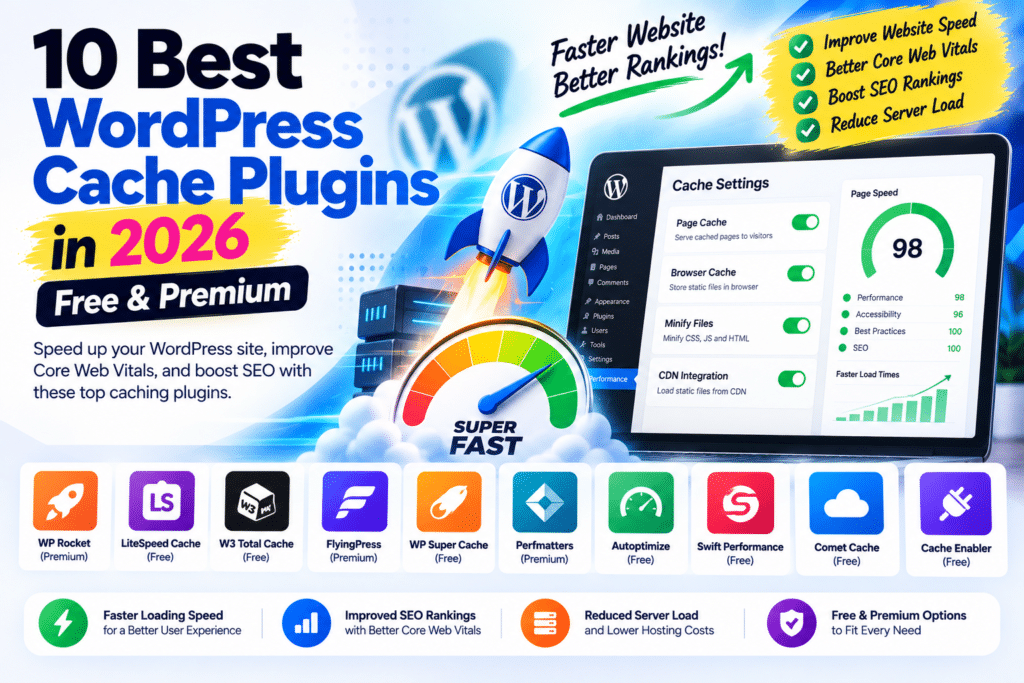
In this guide, we’ll look at 10 of the best WordPress cache plugins in 2026, including both free and premium options.
Testing Note: This comparison is based on available features, configuration options, compatibility, ease of use, and typical WordPress use cases. The ratings below are editorial ratings, not controlled speed benchmarks. No plugin can guarantee a particular PageSpeed or Core Web Vitals score.
Quick Comparison
| Cache Plugin | Free Version | Best For | Rating |
|---|---|---|---|
| LiteSpeed Cache | Yes | LiteSpeed-powered websites | 4.8/5 |
| WP Rocket | No | Easy premium optimization | 4.7/5 |
| FlyingPress | No | Advanced performance optimization | 4.7/5 |
| WP-Optimize | Yes | Cache + database optimization | 4.5/5 |
| NitroPack | Limited option | Automated optimization | 4.4/5 |
| W3 Total Cache | Yes | Advanced configuration | 4.3/5 |
| Cache Enabler | Yes | Lightweight caching | 4.3/5 |
| Breeze | Yes | Simple free caching | 4.2/5 |
| WP Super Cache | Yes | Basic reliable caching | 4.2/5 |
| Hummingbird | Yes | WPMU DEV ecosystem | 4.2/5 |
1. LiteSpeed Cache
Rating: 4.8/5
LiteSpeed Cache is one of the most feature-rich free WordPress performance plugins available.
Its biggest advantage is its relationship with LiteSpeed’s server technology.
When your website runs on a compatible LiteSpeed environment, the plugin can take advantage of server-level caching.
It also includes broader optimization functionality.
Key Features
- Page caching
- Cache purge controls
- CSS optimization
- JavaScript optimization
- Lazy loading
- Image optimization integration
- Database optimization
- Object cache support
- CDN integration
- QUIC.cloud integration
LiteSpeed Cache can be particularly attractive for users who want caching and frontend optimization without immediately purchasing a premium plugin.
Important Limitation
The plugin can be installed on different web servers, and many optimization features remain available.
However, its native LiteSpeed caching functionality requires compatible LiteSpeed server technology or QUIC.cloud.
That’s an important distinction when comparing it with server-independent plugins.
Best For
LiteSpeed and OpenLiteSpeed hosting users
2. WP Rocket
Rating: 4.7/5
WP Rocket remains one of the best-known premium WordPress caching plugins.
Its main appeal isn’t that it gives you hundreds of technical switches.
It’s that it tries to make performance optimization relatively straightforward.
WP Rocket can handle caching alongside several common frontend optimizations.
Key Features
- Page caching
- Cache preloading
- Browser caching
- GZIP-related optimization
- CSS optimization
- JavaScript optimization
- Delay JavaScript execution
- Lazy loading
- Database cleanup
- CDN integration
WP Rocket is particularly useful for website owners who want a premium solution without spending hours learning every technical aspect of WordPress caching.
WooCommerce
WP Rocket is widely used on WooCommerce websites, but dynamic eCommerce pages still need proper handling.
After configuring any cache plugin, test:
Product → Add to Cart → Cart → Checkout → Payment → Confirmation
Never assume that a faster homepage means your entire store works correctly.
Best For
Beginners, businesses, agencies and WooCommerce stores wanting an easier premium solution
3. FlyingPress
Rating: 4.7/5
FlyingPress has become a strong alternative to WP Rocket for users who want more detailed frontend performance controls.
It combines page caching with CSS, JavaScript, image, font, and database optimization tools.
Key Features
- Page caching
- Cache preloading
- CSS optimization
- JavaScript optimization
- Delay JavaScript
- Lazy loading
- Font optimization
- Database optimization
- Core Web Vitals-focused controls
- CDN ecosystem integration
FlyingPress is especially attractive for users who enjoy fine-tuning frontend performance.
FlyingPress vs WP Rocket
Both are capable premium solutions.
WP Rocket generally emphasizes a streamlined experience.
FlyingPress provides a strong set of frontend optimization controls.
Neither plugin is universally faster.
Actual performance depends on:
Hosting + Theme + Plugins + Images + Fonts + Scripts + CDN + Configuration
Test both on your own website rather than relying entirely on somebody else’s benchmark.
Best For
Performance-focused WordPress users
4. WP-Optimize
Rating: 4.5/5
WP-Optimize takes a broader approach to WordPress optimization.
Instead of focusing only on caching, it combines several maintenance and performance functions.
Key Features
- Page caching
- Database cleanup
- Image optimization
- CSS optimization
- JavaScript optimization
- Cache preloading
- Minification
- Database maintenance
Database cleanup is one of the main reasons users choose WP-Optimize.
WordPress databases can accumulate:
- Post revisions
- Transients
- Spam comments
- Old data
- Unnecessary database entries
Cleaning this data can make administration easier and reduce unnecessary database clutter.
Always back up your database before performing aggressive cleanup.
Best For
Users wanting caching and database optimization in one plugin
5. NitroPack
Rating: 4.4/5
NitroPack approaches WordPress performance differently from a traditional caching plugin.
It provides a more automated optimization platform that combines multiple performance techniques.
Key Features
- Caching
- Image optimization
- CSS optimization
- JavaScript optimization
- Lazy loading
- CDN functionality
- Automated performance optimization
The attraction is convenience.
Instead of manually combining several optimization tools, NitroPack attempts to handle much of the process within one ecosystem.
Things to Consider
Aggressive automated optimization still needs testing.
Check:
- Navigation
- Forms
- Popups
- Analytics
- Ads
- WooCommerce cart
- Checkout
- Payment gateways
- Mobile menus
Performance optimization shouldn’t break functionality.
Best For
Users wanting a more automated optimization workflow
6. W3 Total Cache
Rating: 4.3/5
W3 Total Cache has been part of the WordPress caching ecosystem for many years.
It offers extensive configuration options for users who want greater technical control.
Key Features
- Page caching
- Browser caching
- Database caching
- Object caching
- Minification
- CDN integration
- Advanced cache configuration
The strength of W3 Total Cache can also be its weakness.
There are many settings.
Advanced users may appreciate this flexibility, while beginners can find the interface more complicated than WP Rocket or simpler cache plugins.
Don’t enable every option simply because it exists.
Best For
Advanced users who want detailed cache configuration
7. Cache Enabler
Rating: 4.3/5
Cache Enabler takes a simpler approach.
Instead of trying to become a complete performance suite, it focuses primarily on lightweight page caching.
That can be an advantage.
Not every website needs dozens of optimization features.
Why Use It?
Cache Enabler can be a good fit when you already handle other performance tasks separately.
For example:
Caching: Cache Enabler
Images: Dedicated image optimizer
CDN: CDN provider
CSS/JS: Separate optimization workflow
This modular approach gives you more control over your performance stack.
Best For
Users wanting simple, lightweight WordPress caching
8. Breeze
Rating: 4.2/5
Breeze is a free WordPress caching and optimization plugin associated with Cloudways.
It provides common performance features without requiring a premium subscription.
Key Features
- Page caching
- Browser caching
- GZIP compression support
- Minification
- Database optimization
- CDN integration
Breeze can be attractive for Cloudways users, although it isn’t limited exclusively to Cloudways-hosted WordPress websites.
The interface is relatively straightforward compared with some highly technical caching plugins.
Best For
Cloudways users and websites needing straightforward free caching
9. WP Super Cache
Rating: 4.2/5
WP Super Cache is one of the long-established free WordPress caching plugins.
Its goal is straightforward: generate static cached files so WordPress doesn’t need to dynamically process the same page for every visitor.
Key Features
- Static page caching
- Cache preloading
- Cache expiration
- CDN-related configuration
- Multiple caching modes
It doesn’t provide the same all-in-one frontend optimization feature set as tools like FlyingPress or WP Rocket.
But that’s not necessarily a problem.
If you simply need reliable page caching and already handle other optimization elsewhere, WP Super Cache can still make sense.
Best For
Blogs and basic WordPress websites needing free caching
10. Hummingbird
Rating: 4.2/5
Hummingbird is WPMU DEV’s WordPress performance plugin.
It combines caching with several performance and monitoring tools.
Key Features
- Page caching
- Browser caching
- Asset optimization
- CSS optimization
- JavaScript optimization
- Performance reports
- Database cleanup
- CDN-related functionality in supported WPMU DEV setups
Hummingbird becomes particularly interesting when you’re already using other WPMU DEV products such as Smush.
Hummingbird Pro
The premium ecosystem provides additional performance functionality and integrations.
Before upgrading, compare what you’re getting with alternatives such as WP Rocket, FlyingPress, and LiteSpeed Cache.
Best For
WPMU DEV users
Best Free WordPress Cache Plugin
For compatible LiteSpeed hosting environments, LiteSpeed Cache provides one of the strongest free feature sets.
Its combination of server-level caching in supported environments and extensive optimization tools makes it particularly compelling.
However, server compatibility matters.
For users wanting simpler server-independent caching, options such as Cache Enabler and WP Super Cache are worth considering.
Best Premium Cache Plugin
WP Rocket and FlyingPress are both strong premium options, but they emphasize slightly different workflows.
WP Rocket is attractive when you want a streamlined optimization experience.
FlyingPress is attractive when you want more detailed frontend performance controls.
The correct choice depends on your website and how much control you want.
Best Cache Plugin for WooCommerce
WooCommerce requires more careful caching than a simple blog.
Dynamic areas such as:
- Cart
- Checkout
- My Account
- Customer sessions
- Payment pages
must work correctly.
WP Rocket, FlyingPress and LiteSpeed Cache are all commonly considered for WooCommerce performance setups.
Regardless of plugin, test the entire purchasing process after changing caching or JavaScript settings.
Best Cache Plugin for Elementor
Elementor websites can generate significant CSS and JavaScript depending on the design and extensions used.
Useful optimization areas include:
- Page caching
- CSS optimization
- JavaScript delay
- Font optimization
- Image optimization
- Lazy loading
WP Rocket and FlyingPress can both fit Elementor workflows, while LiteSpeed Cache can be particularly attractive on compatible hosting.
Again, don’t activate every optimization setting at once.
Change one area, clear caches, and test.
WordPress Cache Plugin Comparison
| Feature | LiteSpeed Cache | WP Rocket | FlyingPress | WP-Optimize |
|---|---|---|---|---|
| Free option | Yes | No | No | Yes |
| Page caching | Yes | Yes | Yes | Yes |
| CSS optimization | Yes | Yes | Yes | Yes |
| JS optimization | Yes | Yes | Yes | Yes |
| Lazy loading | Yes | Yes | Yes | Available |
| Database tools | Yes | Yes | Yes | Strong |
| Image optimization | QUIC.cloud ecosystem | Limited/native feature set varies | Optimization features | Yes |
| Beginner friendly | Moderate | Excellent | Good | Good |
| Advanced controls | Excellent | Good | Excellent | Good |
Feature availability can change between plugin versions and plans, so verify current documentation before choosing solely from a comparison table.
Can Cache Plugins Improve Core Web Vitals?
They can help, but caching alone isn’t enough.
Google’s Core Web Vitals currently focus on:
LCP – Largest Contentful Paint
INP – Interaction to Next Paint
CLS – Cumulative Layout Shift
Caching can reduce server response and page-generation work, while CSS, JavaScript, images, and font optimization can improve frontend performance.
But a cache plugin cannot completely fix:
- Poor hosting
- Huge hero images
- Excessive JavaScript
- Heavy advertising scripts
- Poorly designed page-builder layouts
- Layout shifts
- Slow third-party services
Treat caching as one part of a complete performance strategy.
Should You Use Two Cache Plugins?
Generally, avoid running two full-page caching plugins at the same time.
For example, don’t blindly combine:
WP Rocket + FlyingPress
or
WP Rocket + LiteSpeed Cache full caching
Overlapping caching and optimization features can cause conflicts, duplicated processing, or unpredictable results.
It is possible to combine specialized performance plugins when each handles a clearly defined task, but overlapping features should be disabled.
How to Choose the Right Cache Plugin
Consider your hosting first.
If your server uses LiteSpeed technology, LiteSpeed Cache deserves serious consideration.
If you want a straightforward premium setup, WP Rocket is attractive.
If you want advanced frontend optimization, consider FlyingPress.
If database maintenance is important, WP-Optimize provides a useful combination.
If you only need simple page caching, Cache Enabler or WP Super Cache may be enough.
The most feature-rich plugin isn’t automatically the best plugin for every website.
Performance Testing Tips
Before changing cache plugins, record your existing performance.
Test representative pages such as:
Homepage
Blog Post
Product Page
Category Page
Cart
Checkout
After configuring the new plugin, test the same URLs again.
Also check the actual website manually.
A PageSpeed score of 100 is meaningless if the mobile menu, checkout button, analytics, or contact form no longer works.
Final Verdict
There is no single WordPress cache plugin that is perfect for every website.
LiteSpeed Cache provides an impressive free optimization ecosystem, particularly on compatible LiteSpeed hosting.
WP Rocket remains attractive for users who prioritize simplicity.
FlyingPress is a strong premium option for detailed frontend optimization.
WP-Optimize combines caching with useful database tools.
Meanwhile, Cache Enabler, Breeze, WP Super Cache, W3 Total Cache, NitroPack and Hummingbird each suit different WordPress environments.
Choose based on your hosting, technical experience, WooCommerce requirements, performance problems, and budget rather than simply installing whichever plugin has the longest feature list.
Frequently Asked Questions
What is the best WordPress cache plugin in 2026?
There isn’t one universal best option. LiteSpeed Cache is particularly compelling on compatible LiteSpeed hosting, while WP Rocket and FlyingPress are strong premium choices for broader hosting environments.
What is the best free WordPress cache plugin?
LiteSpeed Cache offers an extensive free feature set, especially when paired with compatible LiteSpeed server technology. Cache Enabler, Breeze and WP Super Cache are other free options.
Is WP Rocket better than LiteSpeed Cache?
They use different approaches. WP Rocket is a premium plugin designed for broad hosting compatibility, while LiteSpeed Cache can take advantage of LiteSpeed server-level caching on compatible environments.
Is FlyingPress better than WP Rocket?
Both are capable performance plugins. FlyingPress offers strong frontend optimization controls, while WP Rocket emphasizes a streamlined setup. Real-world results depend on the website and configuration.
Do I need a cache plugin with managed hosting?
Not always. Some managed WordPress hosts already provide server-level caching and may restrict or discourage certain caching plugins. Check your hosting documentation first.
Can caching break WooCommerce?
Incorrect caching or aggressive frontend optimization can interfere with dynamic store functionality. Always test cart, checkout, account, payment, coupons and customer sessions.
Can I use multiple cache plugins?
Using multiple full caching plugins is generally unnecessary and can create conflicts. If you combine performance tools, make sure their caching and optimization functions don’t overlap.