
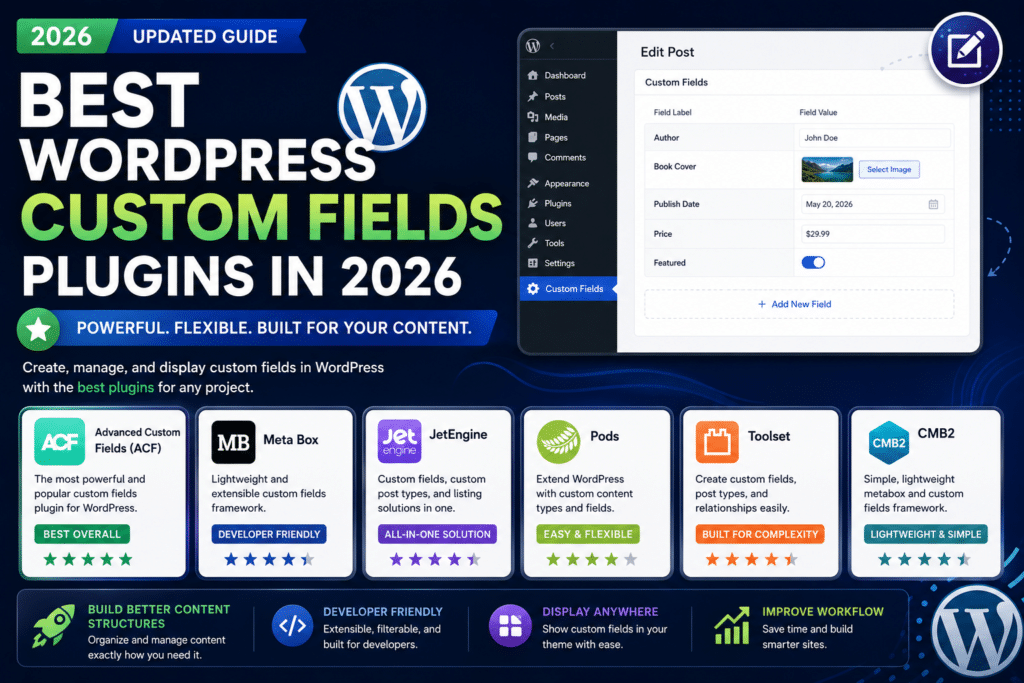
Best WordPress Custom Fields Plugins in 2026
WordPress is excellent for publishing posts and pages, but many websites need more structured information.
For example, a real estate website may need fields for price, location, bedrooms, and property size. A review website may need ratings, pros, cons, and product specifications.
That’s where WordPress custom fields plugins help.
Custom field plugins let you add additional structured data to posts, pages, products, users, and custom post types without building everything from scratch.
In this guide, we’ll compare some of the best WordPress custom fields plugins in 2026.
Best WordPress Custom Fields Plugins: Quick Comparison
| Plugin | Best For | Free Version |
|---|---|---|
| Advanced Custom Fields (ACF) | Overall custom development | Yes |
| Meta Box | Developers & advanced projects | Yes |
| Pods | Custom content types | Yes |
| JetEngine | Elementor & dynamic websites | No/varies |
| Toolset | Complex dynamic websites | Premium |
| Carbon Fields | Developers | Yes |
1. Advanced Custom Fields (ACF)
Best Overall WordPress Custom Fields Plugin
Advanced Custom Fields, commonly known as ACF, is one of the most popular solutions for adding structured custom data to WordPress.
Developers can create field groups and assign them to different areas of a website.
Popular field types include:
- Text
- Textarea
- Number
- Image
- File
- URL
- Select
- Checkbox
- Radio button
- Relationship
- Taxonomy
- Date picker
ACF PRO adds more advanced functionality, including Repeater, Flexible Content, Gallery, Clone fields, Options Pages, and ACF Blocks.
Why Choose ACF?
ACF is especially useful for custom WordPress development because it provides a clean interface for editors while giving developers extensive control over frontend output.
Best For
- Custom themes
- Agency websites
- Business websites
- Structured content
- Developers
Pros
- Easy to learn
- Large community
- Many field types
- Excellent developer documentation
- Free version available
- Powerful PRO features
Cons
- Advanced fields require ACF PRO
- Frontend output usually requires development
Rating: 4.9/5
2. Meta Box
Best ACF Alternative for Developers
Meta Box is another powerful custom-fields framework for WordPress.
It supports a large selection of field types and can be used to create sophisticated custom content systems.
Meta Box is particularly attractive to developers who want flexibility and extensive customization options.
You can use it for:
- Custom fields
- Custom post types
- Taxonomies
- Settings pages
- Relationships
- User fields
- Dynamic content
Why Choose Meta Box?
Meta Box provides a modular ecosystem, allowing developers to build relatively simple or highly advanced WordPress projects.
Best For
- Developers
- Agencies
- Advanced WordPress projects
- Custom applications
Pros
- Developer friendly
- Large field selection
- Flexible architecture
- Custom post type support
- Relationship functionality
Cons
- Can feel more technical than ACF
- Advanced functionality may require premium extensions
Rating: 4.7/5
3. Pods
Best Free Option for Custom Content Types
Pods is more than a basic custom-fields plugin.
It can help create and manage:
- Custom post types
- Custom taxonomies
- Custom fields
- Advanced content relationships
This makes Pods particularly useful when you want to build a structured content website without purchasing several premium tools.
For example, you could create a movie database containing:
Movie → Director → Actors → Genre → Rating
Best For
- Custom post types
- Directory websites
- Structured content
- Budget-conscious developers
Pros
- Free
- Custom fields
- Custom post types
- Taxonomy support
- Relationship features
- Powerful for structured websites
Cons
- Learning curve
- Interface may feel less beginner-friendly than ACF
Rating: 4.6/5
4. JetEngine
Best for Elementor Dynamic Websites
JetEngine is particularly popular among users building dynamic websites with Elementor.
It combines several tools that would otherwise require separate plugins.
Depending on your setup, JetEngine can help create:
- Custom fields
- Custom post types
- Custom taxonomies
- Relationships
- Dynamic listings
- Query-based content
- Dynamic templates
This makes it useful for directories, property websites, listing websites, and membership projects.
Example
A property website could have:
Property Title
Price
Location
Bedrooms
Bathrooms
Property Gallery
JetEngine can store this information and display it dynamically through templates.
Best For
- Elementor users
- Directory websites
- Listing websites
- Dynamic content
- No-code/low-code builders
Pros
- Strong Elementor integration
- Dynamic listing functionality
- Custom post types
- Relationships
- Powerful query tools
Cons
- More complex than a simple custom-fields plugin
- Can be excessive for basic websites
- Premium ecosystem
Rating: 4.6/5
5. Toolset
Best for Complex Dynamic Websites
Toolset is designed for building custom WordPress websites without requiring developers to write everything manually.
It can help manage custom content structures and display dynamic information on the frontend.
Toolset is useful for websites such as:
- Directories
- Classified websites
- Membership sites
- Property listings
- Business directories
Its biggest advantage is combining structured content with frontend display functionality.
Best For
- Dynamic websites
- Directories
- Advanced WordPress projects
- Low-code development
Pros
- Powerful dynamic content tools
- Custom fields
- Relationships
- Frontend display functionality
- Good for directories
Cons
- Learning curve
- Premium solution
- Overkill for simple custom fields
Rating: 4.4/5
6. Carbon Fields
Best Lightweight Developer Option
Carbon Fields takes a more developer-oriented approach.
Instead of focusing heavily on visual configuration, it allows developers to define custom fields through code.
It supports fields for areas including:
- Posts
- Terms
- Users
- Widgets
- Theme options
Carbon Fields can be attractive when developers want a lightweight and code-controlled approach.
Best For
- Theme developers
- Plugin developers
- Code-first projects
Pros
- Free
- Developer focused
- Flexible
- Code-controlled configuration
Cons
- Not ideal for beginners
- Requires development knowledge
Rating: 4.3/5
ACF vs Meta Box vs Pods
These three plugins are likely to be among the first options many developers consider.
| Feature | ACF | Meta Box | Pods |
|---|---|---|---|
| Free Version | Yes | Yes | Yes |
| Beginner Friendly | Excellent | Good | Good |
| Custom Fields | Excellent | Excellent | Excellent |
| Custom Post Types | Available | Yes | Yes |
| Relationships | Yes | Yes | Yes |
| Developer Friendly | Excellent | Excellent | Good |
| Best For | Most projects | Advanced development | Free structured content |
For most custom WordPress projects, ACF is the easiest recommendation.
Meta Box is a strong alternative for developers who want additional flexibility, while Pods offers impressive functionality for a free solution.
Which Custom Fields Plugin Is Best for Elementor?
For Elementor-based dynamic websites, JetEngine is one of the strongest options.
However, ACF also integrates well with Elementor’s dynamic content features.
Choose:
ACF if you primarily need structured custom fields.
JetEngine if you want a broader Elementor-focused dynamic website toolkit.
Which Plugin Is Best for Developers?
Our top choices are:
1. ACF – Best overall balance.
2. Meta Box – Excellent for advanced development.
3. Carbon Fields – Good for code-first development.
ACF remains particularly attractive because of its documentation, ecosystem, and relatively straightforward workflow.
Which Is the Best Free Custom Fields Plugin?
If you want maximum functionality without immediately purchasing a premium license, consider:
ACF Free
or
Pods
ACF Free is excellent for standard custom fields.
Pods is particularly attractive if you also need custom post types, taxonomies, and relationships.
Do Custom Fields Slow Down WordPress?
Not necessarily.
Custom fields themselves are a normal part of WordPress development.
Performance problems are more likely to occur when a website:
- Stores excessive unnecessary metadata
- Runs inefficient database queries
- Loads thousands of fields unnecessarily
- Uses poorly optimized templates
- Creates overly complicated relationships
A properly developed custom-fields website can still be extremely fast.
Custom Fields vs Page Builders
Custom fields and page builders solve different problems.
A page builder controls how content looks.
Custom fields control how information is structured.
For example:
A page builder might create the visual design for a property listing.
Custom fields store:
- Property price
- Bedrooms
- Bathrooms
- Address
- Property type
In many professional WordPress websites, both technologies are used together.
Which WordPress Custom Fields Plugin Should You Choose?
Choose ACF if:
You want the best overall combination of usability, flexibility, documentation, and developer support.
Choose Meta Box if:
You’re a developer building advanced custom WordPress projects.
Choose Pods if:
You want a powerful free solution for fields and custom content types.
Choose JetEngine if:
You’re building dynamic websites primarily with Elementor.
Choose Toolset if:
You’re creating complex directory or listing websites with a low-code workflow.
Choose Carbon Fields if:
You prefer defining fields through code.
Final Verdict
There is no single custom-fields plugin that’s perfect for every WordPress project.
However, our 2026 ranking is:
1. Advanced Custom Fields (ACF) — 4.9/5
2. Meta Box — 4.7/5
3. Pods — 4.6/5
4. JetEngine — 4.6/5
5. Toolset — 4.4/5
6. Carbon Fields — 4.3/5
For most websites, Advanced Custom Fields is our top recommendation because it offers an excellent balance between ease of use and developer flexibility.
For Elementor-heavy dynamic websites, JetEngine deserves serious consideration.
And if you’re looking for a strong free solution, Pods provides excellent value.
Frequently Asked Questions
What is a WordPress custom fields plugin?
A custom fields plugin lets you add additional structured information to WordPress posts, pages, users, products, and custom post types.
What is the best WordPress custom fields plugin?
ACF is our best overall choice for 2026 because of its usability, developer ecosystem, field selection, and flexibility.
Is ACF free?
Yes. ACF has a free version. More advanced functionality is available through ACF PRO.
What is the best ACF alternative?
Meta Box is one of the strongest alternatives to ACF.
What is the best free alternative to ACF?
Pods is an excellent option, particularly if you also need custom post types and relationships.
Can I use custom fields with Elementor?
Yes. Elementor can dynamically display information from supported custom-field solutions. ACF and JetEngine are popular options for Elementor websites.
Are custom fields good for SEO?
Custom fields can help organize structured information, but they don’t automatically improve rankings. Their SEO value depends on how the data is displayed and used on your website.



