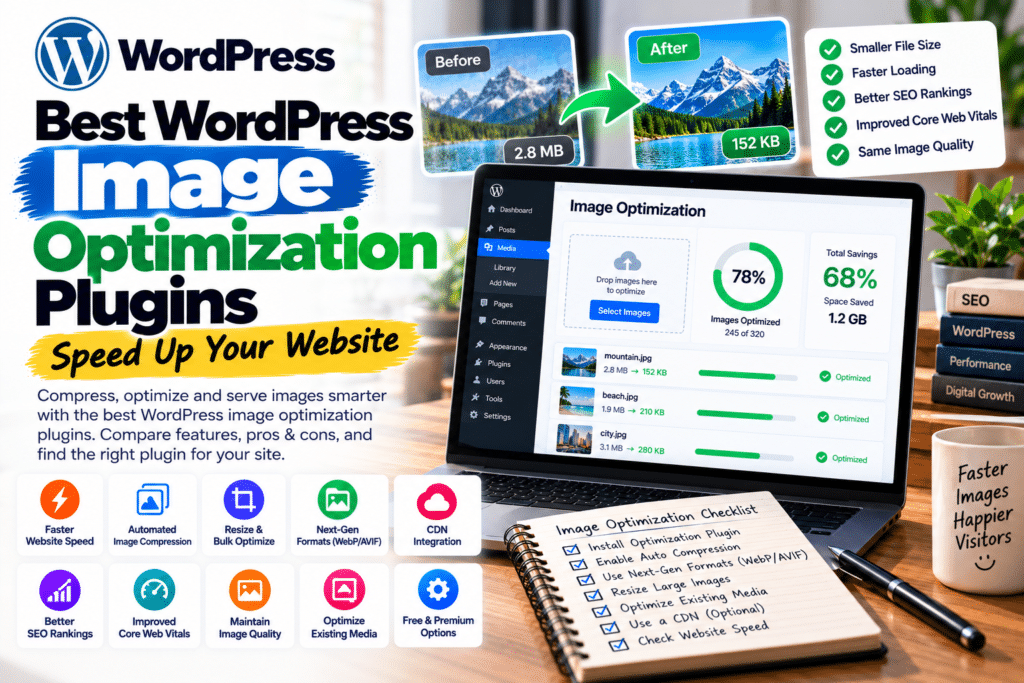
Images make websites attractive, but oversized files can slow down pages, frustrate visitors, and affect Core Web Vitals.
Fortunately, the best WordPress image optimization plugins in 2026 can compress images, convert files to WebP or AVIF, and improve image delivery without sacrificing noticeable visual quality.
Here are seven free and premium options worth considering.
Quick Comparison Table
| Plugin | Best For | Free Version |
|---|---|---|
| ShortPixel | Overall compression | 100 monthly credits |
| Imagify | Beginners | 20 MB/month |
| Smush | Bulk optimization | Yes |
| EWWW Image Optimizer | Unlimited local optimization | Yes |
| Optimole | Image CDN | Up to 2,000 visits/month |
| reSmush.it | Free compression | Yes |
| Converter for Media | WebP conversion | Yes |
1. ShortPixel – Best Overall Image Optimization Plugin
ShortPixel offers image compression, automatic optimization, bulk processing, and WebP/AVIF conversion. It supports common image formats and can optimize existing media libraries.
Free vs Premium: The free plan includes 100 optimization credits monthly. Paid plans provide additional credits or unlimited options.
Pros: Excellent format support, automatic compression, flexible plans.
Cons: Free credits can run out quickly, especially when WordPress generates multiple thumbnails.
Best for: Blogs, businesses, and image-heavy websites.
2. Imagify – Best for Beginners
Imagify, developed by the team behind WP Rocket, makes image compression straightforward. It automatically optimizes uploads, resizes oversized images, and generates WebP and AVIF versions.
Free vs Premium: The free plan provides 20 MB of optimization monthly, including modern image format conversion. Paid plans increase processing capacity.
Pros: Simple interface, bulk optimization, original-image backups.
Cons: Limited monthly free allowance.
Best for: Beginners and WP Rocket users.
3. Smush – Best for Bulk Image Optimization
Smush is a popular WordPress image optimization plugin offering compression, lazy loading, and bulk processing.
Its 2026 updates introduced unrestricted bulk processing in the free edition and enhanced compression for connected users.
Free vs Premium: Free includes core compression and bulk tools. Pro expands optimization and delivery capabilities.
Pros: Beginner-friendly, automatic optimization, useful free features.
Cons: Some advanced delivery features require premium services.
Best for: Bloggers and small businesses.
4. EWWW Image Optimizer – Best for Unlimited Local Compression
EWWW Image Optimizer can process images directly on compatible hosting servers, reducing dependence on external optimization services.
It supports bulk compression, resizing, and WebP conversion.
Free vs Premium: Free includes unlimited local optimization and WebP tools. Premium adds enhanced compression, AVIF delivery, and CDN features.
Pros: Unlimited local optimization, flexible settings, broad compatibility.
Cons: Certain local features depend on hosting configuration.
Best for: Websites with large media libraries.
5. Optimole – Best for CDN Image Delivery
Optimole optimizes images through cloud-based delivery. It automatically adjusts image dimensions for different devices and supports WebP, AVIF, and lazy loading.
Free vs Premium: Its free plan supports websites with up to 2,000 monthly visits. Paid plans accommodate higher traffic.
Pros: CDN delivery, responsive image sizing, minimal setup.
Cons: Traffic limits and reliance on an external service.
Best for: Photography, portfolio, and eCommerce websites.
6. reSmush.it – Best Completely Free Compressor
reSmush.it offers automatic image compression, bulk optimization, adjustable quality settings, and original-image restoration.
Free vs Premium: Its core compression service is free, with a 5 MB limit per image.
Pros: Simple setup, free bulk compression, image backups.
Cons: No built-in WebP or AVIF conversion in the current plugin.
Best for: Small websites with limited budgets.
7. Converter for Media – Best for WebP Conversion
Converter for Media specializes in converting existing images into modern formats while preserving originals.
It supports automatic conversion and bulk optimization.
Free vs Premium: WebP conversion is free; AVIF conversion requires Pro.
Pros: Easy conversion, original-image preservation, browser fallbacks.
Cons: AVIF requires premium.
Best for: Websites primarily needing WebP images.
Which WordPress Image Optimization Plugin Is Best?
For overall image compression, ShortPixel is a strong choice. Imagify is particularly beginner-friendly, while EWWW Image Optimizer is appealing for unlimited local optimization.
Choose Optimole for cloud-based image delivery or Converter for Media for straightforward WebP conversion.
Avoid running multiple plugins that perform the same image optimization tasks. Back up your media library and test image quality before bulk processing.
Frequently Asked Questions
Which image optimization plugin is best for WordPress?
ShortPixel, Imagify, and EWWW Image Optimizer are strong options, depending on your budget and hosting requirements.
Is WebP better than JPEG?
WebP often produces smaller files at comparable visual quality, although results vary by image.
Can image optimization improve SEO?
Yes, smaller images can improve loading performance, which supports user experience and Core Web Vitals.
Are free image optimization plugins enough?
Yes. Many small websites can use free plugins successfully, provided their image volume stays within applicable limits.
Final Verdict
Image optimization is an important part of WordPress performance. Choose a plugin that matches your image library, hosting environment, and budget.
For more WordPress speed optimization tutorials, plugins, and themes, visit GPLNESTS.COM.