
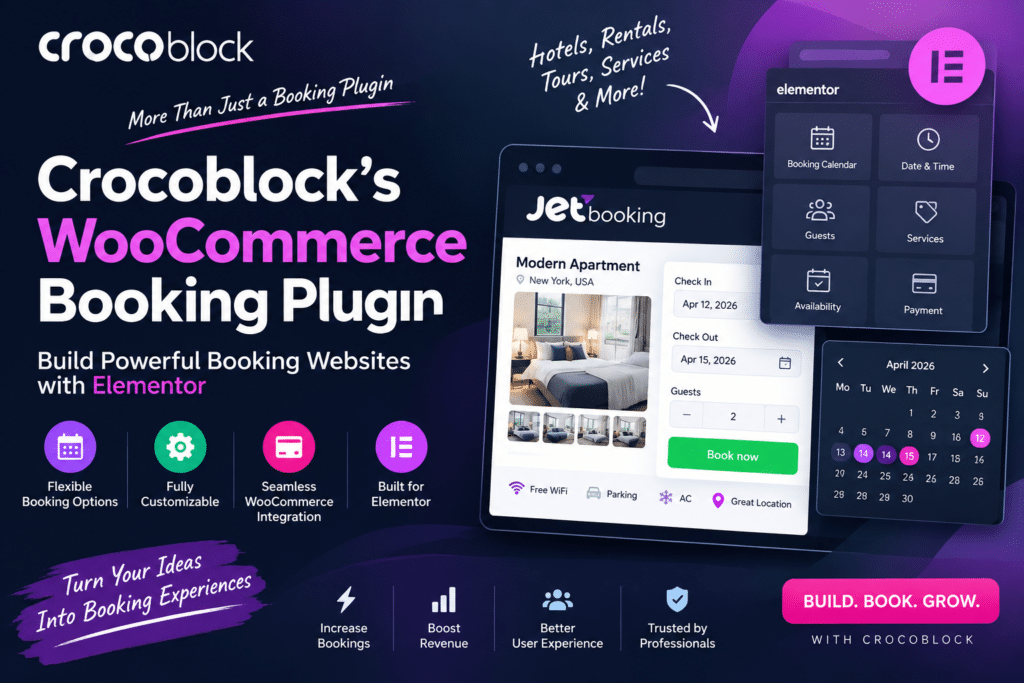
Online booking functionality is essential for hotels, rental businesses, appointment services, and other websites that allow customers to reserve products or services online.
Crocoblock’s booking solution, commonly associated with JetBooking, is designed to add booking and reservation functionality to WordPress. It works particularly well within the Crocoblock ecosystem and can be combined with WooCommerce when payment and checkout functionality is required.
But is JetBooking worth using in 2026? Let’s look at its booking features, WooCommerce integration, Elementor compatibility, advantages, and limitations.
Quick Verdict
Editorial Rating: 4.6/5
JetBooking is a powerful option for WordPress websites that need date-based reservations and dynamic booking functionality.
Its strongest advantage is integration with Crocoblock tools such as JetEngine and Elementor-based workflows. WooCommerce can also be incorporated when you need online payments and order management.
However, beginners may find the initial setup more complicated than using a simple standalone booking plugin.
What Is Crocoblock JetBooking?
JetBooking is a WordPress booking plugin from Crocoblock designed primarily for creating date-based booking systems.
It can be used for businesses such as:
- Hotels
- Apartments
- Vacation rentals
- Car rentals
- Equipment rentals
- Property booking
- Tour businesses
- Other reservation websites
Instead of relying on a fixed booking design, JetBooking works particularly well with dynamic WordPress content.
This gives developers significant flexibility when building custom booking websites.
1. Booking Forms
A booking website needs an easy way for customers to select their reservation dates.
JetBooking can be used to build booking forms where visitors choose relevant dates and provide reservation information.
For example:
Check-in: October 10
Check-out: October 14
The booking information can then become part of the reservation workflow.
2. Availability Calendar
Availability is one of the most important features of a booking system.
JetBooking provides calendar functionality that helps customers understand which dates are available or unavailable.
This is particularly useful for accommodation and rental websites because visitors can choose dates before continuing with their reservation.
3. WooCommerce Integration
JetBooking can work with WooCommerce when you want to incorporate its checkout and payment ecosystem into your booking website.
This can allow booking-related purchases to flow through WooCommerce.
The combination can be useful because WooCommerce already provides functionality for:
- Checkout
- Orders
- Payment gateways
- Customer details
- Taxes
- Email workflows through compatible extensions
Exact booking and payment behavior depends on how your JetBooking and WooCommerce workflow is configured.
4. Dynamic Pricing
Booking prices are not always fixed.
A hotel room might cost more during weekends or peak travel periods.
JetBooking provides pricing configuration that can support more flexible booking calculations.
Depending on your setup, you can create pricing rules based on booking requirements and date-related conditions.
This makes the plugin more suitable for rental businesses than a basic contact-form booking system.
5. Seasonal Pricing
Seasonal pricing can be particularly useful for:
- Hotels
- Vacation rentals
- Holiday homes
- Car rentals
- Travel businesses
For example:
Regular Season: $100/night
Summer Season: $140/night
Holiday Period: $175/night
Businesses with frequently changing prices should carefully test all booking calculations before accepting live reservations.
6. Booking Management
Website administrators need a convenient way to view and manage reservations.
JetBooking provides backend booking-management functionality where booking information can be reviewed.
This helps businesses keep track of reservations without relying entirely on emails.
For larger businesses, consider whether the available management workflow is sufficient compared with a dedicated property-management or reservation platform.
7. Elementor Integration
Crocoblock is widely used alongside Elementor.
JetBooking can be combined with the Crocoblock ecosystem to build visually customized booking websites without being restricted to a single prebuilt design.
You can create layouts for:
- Property listings
- Single property pages
- Booking forms
- Search results
- Dynamic content
- Booking-related information
This is one of JetBooking’s strongest advantages for Elementor users.
8. JetEngine Integration
JetEngine is especially important for advanced Crocoblock booking websites.
You can use dynamic content structures to create booking items such as properties, rooms, vehicles, or rental equipment.
For example, a property website might store:
Property Name
Location
Price
Bedrooms
Maximum Guests
Images
Booking Availability
This allows developers to build custom reservation websites rather than relying on a rigid template.
9. Booking Filters and Search
Large rental websites need more than a simple calendar.
Visitors may want to find properties based on:
- Location
- Price
- Dates
- Property type
- Capacity
- Amenities
JetBooking can be combined with other Crocoblock tools, such as JetSmartFilters, to create more advanced filtering experiences.
This is useful for directory-style booking websites.
10. Custom Booking Websites
JetBooking’s biggest strength is flexibility.
Instead of providing only a predefined hotel-booking interface, Crocoblock allows developers to combine several tools to build customized booking experiences.
That makes it attractive for agencies creating websites for different types of rental businesses.
JetBooking + WooCommerce Workflow
A typical setup can look like this:
Customer selects booking dates → Booking price is calculated → Reservation information is submitted → WooCommerce checkout handles payment → Order/booking information is recorded
The exact workflow can vary according to your configuration and the Crocoblock components being used.
Always test the complete checkout process before launching the website.
JetBooking vs WooCommerce Bookings
| Feature | JetBooking | WooCommerce Bookings |
|---|---|---|
| Date-based bookings | Yes | Yes |
| WooCommerce workflow | Integration available | Native WooCommerce extension |
| Elementor flexibility | Excellent | More dependent on theme/setup |
| Dynamic content | Strong with JetEngine | More product-oriented |
| Crocoblock ecosystem | Excellent | No |
| Custom rental sites | Excellent | Good |
| Learning curve | Moderate | Moderate |
| Best For | Custom dynamic booking sites | WooCommerce-centric bookings |
JetBooking is particularly attractive when your website already uses Elementor, JetEngine, and other Crocoblock products.
WooCommerce Bookings may be more appropriate when your entire booking system is centered around WooCommerce products.
JetBooking vs Amelia
Amelia focuses strongly on appointments and scheduled services.
JetBooking is generally more suitable for date-range reservations such as properties and rentals.
JetBooking is better suited to:
- Hotels
- Apartments
- Vacation rentals
- Cars
- Equipment
Amelia is better suited to:
- Salons
- Doctors
- Consultants
- Coaches
- Classes
- Appointment-based businesses
Choose based on the type of booking your business needs.
Performance
Booking websites can become resource-intensive because they combine dynamic content, calendars, forms, availability calculations, filters, and potentially WooCommerce.
For good performance:
- Use quality WordPress hosting
- Optimize images
- Configure caching carefully
- Keep Crocoblock plugins updated
- Avoid unnecessary Elementor add-ons
- Optimize database tables
- Test dynamic booking pages separately
Do not aggressively cache pages containing customer-specific booking or checkout information.
Pros and Cons
Pros
- Flexible date-based booking system
- WooCommerce integration
- Elementor-friendly
- Strong JetEngine integration
- Availability functionality
- Dynamic pricing possibilities
- Suitable for custom rental websites
- Works well within Crocoblock ecosystem
Cons
- Learning curve for beginners
- Advanced websites may require multiple Crocoblock plugins
- Setup takes longer than basic booking plugins
- WooCommerce adds additional complexity
- Large booking websites need good hosting
- Not necessarily the best choice for appointment-only businesses
Who Should Use JetBooking?
JetBooking is a strong choice for:
- Hotels
- Vacation rental websites
- Property rental businesses
- Car rental companies
- Equipment rental websites
- Travel businesses
- Elementor developers
- WordPress agencies
It is particularly useful when you need a custom booking interface rather than a fixed template.
Who Should Skip It?
JetBooking may not be the best solution if you only need simple appointment scheduling.
Businesses such as salons, clinics, and consultants may find appointment-focused plugins easier to configure.
Likewise, beginners who want an extremely simple plug-and-play booking system may find the Crocoblock ecosystem more advanced than necessary.
Is Crocoblock JetBooking Worth It in 2026?
Yes, especially for custom rental and reservation websites.
JetBooking’s biggest advantage is how it combines booking functionality with Crocoblock’s dynamic-content tools.
Elementor and JetEngine users can create highly customized booking websites for properties, vehicles, accommodation, and other rental products.
The main trade-off is setup complexity.
If you are comfortable working with Crocoblock and dynamic WordPress content, JetBooking can be an excellent solution.
Final Verdict
Overall Rating: 4.6/5
Booking Features: 4.7/5
Elementor Integration: 4.9/5
WooCommerce Integration: 4.6/5
Customization: 4.8/5
Ease of Use: 4.1/5
Value: 4.5/5
Crocoblock JetBooking is a flexible WordPress booking solution for businesses that need date-based reservations and customized booking experiences.
It is particularly strong when combined with JetEngine, Elementor, WooCommerce, and other Crocoblock tools.
For agencies, developers, and rental businesses wanting greater control over their booking website, JetBooking remains a compelling option in 2026.
Frequently Asked Questions
What is Crocoblock JetBooking?
JetBooking is a WordPress plugin from Crocoblock designed to create date-based booking and reservation functionality.
Does JetBooking work with WooCommerce?
Yes. WooCommerce can be incorporated into a JetBooking setup for payment and checkout workflows.
Does JetBooking work with Elementor?
Yes. JetBooking is particularly useful for Elementor websites and integrates with the broader Crocoblock ecosystem.
Do I need JetEngine for JetBooking?
JetEngine is commonly used with JetBooking for dynamic booking structures and advanced websites. Check the requirements for your specific configuration before purchasing.
Can JetBooking be used for hotels?
Yes. Hotels, apartments, vacation rentals, and similar accommodation websites are among its common use cases.
Can I use JetBooking for car rentals?
Yes. Its date-based booking approach can be adapted for cars and other rental products.
Is JetBooking good for appointments?
It can support booking workflows, but businesses focused specifically on appointment scheduling may prefer an appointment-oriented solution such as JetAppointment or Amelia.



