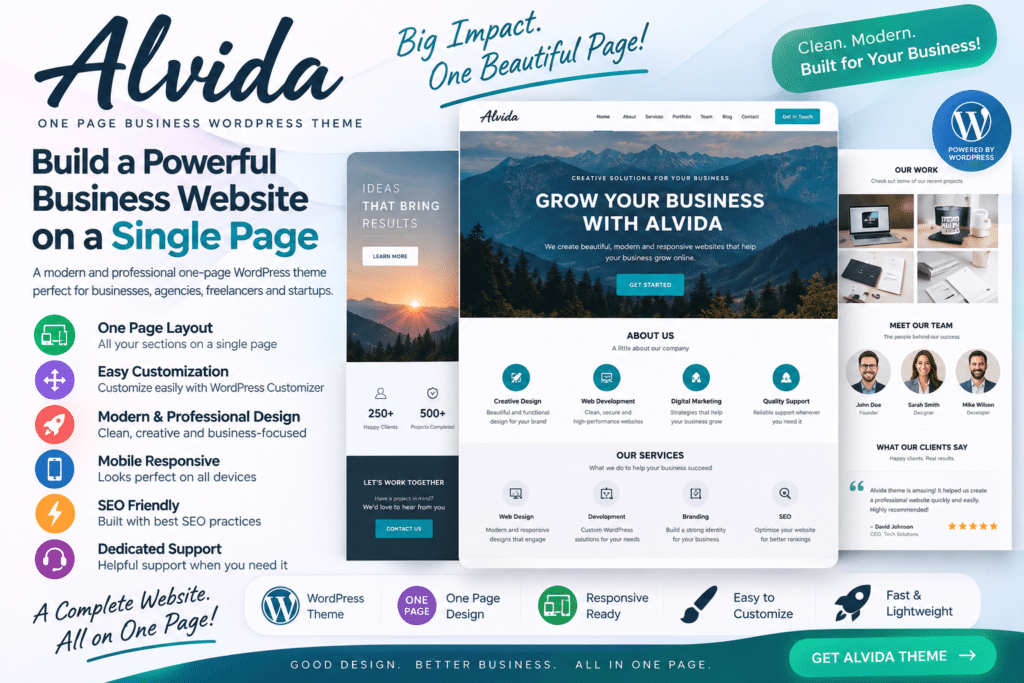
Alvida is a modern one-page business WordPress theme designed for companies, agencies, startups, freelancers, and professionals who want to present their services on a clean and focused website.
Its one-page structure allows visitors to move smoothly through important sections such as services, company information, portfolio projects, team members, testimonials, and contact details without navigating through multiple pages.
Whether you’re launching a startup, promoting professional services, or building an agency website, Alvida provides a practical foundation for creating a polished online presence.
Key Features
- One-Page Business Design – Present your most important business information within a streamlined single-page layout.
- Modern Homepage Sections – Organize services, company details, projects, testimonials, and contact information clearly.
- Responsive Design – Create a website that adapts to desktop, tablet, and mobile screens.
- Service Showcase – Highlight the main services and solutions your business provides.
- Portfolio Sections – Present completed projects, creative work, or case studies professionally.
- Team Member Profiles – Introduce your team and showcase supported professional information.
- Testimonials – Display customer or client feedback to add useful social proof.
- Smooth Navigation – Help visitors move between supported sections of your one-page website.
- Customizable Design – Adjust supported typography, colors, layouts, and visual elements to suit your branding.
- Business-Focused Layouts – Build sections around common company and professional website requirements.
- Contact Sections – Make it easier for potential customers to find your contact or enquiry information.
- Call-to-Action Areas – Encourage visitors to request a quote, contact your team, or explore your services.
- Blog Support – Publish company updates, articles, industry insights, and other content where supported.
- Mobile-Friendly Experience – Keep important business content accessible for visitors browsing from smartphones.
Perfect For
Alvida is suitable for digital agencies, creative studios, startups, consultants, freelancers, marketing companies, IT businesses, corporate services, small businesses, professional service providers, and personal business websites.
Keep Your Business Website Simple
A one-page website can be an effective choice when you want visitors to understand your business without moving through a complicated navigation structure.
Alvida lets you organize key information into focused sections, taking visitors from your introduction and services through your portfolio, testimonials, and contact details.
This makes it especially useful for businesses that need a straightforward website focused on presenting services and generating enquiries.
Build a Professional One-Page Website
Create a clean online presence with Alvida – One Page Business WordPress Theme.
With business-focused sections, portfolio presentation, service layouts, testimonials, responsive design, contact areas, and customization options, Alvida provides a flexible starting point for building a modern one-page business website.