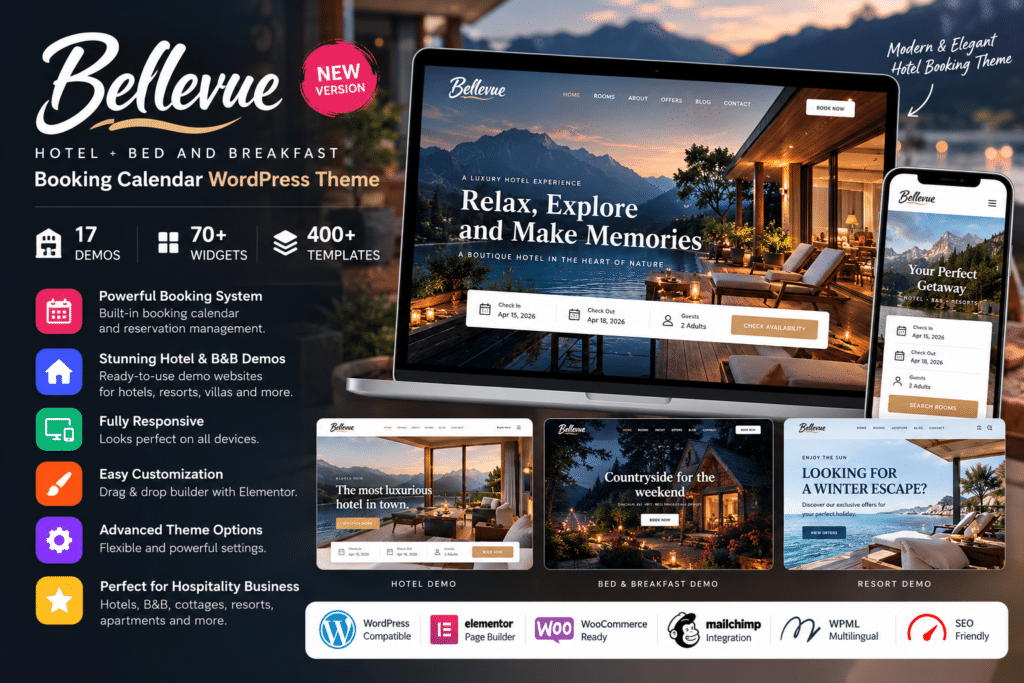
Bellevue is a hospitality-focused WordPress theme designed for hotels, bed and breakfasts, vacation rentals, resorts, cabins, apartments, guest houses, and other accommodation businesses.
It combines professional hotel and rental layouts with a full booking workflow, helping visitors check availability, review accommodation details, select dates, and submit reservations directly from your website.
Whether you manage a single holiday property or multiple accommodations, Bellevue provides a flexible foundation for building a modern hospitality website with booking functionality.
Key Features
- Hotel Booking System – Manage supported accommodation reservations directly through WordPress.
- Real-Time Availability Calendar – Let guests view available dates before making a reservation.
- Availability Search – Allow visitors to search accommodations by dates and guest requirements.
- Hotel & Vacation Rental Layouts – Choose from multiple design styles created for hotels, B&Bs, cabins, apartments, and rental properties.
- Seasonal Pricing – Configure supported rates according to seasons, dates, or booking periods.
- Length-of-Stay Pricing – Set supported accommodation rates according to how long guests stay.
- Per-Person Rates – Create pricing structures based on the number of guests where supported.
- iCal Synchronization – Sync supported bookings with external travel platforms to help reduce double bookings.
- WooCommerce Payments – Use the included compatible payment workflow to access additional payment gateway options.
- PDF Invoices – Generate supported invoices for hotel and rental reservations.
- Booking Payment Requests – Request payments for eligible reservations through supported booking workflows.
- Accommodation Reviews – Add supported guest-review functionality to accommodation pages.
- Elementor Compatibility – Customize supported pages and booking-specific elements using Elementor.
- Responsive Design – Keep booking, accommodation, and website layouts usable across desktop, tablet, and mobile devices.
Bellevue’s current booking system also supports extras and services, taxes and fees, coupons, centralized booking management, manual reservations, and instant or manual booking confirmation.
Perfect For
Bellevue is suitable for hotels, bed and breakfasts, boutique hotels, resorts, vacation rentals, guest houses, hostels, cabins, cottages, chalets, beach houses, serviced apartments, and other accommodation businesses.
Make Direct Booking Easier
A hospitality website should do more than display attractive property photos.
Visitors need to understand room options, rates, availability, amenities, and booking conditions before making a reservation. Bellevue combines accommodation presentation with search and booking tools so guests can move from property discovery to reservation within the same website.
The booking system also supports iCal synchronization with external travel platforms, helping accommodation owners coordinate availability across multiple booking channels.
Build a Professional Hotel Website
Create a complete hospitality website with Bellevue – Hotel + Bed and Breakfast Booking Calendar Theme.
With accommodation listings, real-time availability calendars, seasonal pricing, booking management, online payments, iCal synchronization, Elementor customization, and responsive layouts, Bellevue provides a practical solution for hotel and vacation-rental websites.