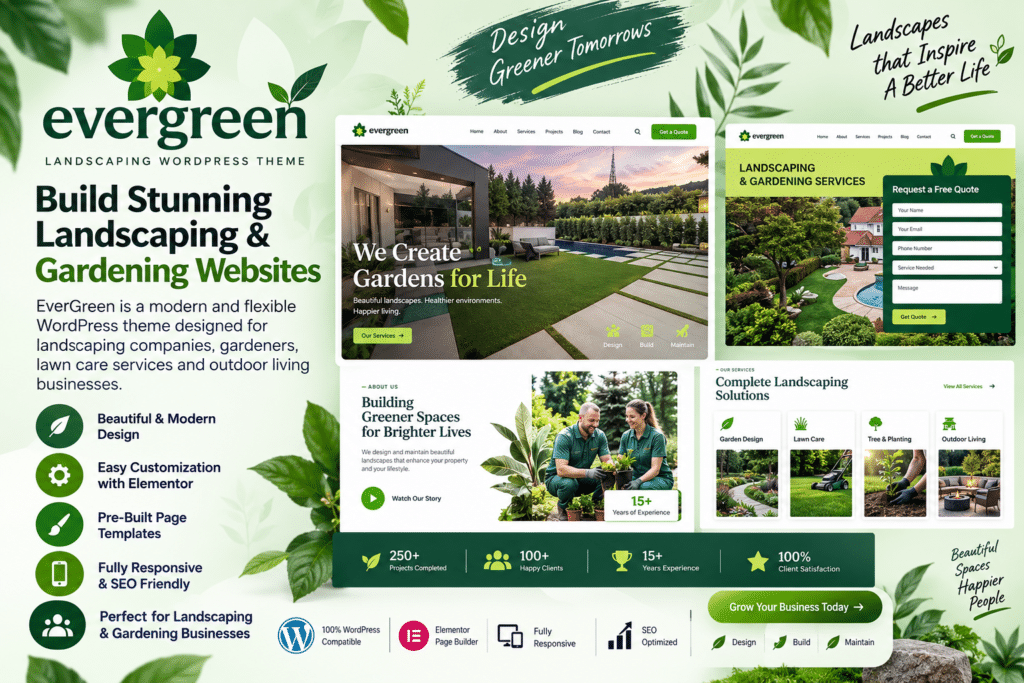
EverGreen is a professional WordPress theme designed for landscaping companies, gardening services, lawn care businesses, gardeners, and other outdoor service providers.
Its clean, nature-inspired design gives you an attractive way to introduce your business, explain your services, showcase completed projects, and turn website visitors into potential customers.
Whether you provide garden maintenance, lawn care, landscape design, tree services, or complete outdoor transformations, EverGreen gives you a flexible foundation for building a professional website around your services.
Key Features
- Landscaping-Focused Design – Professional layouts created for landscaping, gardening, and outdoor service businesses.
- Service Pages – Present lawn care, garden maintenance, landscape design, planting, and other services clearly.
- Project Showcase – Display completed landscaping and gardening projects to demonstrate the quality of your work.
- Photo Galleries – Highlight gardens, outdoor spaces, before-and-after projects, and recent work with attractive images.
- Quote & Enquiry Sections – Encourage potential customers to request estimates or contact your business.
- Team Profiles – Introduce gardeners, landscapers, designers, and other members of your team.
- Testimonials – Build credibility by showcasing feedback from previous customers.
- Responsive Design – Keep your website looking professional across desktop, tablet, and mobile devices.
- Customizable Layouts – Personalize typography, images, sections, and branding to match your business.
- Business Information – Clearly display contact details, working hours, service areas, and other useful information.
- Blog Support – Publish gardening tips, landscaping ideas, seasonal advice, and company updates.
- Call-to-Action Sections – Guide visitors toward requesting a quote, booking a consultation, or contacting your team.
Perfect For
EverGreen is an excellent choice for landscaping companies, gardening businesses, lawn care services, garden designers, tree care companies, grounds maintenance businesses, plant nurseries, outdoor contractors, landscape architects, and other green-industry professionals.
Showcase Your Best Landscaping Work
For a landscaping business, strong visuals can make a major difference. EverGreen gives you space to highlight finished gardens, outdoor transformations, lawn projects, planting work, and other examples of your expertise.
Combine high-quality project photos with clear service information and customer testimonials to create a website that gives potential clients confidence in your business.
Grow Your Landscaping Business Online
Create a professional online presence with EverGreen – Landscaping & Gardening WordPress Theme.
With service-focused layouts, project showcases, galleries, testimonials, responsive design, and enquiry sections, EverGreen provides a practical WordPress foundation for promoting your landscaping business and attracting new customers.