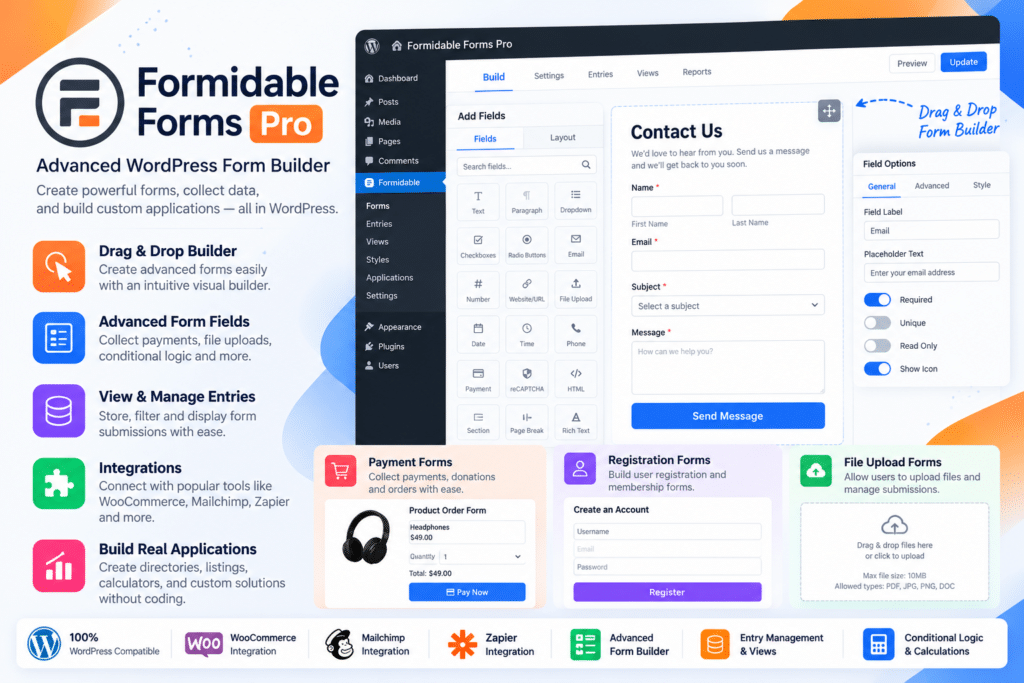
Formidable Forms Pro is an advanced WordPress form builder designed for businesses, developers, agencies, membership websites, online stores, educational platforms, and organizations that need more than basic contact forms.
It combines a visual drag-and-drop form builder with advanced data management, conditional logic, calculations, frontend Views, surveys, quizzes, user registration, payments, PDFs, digital signatures, automation, and third-party integrations.
Whether you’re creating a simple enquiry form or a complete data-driven WordPress application, Formidable Forms Pro provides tools for collecting, processing, displaying, and automating user-submitted information.
Key Features
- Drag & Drop Form Builder – Create advanced WordPress forms through a visual form-building interface.
- Conditional Logic – Show or hide fields, trigger actions, send notifications, and redirect users according to their responses.
- Multi-Page Forms – Split longer forms into manageable steps with supported progress indicators.
- Repeater Fields – Let users dynamically add additional groups of fields while completing a form.
- File Uploads – Collect supported documents, images, audio, and other files from visitors.
- Advanced Calculations – Build quote forms, calculators, pricing tools, and mathematical workflows.
- Formidable Views – Display submitted form data on the frontend as directories, tables, grids, calendars, and other layouts.
- Surveys & Polls – Collect feedback using ratings, Likert scales, NPS, ranking fields, image choices, and other survey tools.
- Quizzes – Create scored tests, assessments, and personality-style quizzes.
- User Registration – Register WordPress users and provide supported frontend profile and account-management forms.
- Payment Forms – Accept supported one-time and recurring payments using compatible payment integrations.
- Digital Signatures – Collect signatures directly through supported online forms.
- PDF Generation – Generate customized PDFs, certificates, invoices, proposals, and other documents from form submissions.
- Form Abandonment – Capture supported partial submissions before visitors complete the entire form.
Perfect For
Formidable Forms Pro is suitable for agencies, businesses, developers, membership sites, WooCommerce stores, schools, nonprofits, directories, real estate websites, service businesses, lead-generation websites, customer portals, online communities, and WordPress projects requiring complex forms or frontend applications.
Build Smart Conditional Forms
Formidable Forms includes advanced conditional logic for creating forms that react to user input.
You can use conditions to:
- Show or hide fields
- Change form actions
- Send different emails
- Redirect users to different pages
- Display different confirmation messages
- Control payment workflows
- Build branching questionnaires
Conditional logic can also use supported parts of Name and Address fields in current releases, giving complex forms additional flexibility.
Create Multi-Step Forms
Long applications or questionnaires can be divided into multiple pages rather than presenting every field at once.
This is useful for:
- Registration forms
- Quote requests
- Job applications
- Surveys
- Onboarding forms
- Customer intake
- Booking enquiries
Supported workflows can include progress bars, review-before-submit pages, saved drafts, and conditional navigation.
Build Online Calculators
Formidable Forms Pro is particularly well suited to calculation-heavy forms.
You can build tools such as:
- Mortgage calculators
- Loan calculators
- BMI calculators
- Price estimators
- Quote calculators
- Product configuration tools
- ROI calculators
- Percentage calculators
Calculated values can use numeric fields and other supported form data to generate results instantly.
Current Formidable releases also support text calculations and increasingly flexible calculation inputs.
Display Form Data with Formidable Views
Formidable Views lets you take submitted form entries and display them on the frontend of your WordPress website.
Depending on your plan and configuration, Views can be used to create:
- Business directories
- Member directories
- Job boards
- Real estate listings
- Event calendars
- Product catalogs
- Application dashboards
- Tables
- Grids
- Timelines
This turns Formidable Forms into more than a submission tool because data collected through forms can also power dynamic website content.
Create Surveys & Polls
Formidable’s survey functionality supports advanced feedback collection.
Current official plan information includes capabilities such as:
- NPS scoring
- Likert fields
- Star ratings
- Ranking fields
- Real-time poll results
- Image buttons
These tools are useful for customer satisfaction surveys, employee feedback, research forms, product surveys, assessments, and community polls.
Build Quizzes & Assessments
Formidable Forms can create scored and personality-style quizzes.
Quizzes can be used for:
- Educational tests
- Lead-generation quizzes
- Employee assessments
- Product recommendations
- Personality tests
- Certification exercises
The current Quiz addon also supports quiz timers for scored quiz actions.
Register & Manage WordPress Users
The User Registration functionality lets visitors create WordPress accounts from frontend forms.
Supported workflows can include:
- New user registration
- Profile editing
- Password changes
- Frontend login
- Custom profile information
This is useful for membership sites, customer portals, directories, online courses, communities, and other websites where users need their own WordPress accounts.
Accept Online Payments
Formidable Forms supports payment-based forms through compatible integrations.
Current official plan information includes support for payment workflows using services such as:
- Stripe
- PayPal
- Square
- Authorize.Net on eligible plans
Stripe-based options can also support additional compatible methods such as ACH, Cash App, iDEAL, Affirm, and Klarna depending on your payment setup and location.
You can use payment forms for:
- Donations
- Event registrations
- Service payments
- Deposits
- Memberships
- Orders
- Recurring subscriptions
Payment processors may still charge their normal transaction fees.
Collect Digital Signatures
Formidable’s Digital Signature functionality lets users sign supported forms electronically.
This can be useful for:
- Agreements
- Waivers
- Consent forms
- Contracts
- Application forms
- Client approvals
Recent releases also added controls for protecting signature files and restricting access by role.
Generate PDFs from Form Entries
Formidable Forms can turn submitted information into customized PDF documents.
Supported use cases include:
- Certificates
- Invoices
- Proposals
- Application summaries
- Agreements
- Customer reports
- Registration documents
Generated PDFs can also be included in supported email workflows depending on configuration and plan.
Recover Abandoned Forms
Form Abandonment can capture information before a user completes the final submission.
This can help businesses identify where visitors are leaving forms and potentially recover incomplete leads.
Current abandonment reporting includes metrics such as forms started, completion rates, and field-level drop-off information. Conversational forms can also support auto-saved drafts.
Create Conversational Forms
Conversational Forms provide a question-by-question experience rather than displaying every form field together.
This format can work well for:
- Lead generation
- Surveys
- Applications
- Assessments
- Onboarding
- Product recommendations
Recent releases added save-and-resume support and Start Over functionality for conversational forms.
Connect Google Sheets
Formidable Forms can send supported form entries to Google Sheets.
This is useful when teams need submission data in spreadsheets for:
- Reporting
- Collaboration
- External processing
- Lead management
- Internal administration
The Google Sheets integration is available with eligible Formidable plans.
Advanced Custom Fields Integration
Formidable can connect form submissions with Advanced Custom Fields.
Supported workflows can sync information with ACF fields, including advanced structures such as repeaters and galleries where compatible.
This can be useful for frontend post submission systems, directories, Elementor-powered dynamic sites, and other custom WordPress applications.
Email Marketing & CRM Integrations
Formidable Forms integrates with numerous marketing and CRM platforms.
Current official integrations include tools such as:
- Mailchimp
- MailPoet
- ActiveCampaign
- AWeber
- Kit
- Constant Contact
- Campaign Monitor
- GetResponse
- HubSpot
- Salesforce
The exact integrations available depend on your Formidable Forms license tier.
Zapier & API Automation
Formidable Forms can connect WordPress forms with external applications through Zapier and the Formidable Forms API.
This allows supported submission data to trigger workflows involving CRM systems, spreadsheets, marketing services, productivity tools, and thousands of other applications.
Developers can also use APIs and WordPress hooks when more customized functionality is required.
AI Form Tools
Current Formidable plans include AI-assisted functionality.
AI can help create forms and generate responses based on other submitted field information.
Newer Formidable releases have also expanded MCP support across Formidable, Pro, Views, Landing Pages, Coupons, and related components, giving supported AI tools more structured ways to work with Formidable data and configuration.
Spam Protection & GDPR Tools
Formidable Forms includes multiple spam-protection options such as:
- Google reCAPTCHA
- Cloudflare Turnstile
- hCaptcha
- Akismet
- WordPress blocklists
Version 7.0 also introduced enhanced spam-entry handling and GDPR settings including automatic entry deletion.
Limit Form Submissions
Current Formidable Forms releases support entry limits.
Forms can be configured around supported submission-count limits, either as a total number of submissions or within a selected period.
This can be useful for:
- Event registrations
- Limited applications
- Contest entries
- Appointment requests
- Small-group registrations
Version 7.0 expanded these entry-limit controls.
Build Complete WordPress Applications
Formidable Forms Pro can be used for projects that go beyond traditional forms.
By combining Forms, Views, calculations, user accounts, payments, custom fields, APIs, and conditional logic, you can build applications such as:
- Job boards
- Directories
- Customer portals
- Real estate listings
- Application systems
- Quote systems
- Member databases
- Business calculators
- Event registration platforms
Higher Formidable plans also include pre-built application templates designed to accelerate these workflows.
Build Powerful WordPress Forms
Create advanced data-driven experiences with Formidable Forms Pro – Advanced WordPress Form Builder.
With drag-and-drop form building, conditional logic, calculations, Views, surveys, quizzes, user registration, payments, signatures, PDFs, abandoned-form recovery, AI tools, integrations, APIs, and automation, Formidable Forms Pro provides a comprehensive toolkit for building both simple forms and sophisticated WordPress applications.