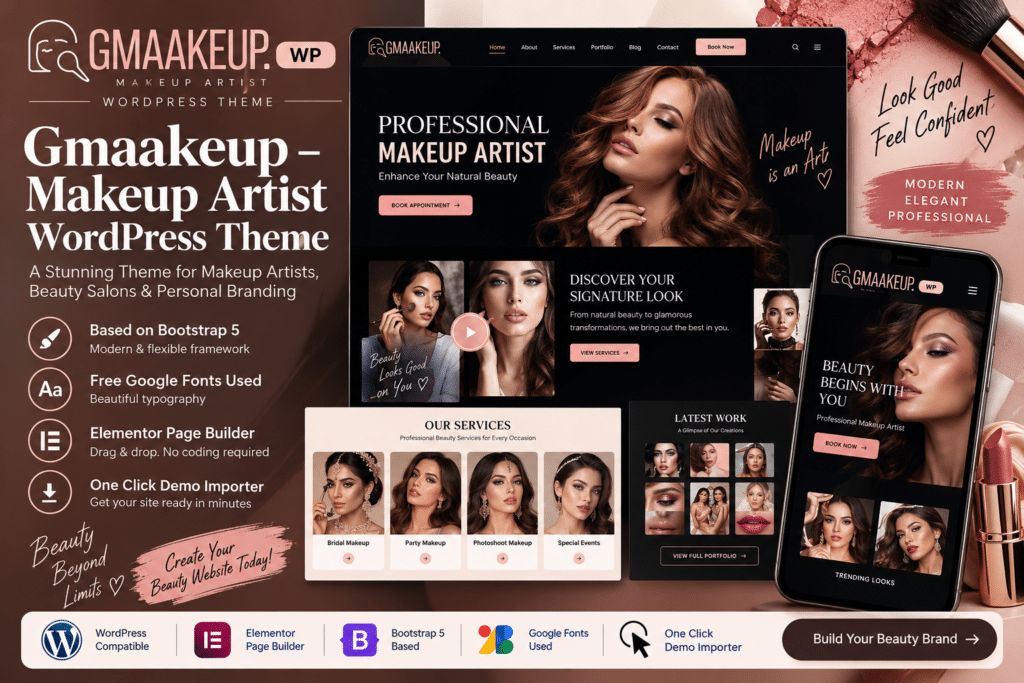
Gmaakeup is a stylish WordPress theme created for makeup artists, beauty professionals, salons, bridal makeup services, cosmetologists, and other businesses in the beauty industry.
Its visually focused design gives you an attractive way to showcase your makeup work, introduce your services, display pricing or packages, and help potential clients learn more about your business.
Whether you’re a freelance makeup artist building a personal portfolio or running a complete beauty studio, Gmaakeup provides a flexible foundation for creating a polished and professional online presence.
Key Features
- Makeup Artist Focused Design – Stylish layouts created specifically for makeup artists and beauty professionals.
- Portfolio Showcase – Display bridal makeup, fashion looks, transformations, and other creative work.
- Beauty Service Pages – Present makeup, styling, skincare, and other available beauty services clearly.
- Photo Galleries – Showcase high-quality images of your latest work and client transformations.
- Appointment-Focused Sections – Guide potential clients toward supported booking or enquiry options.
- Pricing & Packages – Present available services, packages, and pricing information in organized layouts.
- Artist Profile Sections – Introduce yourself or showcase members of your beauty team.
- Testimonials – Highlight feedback and experiences from previous clients.
- Responsive Design – Keep your website attractive across desktop, tablet, and mobile devices.
- Customizable Layouts – Personalize typography, imagery, sections, and other design elements to match your brand.
- Blog Support – Publish beauty tips, makeup tutorials, bridal inspiration, trends, and business updates.
- Contact & Enquiry Sections – Make it easy for potential clients to ask about services and availability.
- Social Media Friendly – Connect visitors with supported social profiles and your wider beauty portfolio.
- Call-to-Action Sections – Encourage visitors to book an appointment, request information, or explore your services.
Perfect For
Gmaakeup is ideal for freelance makeup artists, bridal makeup artists, beauty salons, makeup studios, cosmetologists, hairstylists, beauty professionals, fashion makeup artists, wedding beauty services, personal beauty brands, and creative beauty portfolios.
Showcase Your Makeup Portfolio Beautifully
For a makeup artist, your work is often your strongest marketing tool. Gmaakeup gives you space to highlight your best looks through professional galleries and portfolio sections.
From bridal transformations and editorial makeup to special-event styling, you can organize your work in a way that helps potential clients understand your style and services before they contact you.
Build Your Beauty Brand Online
Create an elegant online presence with Gmaakeup – Makeup Artist WordPress Theme.
With portfolio layouts, service sections, galleries, testimonials, appointment-focused elements, and responsive design, Gmaakeup provides a practical WordPress foundation for promoting your makeup services and growing your beauty brand online.