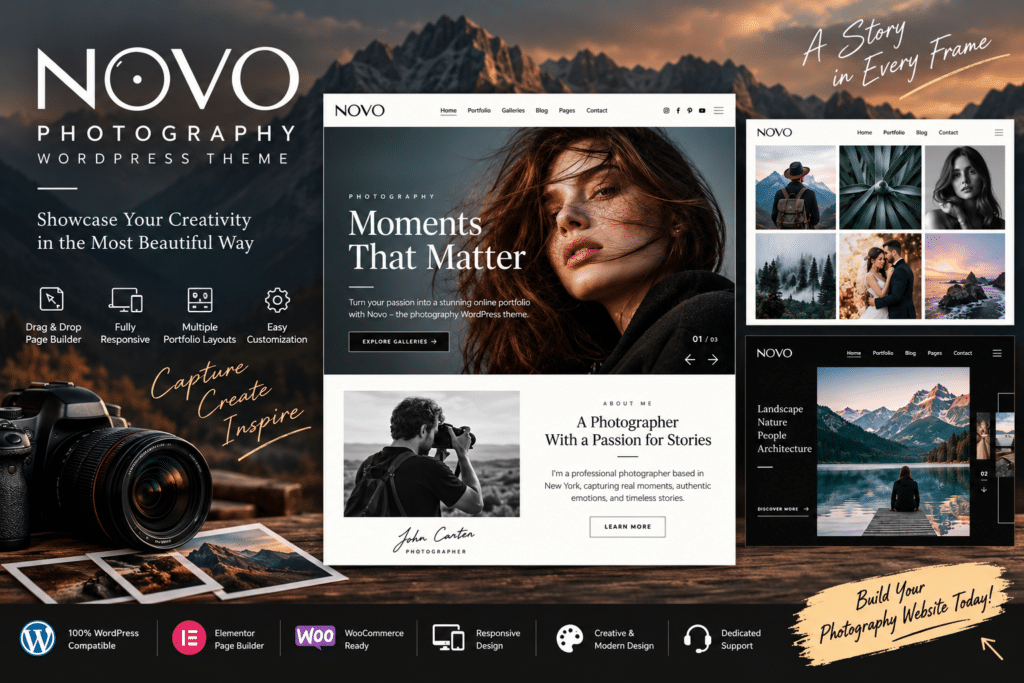
Novo is a modern WordPress theme designed for photographers, creative professionals, and visual portfolios. Its photography-focused layouts help you present your images in a clean, professional way while giving visitors an engaging browsing experience.
Whether you’re showcasing wedding photography, fashion shoots, travel images, or creative projects, Novo provides a flexible foundation for building a website that puts your work in the spotlight. You can organize your portfolio, introduce your services, and create a polished online presence without starting from scratch.
With responsive design and customizable layouts, Novo helps your photography website look great across desktops, tablets, and mobile devices.
Key Features
- Photography-Focused Design – Showcase your images with layouts created for photographers and visual artists.
- Portfolio Layouts – Organize and present photography projects in attractive galleries and portfolio pages.
- Responsive Design – Deliver a smooth browsing experience across desktop, tablet, and mobile screens.
- Image Galleries – Display your photography in visually engaging gallery layouts.
- Customizable Pages – Personalize layouts, typography, colors, and other design elements to match your style.
- Project Showcase – Present individual photography projects with images, descriptions, and related information.
- Service Pages – Highlight your photography services, packages, and areas of expertise.
- Blog Support – Share photography stories, behind-the-scenes content, tutorials, and updates.
- Contact Sections – Make it easy for potential clients to get in touch with you.
- Modern Navigation – Help visitors explore your portfolio and important pages with ease.
- Mobile-Friendly Layouts – Keep your visual content accessible and attractive on smaller screens.
- WordPress Integration – Manage your images, pages, and website content through the WordPress dashboard.
Perfect For
Novo is a great choice for:
- Professional photographers
- Wedding photographers
- Fashion photographers
- Portrait photographers
- Travel photographers
- Photography studios
- Creative agencies
- Visual artists
- Portfolio websites
- Photography blogs
- Freelance creatives
- Photojournalists
Let Your Photography Take Center Stage
A photography website should give your images room to stand out. Novo combines clean design with portfolio-focused layouts, helping you create a visual experience that reflects your creative style.
Use it to showcase your best work, organize projects into galleries, introduce your services, and give potential clients a clear way to learn more about you.
Build Your Photography Website with Novo
Create a professional photography portfolio with Novo – Photography WordPress Theme. Its modern design, responsive layouts, and flexible customization options provide a strong foundation for presenting your work and building your online presence.
Whether you’re launching your first portfolio or refreshing an established photography website, Novo helps you create a space where your images can make a lasting impression.