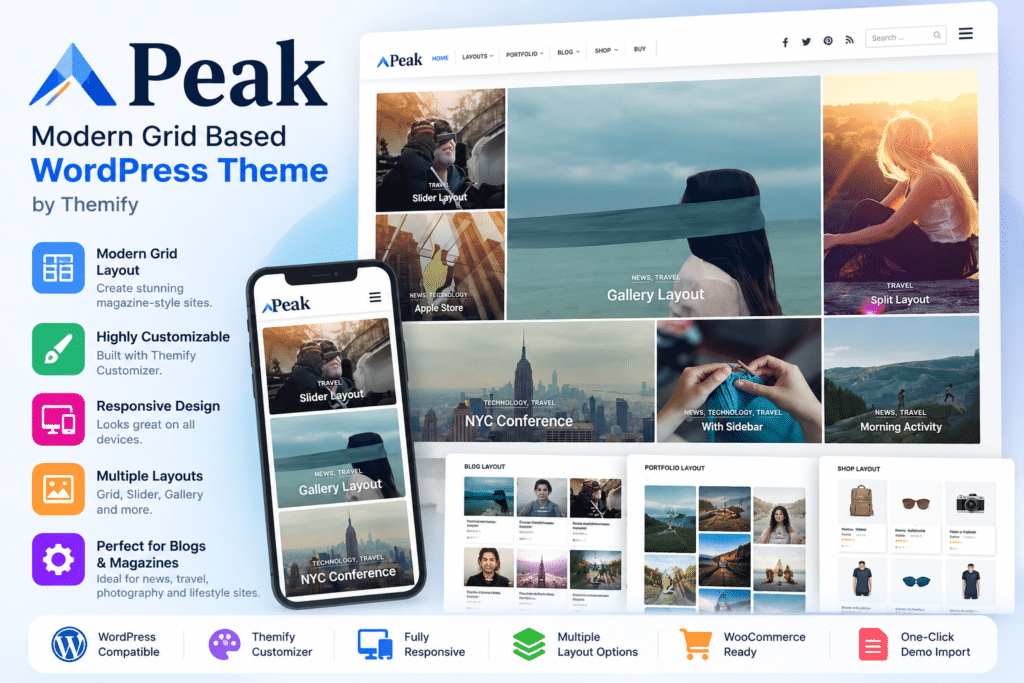
Peak is a modern grid-based WordPress theme by Themify designed for blogs, portfolios, online magazines, photography websites, creative projects, and WooCommerce stores.
Its signature feature is a responsive masonry tile layout that automatically organizes posts into a visually engaging grid while adapting smoothly across desktop, tablet, and mobile screens.
You can also control individual tile sizes, create custom page layouts, showcase portfolio projects, build online stores, and customize the theme through Themify’s visual tools.
Key Features
- Responsive Masonry Tiles – Display posts and portfolio content in an automatically aligned masonry grid.
- Auto & Custom Tiles – Let Peak generate tile sizes automatically or configure individual tile dimensions yourself.
- Themify Builder Integration – Create custom page layouts using Themify’s drag-and-drop Builder.
- Multiple Post Layouts – Present individual posts using full-width image, slider, gallery, or split layouts.
- Portfolio Support – Showcase photography, design work, projects, and creative content with dedicated portfolio layouts.
- WooCommerce Ready – Build an online store with matching WooCommerce theme styling.
- Mega Menu Support – Create multi-column navigation menus containing links, widgets, and featured content.
- Slide-Out Widgets – Display widgets inside a convenient slide-out panel.
- Responsive Design – Keep grid layouts and other site elements optimized across different screen sizes.
- Theme Customizer – Adjust supported fonts, colors, spacing, backgrounds, borders, and other visual settings with live previews.
- Unique Page Headers – Configure supported custom title backgrounds and header appearances for pages and categories.
- Google Fonts – Choose from more than 1,500 Google Fonts, with supported local hosting options.
- Multilingual Support – Use Peak with compatible solutions such as WPML, Polylang, and TranslatePress.
- Built-In Performance Features – Themify currently lists WebP image handling and caching features to help improve page loading.
Perfect For
Peak is suitable for bloggers, photographers, creative agencies, designers, portfolio websites, online magazines, news-style websites, WooCommerce stores, freelancers, artists, content creators, and visually focused business websites.
Create Flexible Masonry Grid Layouts
Peak’s defining feature is its masonry tile system.
The theme provides both automatic and custom tile options. Automatic tiles arrange posts into a balanced masonry layout, while custom tiles allow you to control individual tile sizing for selected content.
This makes it especially useful for websites where imagery and visual hierarchy are important.
Build Custom Pages with Themify Builder
Peak works with Themify Builder, allowing you to create custom page structures using a visual drag-and-drop workflow.
Theme-specific Builder layouts can be imported and customized, and supported layouts can also be applied to pages and category-based content areas.
Showcase Portfolio & Blog Content
Peak includes dedicated layouts for both portfolio and blog content.
Single posts can use different presentation styles including full-width image, slider, gallery, and split layouts. Archive and portfolio pages can also use masonry grids, filters, and Load More controls where configured.
Create a WooCommerce Store
Peak includes WooCommerce support with styling designed to match the theme.
This allows creative businesses, photographers, designers, magazines, and other website owners to combine editorial or portfolio content with an online shop in the same WordPress installation.
Customize Without Editing Theme Files
Themify provides extensive customization options through the WordPress Customizer and its theme settings.
You can manage supported typography, colors, backgrounds, spacing, header and footer settings, widgets, menus, and additional CSS without directly editing template files.
Peak also includes hook-content areas and header/footer code settings for inserting supported content or tracking scripts without modifying theme PHP files.
Build a Visually Engaging WordPress Website
Create a distinctive website with Peak – A Modern Grid Based WordPress Theme.
With responsive masonry tiles, custom layouts, Themify Builder, WooCommerce support, portfolio tools, mega menus, flexible post layouts, multilingual compatibility, and extensive customization controls, Peak provides a versatile foundation for creative WordPress websites.