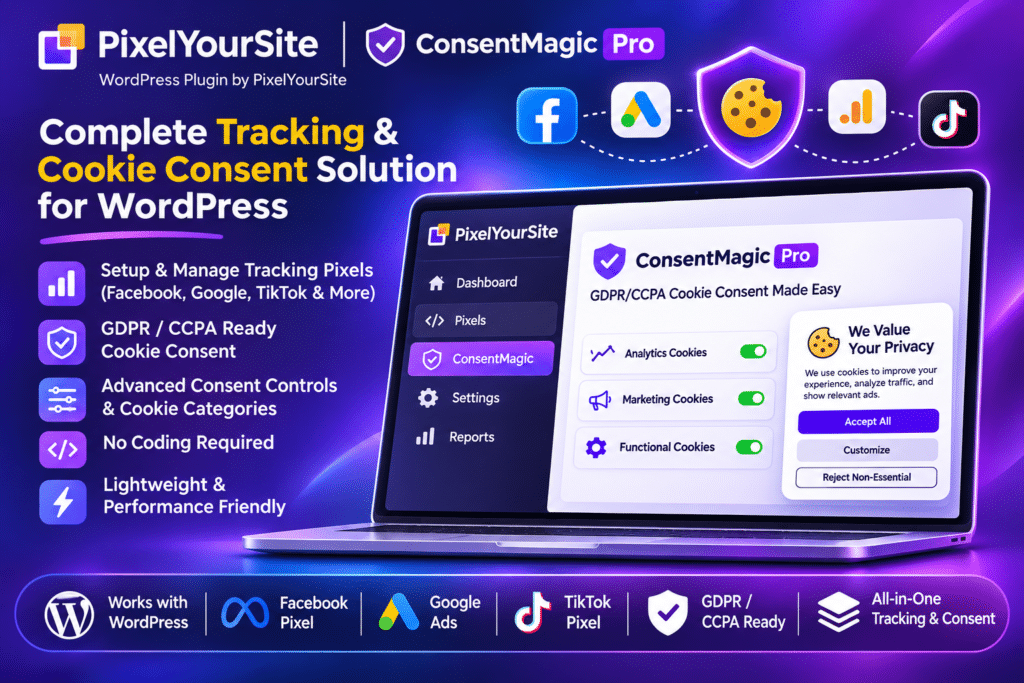
ConsentMagic Pro by PixelYourSite is a WordPress consent management plugin designed to help website owners manage cookies, tracking scripts, and visitor privacy preferences. It provides customizable consent banners, location-based rules, automatic script blocking, and integrations with popular tracking platforms to create a consent-aware website experience.
With ConsentMagic Pro, you can display different consent messages depending on a visitor’s location and configure how tracking technologies behave before and after consent. It includes dedicated settings for GDPR, US state privacy requirements, Meta Limited Data Use (LDU), Google Consent Mode V2, and the IAB Europe Transparency and Consent Framework (TCF 2.2).
The plugin also includes a cookie and script scanner, consent statistics, consent records, multilingual support, and customizable banner templates. It integrates natively with PixelYourSite but can also work independently with other WordPress tracking and analytics setups.
Whether you manage an online store, business website, membership platform, or marketing-focused website, ConsentMagic Pro helps organize privacy preferences and control how supported tracking technologies respond to visitor choices.
Key Features
Geo-Targeted Consent Rules
Create different consent experiences for visitors based on their geographic location. Configure separate rules for GDPR regions, supported US states, and the rest of the world, or create custom location-based rules.
GDPR Consent Management
Use the dedicated GDPR rule to request permission before loading non-essential tracking scripts and cookies. Allow visitors to accept all, reject tracking, or select individual consent categories.
CCPA and US State Privacy Support
Configure consent and opt-out experiences for supported US state privacy requirements. Use the Limited Data Use rule to manage relevant tracking behaviour for visitors from supported locations.
Automatic Script and Cookie Blocking
Prevent supported tracking scripts and cookies from running until the required consent is provided. Organize scripts into categories such as Analytics, Marketing, Preferences, and Embedded Videos.
Google Consent Mode V2
Integrate Google Consent Mode V2 with supported Google tags and tracking setups. Send consent signals to Google Analytics and Google Ads through PixelYourSite, Google Tag Manager, Site Kit, MonsterInsights, and other supported integrations.
Meta Limited Data Use (LDU)
Apply Meta Limited Data Use signals for supported US state privacy scenarios. When configured with PixelYourSite, Meta Pixel and Conversions API events can use the appropriate LDU settings instead of relying exclusively on complete event blocking.
IAB Europe TCF 2.2 Support
Implement the IAB Europe Transparency and Consent Framework version 2.2. Configure consent purposes, features, vendor preferences, and supported Google advertising technology vendor settings.
Cookie and Script Scanner
Scan your WordPress website to identify supported tracking scripts and cookies. Review detected technologies and organize them into appropriate consent categories.
Custom Scripts and Cookies
Add tracking scripts and cookies manually when they are not automatically detected. Assign them to suitable categories and control their behaviour according to visitor consent.
Multiple Consent Types
Choose the consent experience that fits your website requirements:
- Just Inform: Display a notification informing visitors about tracking technologies.
- Inform and Opt-Out: Allow visitors to opt out of selected tracking categories.
- Ask Before Tracking: Request explicit permission before enabling non-essential tracking.
- IAB TCF 2.2: Provide a consent experience based on the IAB framework.
Custom Consent Categories
Organize cookies and scripts into separate categories so visitors can choose which types of tracking they allow. Configure category-specific preferences and connect them with supported tracking integrations.
Customizable Consent Banners
Choose between ready-made banner and popup templates or customize the design to match your website. Adjust colours, text, positioning, layout, and other visual settings.
Multi-Step and Single-Step Consent
Create single-step or multi-step consent interfaces. Use different layouts for individual rules to provide an appropriate experience for different visitor groups.
Deny All and Consent Preference Controls
Provide visitors with options such as Accept All, Deny All, and Customize. Configure close buttons, privacy links, sticky controls, and other consent interface settings.
Persistent Consent Management
Allow visitors to reopen the consent interface and change their preferences after making an initial choice. Use sticky consent controls to keep privacy settings accessible.
WP Consent API Integration
Connect ConsentMagic with the WordPress Consent API. Share visitor consent preferences with compatible WordPress plugins so they can adjust their tracking behaviour accordingly.
Multilingual Consent Banners
Display consent messages in multiple languages. The front-end text supports 25 languages, with options to add additional translations and work alongside WPML and other WordPress multilingual plugins.
Google Fonts Privacy Controls
Detect Google Fonts API usage and include it in the consent management process. Where configured, locally hosted fonts can be used when visitors do not accept Google Fonts loading.
Consent Proof and Statistics
Store visitor consent decisions as proof and review consent statistics to understand how visitors respond to different consent rules. Use the available records to monitor consent activity.
Custom Location-Based Rules
Create additional consent rules for selected countries or regions. Set rule priorities and configure different consent types, categories, and banner behaviour for each audience.
PixelYourSite Integration
Work with PixelYourSite tracking configurations to manage consent for supported Meta Pixel, Conversions API, Google Analytics, and advertising tags. The plugin can also be used with other compatible tracking setups without requiring PixelYourSite.
Flexible Script Blocking Settings
Enable or disable script blocking independently of the consent interface. Configure how tracking technologies behave according to your website’s consent strategy and integrations.