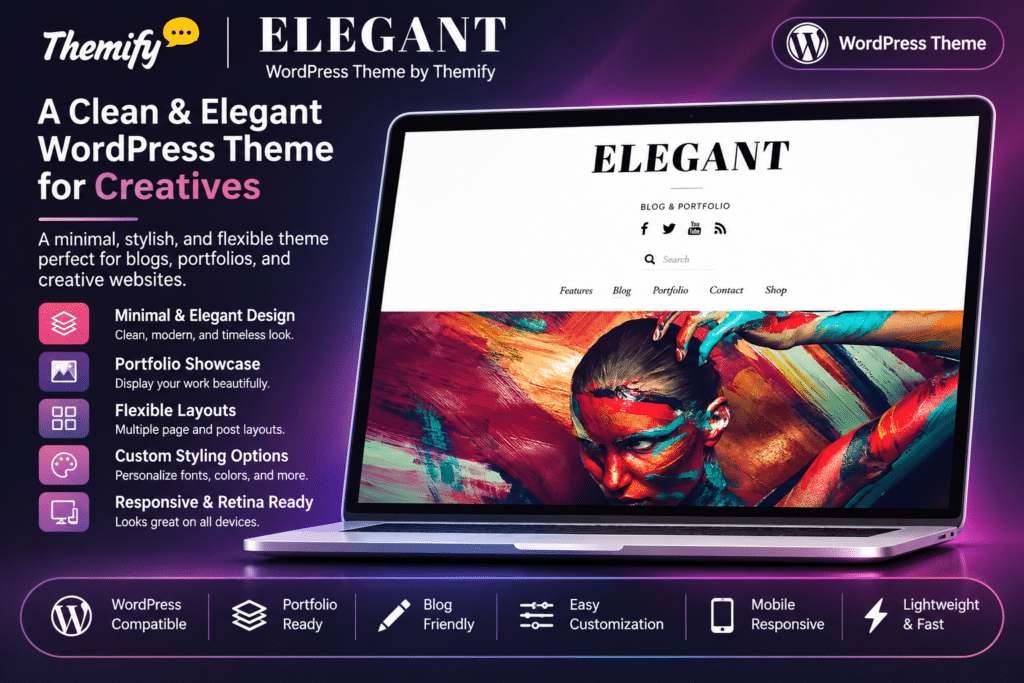
Elegant is a minimalist, multipurpose WordPress theme by Themify, designed for bloggers, writers, photographers, artists, designers, creative agencies, and portfolio websites. It combines clean layouts, beautiful typography, balanced white space, and subtle visual styling to keep the focus on your content.
The theme includes dedicated Portfolio and Team custom post types, making it easy to showcase creative projects, introduce team members, and build professional agency websites. Its masonry and grid layouts provide flexible ways to display blog posts and portfolio items, while built-in image filters add visual effects without modifying the original image files.
Powered by the Themify framework, Elegant includes a drag-and-drop Builder, parallax scrolling, background video support, customizable headers, and responsive layouts. It also supports WooCommerce, allowing you to add an online shop alongside your blog or portfolio.
Key Features
Minimal and Typography-Focused Design
Create a clean, elegant website with carefully balanced typography and generous white space. The minimalist design keeps visitors focused on articles, photographs, projects, and other important content.
Themify Drag-and-Drop Builder
Design custom pages, posts, and portfolio layouts using the visual Themify Builder. Arrange content modules, columns, images, and other elements through a drag-and-drop interface.
Dedicated Portfolio Post Type
Showcase creative projects using the built-in Portfolio post type. Add project descriptions, featured images, image galleries, and custom layouts to present your work professionally.
Masonry and Grid Portfolio Layouts
Display portfolio projects using masonry and grid layouts. Choose from multiple column arrangements, including three-, four-, five-, six-, seven-, and eight-column gallery presentations.
Portfolio Filtering
Organize creative projects into categories and allow visitors to filter portfolio items. Help potential clients explore relevant work and discover projects more easily.
Dedicated Team Post Type
Introduce your team members using the built-in Team post type. Display profile photographs, names, job positions, personal descriptions, and social media links.
Multiple Blog Layouts
Present articles using traditional blog layouts, grid arrangements, or masonry-style displays. Customize content alignment and choose layouts that complement your publishing style.
Left and Center Content Alignment
Choose between left-aligned and centered content layouts. Apply alignment settings globally or customize individual posts and pages.
Built-In Image Filters
Apply visual effects to images without editing the original image files. Available filters include:
- Grayscale
- Sepia
- Blur
Configure image filters for featured images or other supported images, and optionally apply different effects on hover.
Custom Header Styling
Customize header backgrounds, typography, and link colours. Apply individual header styling to different pages and posts to create more distinctive layouts.
Parallax Scrolling Effects
Add parallax scrolling to supported background sections. Create visually engaging pages with layered backgrounds and smooth scrolling effects.
Background Video Support
Use background videos in supported Builder rows to create immersive page sections. Combine video backgrounds with text, images, and other content modules.
Responsive and Retina-Ready Design
Display your website across desktops, tablets, and smartphones. The fluid responsive layout adapts to different screen sizes and supports high-resolution retina displays.
Six Alternative Colour Skins
Choose from six additional pre-designed colour skins to change the appearance of your website. Customize the theme’s visual style to complement your brand.
WooCommerce Compatibility
Integrate WooCommerce to create an online shop within your website. Display products and build customized shop layouts using the theme’s supported WooCommerce styling.
WooCommerce Shop Layout Extension
Use the separately available Themify WooCommerce Add-on to create magazine-style shop landing pages and position products within custom Builder layouts.
Advanced Customization Panel
Customize website colours, backgrounds, typography, spacing, and other design elements through the Themify customization options. Preview supported design changes while editing.
Custom Page and Post Layouts
Design individual pages and posts with different content arrangements. Adjust sidebar settings, content widths, header backgrounds, and other supported layout options.
Google Fonts Integration
Choose from a large collection of Google Fonts to customize headings, body text, and other typography. Create a consistent visual identity throughout your website.
Demo Content Import
Import the available demo setup, including sample posts, pages, menus, widgets, and theme settings. Use the imported structure as a starting point for your website design.
Custom Menus and Social Links
Create custom navigation menus and configure social media profile links through the Themify settings. Display social icons using supported icon fonts or custom images.
SEO-Friendly Theme Structure
Use the theme’s organized layouts, typography, and content presentation as a foundation for search-friendly pages. Search performance also depends on content quality, technical configuration, and your chosen SEO plugin.
Child Theme Support
Use a child theme to customize templates and add code modifications while keeping your changes separate from the parent theme files.