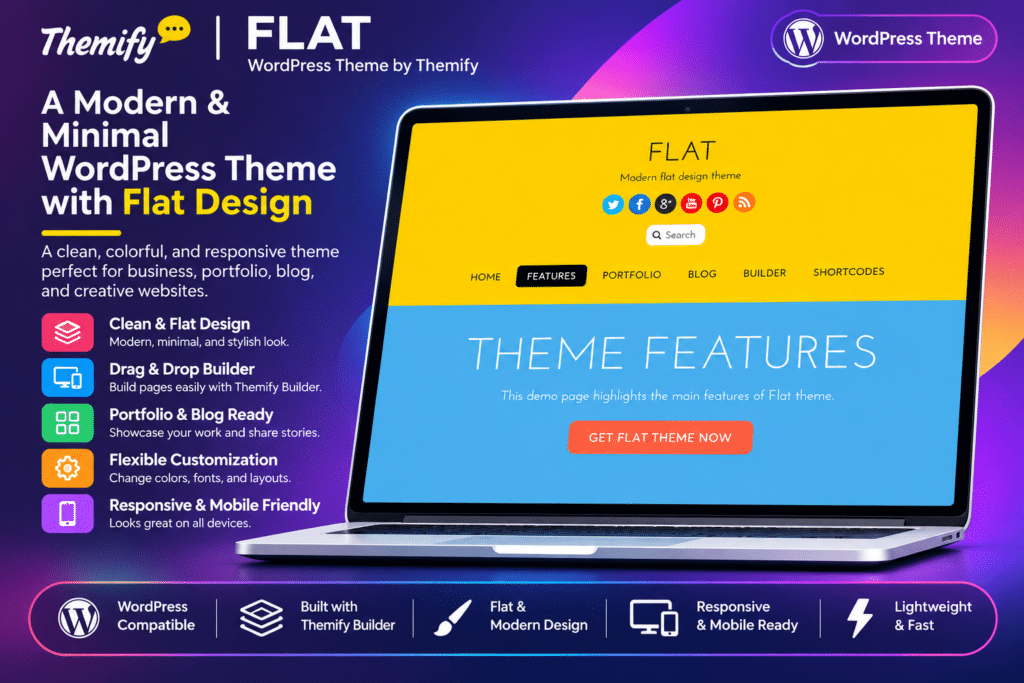
Flat is a modern, colourful WordPress theme by Themify, designed for creative agencies, businesses, freelancers, designers, developers, and portfolio websites. Inspired by the flat design trend, it combines bold typography, vibrant colours, clean layouts, and interactive animations to create an engaging website experience.
Powered by the Themify framework, Flat includes a front-end drag-and-drop Builder that allows you to create custom page layouts without writing code. Its specialized content features include Portfolio, Timeline, Team, and Testimonial custom post types, along with animated highlight circles, progress bars, and timeline effects.
The theme is suitable for showcasing business services, company projects, team expertise, customer feedback, and organizational milestones. With responsive layouts, WooCommerce compatibility, customizable styling, and demo import functionality, Flat provides a flexible foundation for building creative and professional WordPress websites.
Key Features
Modern Flat Design
Create a visually distinctive website with colourful design elements, bold typography, clean sections, and modern layouts. The flat design style helps present business information and creative content in an engaging format.
Themify Drag-and-Drop Builder
Build custom website layouts using the front-end Themify Builder. Arrange text, images, videos, sliders, galleries, tabs, accordions, menus, and other content modules with a visual editing interface.
Animated Content Effects
Add interactive visual effects to website sections and content modules. Choose from supported animations such as fade-in, fly-in, slide-in, and drop-in to make page content more engaging.
Portfolio Custom Post Type
Showcase completed projects using the dedicated Portfolio post type. Add project descriptions, featured images, and image sliders to present creative work, business achievements, and professional services.
Animated Highlight Circles
Display important services, products, and business features using animated circular highlights. Customize the featured image, circle colour, and percentage value to create attractive visual presentations.
Animated Progress Bars
Showcase team skills, project progress, business statistics, and other measurable information using animated progress bars. Customize labels, colours, and percentage values to match your website design.
Animated Timeline
Present company history, project milestones, and important events through an animated timeline. Use chronological content with drop-in animation effects to make information easier to explore.
Team Member Profiles
Introduce your employees and professionals using dedicated Team content. Showcase member information, profile images, job positions, and animated skill indicators.
Testimonial Management
Publish customer reviews and feedback using the dedicated Testimonial post type. Display testimonials through slider or grid layouts to highlight client experiences and build trust.
Multiple Blog Layouts
Choose from seven available blog layouts, ranging from traditional list-style presentations to different grid arrangements. Organize articles according to your publishing requirements.
Custom Shortcodes
Use additional Themify shortcodes to insert supported design elements into pages and posts. Create columns, progress bars, and other content components without manually writing complex code.
Front-End Live Editing
Customize page layouts directly from the website’s front end. Preview design changes while arranging Builder modules and adjusting individual row and module styling.
Parallax and Background Video
Create visually engaging website sections using supported parallax scrolling and background video options. Combine backgrounds with text, images, and other Builder modules.
Customizable Theme Styling
Adjust colours, typography, spacing, backgrounds, and other appearance settings through the Themify customization panel. Personalize individual content sections and maintain a consistent brand identity.
Google Fonts Integration
Choose from a large collection of Google Fonts to customize headings, body text, and other website typography. Create a visual style that complements your business or portfolio.
WooCommerce Compatibility
Integrate WooCommerce to add online shopping functionality. Display products and build a store alongside your business website or creative portfolio.
Responsive and Mobile-Friendly Design
Present website content across desktop computers, tablets, and smartphones. The responsive layout adapts to different screen sizes for a consistent browsing experience.
One-Click Demo Import
Import the available Flat demo setup, including sample pages, posts, menus, widgets, and theme settings. Use the demo structure as a starting point for your website.
Custom Menus and Social Links
Configure custom navigation menus and social media profile links through the Themify settings panel. Display supported social icons using icon fonts or custom images.
Footer Widget Areas
Organize footer content using configurable widget columns. Add contact information, navigation links, social profiles, and other supported WordPress widgets.
Child Theme Support
Use a child theme to customize templates, styles, and other theme files while keeping your modifications separate from the parent theme.
Translation and Multilingual Support
Translate website content using the theme’s translation-ready functionality. Build multilingual websites with compatible plugins such as WPML, Polylang, and TranslatePress.
SEO-Friendly Theme Structure
Use the theme’s organized layouts and customizable content areas as a foundation for search-friendly pages. Search visibility also depends on content quality, technical configuration, and your chosen SEO plugin.