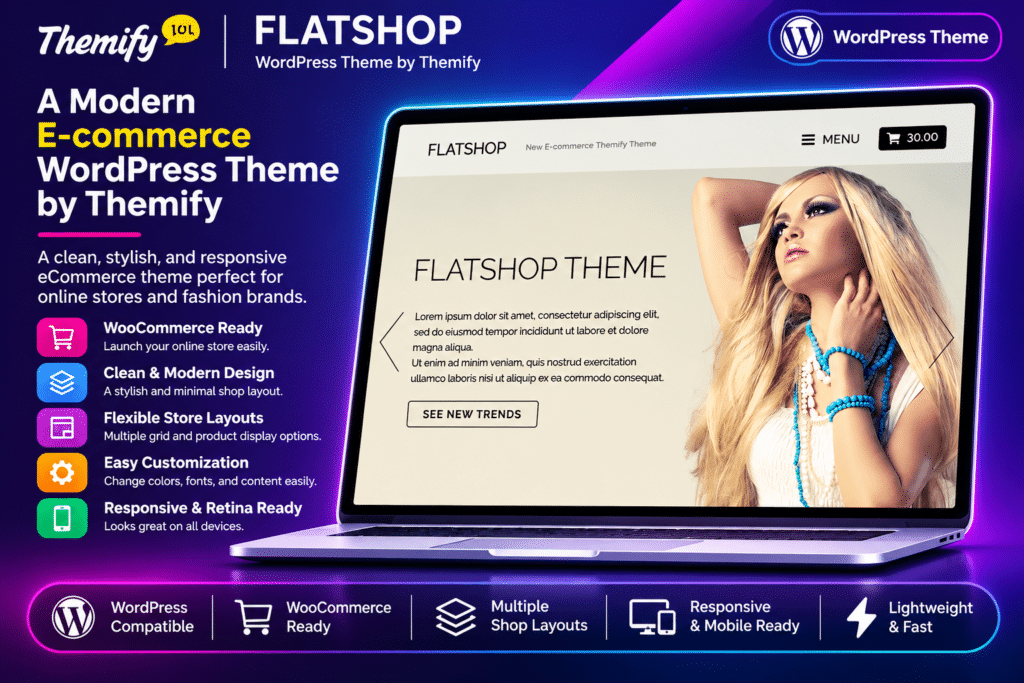
Flatshop is a modern eCommerce WordPress theme by Themify, designed for online stores, boutique shops, fashion retailers, product businesses, and creative brands. Built specifically for WooCommerce, it puts products at the centre of the shopping experience with clean layouts, attractive product presentations, and interactive shopping features.
Powered by the Themify Builder, Flatshop allows you to create custom shop pages and product layouts using a visual drag-and-drop editor. Its standout features include product-specific styling, unlimited category-based shop pages, product lightboxes, an Ajax-powered slide-out cart, parallax scrolling, and animated content effects.
The theme also includes full-width sliders, infinite scrolling, customizable product galleries, and flexible shop layouts. Whether you’re launching a small boutique or managing a larger product catalogue, Flatshop provides tools to create a visually engaging WooCommerce storefront. It can also be used as a standard blog or static website without enabling the shop functionality.
Key Features
WooCommerce Integration
Build an online store using the free WooCommerce plugin. Display products, manage shop pages, and customize product presentation through the theme’s dedicated eCommerce features.
Themify Drag-and-Drop Builder
Design custom pages and layouts using the Themify Builder’s visual editing interface. Arrange content modules with live front-end previews and customize pages without writing code.
Custom Product Styling
Personalize individual WooCommerce products using the Themify Custom Panel. Customize product backgrounds, image alignment, title colours, price colours, text styles, and button appearance.
Unlimited Custom Shop Pages
Create multiple shop pages based on selected WooCommerce product categories. Design separate storefronts for different product collections instead of relying exclusively on the default shop page.
Flexible Product Grid Layouts
Choose from different product display arrangements, including full-width, two-column, three-column, and four-column layouts. Customize each shop page according to its product catalogue.
Themify Builder for Product Pages
Create customized single-product pages using the Themify Builder. Add sliders, image galleries, videos, maps, accordions, tabs, call-to-action sections, and other supported Builder modules.
Product Lightbox
Allow customers to preview product details through a lightbox without navigating away from the current page. Provide a convenient way to explore product information while browsing the shop.
Ajax Slide-Out Shopping Cart
Display the shopping cart in a slide-out panel. When customers add products to their cart, the cart updates dynamically without requiring a full page reload.
Slide-Out Navigation Menu
Keep the website header clean with a slide-out navigation menu. Add custom WordPress menus, social links, and search functionality to the panel.
Full-Width Slider
Create full-width sliders for different website pages. Customize individual slides with text, images, buttons, backgrounds, alignment, and other supported styling options.
Parallax Scrolling Effects
Add parallax effects to supported slider areas, post images, and product pages. Create visually engaging storefront sections with layered scrolling backgrounds.
Fly-In and Fade-In Animations
Apply fly-in animation effects to supported website content. Configure the animation behaviour or use fade-in effects for a different visual presentation.
Infinite Scroll and Traditional Pagination
Choose between automatic infinite scrolling and conventional pagination for blog posts and product listings. Give customers flexible ways to explore your store.
Custom Product Query
Create product pages that display selected WooCommerce categories. Configure product ordering, the number of products per page, column layouts, descriptions, and pagination settings.
Product Display Controls
Customize shop archive presentation with options for product titles, prices, descriptions, breadcrumbs, product counts, sorting bars, and other supported display elements.
Single Product Page Settings
Configure individual product page layouts, sidebar placement, product reviews, and related product displays. Adjust the number of related products shown to complement the shopping experience.
Footer Business Information and Map
Display important business details in the footer, including your store address, phone number, opening hours, and Google Maps location. Help customers find your physical business or retail location.
Responsive and Retina-Ready Design
Provide a consistent shopping experience across desktops, tablets, and smartphones. The responsive layout adapts to different screen sizes and supports high-resolution retina displays.
Themify Icon Fonts
Use the Themify icon library to enhance navigation, buttons, social links, and other website elements. Choose from a wide collection of icons to complement your storefront design.
Demo Content Import
Import the available Flatshop demo setup, including sample posts, pages, comments, menus, widgets, and Themify settings. Use the imported structure as a starting point for your online store.
Customizable Theme Options
Personalize website colours, typography, backgrounds, logos, navigation, and other supported design elements through the Themify customization panel.
Google Fonts Integration
Choose from a large collection of Google Fonts to customize headings, product titles, descriptions, and other website typography.
Blog and Static Website Support
Use Flatshop as a regular WordPress blog or static website without activating WooCommerce shop functionality. Retain supported layouts and visual effects for standard website content.
Child Theme Support
Use a child theme to customize templates, styles, and other theme files while keeping your modifications separate from the parent theme.
Multilingual and Translation Support
Translate website content using the theme’s translation-ready functionality. Create multilingual stores with compatible plugins such as WPML, Polylang, and TranslatePress.