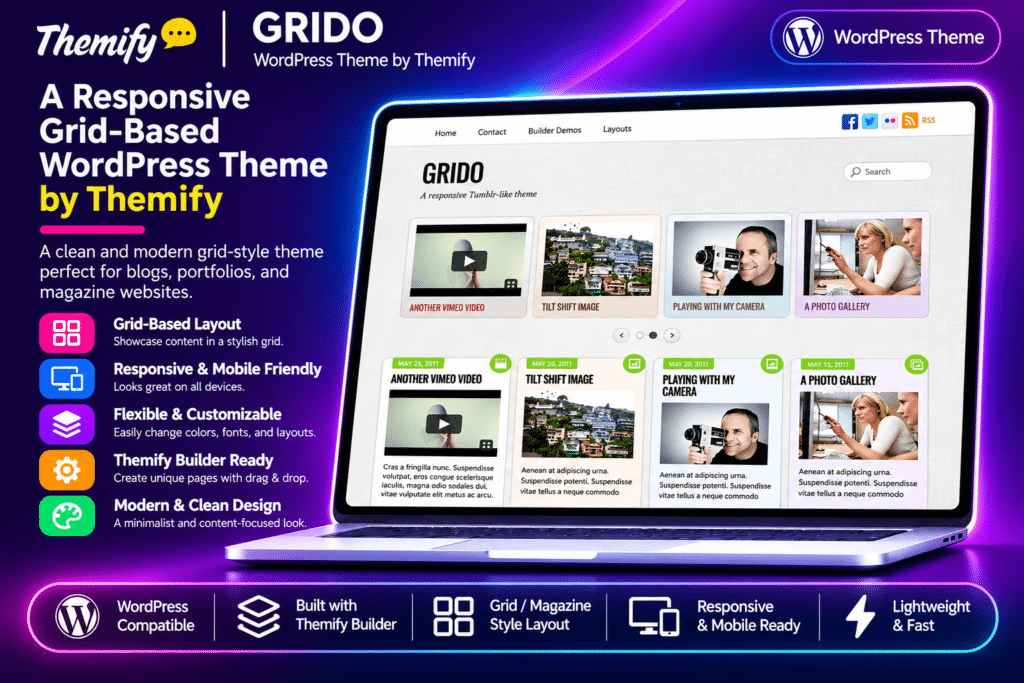
Grido is a colourful and responsive WordPress theme by Themify, designed for bloggers, photographers, writers, artists, and creative publishers who want a modern Tumblr-style blogging experience. Its distinctive masonry-inspired layout automatically stacks posts into a flexible grid, creating an attractive visual presentation for text, images, videos, and other content.
The theme supports multiple WordPress post formats, allowing you to publish standard articles, photographs, galleries, videos, audio, quotes, links, and status updates. Its standout feature is the collection of nine gradient background colours that let you give individual posts a unique appearance, similar to colourful sticky notes arranged across a digital wall.
Powered by the Themify framework, Grido also includes infinite scrolling, responsive layouts, multiple grid views, a built-in lightbox gallery, and the drag-and-drop Themify Builder. It is suitable for personal blogs, creative journals, visual storytelling websites, and content-focused online magazines.
Key Features
Tumblr-Style Masonry Layout
Create a social-blogging experience with an automatically stacked post layout. Display different content formats in a flexible grid that resembles a wall of digital notes.
Automatic Post Stacking
Allow posts to arrange themselves dynamically based on their content and dimensions. The layout adjusts as visitors browse, creating an organized and visually varied presentation.
Infinite Scroll
Automatically load additional posts when visitors reach the bottom of the page. Provide continuous content browsing without requiring users to navigate through traditional pagination.
Nine Gradient Background Colours
Choose from nine gradient background styles to customize individual posts. Give articles, quotes, updates, and other content their own visual identity.
Multiple WordPress Post Formats
Publish different content types using supported WordPress post formats:
- Standard – Traditional blog articles
- Aside – Short text updates
- Gallery – Collections of photographs
- Link – External links and shared resources
- Image – Individual photographs and images
- Quote – Featured quotations
- Status – Short status updates
- Video – Embedded video content
- Audio – Music and audio content
- Chat – Conversation-style content
List and Multiple Grid Layouts
Choose between traditional list presentation and different grid-based layouts. Organize posts according to your website’s content style and preferred browsing experience.
Responsive Design
Display your website across desktops, tablets, and smartphones. The automatically adjusting layout rearranges posts to fit different screen sizes.
Built-In Lightbox Gallery
Display image galleries through the integrated lightbox functionality without requiring a separate gallery plugin. Allow visitors to view photographs in an enlarged presentation.
Seven Theme Skins
Choose from seven pre-designed theme skins to change the overall appearance of your website. Customize the visual style to complement your blog or personal brand.
Themify Drag-and-Drop Builder
Create custom website layouts using the included Themify Builder. Arrange text, images, videos, columns, and other supported modules through a visual editing interface with live previews.
Custom Page Layouts
Create pages that display posts from selected categories. Configure the number of posts, layout style, and image dimensions to build customized content pages.
Custom Navigation Menus
Create custom WordPress navigation menus for your website. Organize header and footer links, dropdown menus, and other supported navigation areas.
Optional RSS and Search Controls
Show or hide the RSS icon and search form in the header. Configure these options according to your website’s navigation and content requirements.
Social Media Integration
Add social media profile links through the Themify settings panel. Choose between icon fonts and custom images, with access to more than 320 Themify icons.
Custom Header and Footer
Personalize your website with a custom header logo, footer logo, navigation menus, and footer text. Create a consistent appearance across your blog pages.
Footer Widget Areas
Choose from up to four footer widget columns. Add useful information, social links, navigation menus, and other supported WordPress widgets.
Themify Customizer
Customize supported website elements through the WordPress Customizer. Adjust colours, backgrounds, typography, spacing, and other appearance settings with a live preview.
One-Click Demo Import
Import the available Grido demo setup, including sample posts, pages, comments, menus, widgets, and Themify panel settings. Use the imported structure as a starting point for your website.
WooCommerce Compatibility
Integrate WooCommerce to add online shopping functionality. Extend your blog with product listings and supported eCommerce features.
Google Fonts Integration
Choose from a large collection of Google Fonts to customize headings and body typography. Create a consistent visual style throughout your website.
Themify Framework Features
Benefit from additional framework functionality, including Hook Content, header and footer code insertion, automatic theme updates, and supported WebP image and caching features.
HTML5 and CSS3
Built using HTML5 and CSS3 standards to support modern website layouts, responsive styling, and contemporary browser experiences.
Child Theme Support
Use a child theme to customize templates, styles, and other theme files while keeping your modifications separate from the parent theme.