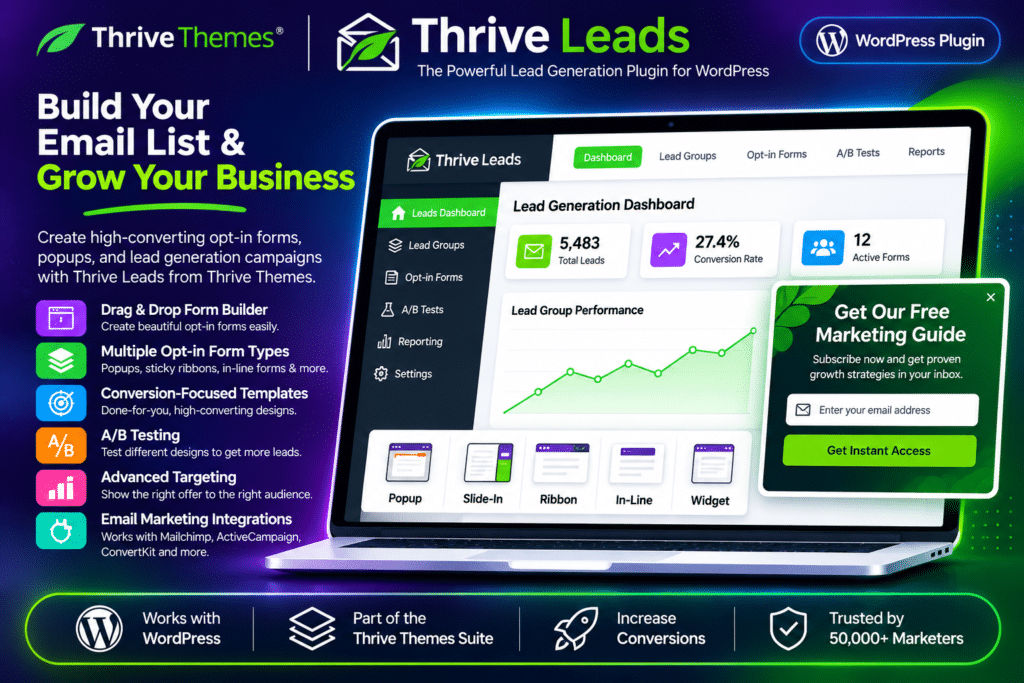
Thrive Themes Leads, commonly known as Thrive Leads, is a WordPress lead generation plugin designed to help website owners grow their email lists and turn visitors into subscribers. It provides a complete toolkit for creating opt-in forms, displaying targeted offers, testing different designs, and tracking signup performance.
With its visual form editor, ready-made templates, advanced targeting rules, and multiple opt-in formats, Thrive Leads makes it possible to create lead capture campaigns without building forms from scratch. You can display popups, sticky ribbons, slide-ins, inline forms, and other signup experiences based on visitor behaviour and website content.
The redesigned Thrive Leads interface also introduces a streamlined dashboard, guided form creation, improved campaign management, and updated reporting tools. It is suitable for bloggers, marketers, online businesses, agencies, and content publishers looking to build and manage their subscriber lists directly from WordPress.
Key Features
Multiple Opt-In Form Types
- Create popup forms using ThriveBoxes to capture visitor attention.
- Display sticky ribbons at the top of the website.
- Add inline opt-in forms within posts and pages.
- Use slide-in forms that appear from the corner of the screen.
- Create sidebar and widget-based signup forms.
- Build screen-filling overlays and scroll-based opt-in experiences.
- Use two-step opt-ins, content locks, and yes/no or multiple-choice forms.
Visual Opt-In Form Editor
- Design forms using a visual editing interface.
- Customize text, images, buttons, layouts, and form elements.
- Start with professionally designed templates.
- Adjust form designs to match your website’s branding.
- Create different variations for individual campaigns and offers.
Advanced Targeting & Display Rules
- Show opt-in forms on selected posts, pages, and categories.
- Include or exclude specific website sections from campaigns.
- Configure display conditions for different visitor experiences.
- Control when and where forms appear using available display triggers.
- Save and reuse targeting condition sets across Lead Groups.
A/B Testing & Auto Winner
- Test different opt-in form designs, headlines, and calls to action.
- Compare form variations to identify better-performing campaigns.
- Run tests between different form types and creative approaches.
- Use the Auto Winner feature to promote the better-performing variation automatically.
- Make campaign decisions using actual performance data.
Lead Groups & Form Management
- Organize opt-in forms into Lead Groups with shared display conditions.
- Manage manually placed forms through Lead Shortcodes.
- Create click-triggered popup experiences with ThriveBoxes.
- Manage Signup Segue forms alongside other form types.
- Review and manage your forms from the updated Thrive Leads dashboard.
SmartLinks & SmartExit
- Show different offers to existing subscribers and returning visitors.
- Hide signup forms when visitors have already subscribed.
- Present more relevant calls to action based on subscriber status.
- Improve the visitor experience by avoiding unnecessary repeat signup requests.
Performance Reports & Analytics
- Track form impressions, conversions, and conversion rates.
- Review performance statistics from the Thrive Leads dashboard.
- Compare results across different Lead Groups.
- Filter reports by date range and traffic source.
- Identify which forms and campaigns are contributing to email list growth.
Email Marketing Integrations
- Connect opt-in forms with supported email marketing platforms.
- Send new subscriber information to connected mailing lists.
- Work with popular services such as Mailchimp, ActiveCampaign, ConvertKit, GetResponse, and MailerLite.
- Use supported API connections and integrations to connect your lead generation workflow.
Content Locking & Lead Magnet Delivery
- Restrict selected content until visitors complete a signup form.
- Offer exclusive resources in exchange for an email subscription.
- Use signup campaigns to promote downloadable guides, reports, and other lead magnets.
- Create targeted content upgrades for specific articles and landing pages.
Mobile-Friendly Form Design
- Create responsive opt-in forms for different screen sizes.
- Control form visibility on desktop, tablet, and mobile devices.
- Show or hide individual form elements depending on the device.
- Adjust typography, spacing, buttons, and other design details for mobile visitors.
Redesigned Dashboard & Guided Workflow
- Use the refreshed dashboard to access forms, campaigns, and performance statistics.
- Create forms through a guided workflow covering design, display rules, Lead Groups, and review.
- Manage existing forms and A/B tests from the updated interface.
- Access templates, reports, and campaign settings through a more organized administration experience.