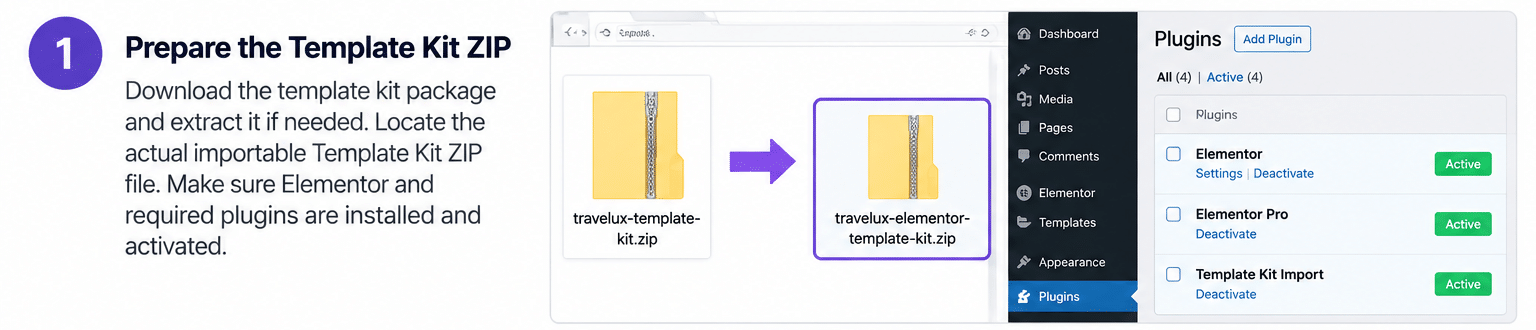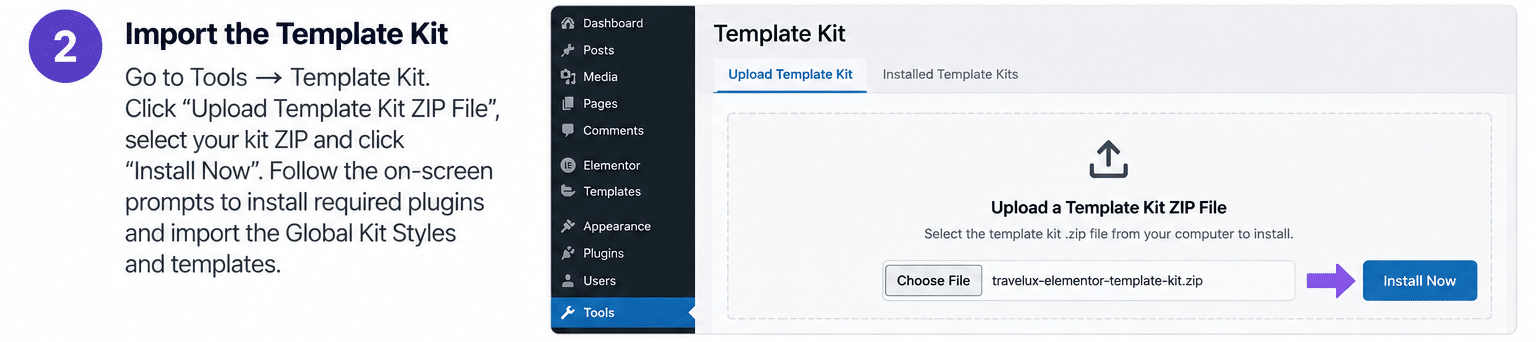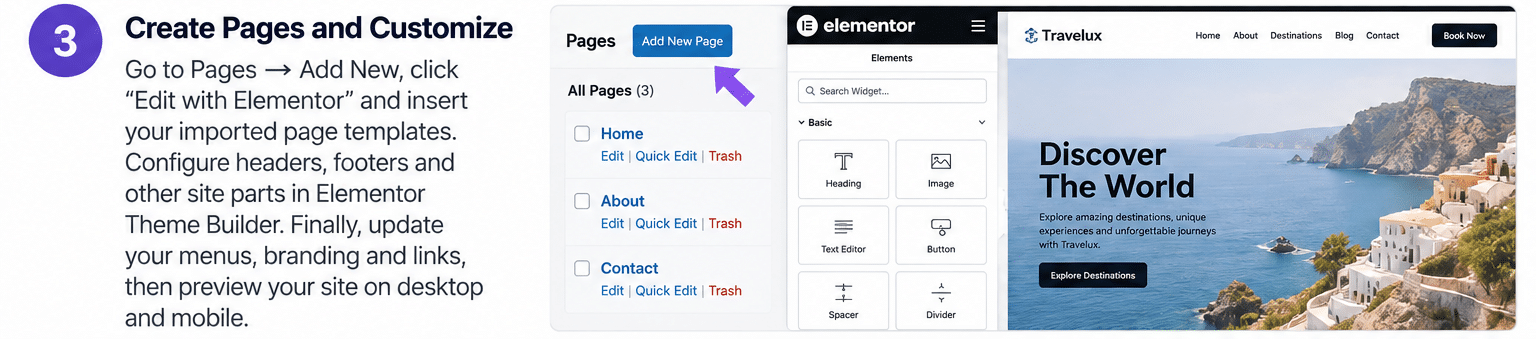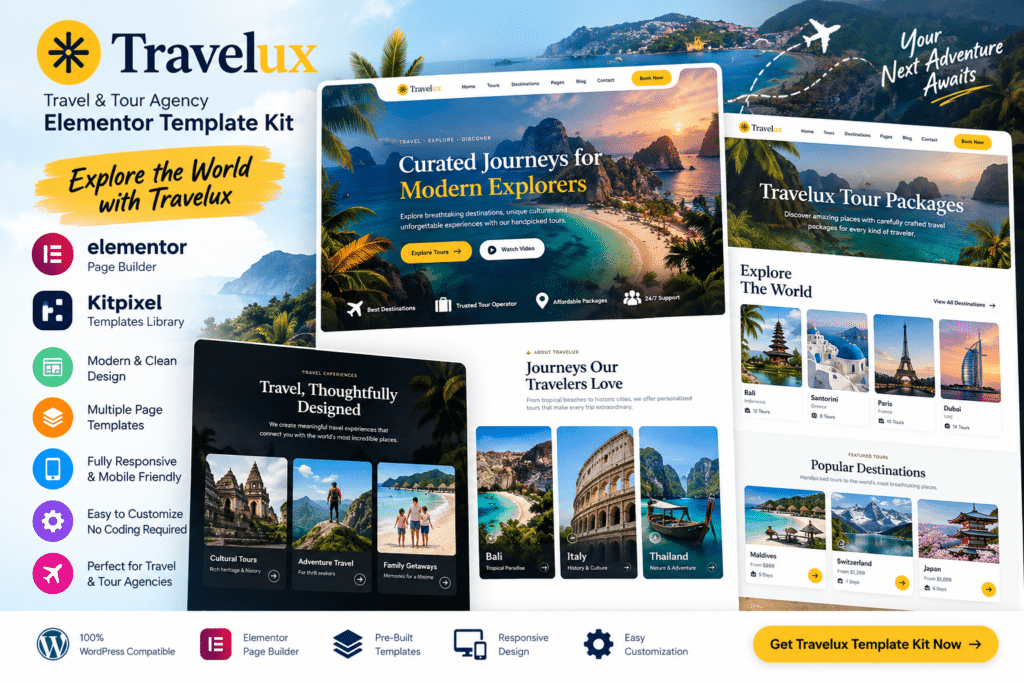
The kit provides ready-made page templates and reusable sections that can be customized visually with Elementor. It helps you present destinations, tour packages, travel services, customer testimonials, galleries, and enquiry information without designing every page from scratch.
Whether you’re promoting local tours, international holidays, adventure trips, honeymoon packages, or customized travel services, Travelux gives you a flexible starting point for building an attractive travel website.
Key Features
- Travel Agency Design – Modern layouts created for tour companies, holiday planners, and tourism businesses.
- Elementor Editing – Customize supported templates visually using Elementor.
- Responsive Layouts—Keep your website easy to browse across desktop, tablet, and mobile devices.
- Tour Package Sections—Present holiday packages, itineraries, pricing, and other supported trip details.
- Destination Showcase – Highlight popular destinations with attractive imagery and useful information.
- Travel Service Pages – Promote guided tours, accommodation assistance, transfers, excursions, and other services.
- Gallery Layouts – Showcase destinations, activities, hotels, and travel experiences through visual galleries.
- Testimonials—Display traveler feedback and customer experiences as useful social proof.
- About Agency Sections—Introduce your company, travel expertise, team, and service approach.
- Contact & Enquiry Pages—Give potential travellers clear ways to ask questions or request trip information.
- Call-to-Action Sections – Encourage visitors to explore packages, request a quote, or contact your travel team.
- Blog & Travel Content Layouts – Publish destination guides, travel tips, news, and inspiration.
- Reusable Design Sections – Maintain a consistent style across multiple pages and travel offers.
- Flexible Customization – Adjust supported colors, typography, images, spacing, and content to match your brand.
Perfect For
Travelux is suitable for travel agencies, tour operators, adventure travel companies, vacation planners, tourism businesses, honeymoon planners, local tour guides, destination marketers, holiday booking services, and travel consultants.
Inspire Visitors to Explore
Travel websites often rely heavily on visuals, clear package information, and an easy path from inspiration to inquiry.
Travelux helps organize destinations, tours, services, testimonials, and contact details into a professional structure that can make your travel offerings easier to explore.
By combining strong imagery with well-organized content sections, you can create a website that highlights the experience of each trip while still giving visitors the practical information they need.
Build a Modern Travel Website
Create an attractive tourism website with the Travelux – Travel & Tour Agency Elementor Template Kit.
With destination layouts, tour package sections, galleries, testimonials, responsive design, travel service pages, and Elementor customization, Travelux provides a flexible toolkit for building professional travel and tour agency websites.