
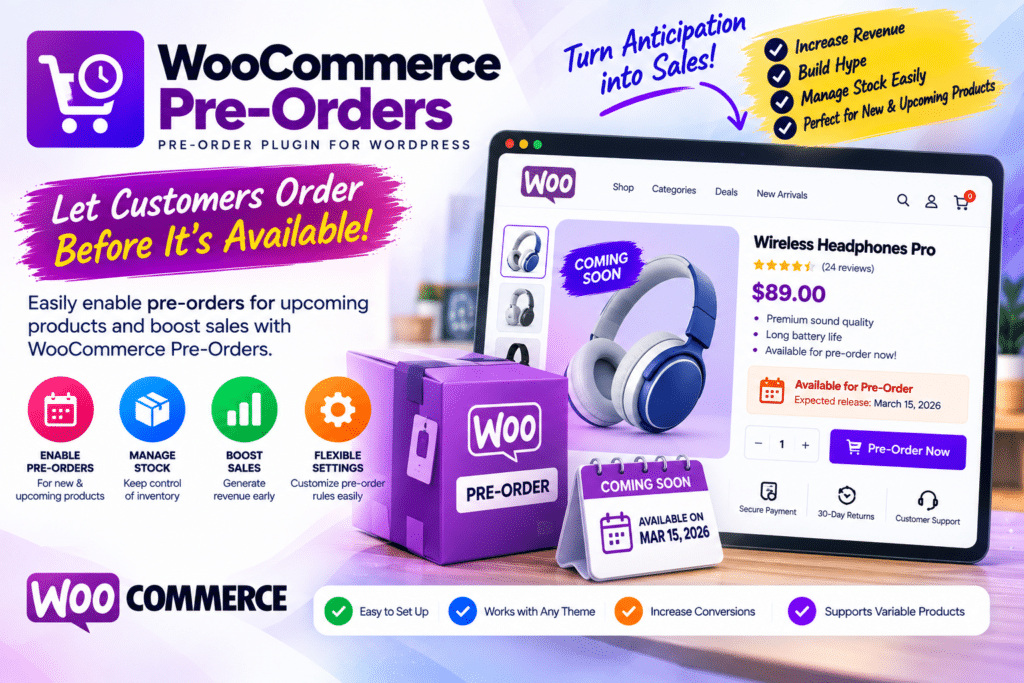
Sometimes customers are ready to buy a product before you’re ready to ship it.
Maybe you’re launching a new product next month, waiting for inventory to arrive, releasing a limited edition, or taking early orders for an upcoming collection.
Instead of simply displaying an Out of Stock message, a pre-order system lets interested customers place an order before the product becomes available.
WooCommerce Pre-Orders is designed to bring this functionality to WooCommerce stores.
But is a dedicated pre-order plugin worth using in 2026? Let’s look at how WooCommerce Pre-Orders works, its important features, and the types of stores that can benefit from it.
Quick Verdict
Editorial Rating: 4.5/5
WooCommerce Pre-Orders is a useful solution for stores that regularly sell upcoming or not-yet-available products.
It can help businesses collect early demand, organize upcoming releases, and give customers a way to secure products before their official availability date.
The biggest consideration is communication. Pre-orders work well only when customers clearly understand when the product is expected to become available and how payment will be handled.
What Is WooCommerce Pre-Orders?
WooCommerce Pre-Orders is an extension for adding pre-order functionality to a WooCommerce store.
Instead of making customers wait until launch day, eligible products can be offered before they’re officially available.
A typical process looks like:
Upcoming Product → Customer Places Pre-Order → Product Becomes Available → Order Is Processed/Fulfilled
This can be useful for product launches, restocks, limited releases, and products with a known future availability date.
Why Offer Pre-Orders?
An upcoming product normally leaves a store owner with two choices:
Hide the product until launch
or
Display it without allowing customers to purchase
Pre-orders introduce a third option.
Customers can express stronger buying intent by actually placing an order.
This can be useful for understanding demand before the product officially launches.
For example, if you’re preparing 500 units of a new accessory and receive substantial pre-order interest, that information can help with inventory and launch planning.
Pre-orders don’t guarantee future business success, but they can provide more useful demand signals than page views alone.
Set Products as Pre-Order Items
The core functionality is straightforward: selected WooCommerce products can be configured for pre-ordering.
Instead of the normal purchase experience, customers see that the item is being sold before its availability date.
This is useful for:
- New product launches
- Upcoming collections
- Limited editions
- Restocking products
- Books
- Games
- Electronics
- Fashion
- Collectibles
- Digital releases
The product page should clearly explain that the customer is placing a pre-order.
Product Availability Date
An important part of any pre-order workflow is telling customers when the product is expected to become available.
For example:
Available October 20, 2026
This information should be visible before checkout.
Don’t hide important availability information inside your terms and conditions.
Customers should understand what they’re purchasing and approximately when they can expect fulfillment.
Pay Upfront vs Pay Later
Payment timing is one of the most important decisions in a pre-order system.
Depending on the extension configuration and supported payment workflow, pre-orders may involve charging customers upfront or processing payment closer to product availability.
Each approach has advantages.
Pay Upfront
Customers complete payment when placing the pre-order.
This can provide stronger purchase commitment.
Pay Later
The order is reserved first, with payment handled according to the supported release/payment workflow.
This can reduce the customer’s upfront commitment, but payment processing and gateway compatibility become especially important.
Always verify the exact payment behavior with your chosen payment gateway before accepting live pre-orders.
Pre-Order Fees
Some pre-order workflows may allow an additional fee to be associated with securing an upcoming product.
For example:
Product: $99
Pre-Order Fee: $5
Whether this makes sense depends entirely on your business.
For many stores, keeping the pre-order process simple will provide a better customer experience.
If you charge any additional fee, clearly disclose it before checkout.
Pre-Orders for Product Launches
Product launches are one of the best use cases.
Imagine you’re releasing a new WordPress-related product, gadget, clothing collection, or physical accessory on November 1.
Instead of waiting until November 1 to start selling, you can open pre-orders earlier.
Your campaign could look like:
Announcement
↓
Product Landing Page
↓
Pre-Order
↓
Launch Date
↓
Fulfillment
This gives marketing campaigns somewhere meaningful to send interested buyers before launch.
Pre-Orders for Restocking Products
Pre-orders can also be useful when a popular product temporarily runs out of stock.
Instead of losing every interested customer, you may be able to let them order the next incoming batch.
For example:
Currently unavailable
Next stock expected: October 15
Pre-order now
This can be particularly useful when your supply schedule is predictable.
Avoid promising dates you aren’t reasonably confident you can meet.
Pre-Orders for Limited Editions
Limited products naturally create urgency.
Examples include:
- Collectibles
- Special-edition clothing
- Limited artwork
- Signed products
- Seasonal products
- Special bundles
Pre-orders can help determine demand before manufacturing or stocking the final quantity.
However, avoid creating artificial scarcity claims.
If something isn’t actually limited, don’t present it as though it is.
Pre-Orders for Digital Products
Pre-orders aren’t limited to physical goods.
They can also work for upcoming:
- eBooks
- Software
- Courses
- Digital downloads
- Music
- Design assets
A digital product doesn’t require shipping, but customers still need a clear release date and instructions about how they’ll receive access.
Customer Communication
Communication is arguably more important for pre-orders than normal purchases.
A standard WooCommerce customer expects an available product.
A pre-order customer expects to wait.
That makes expectations critical.
Clearly communicate:
What they ordered
When it is expected
When payment occurs
How delivery works
What happens if the release date changes
How cancellation/refunds are handled
A technically perfect pre-order system can still create unhappy customers if communication is poor.
What Happens If the Release Date Changes?
Delays happen.
Manufacturing problems, shipping delays, supplier issues, software development, or unexpected demand can all affect release dates.
If an availability date changes, customers should be informed quickly.
Your store policies should also clearly explain how delays, cancellations, and refunds are handled.
Never silently change an expected date and assume customers won’t notice.
WooCommerce Pre-Orders vs Backorders
Pre-orders and backorders are related, but they aren’t exactly the same concept.
| Feature | Pre-Order | Backorder |
|---|---|---|
| Product status | Upcoming/not released | Existing but unavailable |
| Future availability | Central to offer | Usually restocking |
| Launch campaigns | Excellent | Limited |
| Release date communication | Important | Often less central |
| Best for | Upcoming products | Temporary stock shortage |
A pre-order is commonly used for a product that hasn’t officially become available yet.
A backorder usually refers to an existing product that customers can order despite temporary stock unavailability.
Choosing the correct approach makes your store easier for customers to understand.
WooCommerce Pre-Orders vs Standard WooCommerce
| Feature | Pre-Orders | Standard WooCommerce |
|---|---|---|
| Normal products | Yes | Yes |
| Upcoming products | Strong | Limited |
| Pre-order workflow | Yes | No dedicated workflow |
| Availability dates | Pre-order focused | Basic |
| Launch campaigns | Strong | Manual |
| Early orders | Yes | Limited |
| Best for | Future releases | Available products |
Standard WooCommerce is enough when everything you sell is already available.
A pre-order extension becomes useful when future availability is a regular part of your business.
Using Pre-Orders with CartFlows
A pre-order campaign can also be combined with a dedicated landing-page or funnel strategy.
For example:
Product Launch Page → Pre-Order Checkout → Thank You Page
CartFlows can be useful for building the marketing funnel, while your pre-order solution manages the product’s pre-release purchasing workflow.
Make sure both systems work correctly together before sending paid traffic to the campaign.
Inventory Planning
Pre-orders can provide useful information for inventory decisions.
Imagine you’re planning an initial production run of 1,000 units.
If pre-orders are significantly higher or lower than expected, you gain additional information before the full launch.
That doesn’t mean pre-orders perfectly predict demand.
Marketing campaigns, refunds, launch hype, seasonality, and other factors can affect the numbers.
Treat pre-order volume as one data point rather than a guaranteed forecast.
Payment Gateway Compatibility
This is an area that deserves careful attention.
Different gateways can support different payment and authorization workflows.
Before launching:
Create Test Product → Place Pre-Order → Test Payment → Check Order → Simulate Availability → Verify Final Processing
If your desired setup involves charging customers later, verify that your payment gateway supports the required workflow.
Don’t assume normal WooCommerce gateway compatibility automatically means every pre-order payment feature will work.
Mobile Experience
Many product launches receive traffic from social media.
That means a large percentage of customers may reach the pre-order page on mobile.
Test:
Landing Page → Product → Pre-Order → Cart → Checkout → Payment → Confirmation
The availability date should also be clearly visible on smaller screens.
Performance
WooCommerce Pre-Orders itself is only one part of your store.
Overall performance depends on:
- Hosting
- Theme
- WooCommerce
- Product images
- Page builder
- Payment gateway
- Tracking scripts
- Other plugins
- Caching
If you’re expecting a large launch-day traffic spike, performance testing becomes especially important.
A pre-order campaign isn’t useful if the website crashes when your marketing campaign goes live.
Pros and Cons
Pros
- Adds pre-order functionality to WooCommerce
- Useful for upcoming products
- Good for product launches
- Helps collect orders before availability
- Useful for limited releases
- Can support restock campaigns
- Works inside the WooCommerce ecosystem
- Useful for physical and digital products
- Can provide early demand information
- More professional than manually accepting pre-orders
Cons
- Not necessary for stores without upcoming products
- Payment workflows require careful testing
- Gateway compatibility matters
- Release delays require customer communication
- Pre-orders can complicate order management
- Customers need clear availability information
- Poorly managed pre-orders can create support issues
Who Should Use WooCommerce Pre-Orders?
WooCommerce Pre-Orders makes the most sense for:
- Product-launch websites
- Electronics stores
- Fashion brands
- Collectible stores
- Book sellers
- Digital product sellers
- Game stores
- Limited-edition products
- Businesses with predictable restocks
- Brands launching new products regularly
If upcoming releases are an important part of your sales strategy, a dedicated pre-order workflow can be valuable.
Who Should Skip It?
You probably don’t need a pre-order plugin if nearly every product in your store is immediately available.
Likewise, stores that cannot reasonably estimate future availability may want to be cautious about accepting large numbers of pre-orders.
The plugin solves the technical side of accepting orders.
It cannot solve uncertain manufacturing or supply-chain problems.
Is WooCommerce Pre-Orders Worth It in 2026?
For WooCommerce businesses regularly launching upcoming products, WooCommerce Pre-Orders is worth considering.
Its value is straightforward: customers don’t necessarily have to wait until launch day before they can commit to buying.
That can help businesses capture early demand and create more structured launch campaigns.
But successful pre-orders depend on more than installing a plugin.
Accurate availability information, reliable payment processing, clear policies, and strong customer communication are equally important.
Final Verdict
Overall Rating: 4.5/5
Pre-Order Management: 4.7/5
WooCommerce Integration: 4.8/5
Product Launch Use: 4.8/5
Ease of Use: 4.5/5
Payment Flexibility: 4.3/5
Customer Experience: 4.4/5
Value: 4.4/5
WooCommerce Pre-Orders is a focused solution for stores that need to sell products before their official availability.
For product launches, limited releases, and predictable upcoming inventory, it can turn a simple “Coming Soon” page into an actual sales opportunity.
Frequently Asked Questions
What is WooCommerce Pre-Orders?
WooCommerce Pre-Orders is a WooCommerce extension designed to let stores accept orders for products before those products officially become available.
Can customers pay for a pre-order?
Pre-order payment behavior depends on the configured workflow and compatible payment gateway. Check and test your required payment method before launching.
Can I set an availability date?
Future availability is an important part of the pre-order workflow, allowing customers to understand when an upcoming product is expected.
Can I use pre-orders for digital products?
Yes. Pre-orders can also make sense for upcoming digital releases such as software, ebooks, courses, or downloads.
What’s the difference between a pre-order and a backorder?
A pre-order generally applies to an upcoming or unreleased product. A backorder usually applies to an existing product that is temporarily out of stock.
Are pre-orders good for product launches?
They can be particularly useful for launches because customers can place orders before the official release instead of simply joining a waiting list.
Do I need WooCommerce to use WooCommerce Pre-Orders?
Yes. It extends WooCommerce rather than replacing the core eCommerce platform.



