
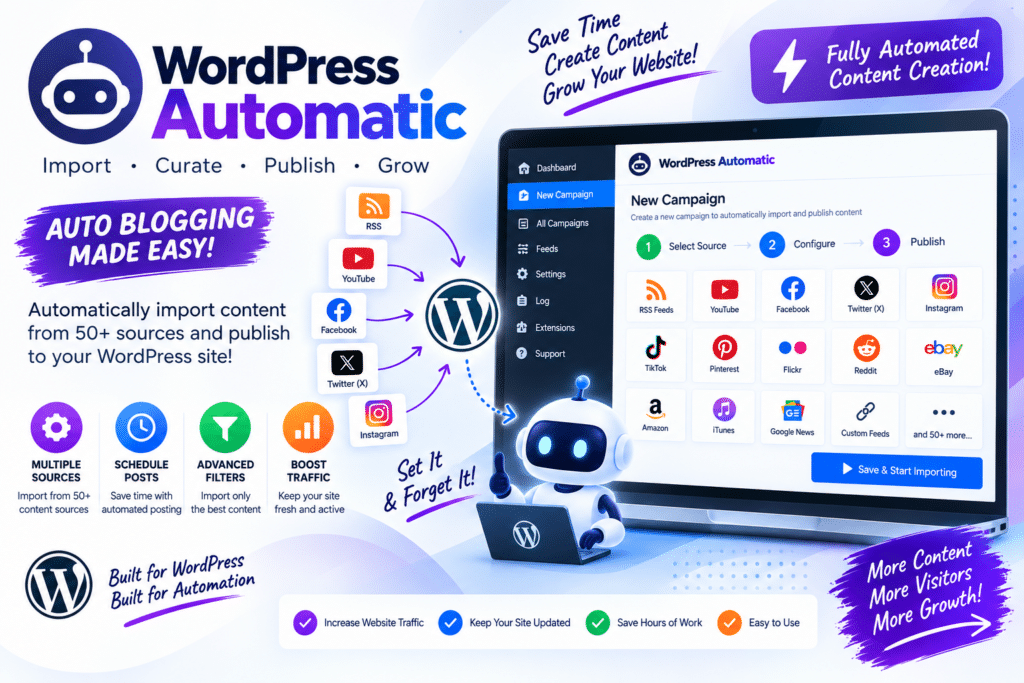
Publishing content regularly can take a lot of time, especially when you manage multiple WordPress websites. Finding content, preparing posts, adding images, organizing categories, and keeping everything updated quickly becomes repetitive.
WordPress Automatic Plugin is an autoblogging and content automation solution designed to automate parts of this process.
It can help WordPress site owners create automated publishing workflows using supported content sources and configured campaigns. Instead of manually preparing every post, you can set up rules and let the plugin handle repetitive publishing tasks.
The important part is using automation carefully. Automatically published content should still provide value to visitors and comply with the rights, licenses, and terms that apply to the source material.
What Is WordPress Automatic?
WordPress Automatic is a WordPress content automation plugin.
Its main purpose is to create automated campaigns that collect or process content from supported sources and publish posts according to your settings.
A typical workflow could look like:
Choose Source → Configure Campaign → Set Keywords/Rules → Process Content → Publish to WordPress
This can be useful for websites that need to process a large amount of regularly updated information.
Why Use WordPress Automatic?
The main benefit is saving time.
Without automation, managing a content-heavy website can involve repeating the same tasks every day.
With an automatic publishing workflow, suitable repetitive tasks can run according to predefined rules.
This makes the plugin particularly interesting for:
- Content aggregation
- Curated websites
- News-style websites
- Niche websites
- Product-focused sites
- Multi-site projects
- Regular content feeds
Automation works best when there is still human oversight.
Automated Campaigns
Campaigns are at the heart of an autoblogging plugin.
Instead of manually creating individual posts, you configure what type of content the campaign should process and how it should appear on your WordPress website.
Different campaigns can also be created for different topics.
For example:
Campaign 1: WordPress News
Campaign 2: Web Design
Campaign 3: WooCommerce
This makes large content workflows easier to organize.
Keyword-Based Content
Keyword targeting can help keep automated campaigns focused on a specific niche.
For example, if your website covers WordPress, you may configure campaigns around topics such as:
- WordPress themes
- WordPress plugins
- WooCommerce
- Elementor
- Website performance
- WordPress security
Good filtering is important. Publishing everything a source provides can quickly make a website messy and irrelevant.
RSS Feed Automation
RSS feeds are a common way to monitor new content from websites that provide them.
An automated WordPress workflow can use supported feeds to detect new items and process them according to your campaign configuration.
RSS automation can be useful for curated websites, but you should not assume that an RSS feed gives permission to republish another publisher’s complete article.
Where appropriate, use excerpts, attribution, and links while respecting the source’s terms and copyright.
Automatic Images
Images make automated posts more visually useful, but they also introduce copyright considerations.
Only use images you have permission to publish.
Good sources can include:
- Your own images
- Properly licensed stock images
- Public-domain material
- Images supplied under compatible licenses
- Media you have explicit permission to reuse
Don’t automatically copy random images from other websites simply because the plugin technically makes it possible.
Post Categories and Organization
Automated content becomes difficult to manage if everything ends up in one category.
Campaign-based organization can help you create a cleaner structure.
For example:
WordPress → Plugins
WordPress → Themes
Tutorials → Performance
Tutorials → SEO
A clear category structure is better for visitors and makes managing a growing website much easier.
Scheduled Publishing
Publishing dozens of posts at exactly the same time usually isn’t necessary.
A better workflow is to control when automated campaigns run and how content enters the site.
This gives you more opportunity to review posts and maintain a natural publishing schedule.
It can also prevent the website from becoming flooded with low-priority content.
Content Templates
Automated posts don’t have to use a completely random structure.
Templates and campaign settings can help standardize how information is presented.
For example:
Title
Featured Image
Introduction
Content
Source/Attribution
A consistent format makes automated websites easier to read and maintain.
WordPress Automatic and Affiliate Websites
Content automation can be attractive to affiliate marketers because repetitive product-related workflows can take considerable time.
However, simply importing product information and adding affiliate links is not a strong long-term content strategy by itself.
Useful affiliate pages should add original value through things such as:
- Comparisons
- Practical explanations
- Original reviews
- Buying guidance
- Pros and cons
- Unique research
Automation should help with workflow—not replace useful editorial work.
WordPress Automatic and WooCommerce
Depending on your workflow and supported sources, automation can also be relevant to product-oriented WordPress projects.
For an actual WooCommerce store, however, product information requires extra care.
Prices, availability, images, variations, shipping information, and product descriptions need to remain accurate.
Never rely on an unattended automation workflow for business-critical product information without testing and monitoring it.
Is Automated Content Good for SEO?
Automation itself isn’t automatically good or bad for SEO.
The bigger question is what you publish.
Automatically generating hundreds of pages with little original value is unlikely to create a strong website simply because there are more URLs.
For a better content strategy:
- Focus on useful topics
- Add original information
- Review automated posts
- Remove duplicates
- Improve titles
- Add internal links
- Check images
- Verify facts
- Keep content updated
Think of WordPress Automatic as a publishing tool, not a shortcut to guaranteed Google rankings.
Human Review Still Matters
This is probably the most important part of using an autoblogging plugin.
Automation can make mistakes.
A source can change its format. A feed can publish incorrect information. Images can disappear. Formatting can break. An imported article may become outdated.
For serious websites, a better workflow is:
Automation → Draft → Human Review → Edit → Publish
This takes more time than fully automatic publishing, but it gives you much better control over quality.
Performance Considerations
Large automated websites can create thousands of posts, images, metadata records, and scheduled tasks.
Over time, that can place additional pressure on your database and server.
For better performance:
- Use reliable hosting
- Optimize the database
- Monitor scheduled tasks
- Compress images
- Remove failed campaigns
- Avoid unnecessary plugins
- Use caching
- Monitor storage
- Delete irrelevant content
Automation should make your website easier to manage, not create a database full of content nobody needs.
Copyright and Content Ownership
Automated publishing does not remove copyright obligations.
Before importing or republishing third-party material, make sure you have the necessary permission or that your use is otherwise lawful.
Pay particular attention to:
- Full articles
- Product descriptions
- Photography
- Videos
- Paid content
- News content
- Premium feeds
When in doubt, create original content or use properly licensed material.
Pros and Cons
Pros
- Saves repetitive publishing time
- Campaign-based automation
- Useful for content-heavy websites
- Can support RSS-based workflows
- Helpful for niche sites
- Scheduled automation
- Useful for content curation
- Can simplify multi-site workflows
Cons
- Requires careful configuration
- Automated content needs quality control
- Copyright must be considered
- Poor automation can create duplicate or thin content
- Large campaigns can increase server/database usage
- Source changes can break workflows
- Not a shortcut to SEO success
Who Should Use WordPress Automatic?
The plugin can be useful for:
- Content curators
- Publishers
- Bloggers
- Affiliate marketers
- Niche website owners
- Agencies
- Website networks
- Users managing repetitive publishing workflows
It is best suited to people who understand exactly what they want to automate.
Who Should Skip It?
You probably don’t need an autoblogging plugin if you publish only a few original articles each month.
It is also a poor fit if your plan is simply to copy large amounts of third-party content and hope it ranks in Google.
For smaller websites, carefully written original content may be a much better use of time.
Is WordPress Automatic Worth It?
WordPress Automatic can be a powerful tool when you have a genuine need for content automation.
Its real value is workflow automation.
If you have repetitive publishing tasks, structured feeds, or a large content operation, automation can save considerable time.
But the plugin should be treated as an assistant rather than a replacement for an editor.
A successful automated website still needs useful content, human review, sensible SEO, proper attribution, and respect for copyright.
Final Verdict
Editorial Rating: 4.4/5
Automation: 4.8/5
Campaign Management: 4.6/5
Ease of Use: 4.2/5
Flexibility: 4.7/5
SEO Potential: 4.0/5
Beginner Friendliness: 4.0/5
Value: 4.5/5
WordPress Automatic is a capable option for website owners who need to automate repetitive content-publishing workflows.
Used carefully, it can save time and simplify content management.
Used without editorial oversight, it can just as easily fill a website with irrelevant, duplicated, outdated, or low-value pages.
The best approach is simple: automate the repetitive work and keep humans responsible for quality.
Frequently Asked Questions
What is WordPress Automatic?
WordPress Automatic is an autoblogging and content automation plugin that helps create automated publishing campaigns in WordPress.
Can WordPress Automatic publish posts automatically?
Automatic publishing is one of its core use cases. The exact workflow depends on your campaign configuration and supported content source.
Does it support RSS feeds?
RSS-based content automation is a common use case for WordPress Automatic. Source permissions and copyright still need to be respected.
Is WordPress Automatic good for SEO?
It can support a content workflow, but automation alone does not improve SEO. Content quality, originality, usefulness, technical SEO, and backlinks still matter.
Can I use it for affiliate marketing?
It can assist with suitable automated workflows, but successful affiliate websites should add meaningful original information rather than relying entirely on imported content.
Can automated posts include images?
Image handling depends on the campaign and source. Only publish images that you have the legal right or appropriate license to use.
Should I automatically publish everything?
For most serious websites, reviewing important automated content before or shortly after publication is safer than leaving the entire process unattended.



