
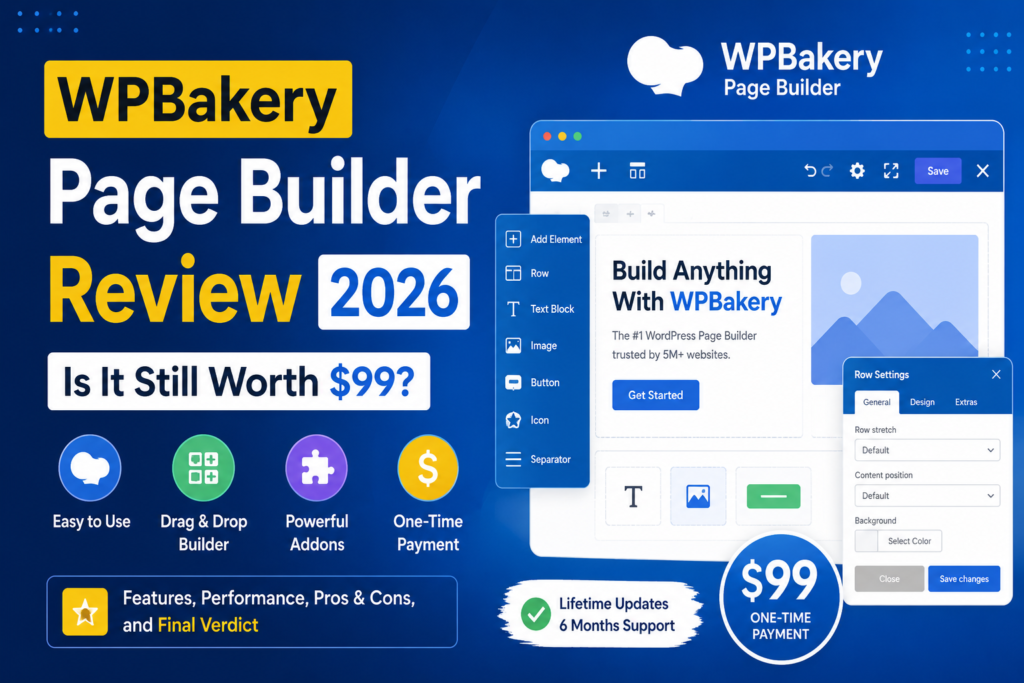
WPBakery Page Builder has been part of the WordPress ecosystem for well over a decade. While newer builders have entered the market with slick interfaces, AI tools, and full-site-building features, WPBakery continues to power millions of websites.
But longevity alone doesn’t make a WordPress plugin worth buying.
With a WPBakery license costing around $99, the important question in 2026 is simple:
Is WPBakery Page Builder still worth the money, or should you choose a more modern WordPress page builder?
In this WPBakery Page Builder review, we’ll examine its features, editing experience, performance, AI capabilities, advantages, disadvantages, and ideal users to help you decide.
WPBakery Page Builder Review: Quick Verdict
Rating: 4.1/5
WPBakery remains a solid choice in 2026, particularly for WordPress users working with existing WPBakery websites, developers building sites for clients, and anyone using themes designed around the plugin.
The release of WPBakery 9.0 has also addressed one of the builder’s biggest weaknesses: its aging user experience. The update introduced a redesigned interface, improved drag-and-drop functionality, smarter CSS loading, and numerous usability improvements.
However, WPBakery isn’t necessarily the best choice for every new WordPress website. Users looking for advanced full-site design capabilities or an extremely visual no-code experience may prefer newer alternatives.
Bottom line: WPBakery is still relevant in 2026, but its strongest value comes from reliability, compatibility, lifetime licensing, and its enormous existing ecosystem.
What Is WPBakery Page Builder?
WPBakery Page Builder is a premium drag-and-drop page builder plugin for WordPress.
Instead of manually creating page layouts with HTML and CSS, you can build pages using rows, columns, content elements, templates, and visual controls.
One of WPBakery’s distinguishing features is that it provides two different editing experiences:
- Frontend visual editor
- Backend editor
The frontend editor lets you see your page while making changes, while the backend editor provides a structured representation of the page inside the WordPress dashboard.
This combination can be especially useful for developers and content-heavy websites.
Importantly, WPBakery describes itself as a page builder rather than a complete theme builder. You will generally still use a WordPress theme to control broader site design elements such as headers, footers, and the overall design system.
What’s New in WPBakery in 2026?
The biggest reason to reconsider WPBakery in 2026 is WPBakery 9.0.
Released in July 2026, version 9.0 represents one of the plugin’s largest updates in years.
Redesigned Editing Experience
WPBakery 9.0 significantly modernizes the builder interface.
The update includes improvements to:
- Main navigation
- Frontend editor controls
- Element settings
- Template interface
- Tooltips
- Notifications
- SEO interface
- Row layouts
- Admin menus
- Settings windows
More than 40 attribute types and over 70 content elements received updates as part of the new editing experience.
The result is a cleaner interface that feels considerably more appropriate for a modern WordPress workflow.
Better Drag-and-Drop Editing
WPBakery also improved the underlying drag-and-drop functionality.
Moving elements and restructuring layouts feels more predictable than it did in older releases.
That’s particularly important because drag-and-drop interaction is one of the areas where newer WordPress builders traditionally had an advantage over WPBakery.
Smarter CSS Loading
Performance received attention as well.
WPBakery 9.0 introduced an improved CSS loading structure designed to load only the CSS required by a page.
CSS files can also be split rather than forcing unnecessary styles to load everywhere.
This doesn’t automatically make every WPBakery website extremely fast—your theme, hosting, images, plugins, caching configuration, and third-party add-ons still matter—but it’s an important architectural improvement.
WPBakery Page Builder Features
WPBakery has accumulated a substantial collection of features over the years.
1. Frontend Visual Editor
The frontend editor gives you a WYSIWYG-style environment where you can edit pages while viewing their appearance.
You can add elements, rearrange sections, edit content, adjust layouts, and preview responsive behavior without constantly switching between the WordPress dashboard and the live page.
For non-technical users, this removes much of the need to work directly with HTML or CSS.
2. Backend Editor
WPBakery’s backend editor remains one of its most distinctive features.
Instead of rendering the entire visual design, it displays your page as structured blocks.
For example, you can quickly see:
Row → Column → Heading → Text → Button
This approach may look less impressive than a fully visual canvas, but it can be surprisingly efficient for large pages.
Developers and experienced WordPress users may actually prefer it when reorganizing complicated layouts.
3. 50+ Content Elements
WPBakery includes more than 50 ready-made content elements.
These cover common website requirements such as:
- Text blocks
- Buttons
- Images
- Tabs
- Accordions
- Video
- Icons
- Galleries
- Post grids
- Maps
- Separators
- Social elements
Third-party extensions can dramatically expand the number of available elements.
4. Template Library
You don’t necessarily have to create every page from scratch.
WPBakery provides a template library containing professionally designed layouts that can be imported and customized.
You can also save your own layouts as reusable templates.
This is particularly useful for agencies.
For example, if every service page uses the same basic structure, you can create it once and reuse the layout across the website.
5. WPBakery AI
AI has become part of the WPBakery ecosystem as well.
WPBakery AI can assist with tasks including:
- Generating text
- Rewriting existing content
- Translating content
- Generating CSS
- Generating JavaScript
- Improving existing copy
Its biggest advantage isn’t necessarily replacing dedicated AI tools.
It’s convenience.
Because AI functionality is integrated into the page-building workflow, you can generate or modify content without repeatedly moving between WordPress and another application.
AI availability is tied to eligible direct licenses and active support conditions, so buyers should check the current terms before purchasing specifically for this feature.
Responsive Design
WPBakery includes responsive design controls and device previews.
You can adjust layouts for different screen sizes and control how content behaves on desktop, tablet, and mobile devices.
This is essential in 2026 because simply creating a desktop layout and hoping it scales correctly isn’t enough.
That said, users looking for extremely granular breakpoint controls may find some competing builders more flexible.
Grid Builder
WPBakery’s Grid Builder allows you to create custom grid layouts for content such as:
- Blog posts
- Portfolios
- Images
- Media
- Custom post types
You can customize the appearance and structure of individual grid items rather than being limited to a few predefined layouts.
For content-heavy websites, this remains a genuinely useful feature.
Works With Almost Any WordPress Theme
Theme compatibility is one of WPBakery’s biggest advantages.
The builder is designed to work with virtually any WordPress theme rather than requiring a proprietary theme ecosystem.
WPBakery has also been bundled with many premium WordPress themes over the years.
If you purchase or inherit a website that already relies heavily on WPBakery, continuing to use the builder is often considerably easier than rebuilding everything with another system.
Third-Party Add-On Ecosystem
WPBakery has been around long enough to develop an enormous extension ecosystem.
The company says there are 250+ unique add-ons available for the builder.
These can add:
- Advanced design elements
- Animations
- WooCommerce functionality
- Galleries
- Pricing tables
- Forms
- Specialized content blocks
- Additional layout controls
This ecosystem remains one of WPBakery’s strongest competitive advantages.
Developer Features
WPBakery isn’t limited to beginner-friendly drag-and-drop functionality.
Developers can extend it through its API and create custom content elements.
It also supports custom post types and can work alongside tools such as Advanced Custom Fields (ACF).
Another useful feature is the Shortcode Mapper, which can turn compatible WordPress shortcodes into elements accessible through the WPBakery interface.
For agencies building customized WordPress solutions, these capabilities can be more valuable than having hundreds of flashy prebuilt widgets.
WPBakery Performance in 2026
Page builders have historically received criticism for adding extra HTML, CSS, and JavaScript to WordPress pages.
WPBakery isn’t completely immune to that criticism.
A poorly configured website containing dozens of plugins, large images, animations, external scripts, and multiple WPBakery extensions can still become slow.
However, WPBakery 9.0’s modular CSS improvements are encouraging.
The builder now makes a greater effort to load CSS based on what a page actually uses.
For good performance, you should still combine WPBakery with:
- Quality WordPress hosting
- Page caching
- Image optimization
- WebP or AVIF images
- A CDN where appropriate
- Limited third-party add-ons
- A lightweight theme
In other words, WPBakery itself isn’t the only factor determining your Core Web Vitals.
WPBakery Pricing: Is $99 Expensive?
This is where WPBakery becomes interesting compared with subscription-focused competitors.
WPBakery’s direct licenses are sold as lifetime licenses.
You pay once for the license rather than paying an annual fee simply to continue using the core plugin.
Standard features and manual plugin updates remain available to license owners, while the initial purchase includes a period of support.
Certain additional conveniences—including automatic dashboard updates, support, templates, and AI-related functionality—can depend on an active support plan.
That distinction is important.
Lifetime license doesn’t necessarily mean every service surrounding the plugin is available forever without additional cost.
Still, if you’re planning to use the builder for several years, a one-time license can provide attractive long-term value.
WPBakery Pros
Lifetime Core License
A one-time license is increasingly unusual among premium WordPress products.
For users tired of accumulating yearly WordPress subscriptions, this alone can make WPBakery appealing.
Mature and Proven
WPBakery isn’t an experimental product.
It has been used across millions of WordPress websites and has an extensive ecosystem surrounding it.
Frontend and Backend Editors
Having both editing modes gives users more flexibility.
Visual users can work from the frontend, while developers and experienced editors can quickly manipulate complex structures from the backend.
Excellent Theme Compatibility
WPBakery works with a broad range of WordPress themes and has historically been bundled with many premium themes.
Large Add-On Ecosystem
Hundreds of extensions can significantly increase what the builder can do.
AI Tools
Built-in AI can generate and improve text, translate content, and assist with CSS and JavaScript.
Continued Development
WPBakery 9.0 demonstrates that the plugin isn’t simply being maintained in legacy mode.
Major UI, performance, compatibility, and workflow improvements continue to arrive.
WPBakery Cons
Not a Complete Theme Builder
WPBakery focuses primarily on page and content creation.
If you want to visually design every part of your WordPress website—including headers, footers, archives, and theme templates—you may need additional tools.
Shortcode Dependency
WPBakery has historically relied heavily on shortcodes.
That architecture provides flexibility and compatibility, but switching away from the builder can require cleanup or rebuilding.
This is an important consideration if long-term platform portability is your top priority.
Interface Still Has a Learning Curve
WPBakery 9.0 is considerably cleaner than older releases, but new WordPress users may still find some newer visual builders more immediately intuitive.
Add-Ons Can Become Excessive
The extension ecosystem is useful, but installing too many WPBakery add-ons can create additional maintenance and performance overhead.
Use only the extensions your website actually needs.
WPBakery vs Gutenberg
WordPress’s native block editor has improved dramatically.
For straightforward websites and blogs, Gutenberg may already provide everything you need.
Because it’s part of WordPress core, there’s no separate page-builder license required.
WPBakery makes more sense when you need richer page layouts, reusable design workflows, extensive theme integrations, backend visual structure, or compatibility with an existing WPBakery site.
Choose Gutenberg if: you want a lightweight, native WordPress experience.
Choose WPBakery if: you want a mature visual page-building environment without abandoning traditional WordPress theme workflows.
WPBakery vs Elementor
Elementor is one of WPBakery’s most obvious competitors.
Elementor generally emphasizes an extremely visual workflow and provides extensive site-building capabilities.
WPBakery takes a somewhat different approach.
It integrates closely with traditional WordPress themes and provides both frontend and backend editors.
WPBakery’s lifetime-license model can also be attractive to users who dislike recurring plugin subscriptions.
Elementor may be better for: designers who want extensive visual site-building controls.
WPBakery may be better for: agencies, existing WPBakery users, traditional WordPress workflows, and buyers who value lifetime licensing.
Who Should Buy WPBakery in 2026?
WPBakery makes the most sense for several types of users.
Existing WPBakery Website Owners
If your website already uses WPBakery extensively, there’s rarely a compelling reason to rebuild the entire site simply because newer builders exist.
Version 9.0 makes staying with the ecosystem considerably easier to justify.
WordPress Agencies
Agencies can benefit from reusable templates, custom elements, backend editing, role controls, and broad theme compatibility.
Developers
The API, custom element support, custom post type compatibility, ACF integration, and shortcode architecture give developers considerable flexibility.
Premium Theme Users
If your WordPress theme was specifically designed around WPBakery, using the builder can provide the smoothest editing experience.
Users Who Hate Annual Subscriptions
A lifetime license can provide significant long-term value compared with tools that require recurring payments to maintain access.
Who Should Skip WPBakery?
WPBakery probably isn’t the ideal choice for everyone.
Consider another solution if:
- You only need basic WordPress pages.
- Gutenberg already handles everything you need.
- You want a comprehensive visual theme builder.
- You want maximum portability between page-building systems.
- You prefer the newest generation of visual design interfaces.
- You want to minimize dependence on shortcodes.
Choosing a page builder should ultimately depend on your workflow rather than popularity.
Is WPBakery Beginner-Friendly?
Yes, although there’s a learning curve.
Creating a basic page is straightforward:
- Create or edit a WordPress page.
- Open WPBakery.
- Add a row.
- Choose a column layout.
- Insert content elements.
- Customize the elements.
- Preview the page.
- Publish.
You don’t need to know PHP, HTML, or CSS for ordinary page building.
More advanced users can then add custom CSS, JavaScript, shortcodes, and custom elements as needed.
Is WPBakery Good for SEO?
A page builder doesn’t automatically make a website rank well or poorly.
SEO depends far more heavily on factors such as:
- Content quality
- Search intent
- Website architecture
- Internal linking
- Page speed
- Mobile usability
- Structured data
- Backlinks
- Technical SEO
WPBakery also provides built-in SEO-related tools and allows users to create responsive layouts.
As with any builder, avoid unnecessarily complicated layouts and excessive third-party extensions that could negatively affect performance.
Is WPBakery Still Relevant in 2026?
Yes.
Calling WPBakery a “dead” or purely legacy page builder would be inaccurate in 2026.
WPBakery 9.0 arrived in July 2026 with substantial changes to the editor, drag-and-drop system, CSS loading, interface, content elements, and compatibility.
The plugin continues to receive fixes and updates after the major release.
More importantly, WPBakery occupies a somewhat different position from many modern site builders.
It doesn’t necessarily try to replace your entire WordPress architecture.
Instead, it works inside existing WordPress theme workflows and gives content creators an easier way to build sophisticated page layouts.
For many agencies and established WordPress websites, that’s exactly what is needed.
Final Verdict: Is WPBakery Worth $99 in 2026?
Yes—but it depends on what you’re building.
WPBakery remains a worthwhile investment if you value a mature WordPress ecosystem, frontend and backend editing, extensive theme compatibility, developer extensibility, reusable templates, AI assistance, and a lifetime core license.
WPBakery 9.0 also makes the product significantly easier to recommend than older versions. The redesigned interface and smarter asset loading address several long-standing concerns surrounding usability and performance.
However, someone building a simple WordPress blog may not need it at all. Gutenberg could be sufficient.
Likewise, designers who want to visually control virtually every aspect of a WordPress website may find a dedicated full-site builder more suitable.
WPBakery Review Score
Ease of Use: 4/5
Features: 4.5/5
Performance: 4/5
Customization: 4.5/5
Developer Features: 4.5/5
Value for Money: 4.5/5
Overall Rating: 4.1/5
For existing WPBakery users, agencies, developers, and buyers who appreciate lifetime licensing, WPBakery Page Builder is still worth considering in 2026.
For completely new WordPress users, however, compare it with Gutenberg and modern full-site builders before making your final decision.
Frequently Asked Questions
Is WPBakery Page Builder free?
No. WPBakery does not currently offer a free WPBakery Page Builder license.
Is WPBakery a one-time purchase?
WPBakery’s core licenses are sold as lifetime licenses. The company states that you pay once and can continue using the plugin, although ongoing support and certain services can have separate terms.
Does WPBakery work with any WordPress theme?
WPBakery is designed to work with virtually any WordPress theme, although themes specifically optimized for WPBakery can provide a smoother experience.
Does WPBakery have AI?
Yes. WPBakery AI can help generate and improve content, translate text, and generate CSS and JavaScript directly within the workflow. Access requirements can depend on your license and support status.
Is WPBakery better than Elementor?
Neither builder is universally better. Elementor may appeal more to users seeking extensive visual site-building controls, while WPBakery is particularly strong for traditional WordPress theme workflows, existing WPBakery sites, developers, and users who prefer lifetime licensing.
Does WPBakery slow down WordPress?
Any feature-rich page builder can add code and assets to a website. WPBakery 9.0 introduced improved modular CSS loading, but overall performance still depends heavily on your theme, hosting, images, caching, extensions, and site configuration.
Is WPBakery still maintained?
Yes. WPBakery 9.0 was released in July 2026, followed by additional fixes and updates, demonstrating continued active development.
Is WPBakery worth buying in 2026?
For existing WPBakery users, agencies, developers, premium-theme users, and people who value a lifetime core license, yes. For simple websites that can be built entirely with Gutenberg, purchasing another page builder may be unnecessary.



