
Artificial intelligence is changing how WordPress websites are built, managed, and optimized.
From generating blog content and improving SEO to answering customer questions and automating WooCommerce tasks, AI plugins can help website owners save time.
But not every AI plugin does the same job.
Some focus on writing, others on website design, customer support, image generation, or workflow automation.
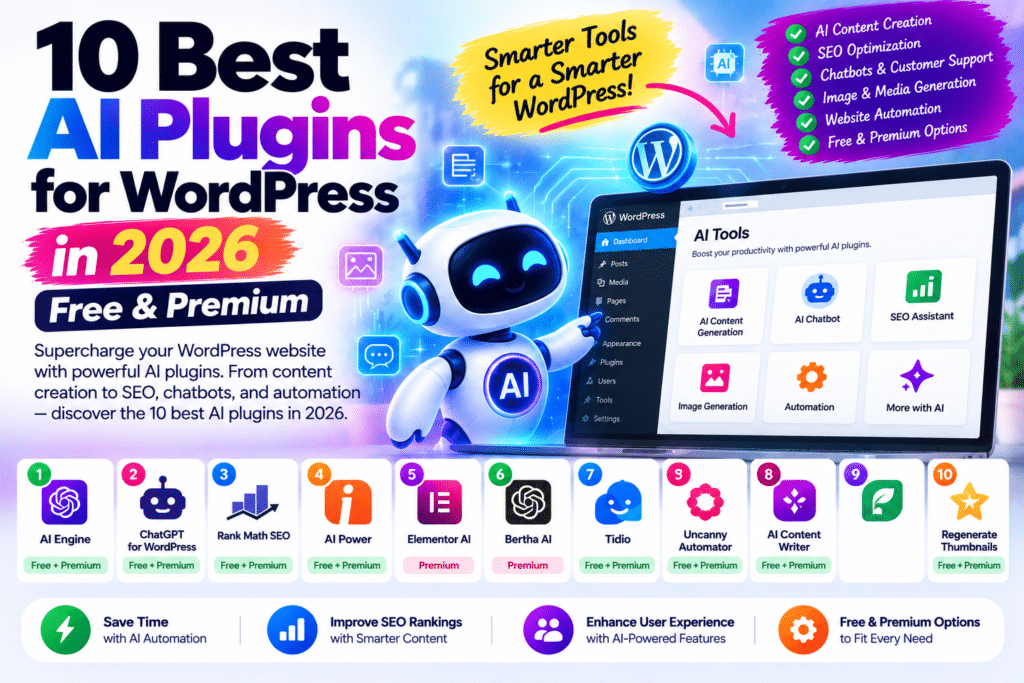
In this guide, we’ll compare 10 of the best AI plugins for WordPress in 2026, including free and premium solutions.
We’ll also explain which tools are worth using for bloggers, businesses, WooCommerce stores, and developers.
Quick Comparison: Best WordPress AI Plugins
| Plugin | Best For | Free Option | Rating |
|---|---|---|---|
| AI Engine | All-in-one AI functionality | Yes | 4.8/5 |
| Rank Math Content AI | AI SEO optimization | Limited | 4.7/5 |
| Elementor AI | AI website design | Trial/credits | 4.7/5 |
| GetGenie AI | AI content writing | Yes | 4.6/5 |
| Jetpack AI Assistant | WordPress block editor | Limited | 4.5/5 |
| AI Puffer | Content and chatbot tools | Yes | 4.5/5 |
| Tidio Lyro AI | Customer support | Limited | 4.6/5 |
| Uncanny Automator | AI workflow automation | Yes | 4.7/5 |
| Divi AI | AI website building | Paid | 4.5/5 |
| WordLift | AI-powered SEO and entities | Paid | 4.4/5 |
Ratings are editorial assessments based on functionality, usability, integrations, and practical value—not controlled performance tests.
1. AI Engine – Best Overall WordPress AI Plugin
Rating: 4.8/5
AI Engine by Meow Apps is one of the most flexible AI plugins available for WordPress.
Rather than focusing on a single feature, it provides an ecosystem for AI chatbots, content generation, image creation, and advanced integrations.
Key Features
- AI chatbot creation
- AI content generation
- AI image generation
- AI writing assistance
- Multiple AI model integrations
- AI Playground
- API integration
- WordPress MCP functionality
- Advanced AI forms in Pro
- Content-aware chatbots in Pro
One of its strongest advantages is flexibility.
Website owners can create AI experiences tailored to their requirements instead of being restricted to one predefined chatbot.
Best For
Bloggers, developers, businesses, agencies, and websites needing customizable AI functionality.
Pros
- Broad AI toolkit
- Free plugin available
- Chatbot functionality
- Image generation
- Flexible integrations
- Advanced developer features
Cons
- Some features require Pro
- AI provider API costs may apply
- Advanced setup can be complicated
Verdict: AI Engine is our top general-purpose choice for WordPress users who want more than basic AI writing.
2. Rank Math Content AI – Best for WordPress SEO
Rating: 4.7/5
Rank Math Content AI is designed to help WordPress users research, create, and optimize SEO-focused content.
It integrates with the Rank Math SEO ecosystem.
Key Features
- AI-assisted content creation
- SEO content recommendations
- Keyword research assistance
- Content optimization
- AI writing templates
- SEO title generation
- Meta description assistance
- Content improvement suggestions
For bloggers publishing regular SEO articles, Content AI can reduce the time spent researching and preparing content.
Example
Suppose you’re writing:
Best WordPress Cache Plugins in 2026
Content AI can help organize relevant topics, identify keyword opportunities, and prepare SEO-focused content.
However, its suggestions still require editorial review.
AI-generated content isn’t automatically accurate or search-engine friendly.
Best For
SEO bloggers, affiliate marketers, content publishers, and WordPress website owners already using Rank Math.
Pros
- Strong SEO integration
- Content research tools
- AI writing assistance
- Convenient WordPress workflow
- Useful for SEO-focused articles
Cons
- AI usage may require credits
- Generated content requires fact-checking
- SEO scores don’t guarantee rankings
Verdict: A strong choice for publishers who already rely on Rank Math.
3. Elementor AI – Best for AI Website Design
Rating: 4.7/5
Elementor AI brings AI-assisted creation into the Elementor website-building workflow.
Instead of moving between different tools, designers can generate and modify content directly while working on WordPress pages.
Key Features
- AI text generation
- Text rewriting
- Image generation
- Image editing
- Custom CSS assistance
- Code generation
- Layout assistance
- Elementor integration
This is particularly useful for freelancers and agencies building multiple client websites.
Example
A designer creating a digital agency homepage may need:
Hero Heading
Service Descriptions
Call-to-Action Text
Supporting Images
Elementor AI can help prepare these elements without leaving the editing workflow.
Best For
Elementor users, web designers, freelancers, agencies, and business websites.
Pros
- Native Elementor workflow
- AI content assistance
- AI image capabilities
- Helpful for website design
- Can reduce repetitive work
Cons
- Primarily useful within Elementor
- AI usage may involve credits
- Generated layouts still need manual refinement
Verdict: One of the most convenient AI solutions for websites already built with Elementor.
4. GetGenie AI – Best for AI Blog Writing
Rating: 4.6/5
GetGenie AI combines AI writing with SEO-oriented content research.
It’s designed for users who want to create blog posts, marketing content, and product descriptions inside WordPress.
Key Features
- AI blog writing
- Keyword research
- SERP analysis
- Content scoring
- Writing templates
- Product descriptions
- Marketing copy
- Content optimization
GetGenie can be particularly useful for websites that publish large amounts of informational content.
Best For
Bloggers, affiliate marketers, content creators, and WooCommerce store owners.
Pros
- Free usage available
- SEO research tools
- AI writing templates
- WordPress integration
- Useful for product descriptions
Cons
- Free usage is limited
- Long-form content needs editing
- AI research can contain inaccuracies
Verdict: A useful combination of AI writing and SEO research.
5. Jetpack AI Assistant – Best for Gutenberg Users
Rating: 4.5/5
Jetpack AI Assistant integrates AI writing capabilities into the WordPress block editor.
This makes it particularly convenient for bloggers who prefer Gutenberg over third-party page builders.
Key Features
- AI content generation
- Text rewriting
- Tone adjustment
- Grammar improvements
- Content summarization
- Translation assistance
- AI-supported editing
Example
A blogger can draft a paragraph and ask AI to make it:
Shorter
More Professional
More Conversational
Easier to Understand
This can speed up editing without replacing the writer’s judgment.
Best For
Bloggers, content editors, and Gutenberg users.
Pros
- Familiar block-editor experience
- Easy content rewriting
- Helpful for editing
- Limited free requests
- No separate page builder required
Cons
- Free usage limits
- Less suitable for advanced automation
- AI-generated text needs review
Verdict: A practical AI writing assistant for WordPress users who prefer Gutenberg.
6. AI Puffer – Best for Multiple AI Content Tools
Rating: 4.5/5
AI Puffer, formerly known as AI Power, provides AI functionality for WordPress content creation and related workflows.
It is aimed at users who want several AI capabilities in one plugin.
Key Features
- AI content generation
- Chatbot functionality
- Image generation
- Bulk content workflows
- AI model integrations
- Content automation
- Prompt customization
Its broader toolkit can be useful for websites that need more than occasional text generation.
Best For
Content websites, marketing teams, bloggers, and WordPress users exploring multiple AI workflows.
Pros
- Multiple AI tools
- Free entry option
- Content generation
- Chatbot functionality
- Automation possibilities
Cons
- Advanced workflows require setup
- Usage costs depend on provider and plan
- Bulk-generated content needs quality control
Verdict: Worth considering when you want writing, chatbots, and AI workflows within one WordPress plugin.
7. Tidio Lyro AI – Best for Customer Support
Rating: 4.6/5
Tidio focuses on customer communication, live chat, and AI-assisted support.
Its Lyro AI functionality is designed to help businesses answer customer questions automatically.
Key Features
- AI customer support
- Automated responses
- Website chat
- Knowledge-based answers
- Customer conversation management
- Support workflow integration
WooCommerce Example
A customer visits an online store and asks:
“How long does delivery take?”
An AI support assistant can provide an answer based on the business information it has been configured to use.
This can reduce repetitive support work.
Best For
WooCommerce stores, service businesses, and websites receiving frequent customer questions.
Pros
- Customer support focus
- Live chat ecosystem
- AI-powered responses
- Useful for eCommerce
- Can reduce repetitive inquiries
Cons
- AI functionality has usage and plan limits
- Requires accurate support information
- Sensitive questions may need human support
Verdict: A strong option when customer support is more important than content generation.
8. Uncanny Automator – Best for AI Workflow Automation
Rating: 4.7/5
Uncanny Automator connects WordPress plugins, external applications, and automated workflows.
Its AI functionality adds another layer to this automation system.
Key Features
- No-code automation recipes
- AI-assisted workflows
- WordPress integrations
- WooCommerce automation
- Form automation
- AI agent functionality
- External app connections
- Conditional workflow capabilities
Example
A WooCommerce customer purchases a digital product.
A configured automation can:
Detect Purchase
↓
Update Customer Information
↓
Trigger Follow-Up Workflow
↓
Send Relevant Notification
This type of automation can save time for growing online businesses.
Best For
WooCommerce stores, membership websites, course platforms, agencies, and businesses using multiple WordPress plugins.
Pros
- Extensive automation ecosystem
- Free version available
- AI-assisted capabilities
- Strong WordPress integrations
- Useful for business workflows
Cons
- Complex workflows require planning
- Some features require premium plans
- Automated actions need testing
Verdict: One of the most useful AI-related plugins for automating WordPress business processes.
9. Divi AI – Best for Divi Websites
Rating: 4.5/5
Divi AI brings AI content and design functionality into the Divi website-building ecosystem.
For users already using Divi, it provides a more integrated workflow than constantly switching to external AI tools.
Key Features
- AI text generation
- AI image generation
- AI-assisted design
- Layout generation
- Content rewriting
- Divi Builder integration
Best For
Divi users, agencies, designers, and businesses building websites with the Divi ecosystem.
Pros
- Native Divi integration
- AI design assistance
- Text and image generation
- Useful for landing pages
- Convenient design workflow
Cons
- Requires the Divi ecosystem
- Paid AI access
- Not necessary for Elementor or Gutenberg users
Verdict: A natural AI upgrade for existing Divi users.
10. WordLift – Best for Advanced AI SEO
Rating: 4.4/5
WordLift focuses on semantic SEO, structured data, and knowledge graphs.
Unlike general-purpose AI writing plugins, its primary goal is helping organize website content into meaningful entities and relationships.
Key Features
- Structured data
- Entity-based SEO
- Knowledge graph functionality
- Semantic content analysis
- Content organization
- SEO automation
Example
A technology website publishes articles about:
WordPress
Elementor
WooCommerce
SEO Plugins
WordLift can help organize relevant entities and relationships through structured-data workflows.
This is especially useful for larger publishers and content-rich websites.
Best For
Publishers, agencies, enterprise websites, and advanced SEO teams.
Pros
- Strong semantic SEO focus
- Knowledge graph capabilities
- Structured-data functionality
- Useful for large content websites
Cons
- More complex than basic SEO plugins
- Premium pricing
- May be unnecessary for small blogs
Verdict: A specialized choice for businesses that need advanced structured-data and entity-based SEO.
Best Free AI Plugin for WordPress
If you want to start without buying a premium plugin, consider:
AI Engine for general AI functionality.
GetGenie AI for limited free AI writing.
Jetpack AI Assistant for limited free editing requests.
Uncanny Automator for automation and starter AI functionality.
Remember that a free plugin doesn’t always mean unlimited free AI.
Some plugins require an API key, credits, or a separate AI provider subscription.
Best AI Plugin for SEO
For general WordPress SEO workflows, Rank Math Content AI is one of the most practical choices.
It combines AI assistance with an established SEO plugin.
For advanced entity-based SEO and structured data, WordLift offers a more specialized approach.
Neither tool guarantees Google rankings.
Best AI Plugin for WooCommerce
WooCommerce businesses should choose based on their actual requirements.
| Requirement | Recommended Tool |
|---|---|
| AI customer support | Tidio Lyro |
| Product descriptions | GetGenie AI |
| Store automation | Uncanny Automator |
| Custom AI chatbot | AI Engine |
| Elementor store design | Elementor AI |
A WooCommerce store may benefit from one or two focused AI tools rather than installing every AI plugin available.
Best AI Plugin for Content Writing
For regular WordPress blog writing, GetGenie AI and Jetpack AI Assistant are practical choices.
GetGenie is more focused on combining AI writing with SEO research.
Jetpack AI Assistant is convenient for users who want writing assistance inside Gutenberg.
AI Engine offers broader functionality when content writing is only one part of the requirement.
Can AI Plugins Improve WordPress SEO?
AI tools can help with:
- Content planning
- Keyword research
- SEO titles
- Meta descriptions
- Content organization
- Internal-link suggestions
- Structured data
- Editing
- Image alt text
However, AI-generated content can contain inaccurate facts, invented references, and outdated information.
Always review AI-generated articles before publishing.
Google rankings depend on content usefulness, relevance, technical quality, competition, and many other factors—not simply whether an AI plugin was used.
Do AI Plugins Slow Down WordPress?
Some can add frontend scripts, chat widgets, additional database activity, or API requests.
The actual impact depends on the plugin and configuration.
To keep your website optimized:
- Install only necessary AI plugins
- Disable unused features
- Avoid unnecessary frontend widgets
- Monitor API usage
- Optimize images
- Use appropriate caching
- Test important pages after installation
For WordPress performance, tools such as WP Rocket, FlyingPress, and LiteSpeed Cache may help with appropriate caching and optimization.
Are WordPress AI Plugins Safe?
AI plugins can be useful, but security and privacy deserve attention.
Some tools send content to external AI providers.
Others may connect to WordPress administration features, APIs, or automated actions.
Before enabling advanced AI functionality:
- Review data handling and privacy policies
- Protect API keys
- Restrict permissions
- Keep plugins updated
- Test automations on staging
- Require approval for sensitive actions
- Avoid exposing private customer information unnecessarily
For WooCommerce and membership websites, customer data protection is especially important.
Free vs Premium WordPress AI Plugins
Free AI plugins are suitable for experimentation and small workflows.
Premium plans become more attractive when you need:
- Higher usage limits
- Advanced integrations
- Custom chatbots
- Automation
- Team workflows
- Premium support
- Advanced AI models
- Knowledge-base functionality
Also consider AI provider charges.
A premium plugin subscription may not include unlimited AI model usage.
Which AI Plugin Should You Choose?
Choose based on your main goal.
If you need one flexible AI toolkit, start by evaluating AI Engine.
If your priority is SEO, consider Rank Math Content AI.
If you build websites with Elementor, Elementor AI is a natural fit.
For blog writing, GetGenie or Jetpack AI Assistant may be sufficient.
For customer support, consider Tidio.
For business automation, Uncanny Automator is particularly interesting.
For advanced semantic SEO, WordLift deserves consideration.
Final Verdict
AI plugins can make WordPress more productive, but installing more tools doesn’t automatically create a better website.
Our top overall choice is AI Engine, thanks to its flexible AI functionality.
Rank Math Content AI stands out for SEO-focused content workflows.
Elementor AI is useful for designers.
GetGenie AI is a practical choice for bloggers.
Tidio Lyro focuses on customer support, while Uncanny Automator provides powerful business automation capabilities.
The best approach is to identify your most time-consuming WordPress task and choose an AI plugin that directly helps solve it.
Frequently Asked Questions
What is the best AI plugin for WordPress in 2026?
AI Engine is a strong all-purpose choice. Rank Math Content AI is useful for SEO, Elementor AI for website design, and Tidio Lyro for customer support.
Are there free AI plugins for WordPress?
Yes. AI Engine, GetGenie, Jetpack AI Assistant, and Uncanny Automator provide free or limited free options. External AI usage may still have costs.
Can AI write WordPress blog posts?
Yes. Plugins such as GetGenie, AI Engine, and Jetpack AI Assistant can help generate and edit content. Human review is essential before publishing.
Can AI plugins improve SEO?
They can assist with SEO research, metadata, content organization, and optimization. They cannot guarantee higher rankings.
What is the best AI plugin for Elementor?
Elementor AI is a convenient choice because it works within the Elementor design workflow.
Can AI plugins work with WooCommerce?
Yes. AI tools can support product descriptions, customer chat, automation, and other store workflows, depending on the plugin.
Are WordPress AI plugins safe?
They can be used safely when properly configured, updated, and restricted. Review data handling, API permissions, and automated actions carefully.



