
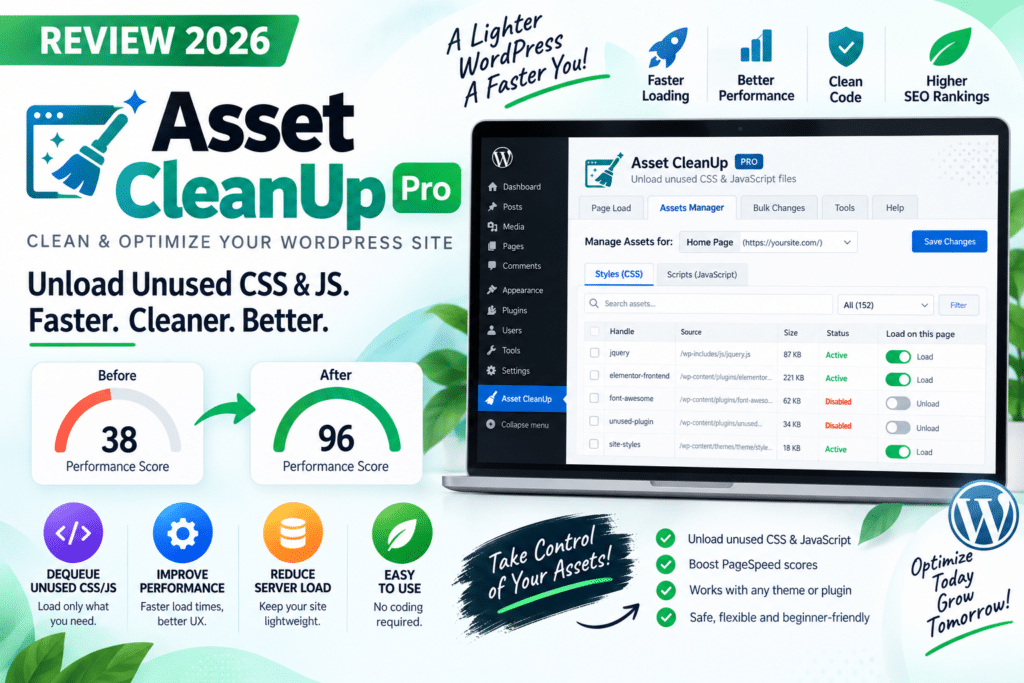
WordPress websites often load CSS and JavaScript files that are not required on every page. A contact-form plugin, for example, might load assets across the site even when the form appears on only one page.
Asset CleanUp is designed to address this problem by giving website owners more control over which CSS and JavaScript files load on specific pages.
But is Asset CleanUp Pro worth using in 2026? Let’s look at its features, benefits, limitations, and how it compares with traditional caching plugins.
Quick Verdict
Editorial Rating: 4.5/5
Asset CleanUp Pro is a powerful optimization tool for WordPress users who want granular control over frontend assets.
Its biggest strength is selectively unloading unnecessary CSS and JavaScript. However, it requires more technical knowledge than a typical one-click caching plugin.
What Is Asset CleanUp Pro?
Asset CleanUp Pro is a WordPress performance optimization plugin focused primarily on controlling CSS and JavaScript assets.
WordPress themes and plugins can enqueue many files. Some may be required globally, while others are only necessary on particular pages.
Asset CleanUp helps identify these resources and lets administrators decide where they should or shouldn’t load.
For example, if a contact form is only used on the Contact page, you may be able to prevent its unnecessary assets from loading elsewhere.
Key Features
1. CSS and JavaScript Unloading
This is Asset CleanUp’s core feature.
You can inspect CSS and JavaScript files loaded by WordPress and selectively prevent unnecessary assets from loading on particular pages.
This can reduce:
- HTTP requests
- Unnecessary CSS
- Unnecessary JavaScript
- Overall page weight
The actual performance improvement depends on your theme, plugins, hosting, and existing optimization.
2. Page-Level Asset Control
Asset CleanUp provides granular control rather than applying the same optimization everywhere.
For example:
Contact Form CSS/JS
Load on:
/contact/
Unload from:
Homepage
Blog posts
About page
Other pages without the form
This makes the plugin especially useful for websites running many feature-heavy plugins.
3. Site-Wide Unloading
Some assets may not be required anywhere on your frontend.
Asset CleanUp can help disable suitable files globally instead of configuring exclusions page by page.
This can be useful for plugin functionality that is active in WordPress but not required on the public-facing website.
Always test global rules carefully.
4. CSS and JavaScript Optimization
Beyond unloading files, Asset CleanUp includes additional optimization controls.
Depending on your configuration and version, these can include techniques such as minification and adjustments to how assets are loaded.
These options should be configured carefully because changing script execution can affect interactive functionality.
5. Defer and Async JavaScript
JavaScript can contribute to render-blocking behavior.
Asset CleanUp Pro provides controls that can help change how suitable JavaScript files are delivered.
However, not every script should be deferred or loaded asynchronously.
Incorrect configuration can break:
- Navigation menus
- Sliders
- Forms
- Popups
- Checkout functionality
- Page-builder widgets
Test every important page after changing JavaScript behavior.
6. Plugin-Level Optimization
One of the most useful scenarios is controlling assets generated by plugins.
Imagine a website uses:
- Elementor
- WooCommerce
- Contact forms
- Popup plugins
- Social sharing tools
Not every feature is required on every page.
Asset CleanUp can help reduce unnecessary frontend resources by controlling where supported assets are loaded.
Asset CleanUp Pro and Elementor
Elementor websites can contain substantial CSS and JavaScript depending on the widgets, add-ons, and layouts being used.
Asset CleanUp can complement Elementor by helping identify unnecessary frontend resources.
However, Elementor assets should not be disabled randomly. Some apparently unnecessary files may be dependencies for widgets or responsive functionality.
Make one change at a time and test desktop and mobile layouts.
Asset CleanUp Pro and WooCommerce
WooCommerce websites are another useful scenario.
Store functionality may load resources across different parts of a site, while some pages do not require the same eCommerce features.
Careful asset management may reduce unnecessary frontend weight.
However, WooCommerce pages such as:
- Cart
- Checkout
- My Account
- Product pages
require extra caution.
Never remove scripts simply because their filenames look unnecessary.
Asset CleanUp Pro vs WP Rocket
These plugins have overlapping optimization capabilities, but their main purposes are different.
| Feature | Asset CleanUp Pro | WP Rocket |
|---|---|---|
| Page caching | Not its main focus | Yes |
| Asset unloading | Excellent | Different approach |
| Page-level controls | Extensive | More automated |
| CSS/JS optimization | Yes | Yes |
| Beginner friendly | Moderate | Higher |
| Best For | Granular asset control | General caching and optimization |
WP Rocket is usually easier for users wanting an all-in-one caching workflow.
Asset CleanUp Pro is more attractive when you specifically need detailed control over individual CSS and JavaScript resources.
Asset CleanUp Pro vs Perfmatters
Perfmatters is another performance plugin focused on reducing unnecessary WordPress functionality and frontend overhead.
Perfmatters combines script management with numerous performance tweaks.
Asset CleanUp places particularly strong emphasis on detailed CSS and JavaScript asset management.
Both can be useful, but avoid enabling overlapping optimizations without understanding how they interact.
Can Asset CleanUp Pro Improve PageSpeed?
Potentially, yes.
Removing genuinely unnecessary CSS and JavaScript can reduce page weight and browser work.
This may help with issues related to unused resources and rendering performance.
However, Asset CleanUp cannot fix every performance problem.
You still need:
- Good hosting
- Page caching
- Optimized images
- Database maintenance
- CDN where appropriate
- Lightweight themes
- Limited third-party scripts
Think of Asset CleanUp as one component of a broader performance strategy.
Pros and Cons
Pros
- Excellent CSS/JS asset control
- Page-level unloading
- Site-wide rules
- Useful for plugin-heavy websites
- Works well for advanced optimization
- Helpful for Elementor and WooCommerce projects
- Can complement a caching solution
Cons
- Learning curve for beginners
- Incorrect rules can break functionality
- Requires testing
- Not primarily a replacement for page caching
- Advanced optimization can become time-consuming
Who Should Use Asset CleanUp Pro?
Asset CleanUp Pro is a good choice for:
- WordPress developers
- Agencies
- Performance-focused website owners
- Elementor websites
- WooCommerce stores
- Plugin-heavy websites
- Users comfortable testing CSS and JavaScript
It is especially valuable when performance reports show that many unnecessary assets are being loaded.
Who Should Skip It?
You may not need Asset CleanUp Pro if your website is already lightweight, your hosting stack automatically handles most performance optimization, or you want a simple one-click solution.
Beginners who do not understand CSS and JavaScript dependencies should also use its advanced unloading features carefully.
Is Asset CleanUp Pro Worth It in 2026?
For advanced WordPress performance optimization, yes.
Asset CleanUp Pro addresses a specific problem that conventional caching alone does not always solve: unnecessary frontend assets.
It gives developers and experienced website owners detailed control over what loads and where.
The trade-off is complexity.
If you simply want caching with minimal configuration, WP Rocket or another traditional caching solution may be easier.
If you want to investigate and remove unnecessary CSS and JavaScript on a page-by-page basis, Asset CleanUp Pro is much more compelling.
Final Verdict
Overall Rating: 4.5/5
Asset Management: 4.9/5
Performance Features: 4.6/5
Ease of Use: 4.0/5
Advanced Controls: 4.8/5
Beginner Friendliness: 3.8/5
Asset CleanUp Pro is a powerful WordPress optimization plugin for users who want detailed control over frontend resources.
It is not a magic speed button, and incorrect configuration can create problems. But when used carefully alongside good hosting, caching, and image optimization, it can become a valuable part of a WordPress performance stack.
Frequently Asked Questions
What does Asset CleanUp Pro do?
It helps control CSS and JavaScript files loaded by WordPress themes and plugins, allowing unnecessary assets to be unloaded from suitable pages.
Is Asset CleanUp a caching plugin?
Its primary purpose is asset management rather than traditional full-page caching. It can therefore complement a dedicated caching solution.
Does Asset CleanUp Pro work with Elementor?
Yes, but Elementor assets and dependencies should be unloaded carefully and tested after every major change.
Can I use Asset CleanUp Pro with WooCommerce?
Yes. However, cart, checkout, account, and product functionality should be tested carefully after optimization.
Is Asset CleanUp Pro better than WP Rocket?
They serve somewhat different purposes. WP Rocket focuses on broad caching and performance optimization, while Asset CleanUp provides more granular asset-management controls.
Will Asset CleanUp improve Core Web Vitals?
It may help when unnecessary CSS or JavaScript is contributing to performance problems, but Core Web Vitals depend on many other factors as well.



