
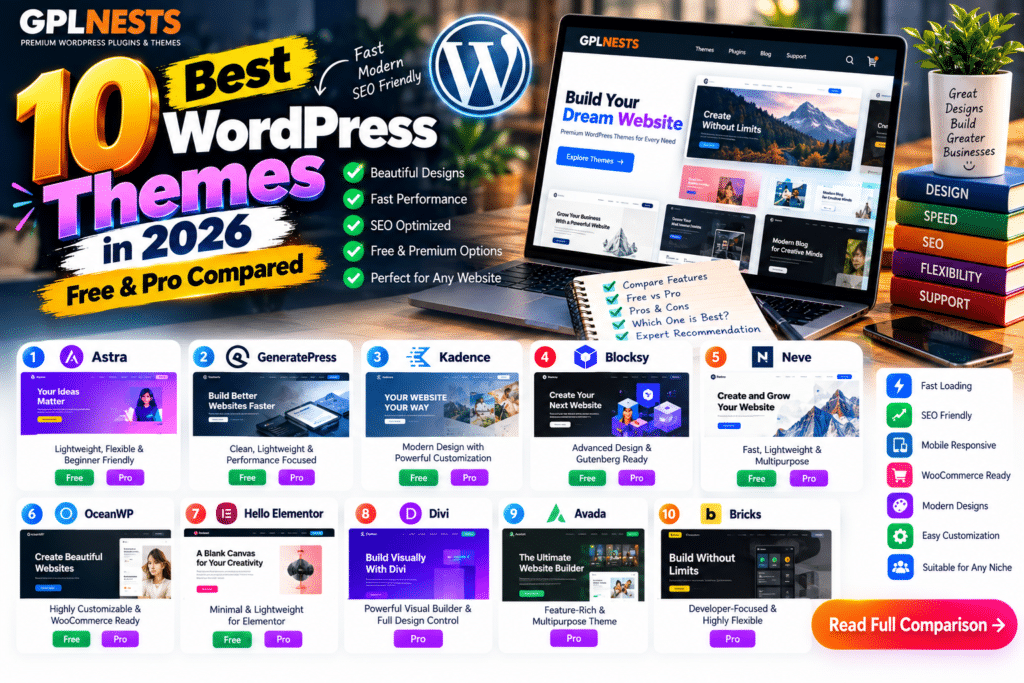
Choosing the right WordPress theme can make website design easier and help create a better visitor experience.
The best WordPress themes in 2026 combine responsive layouts, clean code, customization options, and compatibility with popular plugins.
Whether you’re building a blog, business website, or WooCommerce store, these ten themes are worth considering.
Best WordPress Themes 2026: Comparison Table
| Theme | Best For | Free Version |
|---|---|---|
| Astra | Business websites | Yes. |
| GeneratePress | Lightweight websites | Yes. |
| Kadence | Gutenberg websites | Yes. |
| Blocksy | WooCommerce stores | Yes. |
| Neve | Small businesses | Yes. |
| OceanWP | Multipurpose websites | Yes. |
| Hello Elementor, | Elementor users | Yes. |
| Divi | Visual website design | No |
| Avada | Complete website building | No |
| Bricks | Advanced visual development | No |
1. Astra – Best Overall
Astra is a flexible WordPress theme for blogs, businesses, and online stores. It supports Elementor, Spectra, and WooCommerce.
Free vs. Premium: Free includes essential layouts and customization. Astra Pro adds advanced design and WooCommerce options.
Pros: Starter templates, flexible customization.
Cons: Some advanced features require Pro.
2. GeneratePress—Best Lightweight Theme
GeneratePress focuses on clean code, usability, and compatibility with the WordPress block editor.
Free vs. Premium: Free provides core layouts. GP Premium adds Elements, additional customization, and a Site Library.
Pros: Lightweight foundation, developer-friendly.
Cons: Premium is needed for many ready-made designs.
3. Kadence—Best for Gutenberg
Kadence includes a drag-and-drop header and footer builder, global design controls, and starter templates.
Free vs. Premium: Free offers core design tools. Premium adds advanced customization options.
Pros: Accessible design controls, Gutenberg compatibility.
Cons: Some advanced layouts require paid features.
4. Blocksy – Best for WooCommerce
Blocksy supports the WordPress block editor and includes WooCommerce-focused customization.
Its WordPress.org listing shows an October 2, 2026 update.
Free vs. Premium: Free provides core store design features. Pro adds more advanced customization and extensions.
Pros: Modern design, useful shop options.
Cons: Advanced eCommerce features may require Pro.
5. Neve—Best for Small Businesses
Neve is a responsive multipurpose theme compatible with WooCommerce, Elementor, and the block editor.
Free vs. Premium: Free covers essential website design. Neve Pro expands layouts and WooCommerce capabilities.
Pros: Flexible, mobile-friendly.
Cons: Some premium templates and controls cost extra.
6. OceanWP – Best Multipurpose Theme
OceanWP supports blogs, portfolios, business websites, and online stores.
It also integrates with Elementor and other page builders.
Free vs. Premium: Free includes core theme functionality. Paid extensions and bundles add features.
Pros: Extensive customization, WooCommerce compatibility.
Cons: Managing multiple extensions can add complexity.
7. Hello Elementor—Best for Elementor
Hello, Elementor is a minimal theme designed specifically for the Elementor page builder.
Free vs Premium: The theme itself is free. Elementor Pro provides additional design capabilities separately.
Pros: Minimal foundation, Elementor integration.
Cons: Building complex layouts generally requires more design work.
8. Divi – Best Visual Builder
Divi provides a drag-and-drop editor for designing pages, headers, footers, and templates.
Divi 5 also includes updated layout and design tools.
Free vs Premium: Divi is a paid theme. Some optional AI and cloud services have separate plans.
Pros: Visual editing, extensive templates.
Cons: Builder-specific workflow can increase switching effort.
9. Avada – Best All-in-One Builder
Avada combines a live visual builder with header, footer, WooCommerce, form, and layout-building tools.
Free vs Premium: Avada is a premium theme without a permanent free edition.
Pros: Extensive built-in features, prebuilt websites.
Cons: Numerous settings can feel overwhelming.
10. Bricks—Best for Developers
Bricks combines a visual WordPress theme builder with dynamic content, query loops, and WooCommerce design tools.
Free vs. Premium: Bricks is paid, but an online demo is available.
Pros: Advanced design control, dynamic website features.
Cons: Learning curve for beginners.
Which WordPress Theme Should You Choose?
For general business websites, Astra and Kadence are practical starting points.
Choose GeneratePress for a minimal foundation, Blocksy for WooCommerce customization, and Hello Elementor for Elementor-based websites.
If you need an integrated visual builder, compare Divi, Avada, and Bricks.
Remember that website speed depends on hosting, images, plugins, and page design—not the theme alone.
Frequently Asked Questions
What is the best WordPress theme in 2026?
Astra is a versatile choice, but the best theme depends on your website’s requirements.
Which WordPress theme is best for SEO?
GeneratePress, Astra, Kadence, and Neve provide useful foundations. Rankings also depend on content and technical SEO.
Which theme is best for WooCommerce?
Blocksy, Astra, OceanWP, and Avada offer WooCommerce-focused features.
Are free WordPress themes safe?
Themes from reputable developers and the official WordPress directory can be good options when regularly updated.
Final Verdict
The best WordPress themes in 2026 balance usability, customization, compatibility, and maintainability.
Start with a theme that matches your preferred editor and website goals. Test performance on your own hosting before making a final decision.
More WordPress themes, plugin comparisons & tutorials GPLNESTS.COM.



