
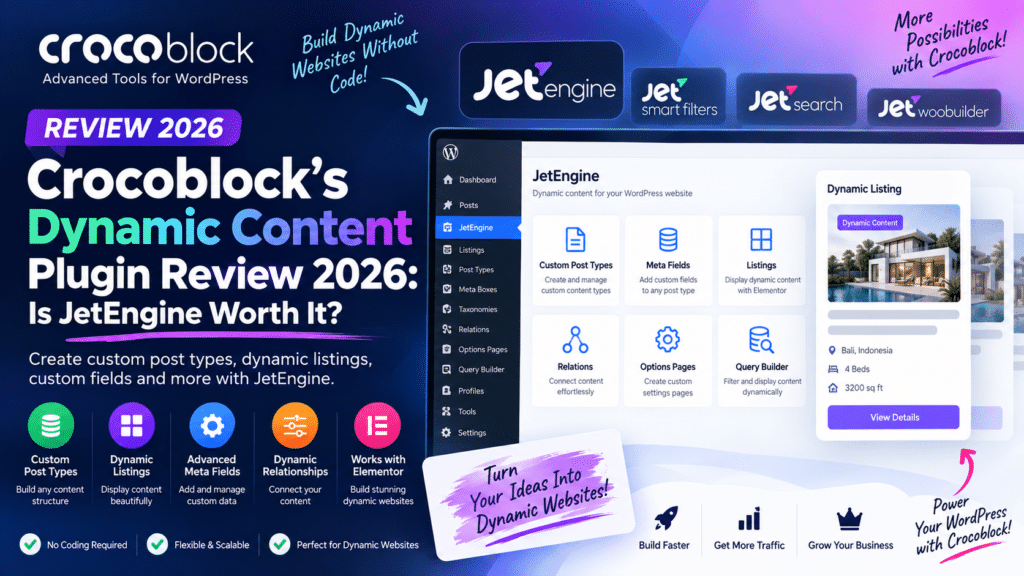
Building an advanced WordPress website often requires more than standard posts and pages. Directory sites, real estate portals, booking websites, job boards, and dynamic WooCommerce projects need custom fields, custom post types, relationships, listings, and frontend forms.
Crocoblock JetEngine is designed for exactly this type of work. It provides a collection of dynamic-content tools that can be used with Elementor, Gutenberg, and other supported WordPress workflows.
But is Crocoblock’s dynamic content plugin worth using in 2026? Let’s examine JetEngine’s main features, advantages, limitations, and alternatives.
Quick Verdict
Editorial Rating: 4.8/5
JetEngine is one of the most capable dynamic-content solutions for WordPress users who want to build complex websites without developing everything from scratch.
Its combination of custom post types, custom fields, listings, relationships, query tools, and frontend content management makes it especially powerful for directories and data-driven websites.
The main disadvantage is its learning curve. Beginners may find JetEngine overwhelming compared with simpler custom-field plugins.
What Is Crocoblock JetEngine?
JetEngine is a dynamic-content WordPress plugin developed by Crocoblock.
It allows you to create custom data structures and display that information dynamically throughout a website.
For example, instead of manually designing hundreds of individual property pages, you could create a Properties custom post type with fields such as:
- Property Price
- Location
- Bedrooms
- Bathrooms
- Property Type
- Gallery
- Agent
- Availability
You then design one dynamic template, and WordPress automatically displays the appropriate information for each property.
This can save considerable time on websites containing large amounts of structured content.
1. Custom Post Types
Custom Post Types are one of JetEngine’s core features.
WordPress includes Posts and Pages by default, but advanced websites often need additional content types.
For example:
Real Estate Website: Properties
Job Board: Jobs
Car Website: Vehicles
Directory: Businesses
Education Website: Courses
JetEngine allows you to create these content structures without manually registering them through PHP.
2. Custom Fields
Custom fields allow additional information to be attached to posts, users, taxonomies, and other supported content.
Depending on your structure, fields can contain information such as:
- Text
- Numbers
- Dates
- Images
- Galleries
- Select options
- Checkboxes
- Repeatable information
- Related data
This makes JetEngine an alternative to solutions such as Advanced Custom Fields and Meta Box for many projects.
3. Dynamic Listings
The Listing feature is one of JetEngine’s strongest tools.
You can create a reusable design for one content item and then dynamically display multiple items.
For example, a property listing could display:
Property Image
Property Name
Location
Price
View Property
The same design can automatically populate information for every property stored in WordPress.
This is extremely useful for directories, product catalogs, team listings, and other repeatable content.
4. Dynamic Templates
JetEngine allows dynamic information to be inserted into templates rather than hard-coding content.
You can create templates for:
- Properties
- Team members
- Courses
- Restaurants
- Cars
- Jobs
- Events
- Business listings
When the database information changes, the frontend output can update automatically.
This makes maintaining large websites much easier.
5. Relations
Advanced websites frequently contain relationships between different types of content.
For example:
Agent → Properties
Doctor → Clinic
Teacher → Courses
Brand → Vehicles
JetEngine’s Relations functionality helps connect related objects so they can be queried and displayed dynamically.
This is particularly useful for directories and marketplace-style websites.
6. Query Builder
JetEngine’s Query Builder gives advanced users more control over which content appears in dynamic listings.
Queries can be used to create highly specific content displays.
For example:
Show properties where:
Location = Delhi
Bedrooms ≥ 3
Property Type = Apartment
When combined with filtering tools, this can create sophisticated search and directory experiences.
7. Custom Content Types
For some projects, storing everything as traditional WordPress posts may not be the most efficient structure.
JetEngine provides Custom Content Types for creating and managing certain kinds of structured data separately from standard post types.
This can be valuable for larger data-driven projects.
However, choosing between a Custom Post Type and Custom Content Type requires planning because the best option depends on how the data will be queried, edited, and displayed.
8. Profile Builder
JetEngine can also be used to create frontend user-profile experiences.
Depending on the website architecture, users can have account areas where they interact with their own content.
This can be useful for:
- Directories
- Membership sites
- Classified websites
- Vendor-style websites
- User-submitted listings
More complex membership and permission requirements may still need additional tools.
9. Frontend Content Submission
Dynamic websites often need users to submit information without accessing the WordPress dashboard.
JetEngine can be combined with Crocoblock’s form functionality and related tools to create frontend submission workflows.
For example:
User registers → Opens account → Submits property → Property is reviewed → Listing is published
This is useful for directories and user-generated content websites.
JetEngine and Elementor
JetEngine is particularly well known among Elementor users.
Dynamic fields can be inserted into Elementor templates, allowing you to create visually customized layouts while keeping the actual content stored separately.
For example, you can design one Elementor property template containing:
Dynamic Image → Dynamic Title → Dynamic Price → Dynamic Location
Every property then uses the same design with different database information.
This can dramatically reduce repetitive design work.
JetEngine and Gutenberg
JetEngine is not limited only to Elementor.
Crocoblock has expanded support for block-based WordPress workflows, allowing dynamic content to be used with Gutenberg in supported scenarios.
This is important for developers who want to reduce dependency on traditional page builders.
JetEngine + JetSmartFilters
JetEngine becomes particularly powerful when combined with JetSmartFilters.
Filters can allow visitors to narrow listings by criteria such as:
- Category
- Price
- Location
- Rating
- Date
- Property type
- Custom field values
This combination is excellent for real estate websites, directories, vehicle listings, and product catalogs.
JetEngine + JetBooking
JetEngine can also form the dynamic-data foundation for Crocoblock booking websites.
For example, JetEngine can store information about:
Apartment → Location → Capacity → Price → Images
while JetBooking handles date-based reservation functionality.
This combination can be used for accommodation, vehicle rentals, and similar booking projects.
JetEngine and WooCommerce
JetEngine can also extend WooCommerce-oriented websites with additional dynamic content and custom structures.
Potential use cases include:
- Extra product information
- Product directories
- Brand information
- Vendor-related content
- Custom product listings
- Dynamic product templates
For standard stores, WooCommerce alone may be enough. JetEngine becomes more valuable when your store needs complex custom data.
JetEngine vs ACF
| Feature | JetEngine | ACF |
|---|---|---|
| Custom fields | Yes | Yes |
| Custom post types | Yes | Yes |
| Dynamic listings | Built in | Requires implementation |
| Relations | Yes | Available workflows |
| Query tools | Strong | More developer-oriented |
| Elementor workflow | Excellent | Excellent |
| Gutenberg support | Yes | Yes |
| Frontend dynamic ecosystem | Extensive | More development-focused |
| Learning curve | Moderate/High | Moderate |
ACF is excellent for developers who want clean custom-field functionality and prefer controlling templates through code or other tools.
JetEngine provides a broader visual dynamic-content ecosystem.
JetEngine vs Meta Box
Meta Box is another powerful custom-fields and dynamic-data solution.
Meta Box is particularly attractive to developers who want modular functionality and extensive control over WordPress data.
JetEngine may be easier when the project is heavily based around Elementor and other Crocoblock tools.
The better choice depends on your development workflow rather than one plugin being universally superior.
Performance
JetEngine is powerful, but complex dynamic websites can become resource-intensive.
A website containing hundreds or thousands of listings, relationships, queries, filters, and dynamic templates requires appropriate optimization.
For better performance:
- Use quality hosting
- Optimize database queries
- Avoid unnecessary widgets
- Use caching appropriately
- Optimize images
- Limit excessively complex filters
- Test large listing pages
- Keep Crocoblock components updated
Installing JetEngine does not automatically make a website slow. Poorly designed queries and overly complex page-builder layouts are usually more important factors.
Pros and Cons
Pros
- Powerful custom post types
- Custom fields
- Dynamic listings
- Query Builder
- Relations
- Custom Content Types
- Profile functionality
- Excellent Elementor integration
- Gutenberg support
- Works well with other Crocoblock tools
- Excellent for directories and real estate websites
Cons
- Learning curve for beginners
- Many features can feel overwhelming
- Complex setups require careful planning
- Additional Crocoblock plugins may be needed
- Advanced dynamic sites require good hosting
- Overcomplicated queries can affect performance
Who Should Use JetEngine?
JetEngine is an excellent option for:
- WordPress developers
- Agencies
- Elementor users
- Directory websites
- Real estate websites
- Job boards
- Listing websites
- Booking websites
- Membership-style projects
- Dynamic WooCommerce websites
It is especially valuable when you want to build a database-driven WordPress website without writing everything manually in PHP.
Who Should Skip It?
JetEngine may be excessive for a basic blog, portfolio, or small business website that only needs a few simple custom fields.
If your only requirement is adding a handful of fields to posts, ACF or another focused custom-field solution may be easier.
Beginners should also expect some learning time before attempting complex relationships and custom queries.
Is Crocoblock JetEngine Worth It in 2026?
Yes—particularly for advanced dynamic WordPress websites.
JetEngine combines many tools that would otherwise require multiple plugins or custom development.
Its biggest advantage is not one individual feature. It is how custom post types, fields, listings, relationships, queries, and the wider Crocoblock ecosystem work together.
For Elementor users building directories, real estate portals, booking platforms, or other structured websites, JetEngine remains an especially compelling solution.
Final Verdict
Overall Rating: 4.8/5
Dynamic Content: 4.9/5
Custom Fields: 4.8/5
Elementor Integration: 4.9/5
Query & Relations: 4.8/5
Ease of Use: 4.2/5
Flexibility: 4.9/5
Value: 4.7/5
Crocoblock JetEngine is one of the most complete dynamic-content plugins for WordPress.
It offers significantly more than basic custom fields and can provide the foundation for sophisticated listing, directory, booking, and membership-style websites.
The learning curve is the main trade-off, but for developers and agencies building advanced WordPress projects, JetEngine is absolutely worth considering in 2026.
Frequently Asked Questions
What is Crocoblock’s dynamic content plugin?
JetEngine is Crocoblock’s primary dynamic-content plugin. It provides tools for custom fields, post types, listings, relationships, queries, and other structured WordPress content.
Does JetEngine work with Elementor?
Yes. Elementor integration is one of JetEngine’s strongest use cases, particularly for building dynamic templates and listings.
Does JetEngine work with Gutenberg?
Yes, JetEngine supports Gutenberg/block-based workflows for various dynamic-content features.
Is JetEngine better than ACF?
JetEngine offers a broader visual dynamic-content toolkit, while ACF is particularly popular for focused custom-field and developer-controlled workflows. The better choice depends on the project.
Can JetEngine build a directory website?
Yes. Directories are one of its strongest use cases, particularly when JetEngine is combined with filtering and frontend-submission functionality.
Can I use JetEngine with WooCommerce?
Yes. JetEngine can be used to create additional dynamic structures and customized content around WooCommerce projects.
Is JetEngine beginner-friendly?
Basic features are approachable, but advanced queries, relationships, and complex dynamic websites have a noticeable learning curve.



