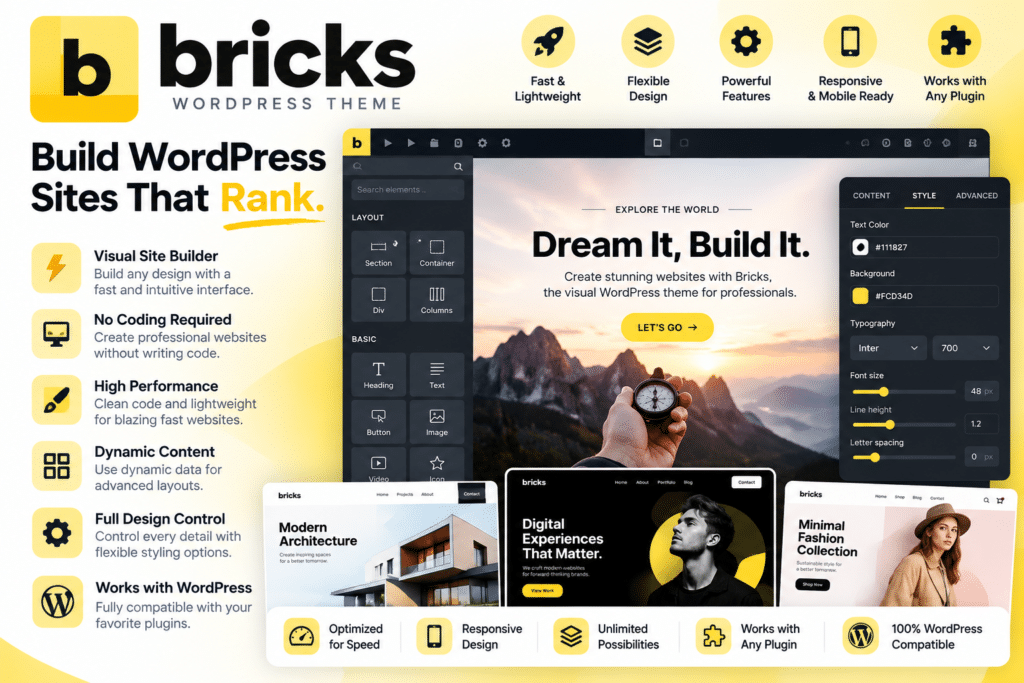
Bricks is a visual WordPress site builder delivered as a WordPress theme, designed for developers, agencies, freelancers, and website creators who want deeper control over layouts, dynamic content, responsive design, and custom site templates.
Instead of relying on a separate page-builder plugin and traditional theme combination, Bricks provides its visual builder directly through the theme.
You can use it to create landing pages, headers, footers, blog templates, archives, custom post-type layouts, WooCommerce stores, dynamic directories, portfolios, business websites, and other custom WordPress projects.
Key Features
- Visual Drag-and-Drop Builder – Design WordPress pages and site layouts through a visual editing interface.
- Theme Builder – Create custom headers, footers, single templates, archives, and other reusable site layouts.
- Responsive Design Controls – Customize layouts across multiple breakpoints with desktop-first or mobile-first workflows.
- Dynamic Data – Display post data, user information, taxonomy terms, custom fields, images, and other WordPress data dynamically.
- Query Loop Builder – Visually query and display posts, users, terms, media, WooCommerce products, and other supported data.
- Global CSS Classes & Variables – Create reusable styling systems for more scalable website design.
- Reusable Components – Build reusable sections and elements with customizable properties, variants, and content.
- Popup Builder – Create modal windows, promotional popups, notification bars, lead-generation forms, and other overlays.
- Interactions – Add click, hover, scroll, viewport, form, popup, and other interactive behaviors without writing JavaScript for many common workflows.
- Element Conditions – Show or hide supported elements based on predefined conditions.
- WooCommerce Builder – Visually customize shop pages, product pages, archives, cart, checkout, and customer account areas.
- Custom Code Support – Add supported CSS, JavaScript, and other custom development enhancements.
- Menu Builder – Create customized navigation and responsive menu experiences.
- Developer-Friendly Workflow – Extend Bricks through hooks, filters, APIs, custom elements, and other development tools.
Perfect For
Bricks is suitable for WordPress developers, agencies, freelancers, designers, WooCommerce stores, dynamic directory websites, membership projects, business websites, portfolio sites, custom post-type websites, and projects requiring greater control over WordPress design and data.
Build Dynamic WordPress Websites
One of Bricks’ strongest capabilities is its support for dynamic WordPress data.
You can connect elements to post titles, featured images, authors, taxonomies, custom fields, and other database information instead of manually entering content into every page.
Bricks also integrates dynamic data with supported custom-field solutions including Advanced Custom Fields, Meta Box, and JetEngine, making it useful for directories, real-estate listings, team directories, portfolios, and other structured-content websites.
Create Advanced Query Loops
The Query Loop Builder lets you retrieve WordPress data visually and repeat a design for every matching result.
You can build post grids, product listings, user directories, taxonomy layouts, media galleries, and other dynamic displays using query settings, taxonomy queries, meta queries, and supported custom data.
Global Queries can also be reused throughout a website, reducing the need to repeatedly configure identical queries.
Build WooCommerce Stores Visually
Bricks includes a dedicated WooCommerce Builder for creating custom eCommerce layouts.
You can visually design the shop, product archives, individual product pages, cart, checkout, and customer account areas using WooCommerce-specific elements and dynamic data.
Current Bricks documentation lists more than 30 WooCommerce-specific elements and newer modular workflows for Cart, Checkout, and My Account layouts.
Create Reusable Components
Bricks Components allow you to build reusable interface elements such as buttons, cards, navigation blocks, call-to-action sections, and hero areas.
When the main component is updated, its instances can inherit the change while still supporting instance-specific content and property overrides.
This makes Components especially useful when creating larger websites or maintaining a consistent design system across multiple pages.
Build Interactive Experiences
Bricks includes an interaction system that can respond to clicks, hover events, scrolling, viewport events, page loading, forms, and other supported triggers.
These interactions can show or hide content, open popups, toggle attributes, launch animations, load additional query results, or execute supported JavaScript functions.
Combined with the Popup Builder, this makes it possible to create lead-generation popups, promotional modals, dynamic overlays, and interactive interface elements directly inside Bricks.
Build Complete WordPress Websites with Bricks
Create advanced websites with Bricks – Visual WordPress Site Builder Theme.
With visual site building, dynamic data, Query Loops, WooCommerce design tools, responsive controls, reusable Components, interactions, popups, global styling, and developer-focused customization, Bricks provides a powerful foundation for building modern WordPress websites.