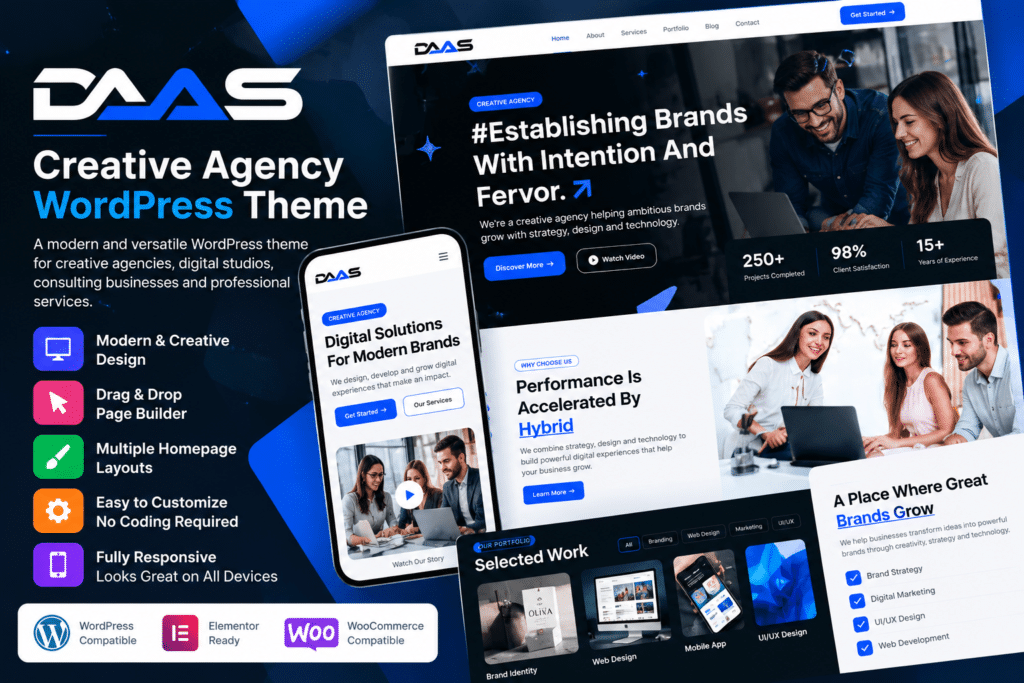
DaaS is a modern WordPress theme designed for creative agencies, digital studios, freelancers, designers, marketing companies, and other creative businesses that want a professional online presence.
The theme provides visually focused layouts for showcasing services, portfolios, case studies, team members, testimonials, and company information. Its creative presentation makes it especially useful for businesses that rely on strong design and project work to attract new clients.
Whether you’re building a digital agency website, creative portfolio, branding studio, or freelancer site, DaaS provides a flexible foundation for presenting your work and services professionally.
Key Features
- Creative Agency Design – Modern layouts created for agencies, studios, and creative professionals.
- Portfolio Showcase – Present design projects, branding work, websites, campaigns, and other creative projects.
- Case Study Pages – Highlight individual projects with images, descriptions, and supported project details.
- Responsive Design – Keep your website easy to browse across desktop, tablet, and mobile devices.
- Service Sections – Present web design, development, marketing, branding, and other professional services.
- Team Member Profiles – Introduce designers, developers, marketers, strategists, and other team members.
- Testimonials – Showcase client feedback and experiences as useful social proof.
- Creative Homepage Layouts – Build an engaging first impression around your services and portfolio.
- Customizable Styling – Adjust supported colors, typography, images, spacing, and layout elements.
- Blog Support – Publish agency news, design insights, marketing articles, and project updates.
- Contact & Enquiry Areas – Give potential clients clear ways to contact your agency.
- Call-to-Action Elements – Encourage visitors to start a project, request a quote, or explore your work.
- Project-Focused Visuals – Use strong imagery and modern layouts to give creative work more prominence.
- Flexible Business Use – Adapt the theme for agencies, freelancers, studios, startups, and other professional services.
Perfect For
DaaS is suitable for creative agencies, digital agencies, web design studios, branding companies, marketing firms, freelancers, UI/UX designers, developers, photographers, creative portfolios, startups, and consulting businesses.
Put Your Creative Work First
For agencies and creative professionals, potential clients often want to see previous work before making contact.
DaaS provides dedicated portfolio and project layouts that help you present completed work alongside your services, company information, team members, and client feedback.
This allows your website to work both as a visual portfolio and as a professional business platform for generating new enquiries.
Build a Modern Creative Agency Website
Create a polished online presence with DaaS – Creative Agency WordPress Theme.
With portfolio layouts, case studies, service pages, team profiles, testimonials, responsive design, and flexible customization options, DaaS provides a practical foundation for modern creative agency and portfolio websites.