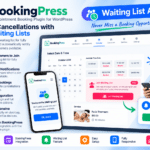
Directorist Booking is a WordPress booking and reservation extension designed to add appointment, service, event, and rental booking functionality to Directorist-powered directory websites.
It allows listing owners to configure bookable services and availability while visitors can check available dates or time slots and submit reservations directly from individual listing pages.
Whether you’re building a salon directory, hotel and rental portal, consultant marketplace, event directory, or service-booking website, Directorist Booking provides a flexible way to connect directory listings with online reservations.
Key Features
- Service Booking – Create appointment-style booking experiences for salons, consultants, doctors, lawyers, restaurants, and other service businesses.
- Event Booking – Allow listing owners to create event reservations with supported ticket availability and booking limits.
- Rental Booking—Configure supported rental and time-based reservation workflows.
- Real-Time Availability – Let visitors check available booking dates and times before submitting reservations.
- Time Slots & Time Picker—Give listing owners control over fixed appointment slots or supported custom time selection.
- Instant Booking—Automatically confirm eligible bookings without requiring manual approval.
- Booking Requests – Allow listing owners to review, approve, or reject supported reservation requests.
- Guest Booking – Let visitors book without creating an account when guest reservations are enabled.
- Booking Payments—Collect supported booking fees through configured Directorist payment workflows.
- Commission Management – Set a supported commission percentage for the directory owner on bookings.
- Guest Limits—Define supported maximum guest counts for reservations.
- Email Notifications – Send booking-related notifications to customers and listing owners.
- Frontend Listing Integration – Add booking options directly to supported Directorist listing pages.
- Booking Dashboard Management – Let administrators and listing owners manage supported reservations through their dashboards.
Perfect For
Directorist Booking is suitable for salons, spas, consultants, doctors, lawyers, restaurants, hotels, accommodation providers, tour operators, rental businesses, event organizers, trainers, coaches, and service-based directory websites.
Create Service & Appointment Bookings
For service-based listings, owners can configure their weekly availability and define bookable time slots.
Supported settings include start and end times, available slot quantities, reservation fees, maximum guest counts, payment options, and instant booking. This makes it useful for appointment-driven businesses that need customers to choose an available time before completing their reservation.
Manage Event Reservations
Directorist Booking can also be used for event-focused listings.
Listing owners can define the available number of tickets, display remaining availability, and limit the number of tickets that each customer can reserve in a single booking.
This makes the extension useful for workshops, seminars, classes, conferences, community events, and other ticket-based directory listings.
Turn Directory Listings into Bookable Services
Expand your directory with Directorist | Booking – WordPress Booking & Reservation Add-On.
With service, event and rental bookings, availability calendars, time slots, instant booking, guest reservations, payments, commissions, notifications, and listing-owner management, Directorist Booking provides a practical solution for creating bookable directory websites.