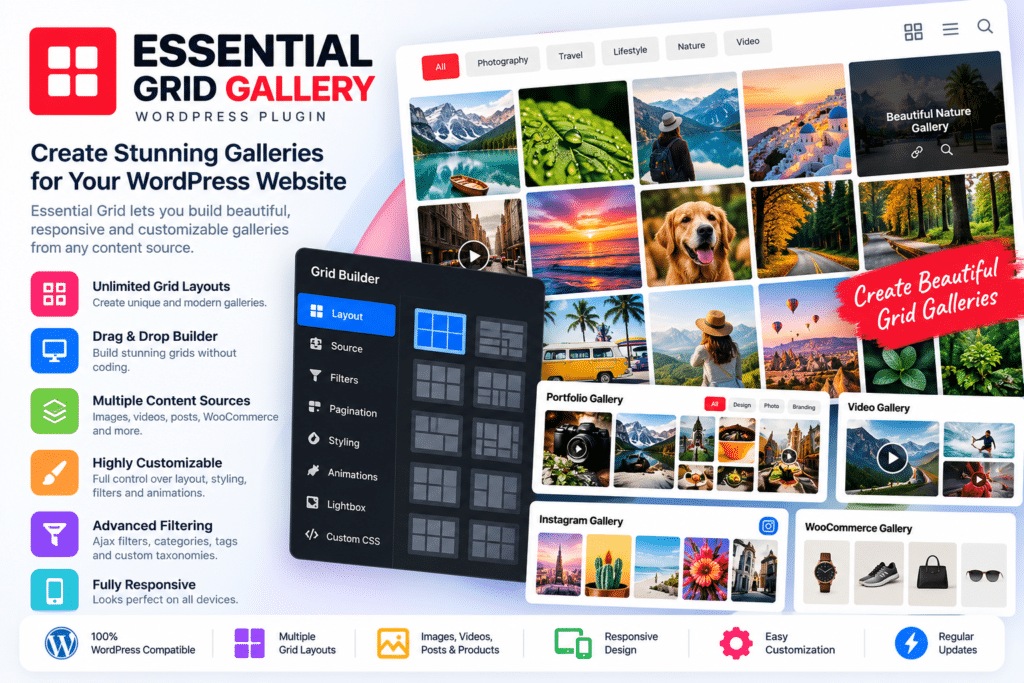
Essential Grid Gallery is a flexible WordPress grid and gallery plugin designed to display images, videos, blog posts, portfolios, WooCommerce products, custom post types, and other website content in responsive grid layouts.
Developed by ThemePunch, Essential Grid gives you extensive control over how content appears, including grid structure, item skins, filters, sorting, animations, navigation, pagination, and lightbox presentation.
Whether you’re creating a photography gallery, portfolio, blog grid, product showcase, video gallery, or mixed-media layout, Essential Grid provides a visual system for turning WordPress content into interactive grids.
Key Features
- Drag & Drop Grid Builder – Create and configure professional grids through a visual WordPress interface.
- Responsive Grid Layouts – Build layouts that adapt across desktop, tablet, and mobile screens.
- Masonry Grids – Display items in flexible masonry-style layouts with different content dimensions.
- Post & Page Sources – Automatically display supported WordPress posts and pages inside grids.
- Custom Post Type Support – Create grids from portfolios and other supported custom WordPress content.
- WooCommerce Product Grids – Display supported WooCommerce products using customized grid layouts.
- Custom Grids – Hand-pick images, videos, and other media when you do not want an automatically generated grid.
- Filtering & Sorting – Let visitors filter categories and sort supported grid content interactively.
- Advanced Lightbox – Open images, videos, galleries, and supported post content inside customizable lightboxes.
- Skin Editor – Customize the design and content structure of individual grid items.
- Pagination & Load More – Control how larger content collections are divided or progressively loaded.
- Media Support – Build supported grids containing images, YouTube, Vimeo, HTML5 video, and other media.
- Import & Export – Move supported grids, skins, and metadata between WordPress installations.
- Custom Animations – Configure supported hover, filtering, pagination, and grid-loading animations.
Perfect For
Essential Grid Gallery is suitable for photographers, creative agencies, designers, bloggers, artists, WooCommerce stores, online magazines, video creators, freelancers, portfolio websites, restaurants, property websites, and businesses that need flexible visual content layouts.
Display WordPress Content in Dynamic Grids
Essential Grid can automatically pull content from posts, pages, and custom post types.
This makes it useful when you want a gallery or portfolio to update automatically as new WordPress content is published.
You can also create a custom grid and manually select individual items when you need precise control over which images, videos, or pieces of content appear.
Essential Grid currently groups content sources into posts/pages/custom posts, custom grids, and external stream-based content.
Give Visitors Filtering & Sorting Controls
Large portfolios and galleries become easier to browse when visitors can narrow down what they want to see.
Essential Grid supports configurable filtering and sorting controls, including category-based filters, sorting order, search, mobile filter conversion, filter counts, and deep-linking options.
For WooCommerce or portfolio websites, this can help visitors quickly find relevant products or projects.
Create Custom Grid Skins
Essential Grid’s skin system controls the appearance and behavior of individual grid items.
You can choose existing item skins or create customized designs containing titles, descriptions, buttons, media, overlays, and hover effects.
Navigation elements such as filtering, sorting, pagination, and search controls can also use customizable skins, giving you greater control over how the overall grid matches your website design.
Build Advanced Image & Video Lightboxes
Essential Grid includes detailed lightbox functionality for presenting larger versions of media without forcing visitors to leave the current page.
Supported lightbox content can include images, YouTube or Vimeo videos, HTML5 media, WordPress galleries, post content, and WooCommerce product galleries.
You can configure gallery modes, titles, descriptions, animations, navigation controls, slideshow behavior, colors, spacing, and other presentation options.
Create Portfolio & Product Showcases
Essential Grid works well for visual portfolio websites because grids can combine media, titles, descriptions, categories, and custom links.
WooCommerce websites can also use grids to create alternative product displays rather than relying only on standard shop layouts.
Current official product information lists WordPress posts, custom posts, pages, WooCommerce, galleries, and social media among the available grid content sources.
Protect & Manage Visual Content
Essential Grid’s current product information also lists watermark protection and right-click protection among its built-in gallery features.
These options can provide an additional layer of deterrence for photography and creative portfolio websites, although no browser-based protection can completely prevent determined users from copying publicly displayed media.
Build Better WordPress Galleries
Create flexible content showcases with Essential Grid Gallery – WordPress Gallery & Grid Plugin.
With responsive grids, masonry layouts, custom skins, filtering, sorting, lightboxes, WooCommerce support, media galleries, animations, and flexible content sources, Essential Grid provides a powerful solution for displaying WordPress content in visually engaging layouts.