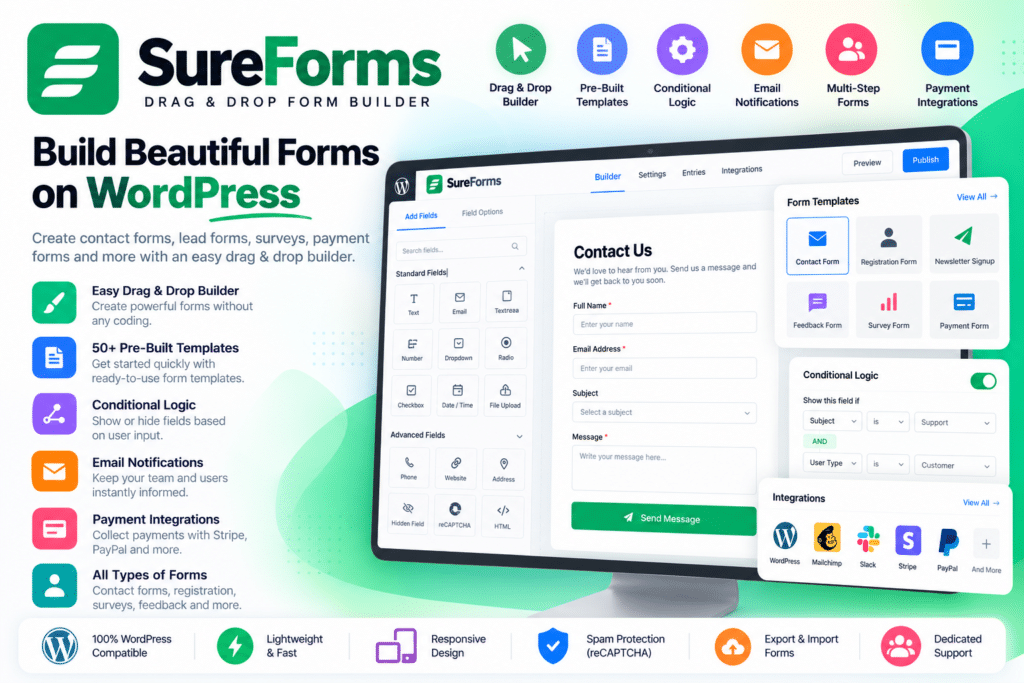
SureForms is a modern WordPress form builder from Brainstorm Force designed to help you create contact forms, lead forms, payment forms, surveys, quizzes, registration forms, calculators, applications, booking requests, and other custom forms without complicated coding.
It uses the native WordPress Block Editor, allowing you to build and customize forms with familiar Gutenberg-style blocks instead of working inside a completely separate form-building interface.
SureForms also includes AI-powered form generation. Simply describe the form you want, and SureForms can create an editable starting point with relevant fields, labels, and structure.
Key Features
- Drag & Drop Form Builder – Build and rearrange form fields visually using the WordPress block editor.
- AI Form Generator – Describe your requirements and generate a ready-to-edit form automatically.
- 20+ Field Types – Use text fields, dropdowns, checkboxes, uploads, and other supported input types.
- Contact & Lead Forms – Create enquiry, support, quote, lead-generation, application, and feedback forms.
- Stripe Payment Forms – Accept supported one-time and subscription payments through Stripe.
- Form Entries Management – Store, search, review, and export submissions directly from WordPress.
- Instant Forms – Publish a standalone form with its own shareable URL without creating a separate page.
- Responsive Layouts – Build mobile-friendly forms with flexible multi-column layouts.
- Email Notifications – Send customized notifications after successful submissions.
- Confirmation & Redirects – Display custom success messages or redirect users after form submission.
- Spam Protection – Protect forms using Google reCAPTCHA, hCaptcha, Cloudflare Turnstile, and honeypot protection.
- Real-Time Validation – Help users correct invalid or missing information before submitting.
- Form Analytics – Review supported form activity and submission insights from WordPress.
- Developer-Friendly Tools – Extend SureForms through supported hooks, APIs, webhooks, and custom workflows.
Perfect For
SureForms is suitable for business websites, agencies, freelancers, service providers, educational websites, nonprofits, membership websites, marketers, bloggers, event organizers, consultants, online stores, and anyone who needs flexible WordPress forms.
Build Forms with AI
Instead of manually adding every field, SureForms can generate complete forms from a plain-language prompt.
For example, you can request a contact form, event registration form, quote request, payment form, booking request, or job application form and then customize the generated result inside WordPress.
The generated form remains editable, and SureForms currently states that no separate external AI API key is required for its built-in AI form generation.
Accept Payments Through Forms
SureForms supports payment-based forms without requiring a complete eCommerce store.
Stripe payment functionality is available for use cases such as donations, event fees, service payments, product orders, and recurring memberships. SureForms Business also adds PayPal payment support.
This makes the plugin useful when you need a straightforward payment workflow rather than a full shopping-cart system.
Create Advanced Forms
SureForms Business expands the standard form builder with advanced workflows including:
- Multi-step forms
- Conversational forms
- Surveys and polls
- Quiz forms
- Registration and login forms
- Calculator forms
- Conditional logic
- Dynamic options
- Partial entries
- Digital signatures
- PDF generation
These tools make SureForms suitable for more complex lead-generation, assessment, onboarding, registration, and business workflows.
Connect Forms with Other Business Tools
SureForms supports native integrations and automation workflows for sending form information to external services.
Current official information lists integrations including Google Sheets, Mailchimp, FluentCRM, HubSpot, Brevo, ActiveCampaign, Zoho CRM, Klaviyo, Airtable, Notion, Telegram, MailerLite, MailPoet, and additional services.
Webhooks, Zapier, and OttoKit can also be used for broader automation workflows.
Build Secure & Spam-Protected Forms
SureForms includes multiple anti-spam options including Google reCAPTCHA, hCaptcha, Cloudflare Turnstile, and honeypot protection.
It also provides GDPR agreement fields and keeps standard form entries inside your WordPress installation unless you intentionally connect an external integration.
Create Better WordPress Forms
Build professional forms with SureForms – Drag & Drop Form Builder for WordPress.
With AI form generation, Gutenberg-based editing, payment forms, entries management, responsive layouts, spam protection, Instant Forms, advanced form types, integrations, and automation features, SureForms provides a flexible solution for both simple and complex WordPress forms.