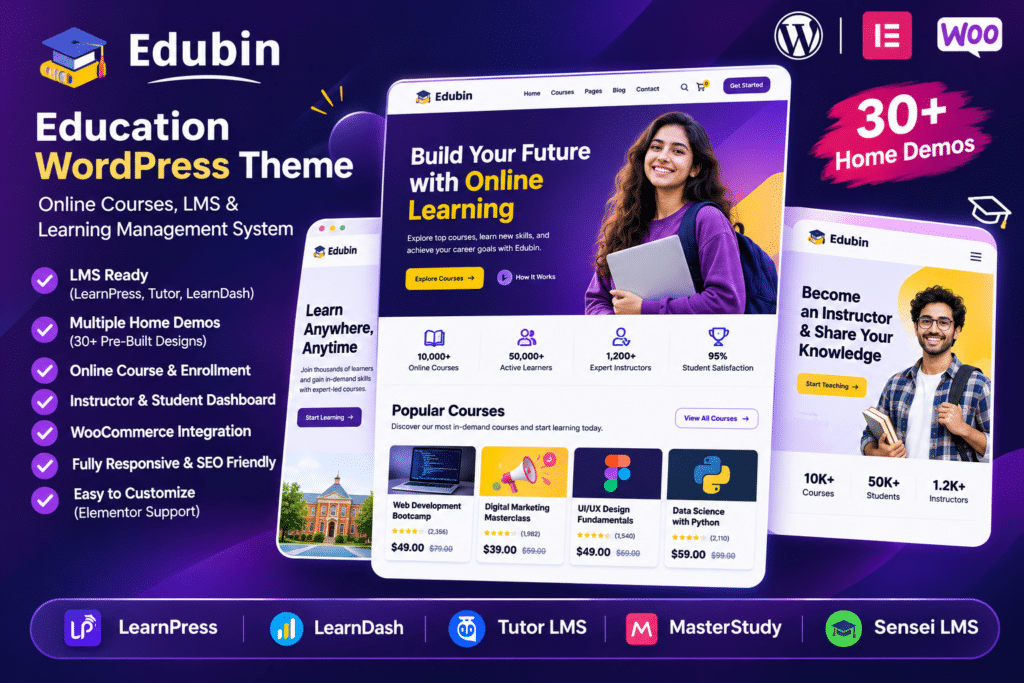
Edubin is a modern and feature-rich WordPress theme designed for educational institutions, online academies, universities, schools, training centers, and eLearning businesses. Developed by Pixelcurve, it provides a flexible foundation for building professional education websites and online course platforms.
The theme combines Elementor page-building capabilities with integrations for popular Learning Management System (LMS) plugins. You can choose from supported LMS platforms such as LearnDash, LearnPress, Tutor LMS, LifterLMS, Sensei, Academy LMS, and MasterStudy LMS to build a learning experience that suits your project.
Edubin also includes professionally designed demo websites, course layouts, instructor profiles, event sections, and WooCommerce compatibility. Whether you are launching an online learning platform, promoting a university, or creating a corporate training website, Edubin gives you the design tools to build and customize your education website.
Key Features
1. Integration with 7 Popular LMS Plugins
Edubin supports seven popular WordPress LMS platforms, giving you flexibility when choosing how to manage your online courses:
- LearnPress
- LearnDash
- Tutor LMS
- LifterLMS
- Sensei LMS
- Academy LMS
- MasterStudy LMS
Choose the LMS plugin that best matches your learning platform requirements and use the corresponding Edubin demo and layouts.
2. 30+ Ready-Made Website Demos
Get started with professionally designed demo websites for different education niches. Available demo concepts include:
- Online Academy
- Digital Marketing Courses
- University Website
- eLearning Platform
- Skill Development
- Language School
- Corporate Training
- Career Coaching
- Online Course Marketplace
- Kindergarten School
- Knowledge Hub
- Dark Version
Import a suitable demo and customize its content, colors, images, and layouts to match your institution or business.
3. Elementor Page Builder
Customize your website using Elementor’s visual drag-and-drop editor. Edit page sections, headings, images, buttons, layouts, and other design elements without manually writing code for ordinary changes.
4. Professional Course Listing Layouts
Present your online courses using organized course listing designs. Edubin provides different course display styles, including grid and list layouts, to help visitors explore available learning programs.
5. Advanced Course Search and Filtering
Help students discover relevant courses with course search and filtering options. Visitors can narrow down course listings using available filters such as categories, tags, instructors, and pricing, depending on the selected LMS integration and configuration.
6. Instructor and Teacher Profiles
Introduce teachers, trainers, and course instructors through dedicated profile layouts. Display professional biographies, profile images, expertise, and other relevant information to help students learn more about their educators.
7. Course Detail Pages
Create informative course pages where students can explore course descriptions, instructor information, learning content, and enrollment details. The available course functionality depends on the LMS plugin you choose.
8. Zoom Integration for Online Classes
Edubin supports Zoom integration for virtual learning experiences, live classes, webinars, and online training sessions. Configure the appropriate LMS and Zoom integration to connect online meetings with your educational website.
9. WooCommerce Compatibility
Use WooCommerce to add ecommerce functionality to your education website. This allows you to sell eligible products, digital resources, and other offerings through your WordPress store.
Course payments may require the relevant integration for your selected LMS, such as its WooCommerce payment add-on.
10. One-Click Demo Import
Import the available demo content to establish your website’s initial structure. Edubin provides demo importing options for supported LMS configurations, helping you get started with pages and layouts more quickly.
11. Event Management Integration
Edubin supports The Events Calendar and The Events Calendar Pro. Use these integrations to display educational events, seminars, workshops, webinars, and other activities on your website.
12. Customizable Header and Footer
Customize your website navigation, branding, and footer sections using the theme’s built-in options and Elementor layouts. You can manage logos, header elements, contact information, and other website details.
13. Flexible Theme Customization
Use the theme options panel to customize colors, typography, backgrounds, buttons, social links, and other design settings. These controls help maintain consistent branding across your education website.
14. Responsive and Mobile-Friendly Layout
Edubin is designed to adapt to different screen sizes, including desktop computers, tablets, and smartphones. Responsive layouts help students browse courses and access website content from different devices.
15. RTL and Multilingual Support
Build websites for international audiences with RTL support and multilingual compatibility. Edubin supports WPML, making it suitable for educational websites that need to present content in multiple languages.
16. Community and Discussion Features
Edubin is compatible with bbPress, allowing you to extend your website with discussion forums and student communities. This can be useful for educational platforms that want to encourage discussions and knowledge sharing.
17. Blog and Educational Content Layouts
Publish educational articles, course announcements, learning resources, institutional news, and updates through flexible blog layouts. A dedicated content section can help keep students and visitors informed.
18. Additional Plugin Compatibility
Edubin is compatible with several popular WordPress plugins, including:
- Contact Form 7
- WPForms
- Gravity Forms
- WooCommerce
- The Events Calendar
- bbPress
- Elementor Pro
- WPML
- Easy Digital Downloads
The availability of specific functionality depends on the relevant plugin, its configuration, and the installed version.
19. Bundled Premium LMS Plugins
The vendor’s listing advertises three premium LMS plugins included with the theme package:
- LearnDash LMS
- Academy LMS
- MasterStudy LMS
These bundled plugins are provided for convenience, with updates supplied through Edubin theme updates. Direct updates and support from the individual plugin developers may require separate licenses.
20. Documentation and Setup Resources
Edubin includes detailed documentation and video tutorials covering theme installation, demo importing, header and footer customization, and LMS configuration. These resources help simplify the website setup process.