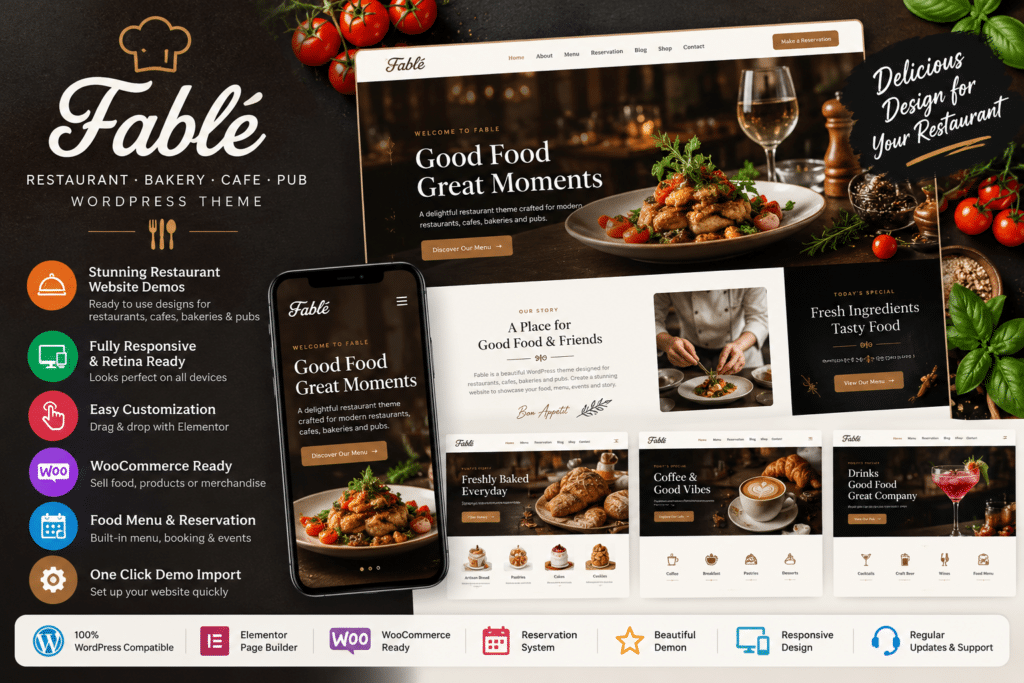
Fable is a stylish WordPress theme created for restaurants, bakeries, cafés, coffee shops, pubs, bars, bistros, grills, and other food-related businesses.
Its visual design is focused on helping hospitality businesses showcase food, drinks, services, images, opening information, special offers, and contact details in an attractive and professional way.
Fable includes WPBakery Page Builder and Slider Revolution, giving you visual tools for customizing supported layouts and creating promotional sliders without building every section manually.
Key Features
- Restaurant & Cafe Design – Purpose-built styling for restaurants, cafés, bakeries, pubs, bars, and food businesses.
- WPBakery Page Builder—Customize supported pages using a drag-and-drop visual page-building workflow.
- Slider Revolution Included – Create promotional sliders, hero banners, and visual presentations.
- Demo Content Included – Use the provided demo content as a starting point for your website.
- Responsive Layout—Present your website across desktop, tablet, and mobile screen sizes.
- Wide & Boxed Layouts – Choose between full-width and boxed website presentations.
- Multiple Sidebar Options—Use left sidebar, right sidebar, or no-sidebar layouts where supported.
- Unlimited Colors—Adjust supported colors to match your restaurant or food brand.
- Google Fonts Support – Customize typography using available Google Font options.
- Contact Form 7 Support—Create enquiry, reservation request, feedback, or contact forms.
- WPML Compatible – Build a multilingual restaurant website using a compatible WPML setup.
- Shortcode Support – Use available shortcodes to build and organize supported content.
- Widget Ready – Add supported WordPress widgets to available widget areas.
- High-Resolution Design – Display imagery and theme elements on modern high-resolution screens.
Perfect For
Fable is suitable for restaurants, bakeries, coffee shops, cafés, pubs, bars, bistros, pizza restaurants, grills, pastry shops, food businesses, French restaurants, Italian restaurants, vegan restaurants, and other hospitality websites.
Create a Professional Restaurant Website
A restaurant website should quickly communicate what makes your business worth visiting.
Fable gives you flexible layouts that can be used to present your food, dining atmosphere, restaurant story, chef information, opening hours, contact details, promotions, and visual content.
Its responsive design also helps visitors access important restaurant information from mobile devices when they are searching for somewhere to eat.
Build Pages with WPBakery
Fable includes WPBakery Page Builder for creating and editing supported layouts.
Instead of relying entirely on WordPress template files, you can arrange page content using the builder’s drag-and-drop workflow.
This makes it easier to create pages for:
- Restaurant information
- Food and drink content
- Special promotions
- Chef or team information
- Gallery sections
- Contact information
- Reservation requests
- Location details
The exact elements available depend on the theme version and included shortcodes.
Create Visual Sliders with the Revolution Slider
Slider Revolution is also included with the theme package.
You can use it for large homepage banners, featured dishes, seasonal promotions, restaurant announcements, special events, or other visual content.
The latest listed Fable release updates Slider Revolution to version 6.7.54.
Customize Your Restaurant Branding
Fable provides unlimited color options and Google Fonts support, giving you flexibility to adapt the design to your business.
A bakery could use softer branding and large product photography, while a pub, grill, or premium restaurant could create a darker or more sophisticated visual presentation.
Wide and boxed layouts provide additional flexibility for the overall site structure.
Add Inquiry & Reservation Request Forms.
Fable supports Contact Form 7, which can be used to create contact, enquiry, and basic reservation-request forms.
You can collect information such as customer name, email address, telephone number, preferred date, preferred time, number of guests, and additional messages.
For real-time table availability, automatic confirmations, deposits, or advanced reservation management, a separate compatible booking solution may be required.
Build a Multilingual Food Website
Fable lists WPML compatibility, making it suitable for restaurants serving international audiences or tourist destinations.
A compatible multilingual setup can help you provide menus, business information, contact details, and other website content in multiple languages.
Build a Stylish Food & Restaurant Website
Create an attractive hospitality website with the Fable – Restaurant Bakery Cafe Pub WordPress Theme.
With WPBakery Page Builder, Slider Revolution, responsive layouts, demo content, flexible colors, Google Fonts, Contact Form 7, WPML compatibility, and restaurant-focused styling, Fable provides a practical foundation for restaurants, cafés, bakeries, pubs, and other food businesses.