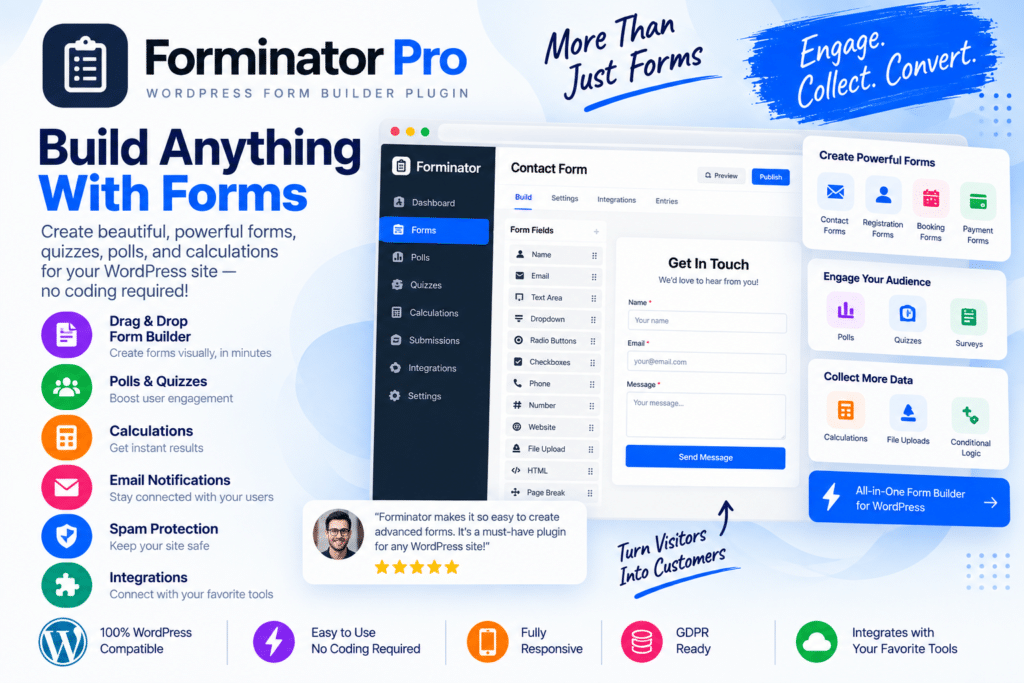
Forminator Pro is a powerful WordPress form builder designed to help you create contact forms, registration forms, surveys, polls, quizzes, payment forms, lead-generation forms, and other interactive forms without complicated coding.
Its visual form-building experience makes it easy to add fields, organize layouts, customize form behavior, and create forms that fit naturally into your WordPress website.
Whether you’re collecting simple enquiries, generating leads, gathering customer feedback, or creating interactive quizzes, Forminator Pro provides flexible tools for handling a wide range of form-based tasks from your WordPress dashboard.
Key Features
- Easy Form Builder – Build and customize WordPress forms with a user-friendly visual interface.
- Contact Forms – Create professional forms for customer questions, support requests, and general enquiries.
- Registration Forms – Build custom registration forms for supported WordPress user workflows.
- Surveys & Polls – Collect feedback, opinions, and responses from your website visitors.
- Interactive Quizzes – Create engaging quizzes for education, entertainment, marketing, or lead generation.
- Conditional Logic – Show or hide supported fields depending on a visitor’s previous responses.
- Payment Forms – Accept payments through supported payment integrations and configurations.
- Email Notifications – Send automated notifications after visitors submit your forms.
- Form Submissions – Manage and review collected entries directly from your WordPress environment.
- Spam Protection – Use supported anti-spam features to reduce unwanted form submissions.
- Custom Form Fields – Add different field types based on the information you need to collect.
- Responsive Forms – Create forms designed to work smoothly across desktop, tablet, and mobile devices.
- Marketing Integrations – Connect supported third-party services to your forms for marketing and workflow automation.
- Flexible Customization – Adjust form appearance and behavior to better match your website and business requirements.
Perfect For
Forminator Pro is suitable for business websites, WooCommerce stores, blogs, membership websites, agencies, educational websites, online communities, marketers, freelancers, service providers, and anyone who needs flexible WordPress forms.
More Than a Basic Contact Form
Forminator Pro can be used for much more than collecting names and email addresses. You can build surveys to understand your audience, quizzes to increase engagement, registration forms for members, payment forms for supported transactions, and lead-generation forms for marketing campaigns.
Conditional logic and flexible field options also make it possible to create smarter forms that adapt to the information visitors provide.
Build Better WordPress Forms
Create professional and interactive forms with Forminator Pro – Advanced WordPress Form Builder Plugin.
With a visual form builder, conditional logic, surveys, polls, quizzes, payment options, notifications, integrations, and submission management, Forminator Pro provides a flexible solution for collecting information and interacting with your WordPress visitors.