Instead of relying only on basic contact forms, you can create feedback forms that ask customers, members, employees, students, or visitors targeted questions about their experience.
This makes Gravity Forms Feedback useful for customer satisfaction surveys, service reviews, internal feedback, product research, event evaluations, course feedback, and other WordPress projects where structured responses are important.
Key Features
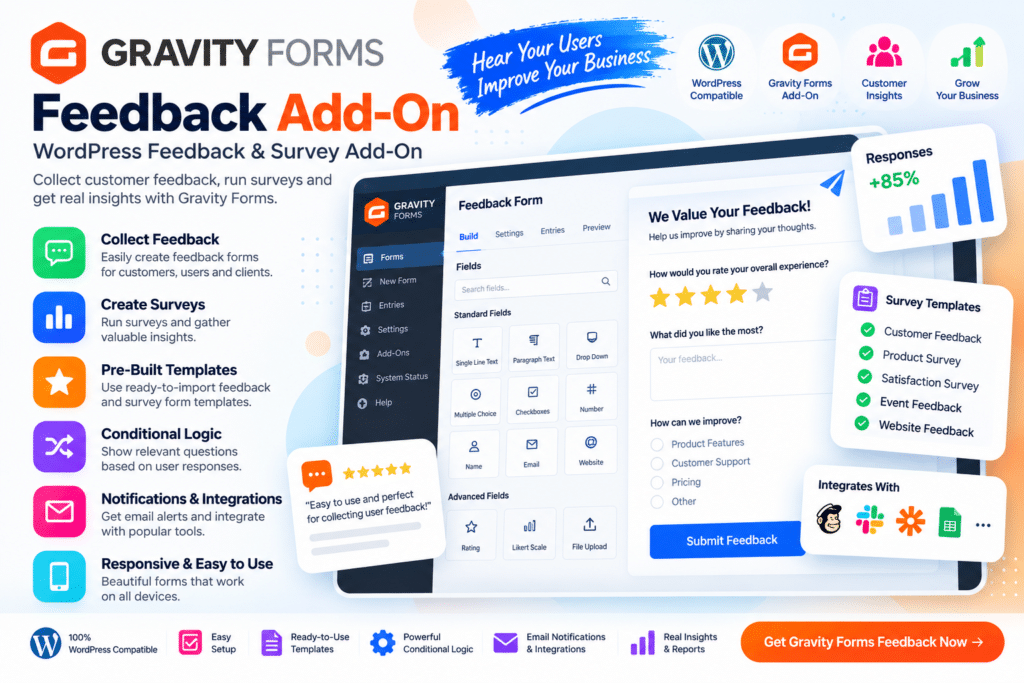
- Gravity Forms Integration – Add feedback-focused functionality to compatible Gravity Forms setups.
- Customer Feedback Forms – Collect structured opinions about products, services, or overall experiences.
- Survey-Style Questions – Create supported questions designed for ratings, opinions, and feedback collection.
- Rating Fields – Let respondents provide supported scores or satisfaction ratings.
- Custom Questions – Build feedback forms around the information that matters most to your organization.
- Conditional Logic – Display supported questions based on previous user responses.
- Multi-Step Forms – Divide longer feedback questionnaires into easier-to-complete sections where supported.
- Form Entry Management – Review submitted feedback through the Gravity Forms workflow.
- Email Notifications – Send supported notifications when new feedback is submitted.
- Anonymous Feedback Workflows – Create forms that do not require identifying information when configured appropriately.
- Responsive Forms – Keep feedback forms easy to complete on desktop, tablet, and mobile devices.
- Custom Form Styling – Match supported feedback forms with your website branding.
- Flexible Data Collection – Use forms for customers, employees, students, members, or event attendees.
- WordPress Integration – Embed supported feedback forms throughout your WordPress website.
Perfect For
Gravity Forms Feedback is suitable for businesses, agencies, schools, membership websites, SaaS companies, online stores, service providers, course creators, event organizers, nonprofits, HR teams, and organizations that want to collect structured opinions from their audience.
Turn Feedback into Useful Information
Feedback is most valuable when it is collected consistently and in a format that is easy to review.
With Gravity Forms Feedback, you can create focused questions around customer satisfaction, service quality, product experiences, employee opinions, or any other topic relevant to your organization.
This can help you identify recurring concerns, understand what users value, and collect information that can support future improvements.
Collect Better WordPress Feedback
Create structured feedback forms with Gravity Forms Feedback – WordPress Feedback & Survey Add-On.
With customizable questions, ratings, conditional logic, responsive forms, entry management, and Gravity Forms integration, the add-on provides a flexible way to collect and organize feedback through WordPress.